
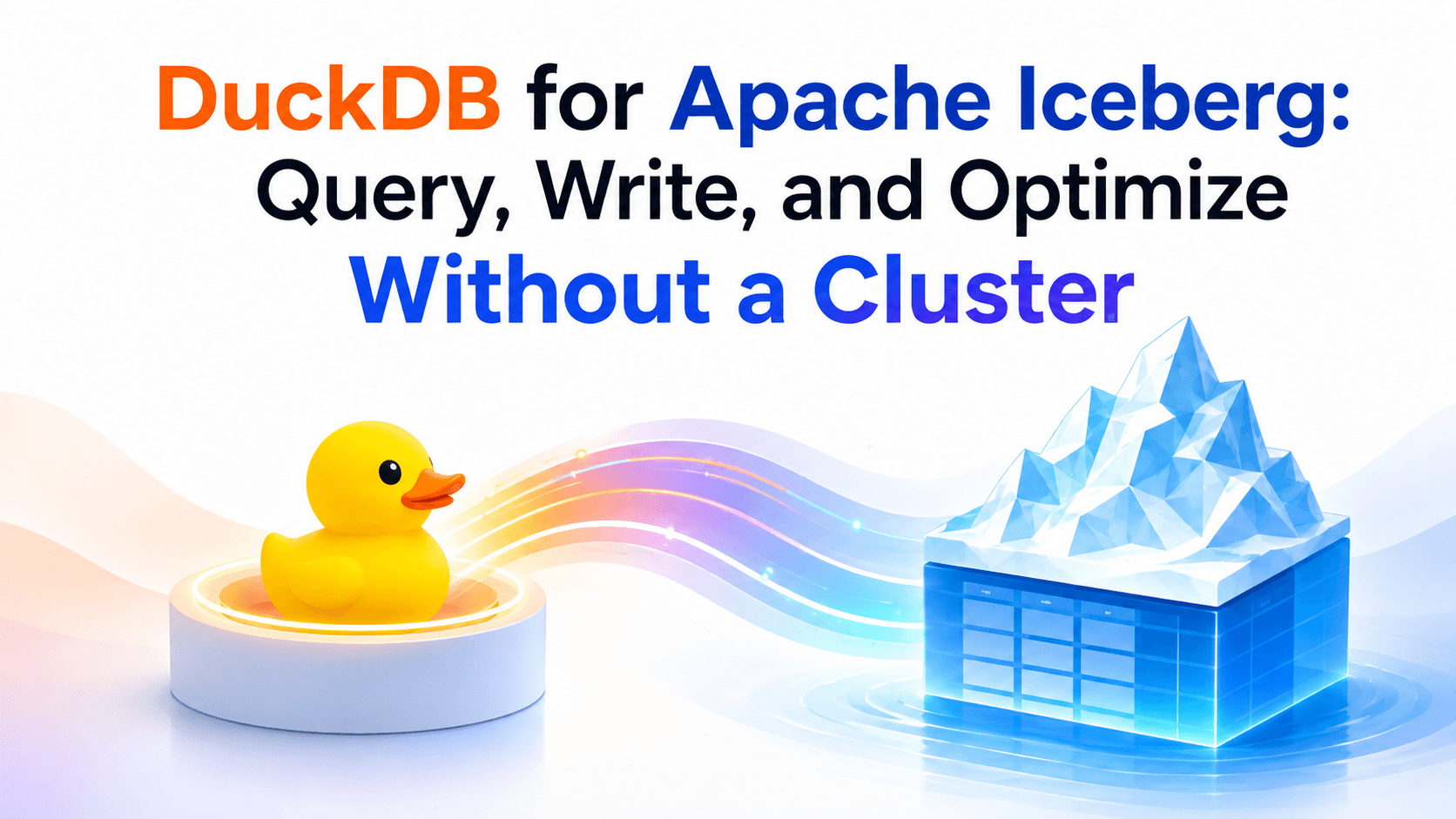
DuckDB has become the fastest way to query Apache Iceberg tables. No cluster to provision, no JVM to tune, no coordinator to manage — install a 50 MB binary, load the Iceberg extension, and run SQL against tables in S3. With v1.5.3 (May 2026), DuckDB added full write support including MERGE INTO, ALTER TABLE, Iceberg V3, and partition transforms. For the first time, a single embedded engine can handle both reads and writes against production Iceberg tables.
But no engine operates in isolation. Production lakehouses run DuckDB alongside Spark, Trino, Athena, and Snowflake — each optimized for different workloads. The multi-engine lakehouse vision is not about picking one engine — it's about routing the right queries to the right engine. The question is not whether to use DuckDB, but where it fits in the stack, how to keep tables optimized for its query patterns, and how to route the right queries to the right engine automatically.
A useful mental model is three layers that do not replace each other:
- 1.Query engine (DuckDB) — how you run SQL. Embedded, millisecond startup, no cluster.
- 2.Table format + catalog (Iceberg) — how data is stored, versioned, and discovered. Shared by every engine.
- 3.Control plane (LakeOps) — how tables stay healthy and how queries reach the right engine: compaction, the full maintenance sequence, health classification, policies, and routing.
DuckDB does layer 1 extremely well. It does not do layer 3. When a DuckDB query suddenly takes 10x longer, the cause is almost never the engine — it is file layout, delete-file debt, stale statistics, or a table that no other process is maintaining. This guide covers all three layers.

Why DuckDB for Iceberg
DuckDB is an embedded analytical database. It runs inside your process — Python, R, Node.js, Go, Java, or the standalone CLI — with zero external dependencies. There is no server to start, no cluster to scale, and no network round-trip between your application and the query engine.
For Iceberg workloads, the key characteristics are:
- Millisecond startup: DuckDB initializes in milliseconds. Spark takes seconds to minutes depending on cluster state. For interactive queries, notebook exploration, and CI/CD validation, that difference defines the experience.
- Vectorized columnar execution: DuckDB processes data in columnar vectors, reading Parquet row groups directly. Combined with Iceberg's metadata-driven file pruning, this means DuckDB skips irrelevant files and row groups before touching any data.
- 50 MB footprint: the entire engine, including the Iceberg extension, fits in a single binary. No JVM heap tuning, no shuffle service, no executor configuration.
- Full SQL support: window functions, CTEs, correlated subqueries, lateral joins,
QUALIFY,PIVOT, regular expressions — the full analytical SQL dialect. - Native Python integration:
import duckdbgives you an in-process engine that queries Pandas DataFrames, Arrow tables, and Iceberg tables in the same SQL statement.
The v1.5.3 release closed the last major gap: DuckDB can now write to Iceberg tables through any REST catalog — INSERT, UPDATE, DELETE, MERGE INTO, ALTER TABLE, and partitioned table creation. DuckDB is no longer read-only on Iceberg.
Setup: connecting DuckDB to Iceberg catalogs
The Iceberg extension installs automatically on first use. For S3-backed tables you also need httpfs and, on AWS, the aws extension:
1INSTALL iceberg;2LOAD iceberg;3INSTALL httpfs;4LOAD httpfs;5INSTALL aws;6LOAD aws;DuckDB supports two modes of Iceberg access: path-based scanning (read-only) and catalog-managed tables (full read/write).
Path-based scanning with iceberg_scan
The simplest way to query an Iceberg table is to point iceberg_scan at its storage location:
1SELECT order_date, SUM(total) AS revenue2FROM iceberg_scan('s3://my-bucket/warehouse/orders/')3WHERE order_date >= '2026-01-01'4GROUP BY order_date5ORDER BY revenue DESC;DuckDB reads the Iceberg metadata, identifies which data files match the predicate, and scans only the relevant Parquet files. No catalog required — useful for quick exploration, one-off analysis, or environments where catalog access is restricted. Path-based scans cannot write.
Attaching a REST catalog
For production use — and for any write operations — attach an Iceberg REST catalog. Most catalogs authenticate via OAuth2:
1CREATE SECRET iceberg_secret (2 TYPE ICEBERG,3 CLIENT_ID 'admin',4 CLIENT_SECRET 'password',5 OAUTH2_SERVER_URI 'https://catalog.example.com/v1/oauth/tokens'6);7 8ATTACH 'warehouse' AS my_lake (9 TYPE ICEBERG,10 SECRET iceberg_secret,11 ENDPOINT 'https://catalog.example.com'12);Once attached, the catalog behaves like any DuckDB database. Tables are referenced as catalog.schema.table and support the full SQL surface — SELECT, INSERT, UPDATE, DELETE, MERGE INTO, and ALTER TABLE.
Connecting to AWS catalogs
Prefer the AWS credential chain over hardcoded keys. Create an S3 secret, then attach Glue or S3 Tables:
1CREATE SECRET (2 TYPE S3,3 PROVIDER credential_chain,4 REGION 'us-east-1'5);6 7-- AWS Glue / SageMaker Lakehouse (experimental in current DuckDB docs)8ATTACH '123456789012' AS glue_lake (9 TYPE ICEBERG,10 ENDPOINT_TYPE glue11);12 13-- Amazon S3 Tables14ATTACH 'arn:aws:s3tables:us-east-1:123456789012:bucket/my-table-bucket' AS s3t (15 TYPE ICEBERG,16 ENDPOINT_TYPE s3_tables17);DuckDB also supports Apache Polaris, Lakekeeper, Google BigLake, and Cloudflare R2 catalogs through the same ATTACH interface with catalog-specific options.
Catalog freshness
DuckDB caches table metadata on attach. If Spark, Flink, or Firehose commits new snapshots while your session is open, a later SELECT can return a stale snapshot. Two controls matter in long-running processes:
MAX_TABLE_STALENESSonATTACH— how long DuckDB may reuse catalog metadata before refreshing (for example'10 minutes').- Re-attach or refresh after an external writer commits, if you need the latest snapshot immediately.
This is a common production surprise: a notebook looks correct at 9:00, a streaming job writes at 9:05, and the same DuckDB session still reads 9:00 data. Catalog attach is not a live subscription.
Reading: query patterns that stay fast
Once a catalog is attached, Iceberg tables are ordinary SQL. The performance difference between a 200 ms query and a 20 second query is almost always metadata pruning — not DuckDB's execution engine.
1SELECT customer_id, SUM(total) AS revenue2FROM my_lake.sales.orders3WHERE order_date BETWEEN '2026-08-01' AND '2026-08-07'4 AND country = 'US'5GROUP BY customer_id6ORDER BY revenue DESC7LIMIT 20;DuckDB pushes filters into Iceberg metadata and Parquet row-group statistics. Partition columns and sorted columns skip files and row groups before any bytes are decoded. Filters on unsorted, unpartitioned columns force a wider scan — the engine is still fast, but it is fast at reading too much data.
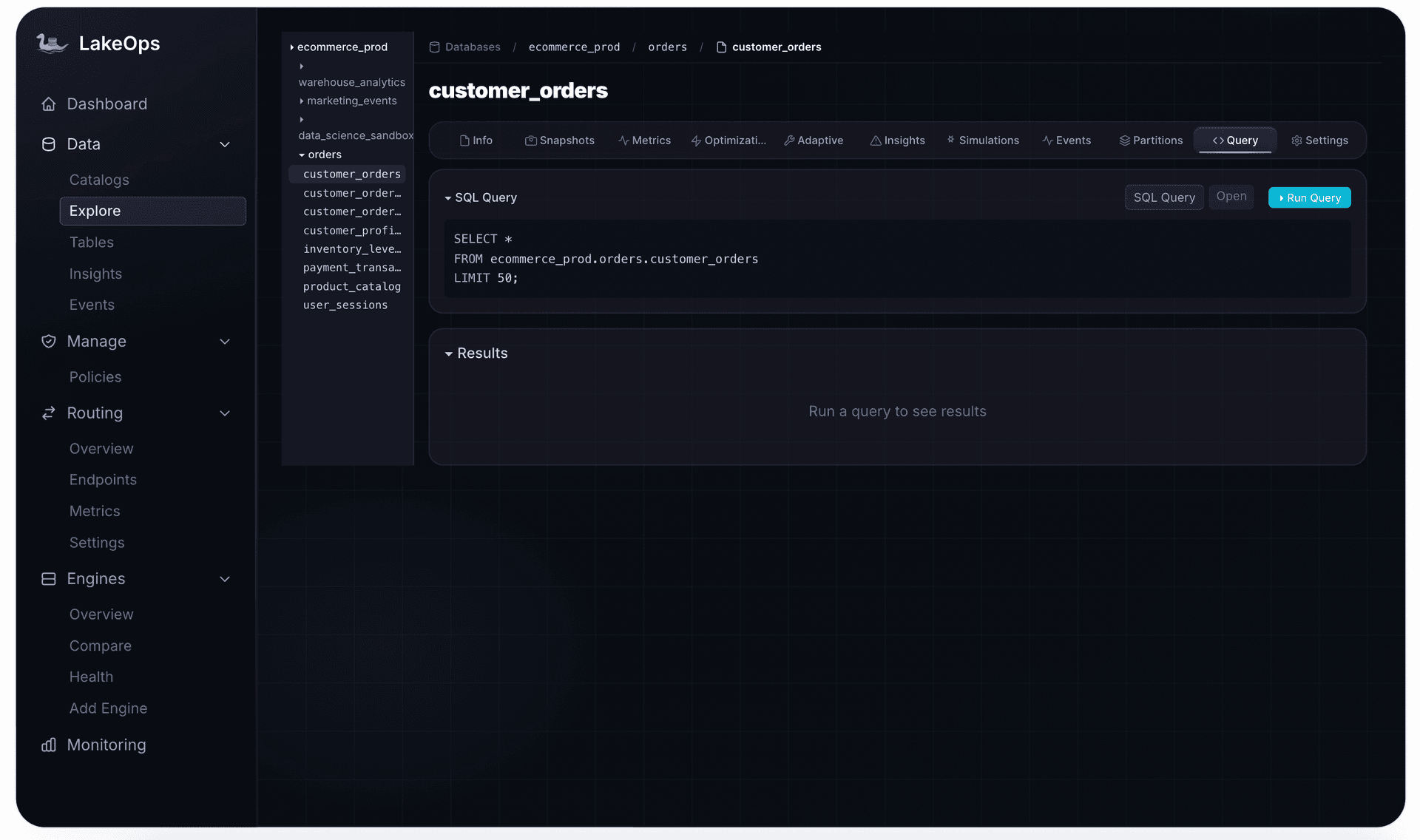
Inspect metadata when a scan is slower than expected:
1SELECT * FROM iceberg_snapshots(my_lake.sales.orders);2SELECT file_path, record_count, content3FROM iceberg_metadata(my_lake.sales.orders);iceberg_snapshots shows history. iceberg_metadata shows whether you are scanning hundreds of tiny data files or a compact set of large ones — the first diagnostic when DuckDB "got slow."
Time travel and snapshots
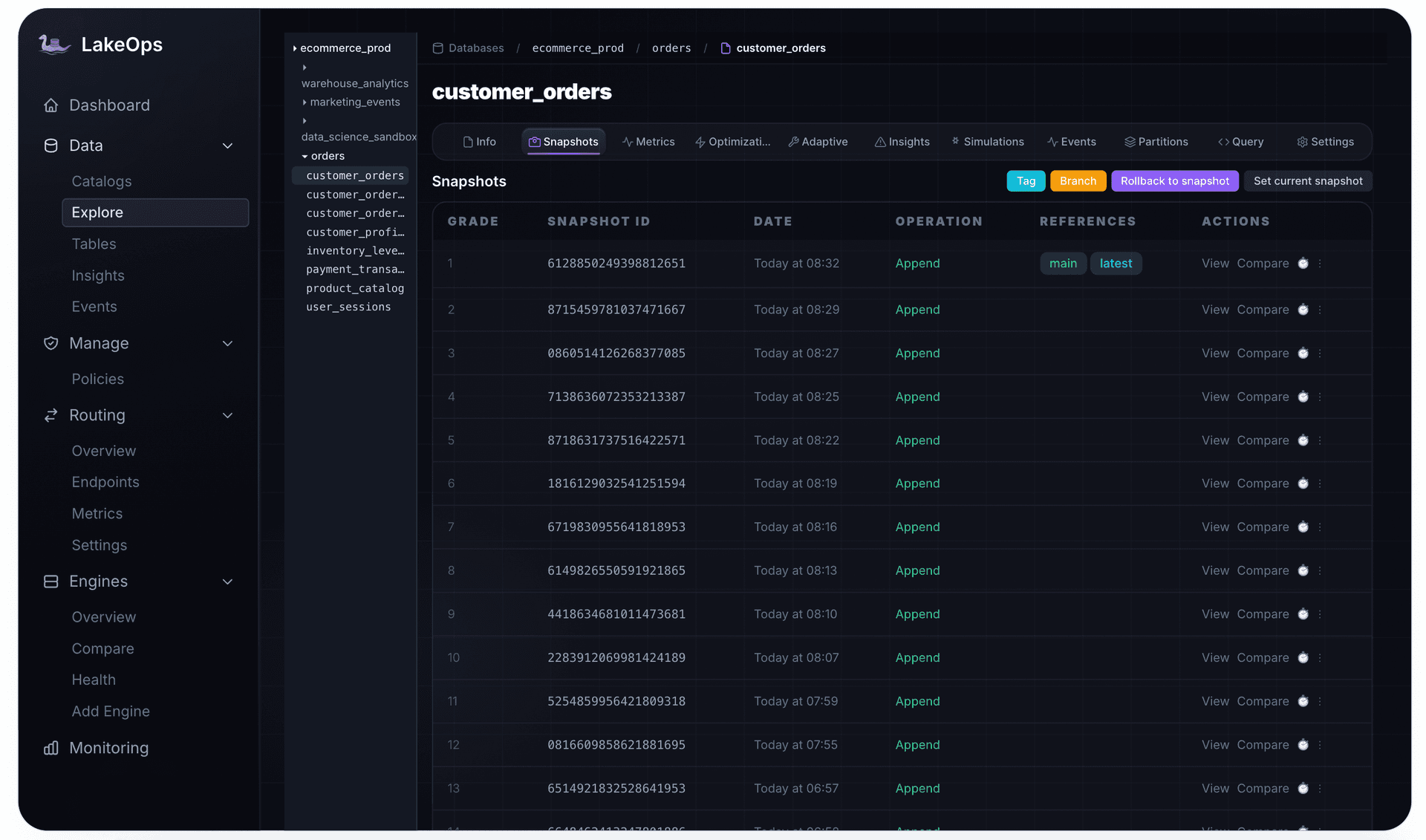
Iceberg commits are snapshots. DuckDB can query any historical state by snapshot id or timestamp — from a catalog table or from iceberg_scan:
1-- Catalog-attached table2SELECT *3FROM my_lake.sales.orders AT (VERSION => 8027658604211071520);4 5SELECT *6FROM my_lake.sales.orders AT (TIMESTAMP => '2026-08-01 12:00:00');7 8-- Path-based scan9SELECT count(*)10FROM iceberg_scan(11 's3://my-bucket/warehouse/orders/',12 snapshot_from_id := 802765860421107152013);Time travel is a read feature, not a retention policy. Snapshots you never expire keep every old data file and manifest alive. That is useful for audit and rollback — and expensive if nobody expires snapshots on a schedule. DuckDB will happily time-travel to a snapshot that is costing you storage every month.
Writing: what DuckDB v1.5.3 unlocks
Before v1.5.3, DuckDB's Iceberg support was read-only in practice. Now it covers the write surface that many production workloads require — with a few constraints that still matter.
Table creation and inserts
Create partitioned Iceberg tables with standard SQL, including bucket and truncate partition transforms introduced in v1.5.3:
1CREATE TABLE my_lake.analytics.events (2 event_id BIGINT,3 user_id BIGINT,4 country VARCHAR,5 event_type VARCHAR,6 event_time TIMESTAMP7)8PARTITIONED BY (bucket(16, user_id), truncate(2, country));9 10INSERT INTO my_lake.analytics.events11 VALUES (1, 1001, 'US', 'click', '2026-08-01 12:00:00'),12 (2, 1002, 'DE', 'view', '2026-08-01 12:05:00');Choose partitions for the filters you actually run. High-cardinality bucket on user_id helps point lookups. Date or truncated country helps range and dimensional filters. A partition strategy that does not match query predicates gives DuckDB nothing to prune.
MERGE INTO for upserts
The MERGE INTO statement handles upserts — the most common write pattern in CDC and slowly changing dimension workflows:
1MERGE INTO my_lake.analytics.customers AS target2 USING staging_updates AS source3 ON source.customer_id = target.customer_id4 WHEN MATCHED THEN UPDATE SET *5 WHEN NOT MATCHED THEN INSERT *;MERGE INTO uses merge-on-read semantics: matched rows are recorded as positional deletes and new versions are written as data files. This is the same approach Spark and Trino use, so the resulting table state is interoperable across engines.
Schema evolution
ALTER TABLE now works against Iceberg tables — add columns, rename columns, drop columns, and rename tables without rewriting data:
1ALTER TABLE my_lake.analytics.events ADD COLUMN device VARCHAR;2ALTER TABLE my_lake.analytics.events RENAME COLUMN event_type TO action;3ALTER TABLE my_lake.analytics.events DROP COLUMN device;Schema changes are metadata-only in Iceberg. DuckDB updates the current-schema-id in the table metadata, and the changes are immediately visible to any other engine attached to the same catalog.
Iceberg V3 support
DuckDB v1.5.3 supports the Iceberg V3 specification, including the VARIANT type, TIMESTAMP_NS precision, binary deletion vectors, and row lineage. V3 tables encode deletes as compact Puffin files rather than Parquet-based positional delete files — significantly reducing the metadata overhead of frequent updates. Geography and Unknown types are not supported yet.
1CREATE TABLE my_lake.analytics.v3_events2WITH ('format-version' = 3) AS3 SELECT 1 AS id,4 {'kind': 'click', 'x': 10}::VARIANT AS payload,5 TIMESTAMP_NS '2026-08-01 12:00:00.123456789' AS event_time;Write constraints that still apply
Writes go through an attached catalog — iceberg_scan stays read-only. UPDATE, DELETE, and MERGE INTO write positional deletes (merge-on-read), not copy-on-write. Frequent upserts therefore create delete-file debt that every later DuckDB scan must apply. That is expected Iceberg behavior, not a DuckDB bug — and it is why compaction belongs in the same mental model as writes.
The delete-file tax on DuckDB reads
Every MERGE, UPDATE, or DELETE that DuckDB (or Spark, or Flink) commits adds delete files. On the next read, DuckDB must load those deletes and filter matching rows out of data files. A handful of delete files is cheap. Thousands of them — typical after overnight CDC — turn a vectorized scan into apply-deletes-then-scan.
This is the same merge-on-read problem every Iceberg engine hits. DuckDB does not compact delete files away. If you use DuckDB as a writer for upserts, you still need a maintenance process that rewrites data files and drops applied deletes. Otherwise the engine that felt instant on day one degrades with every successful MERGE.
Performance: why table layout decides DuckDB query speed
DuckDB is fast because it reads Parquet files directly with vectorized execution — but that speed depends entirely on how the underlying files are organized. Table layout is the single biggest lever on DuckDB query performance, and it is the dimension that most teams overlook. For a deeper dive into the levers available, see Iceberg performance tuning.
The small files problem
Every Iceberg table starts as a collection of Parquet files in object storage. Each query must read metadata, identify relevant files, and fetch them over the network. If a table has 50,000 small files (common after streaming ingestion or frequent small writes), DuckDB issues 50,000 HTTP GET requests to S3 — and the I/O overhead dominates total query time regardless of how fast the engine processes data.
Compaction merges small files into larger ones (256–512 MB is optimal for most workloads). After compaction, the same table might have 200 files instead of 50,000. DuckDB scans it in seconds instead of minutes.
Sort order and predicate pushdown
Parquet files contain min/max statistics per row group and per column. When data is sorted on the columns you filter, DuckDB's predicate pushdown skips entire row groups without reading them. A WHERE event_date = '2026-08-01' on a date-sorted table reads a fraction of the data that the same query reads on an unsorted table.
The challenge: optimal sort order depends on how the table is actually queried, and different engines may query the same table in different ways. A sort order optimized for Trino dashboard queries may not be optimal for DuckDB ad-hoc exploration.
This is where query-aware compaction matters. LakeOps analyzes actual query patterns across all engines — including DuckDB — and determines the optimal sort order per table. Layout simulations predict the scan reduction of different sort strategies before writing a single byte. The result: files are laid out to match how the table is actually queried, not how someone guessed it would be queried when the pipeline was built.

Compaction speed and cost
Compaction is not free. Spark-based compaction on a 200 GB table takes ~1,600 seconds and costs roughly $50/TB. The LakeOps Rust/DataFusion engine completes the same binpack in 221 seconds at ~$5/TB — roughly 7x faster at a tenth of the cost. Sort compaction, which rewrites files in optimal order for DuckDB's predicate pushdown, sees even larger gains because the Rust engine processes Parquet directly without JVM overhead or shuffle stages — the same "no cluster" pitch as DuckDB, applied to maintenance.
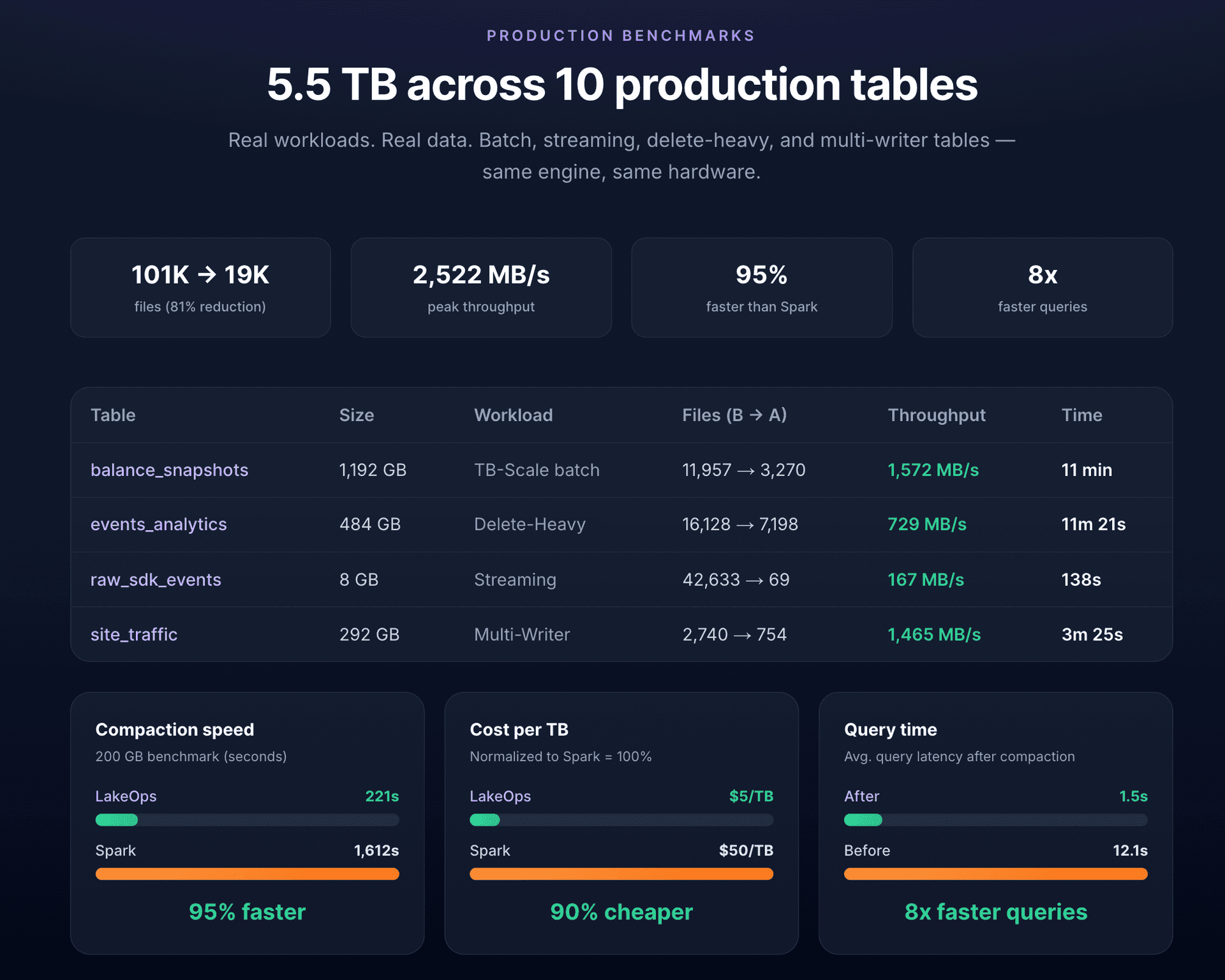
The point is not just faster compaction — it is faster DuckDB queries. Well-compacted, properly sorted tables with up-to-date column statistics are the foundation of DuckDB performance on Iceberg. Without them, you are benchmarking I/O latency, not query engine speed.
When to use DuckDB vs Spark vs Trino vs Athena
Each engine is optimized for a different workload profile. Using the wrong engine for a workload wastes either money or time — usually both.
| Dimension | DuckDB | Spark | Trino | Athena |
|---|---|---|---|---|
| Deployment | Embedded, in-process | Distributed cluster | Distributed cluster | Serverless |
| Startup time | Milliseconds | Seconds to minutes | Seconds | Seconds |
| Best for | Interactive queries, notebooks, CI/CD, small-medium datasets | Heavy ETL, large transformations, ML pipelines | Concurrent dashboards, federated queries | Ad-hoc serverless SQL |
| Concurrency | Single-user (embedded) | High (distributed) | High (distributed) | Moderate (per-query pricing) |
| Write support | Full (v1.5.3, REST catalog) | Full | Full | Limited (INSERT INTO, CTAS) |
| Cost model | Free (open source) | Compute cluster cost | Compute cluster cost | $5/TB scanned |
| Max dataset size | Single-node memory + disk | Petabytes | Petabytes | Petabytes |
| Python integration | Native (in-process) | PySpark (client-server) | JDBC/REST | JDBC/REST |
Where DuckDB wins
Interactive exploration: a data scientist opens a notebook, imports DuckDB, and queries Iceberg tables in S3 without provisioning anything. The feedback loop is milliseconds, not minutes. CI/CD data validation: DuckDB runs inside a GitHub Action or CI pipeline to validate table schemas, run data quality checks, or generate test reports — no cluster to spin up. Small to medium analytics: for datasets that fit in single-node memory (up to hundreds of GB with spill-to-disk), DuckDB matches or outperforms distributed engines because it avoids coordination, shuffle, and network overhead. Prototyping and development: test transformations locally before deploying them to Spark or Trino in production. AI agent tool calls: short, bounded SQL from an agent loop. DuckDB's startup and latency profile fits request/response better than a cluster warm-up.
Where DuckDB does not fit
Heavy ETL at scale: multi-terabyte transformations that require distributed shuffle and parallel writes across hundreds of partitions. Spark's distributed execution model exists for a reason — and replacing Spark only for compaction is a different decision from replacing Spark for ETL. High-concurrency serving: DuckDB is embedded and single-process. It does not handle hundreds of concurrent dashboard queries the way Trino or Snowflake do. Streaming ingestion: Flink and Spark Structured Streaming handle continuous micro-batch ingestion into Iceberg. DuckDB is batch-oriented.
The practical reality: most production teams run multiple engines simultaneously. DuckDB handles notebooks and ad-hoc queries. Spark handles ETL. Trino powers dashboards. The question is how to route the right query to the right engine without hardcoding the decision in application code.
Multi-engine routing in practice
In a multi-engine lakehouse, the routing problem is deceptively complex. Each engine has different SQL dialect nuances, different cost profiles, and different latency characteristics. Teams typically start by hardcoding engine selection — Spark for this pipeline, Trino for that dashboard, DuckDB for ad-hoc — and accumulate technical debt as the engine landscape evolves.
A proper routing layer needs to handle SQL dispatch, dialect translation, health-aware failover, and cost-based engine selection. It also needs stable endpoints so that applications do not break when you add a faster engine or retire an old one.
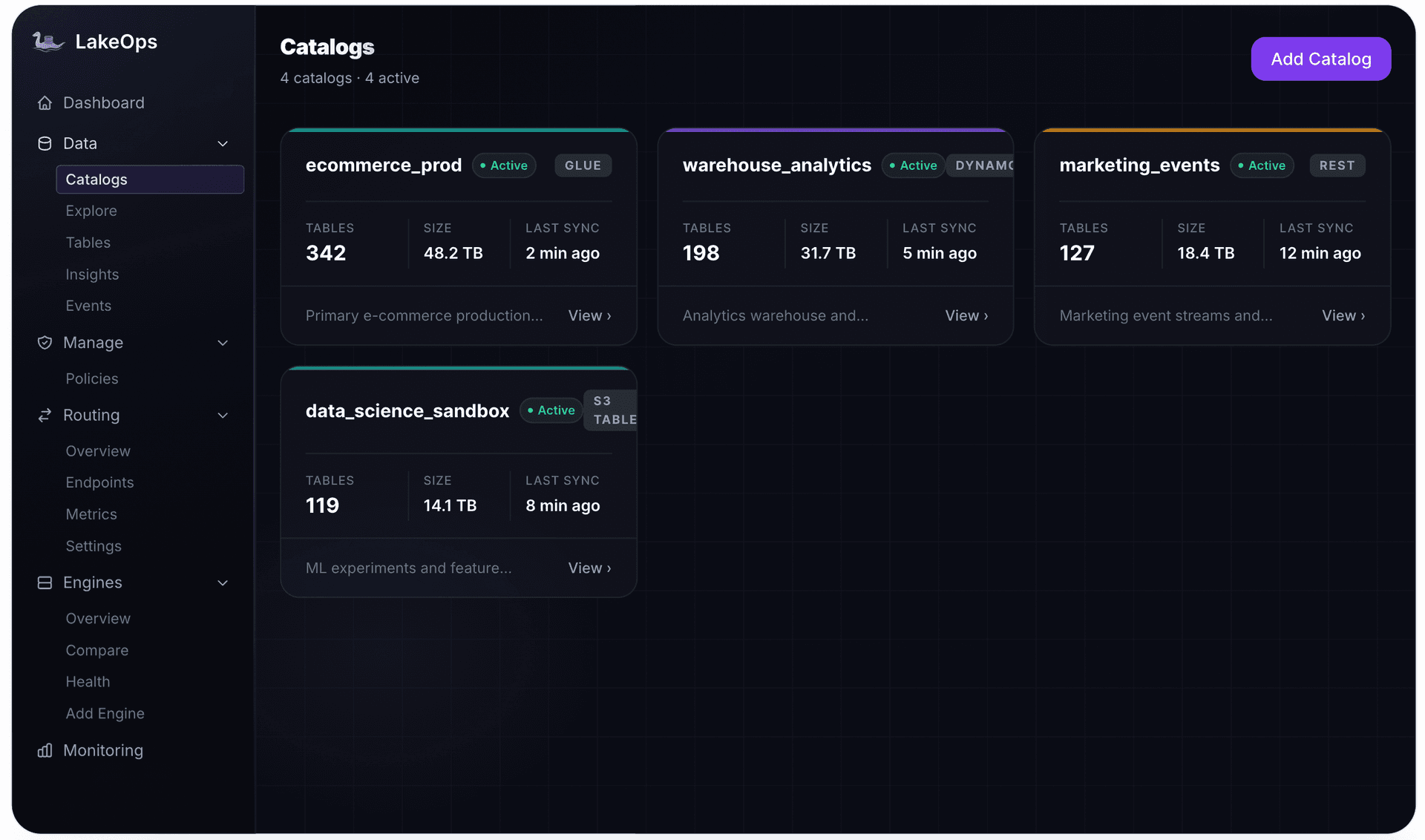
LakeOps provides a unified routing layer that solves this. Routing groups map workload types to engine pools with priority and failover logic:
- Analytics (interactive, ad-hoc) → DuckDB + Trino, with DuckDB preferred for sub-second queries
- BI (dashboards, reports) → Trino + Snowflake, optimized for concurrent access
- ETL (transformations, pipelines) → Spark + Athena, optimized for throughput
- AI agents → DuckDB + Trino via MCP, with cost limits and guardrails

Applications get a stable endpoint URL per routing group. When you add DuckDB to the analytics pool or retire an underperforming engine, the routing layer absorbs the change. No application code updates, no endpoint migrations.
This is also where AI agent access fits. LakeOps exposes Iceberg tables through the Model Context Protocol (MCP) — agents query the lake through the same routing and governance layer as human analysts, with cost limits and row-level controls enforced automatically. For details on how AI agents query Apache Iceberg data through MCP, see the protocol walkthrough. DuckDB's low-latency profile makes it a natural engine choice for agent workloads that need fast, lightweight queries.
Production: what DuckDB does not handle
DuckDB is a query engine. It reads and writes data. Production Iceberg tables require a layer of ongoing operations that no query engine provides — and this is where most teams underinvest.
Table maintenance
Every Iceberg table accumulates operational debt: small files from streaming writes, expired snapshots consuming storage, orphan files from failed jobs, manifests that grow deeper with every commit. The full maintenance sequence — expire snapshots, remove orphan files, compact data files, rewrite manifests, compute column statistics — must run in the correct dependency order, continuously, across every table.
DuckDB does not run maintenance. Neither does Trino or Athena. Spark can run compaction via stored procedures, but scheduling, monitoring, and sequencing hundreds of tables is a separate engineering problem that scales with the lake, not with the query workload.
Observability
When a DuckDB query suddenly takes 10x longer, start with the table: file count, delete-file ratio, snapshot accumulation, partition skew, stale statistics. Without table-level health monitoring, diagnosis is guesswork — and you will retune the SQL instead of compacting the files.


The operational layer
LakeOps provides the operational control plane that query engines — including DuckDB — depend on but do not provide. Autonomous maintenance runs the full sequence in correct dependency order using a purpose-built Rust engine. Health classification surfaces table degradation before it reaches query latency. Cascade policies govern compaction, retention, and cleanup from catalog to namespace to table — replacing the scattered Airflow DAGs that teams accumulate as the lake grows.

The combination is straightforward: DuckDB handles queries, LakeOps handles everything else — maintenance, routing, observability, governance. Tables stay compact, properly sorted, and healthy. DuckDB queries stay fast.
Decision framework
Use DuckDB when: - The workload is **interactive** — notebooks, ad-hoc SQL, local development - You need **millisecond startup** — CI checks, agent tool calls, short-lived processes - The working set fits a **single node** (memory plus spill-to-disk) - You want **reads and writes** against a REST catalog without standing up Spark - Python or the CLI is the natural interface
Use Spark, Trino, or Athena when: - Transformations are **multi-terabyte** and need distributed shuffle - **Many concurrent** users hit the same dashboards - Ingestion is **continuous streaming** - You are already paying for a cluster or serverless scan model that fits the job
Add LakeOps when: - DuckDB queries are only as fast as **file layout, deletes, and statistics** - You run **more than one engine** and do not want engine choice hardcoded - Snapshot expiration, orphan cleanup, and compaction need to run **in order, lake-wide** - You want **health and policies** instead of a growing pile of maintenance DAGs
In practice: DuckDB is the engine you add first for exploration. LakeOps is the layer that keeps that engine honest once the same tables are written by Spark, Flink, MERGE jobs, and agents.
Summary
DuckDB makes Iceberg accessible without infrastructure. Install a binary, connect to a catalog, run SQL. With v1.5.3, it handles reads, writes, schema evolution, time travel, and upserts — covering the full lifecycle for many workloads without a single cluster.
Keep the three-layer model in view. DuckDB is the engine. Iceberg is the shared table. The control plane is what prevents delete files, small files, and snapshot pile-up from turning a millisecond engine into an S3 latency benchmark. Compaction quality, sort order, and column statistics are the biggest levers — and they require a maintenance system that runs continuously across the estate. In production, DuckDB is one engine in a multi-engine architecture where routing, health monitoring, and autonomous maintenance determine whether any individual query is fast or slow.
Start with DuckDB for interactive and development workloads. Add it to the analytics routing group alongside Trino for sub-second queries. Keep the underlying tables optimized with query-aware compaction. And connect your catalogs to see the full operational picture across every engine, table, and catalog in the estate.
Further reading
- Managed Iceberg in 2026 — the nine components of a complete Iceberg control plane
- Iceberg Cost Optimization in 2026 — strategies for reducing storage, compute, and maintenance costs across your Iceberg estate