
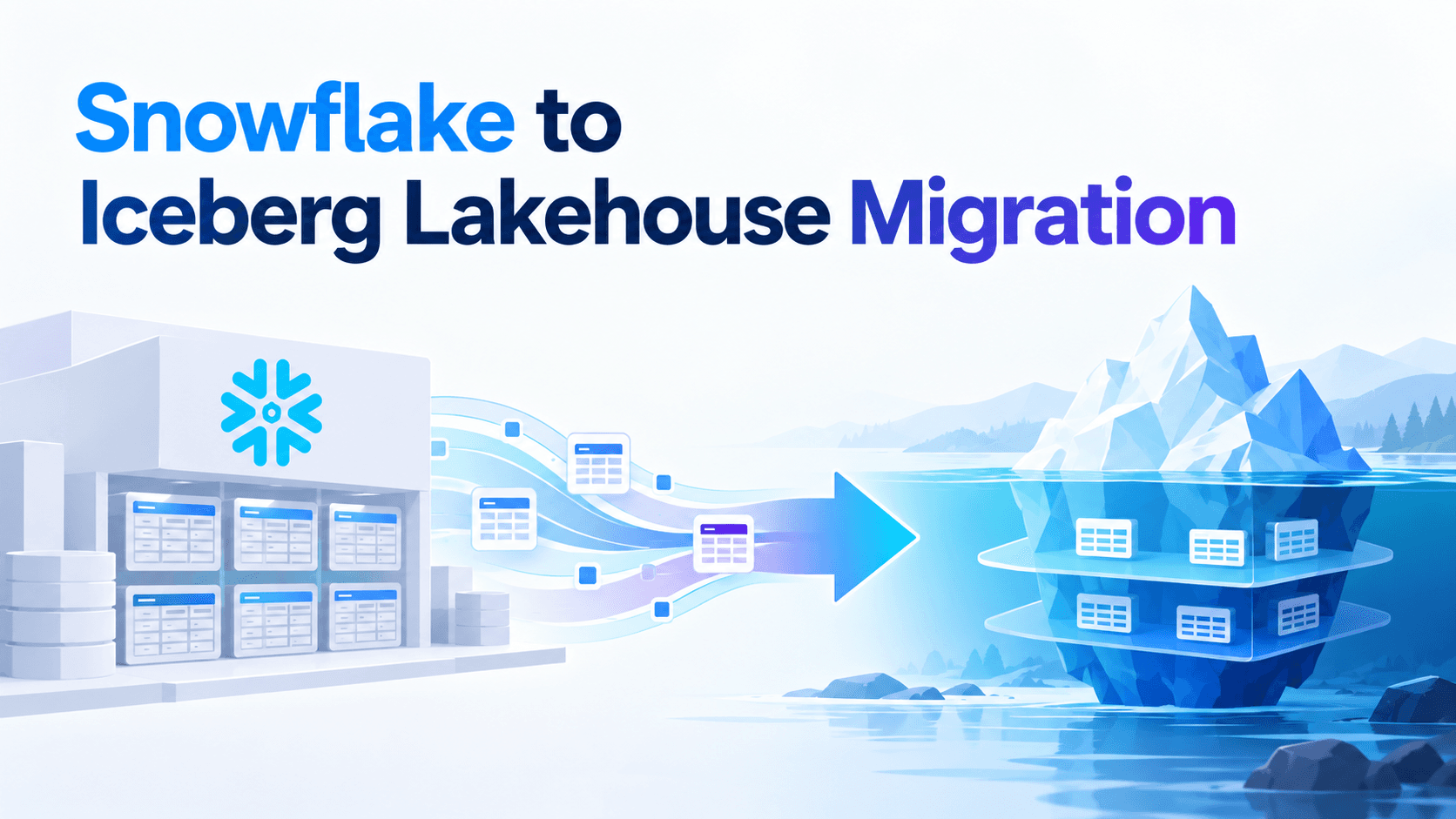
Most Snowflake-to-Iceberg migration plans are really data-copy plans. They list the tables, estimate the bytes, pick a conversion method, and schedule cutovers. Then the first wave lands, and within weeks the questions change: why are queries on the migrated tables slower than they were in Snowflake, who is supposed to expire snapshots, why does Trino return a different answer than Snowflake for the same filter, and why did the dashboard bill go up after we moved it to a cheaper engine?
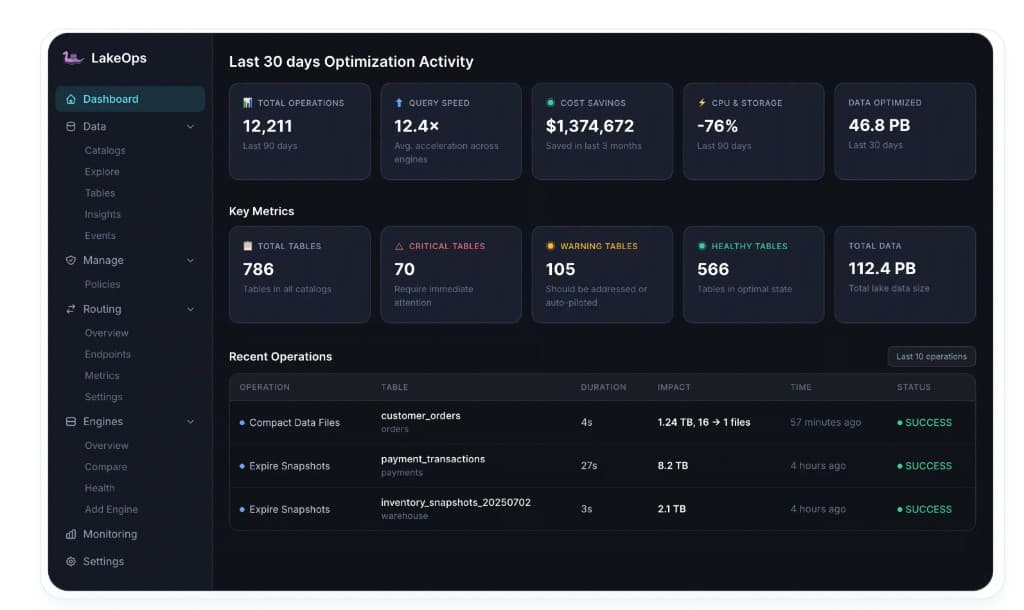
None of those are data-copy problems. They come from a fact that is easy to miss when you have used Snowflake for years: Snowflake is four products sold as one — storage, a catalog, compute, and an operations layer that runs continuously and invisibly. An Iceberg lakehouse hands all four back to you. Storage, catalog, and compute have obvious open replacements. The operations layer does not, and it is the one that decides whether the migration feels like an upgrade or a regression. That layer is a lakehouse control plane, and LakeOps is built to be it — running across your Snowflake estate and your new Iceberg lake at the same time, so tables are healthy from the first one you move.
This guide walks the migration phase by phase, from inventory to decommission, with the decisions that are hard to reverse called out where they occur. If you are still comparing conversion tools — Snowflake-managed Iceberg, Open Catalog sync, Spark, Glue — the Snowflake to Iceberg tools comparison covers that ground. This guide is about executing the migration once the direction is set.
Why teams move to an Iceberg lakehouse
The motivations are consistent across teams, and worth being explicit about because each one implies a different success metric:
- Open storage. Data in Parquet on your own object storage, described by an open table format, readable by any engine — not a proprietary format you can only reach through one vendor's compute.
- Engine choice per workload. Trino or DuckDB for interactive queries, Spark or Flink for pipelines, Snowflake for the governed BI it does well — all on one copy of the data.
- Cost control. Compute priced per workload instead of everything flowing through one warehouse meter.
- AI and agent access. Agents and ML pipelines reading the same governed tables as analysts, without exports.
Notice that "leave Snowflake" is not on the list. In most migrations Snowflake stays as one engine among several, often for BI and governed SQL. The real goal is to change what owns the data — and that changes what owns the operations.
Snowflake, unbundled: what you are actually migrating
Before planning waves, map what Snowflake does today to what will do it afterward. This table is the backbone of the whole migration:
| Layer | What Snowflake does for you | Iceberg lakehouse replacement |
|---|---|---|
| Storage | Micro-partitions in Snowflake-managed storage | Parquet files on your S3, ADLS, or GCS |
| Catalog | Services-layer metadata, transactions, Time Travel | Iceberg metadata plus a catalog: Horizon, Open Catalog or Polaris, Glue, Lakekeeper, Nessie |
| Compute | Virtual warehouses, result cache, workload isolation | Snowflake, Trino, Spark, DuckDB, Athena, Flink — chosen per workload |
| Operations | Automatic clustering and compaction, metadata cleanup, retention, pruning statistics, usage telemetry | No default owner — a control plane, or scripts you write and maintain |
The first three rows are well documented and well tooled. The fourth row is where migrations stall. Snowflake's operations were never a feature you configured; they were simply how the product behaved. Your migration plan has probably never listed them, because you never had to think about them. In an Iceberg lakehouse, every one of them is a job someone has to run — on every table, at the right cadence, in the right order, across every engine that writes.
The control plane: what replaces Snowflake's invisible operations
Here is the mental model. In Snowflake, the services layer watched every table and quietly kept it fast. In an Iceberg lakehouse, your catalog records state and your engines read and write it, but nothing watches the tables. A control plane is that missing watcher: a system that sits beside your catalogs and engines — not in your data path — reads table metadata and query telemetry, and continuously decides and executes the operational work the tables need.
It runs as a closed loop: sense each table's file layout, metadata depth, snapshot growth, and the queries hitting it; plan which tables need what, ranked by impact and sequenced correctly; optimize by running compaction, snapshot expiry, orphan cleanup, manifest rewrites, routing, and policy enforcement; and learn from the results, so sort orders follow real filters and cadence follows real write patterns. Mapped onto what you are leaving behind:
- Snowflake's automatic clustering becomes query-aware compaction that sorts files by the columns your engines actually filter, join, and group on.
- Snowflake's background metadata housekeeping becomes adaptive maintenance: snapshot expiry, orphan cleanup, and manifest rewrites triggered by each table's health.
- Snowflake's account usage views become observability across every catalog and engine, with a health score per table.
- Snowflake's warehouse-per-workload isolation becomes query routing: one endpoint per workload, sent to the engine that serves it best.
- Snowflake's account-level settings become declarative policies that cascade from organization to table.
The alternative is rebuilding the services layer yourself out of Airflow DAGs, Spark jobs, and alert rules. It works for the first dozen tables, then breaks in predictable places:
- Schedules cannot see state. A nightly job runs whether a table needs it or not, and misses the streaming table that needed it an hour ago.
- Scripts do not rank. With hundreds of migrated tables, the useful question is which ones are slowing real queries right now, and in what order to fix them.
- Order drifts. Expiry, compaction, cleanup, and manifest rewrites depend on each other; the sequence erodes as steps are added by different people.
- Nothing learns. A sort order hardcoded in a DAG is a guess, while the query mix changes every time a workload moves to a new engine.
Keep going down that road and you end up operating a homegrown version of the product you were migrating away from.
LakeOps is built as this control plane for Iceberg. It connects to Glue, Polaris and Snowflake Open Catalog, Nessie, Gravitino, Lakekeeper, S3 Tables, or any REST-compatible catalog through standard metadata APIs, and registers Snowflake as an engine alongside Trino, Spark, DuckDB, and Athena. It does not move data or change pipelines, and data stays in your cloud account. For a migration the timing matters most: connected before the first wave, it gives you one view across both sides and maintains the open-catalog tables from the moment they land — so there is no gap between "migrated" and "healthy."

The migration solution overview shows how this plays out across both stacks, and the walkthrough below shows the loop running end to end.
Phase 1: Inventory tables, consumers, and dependencies
A good inventory answers three questions per table: who reads it, how it is written, and which Snowflake features it depends on. Snowflake's own account usage views answer most of this. Start with real usage over a meaningful window, not a schema listing:
1-- Which tables are actually read, by how many users, and how recently2SELECT3 f.value:"objectName"::string AS table_name,4 COUNT(DISTINCT ah.query_id) AS reads_90d,5 COUNT(DISTINCT ah.user_name) AS distinct_readers,6 MAX(ah.query_start_time) AS last_read7FROM snowflake.account_usage.access_history ah,8 LATERAL FLATTEN(ah.base_objects_accessed) f9WHERE ah.query_start_time >= DATEADD(day, -90, CURRENT_TIMESTAMP())10 AND f.value:"objectDomain"::string = 'Table'11GROUP BY 112ORDER BY reads_90d DESC;Then find the columns and patterns that need a decision before conversion:
1-- Columns that do not map cleanly to Iceberg2SELECT table_catalog, table_schema, table_name, column_name, data_type,3 column_default, collation_name4FROM snowflake.account_usage.columns5WHERE deleted IS NULL6 AND table_schema <> 'INFORMATION_SCHEMA'7 AND (data_type IN ('TIMESTAMP_TZ', 'VARIANT', 'OBJECT', 'ARRAY',8 'GEOGRAPHY', 'GEOMETRY', 'VECTOR')9 OR column_default IS NOT NULL10 OR collation_name IS NOT NULL);11 12-- Pipelines that rely on table swaps13SELECT query_text, user_name, start_time14FROM snowflake.account_usage.query_history15WHERE query_text ILIKE '%SWAP WITH%'16 AND start_time >= DATEADD(month, -3, CURRENT_TIMESTAMP());Add streams, tasks, dynamic tables, Snowpipe definitions, masking and row access policies, clustering keys, and outbound data shares to the inventory — shares in particular have no drop-in equivalent and need their own plan. Then classify every table along four axes: write pattern (batch, streaming, CDC with MERGE), consumers (Snowflake only, or other engines too), size, and Snowflake feature dependencies. The classification drives everything after it — catalog ownership, conversion method, wave order, and maintenance cadence.
Plan waves by risk, not by schema. Good first waves are read-heavy, batch-written tables with few dependencies and a clear owner. Leave CDC tables with heavy MERGE traffic, tables behind streams and dynamic tables, and anything with swaps for later waves, once the operating model is proven.
Phase 2: Decide who owns each table
This is the decision that is hardest to reverse, and it is about catalog authority: which system commits writes for a table. In 2026 there are two workable shapes, and most estates use both:
- Snowflake-managed Iceberg. Snowflake is the catalog. Files land in Parquet on your external volume, Snowflake writes and compacts them, and external engines read — and, since Horizon Catalog write support went GA, can also write — through Snowflake's Iceberg REST endpoint using Snowflake roles and policies. Lowest friction when Snowflake remains the main writer.
- Externally managed. An open catalog — Open Catalog or Polaris, Glue, Lakekeeper, Nessie — owns the table. Snowflake reads and writes through a catalog-linked database; full DML on externally managed tables has been generally available since late 2025. Spark, Flink, and Trino write natively. Best when open engines do most of the writing, or when catalog independence is the point of the migration.
The rule that keeps either shape safe: one catalog of record per table, decided by who writes. If Snowflake tasks produce the table, Snowflake-managed is natural. If Flink or Spark produce it, the open catalog should own it. A table registered for writes in two catalogs is the fastest route to corrupted state in a multi-engine lakehouse.
Two consequences follow from the choice. On Snowflake-managed tables, Snowflake keeps doing compaction and bills it as storage optimization credits. On externally managed tables, maintenance is entirely yours from the first commit. Either way, you now run tables in two catalogs with two operational models, which is exactly why one view across both matters: LakeOps connects to each catalog and scores every table on the same health model, regardless of which system writes it.
Place storage deliberately while you are here. Keep the external volume in the same cloud region as the Snowflake account and the engines that will read it; cross-region reads and writes add egress charges on every query, which is an easy way to lose the savings the migration was meant to deliver. If external engines will reach Snowflake-managed tables through Horizon, account for its catalog API calls too, which Snowflake bills as cloud services.
Phase 3: Translate table definitions
Snowflake's type system is richer than Iceberg's, and a few gaps cause most conversion failures. Settle each one with the table owner before the first copy:
TIMESTAMP_TZhas no Iceberg equivalent. Iceberg'stimestamptzstores only the UTC instant, not the original offset. Cast toTIMESTAMP_LTZto keep the instant, toTIMESTAMP_NTZto keep wall-clock time, or keep the offset in a separate string column if it carries meaning.- Semi-structured data depends on the format version.
VARIANT,GEOGRAPHY,GEOMETRY, and nanosecond timestamps need Iceberg v3. On v2, semi-structured columns must become structuredOBJECT,ARRAY, orMAPtypes.VECTORhas no Iceberg type yet. - Defaults and sequences are not stored behavior. Iceberg has no server-side generated values. Pipelines that relied on
DEFAULT CURRENT_TIMESTAMP()or sequences must supply the value explicitly. - Collation is an engine concept. Snowflake enforces collation on its own queries; every other engine compares bytes. Collated columns that other engines filter or sort on will silently return different results.
- Identifier case. Snowflake uppercases unquoted identifiers. Many open catalogs, Glue among them, expect lowercase. Pick a convention and quote consistently, or every engine will fail on half the tables.
Two table properties need deciding at creation. Choose the format version by your least capable reader: if any engine that must read the table is v2-only, the table stays v2, whatever Snowflake supports. And if anything other than Snowflake will read a Snowflake-written table, set STORAGE_SERIALIZATION_POLICY = COMPATIBLE — the default encoding can use Parquet codecs some engines cannot decode. Set both as database or schema defaults rather than per table.
Do not port clustering keys one-to-one. A Snowflake clustering key encodes what Snowflake's queries needed. After migration, several engines with different query patterns will read the table. Use a coarse partition spec at creation — usually a time transform on the column most queries bound — and leave fine-grained ordering to sort orders applied during compaction, once you can see real queries from every engine. Phase 6 covers how.
Phase 4: Move the data
Pick the movement method per table by size, types, and target ownership:
CREATE ICEBERG TABLE … AS SELECTfor Snowflake-managed targets. One statement, Snowflake handles types and layout, and it is the safest path for tables with semi-structured or geospatial columns.INSERT … SELECTinto a catalog-linked database for externally managed targets, in bounded batches by date range so each batch is retryable and verifiable.- Bulk Parquet paths for very large tables. Unload to Parquet and register with Spark, or use
COPY INTOwithLOAD_MODE = ADD_FILES_COPYinto a Snowflake-managed table. Faster and cheaper at scale, but Parquet round-trips are where precision and type issues appear, andADD_FILES_COPYregisters files without coercing types, so the Parquet column types must already match the Iceberg schema. Validate these tables harder. - Dual-write for live tables. For tables with continuous ingestion, start the new pipeline writing to Iceberg in parallel, backfill history from Snowflake, and cut consumers over only after parity holds.
1-- Snowflake-managed target, readable by external engines2ALTER SCHEMA analytics.sales SET STORAGE_SERIALIZATION_POLICY = 'COMPATIBLE';3 4CREATE ICEBERG TABLE analytics.sales.orders_ice5 CATALOG = 'SNOWFLAKE'6 EXTERNAL_VOLUME = 'lake_s3'7 BASE_LOCATION = 'sales/orders'8AS9SELECT10 order_id,11 customer_id,12 status,13 amount,14 CAST(order_ts AS TIMESTAMP_LTZ(6)) AS order_ts -- was TIMESTAMP_TZ15FROM analytics.sales.orders;16 17-- Externally managed target through a catalog-linked database18CREATE DATABASE lake LINKED_CATALOG = (CATALOG = 'open_catalog_int');Validate every table before any consumer moves, and make parity a hard gate, not a sample. Inside Snowflake you can compare both sides with an order-independent fingerprint, partition by partition:
1SELECT 'native' AS side, COUNT(*) AS row_count,2 HASH_AGG(order_id, customer_id, status, amount,3 CAST(order_ts AS TIMESTAMP_LTZ(6))) AS fingerprint4FROM analytics.sales.orders5WHERE order_ts >= '2026-09-01' AND order_ts < '2026-10-01'6UNION ALL7SELECT 'iceberg', COUNT(*),8 HASH_AGG(order_id, customer_id, status, amount, order_ts)9FROM analytics.sales.orders_ice10WHERE order_ts >= '2026-09-01' AND order_ts < '2026-10-01';Then check from the other engines. Hash functions differ between engines, so compare per-partition counts, sums, and distinct counts from Trino or Spark against Snowflake. This is where type decisions from Phase 3 surface as real differences — and where it is cheapest to catch them.
Phase 5: Operate from the first migrated table
This is the phase most plans leave out, and the one users notice. The moment a table lands in an open catalog, nothing compacts it, nothing expires its snapshots, nothing cleans the files failed writes leave behind, and nothing rewrites its manifests as they multiply. In Snowflake that was background behavior. Here it is either automated or it does not happen — and unmaintained Iceberg tables degrade quickly under real write traffic, which is precisely when users start comparing them to the Snowflake tables they replaced.
Start with visibility. Every migrated table should enter health scoring the day it lands, so you can see which ones are degrading before anyone files a ticket about a slow dashboard.

Then make every operation verifiable. During a migration, "did maintenance run on that table, and what did it change?" comes up constantly — especially right after a cutover. An operations log answers it without digging through job histories.

Maintenance cadence has to follow each table's write pattern, which is one more reason a uniform nightly job fails after migration. A table fed by streaming ingestion accumulates snapshots and small files continuously; a table rebuilt by a daily batch barely changes between runs. Order matters too: expire snapshots, then compact, then clean orphans, then rewrite manifests, so each step works on the output of the previous one.

Table maintenance in LakeOps runs this pipeline for every table in the connected open catalogs: triggered by health rather than a clock, sequenced per table, and starting the moment a catalog connects — so the first wave is maintained before the second one begins.
Time Travel and Fail-safe become explicit decisions
Snowflake's Time Travel and Fail-safe were account settings. In Iceberg, history is snapshots, and how much you keep is a retention policy you set per table — balancing time-travel and rollback needs against metadata growth and storage. Fail-safe has no Iceberg equivalent on your own bucket; recovery beyond retained snapshots comes from object-storage versioning and backup policy, which should be designed before the first production table moves, not after the first incident. Iceberg also gives you something Snowflake did not: tags and branches, which make named recovery points and isolated test environments cheap.
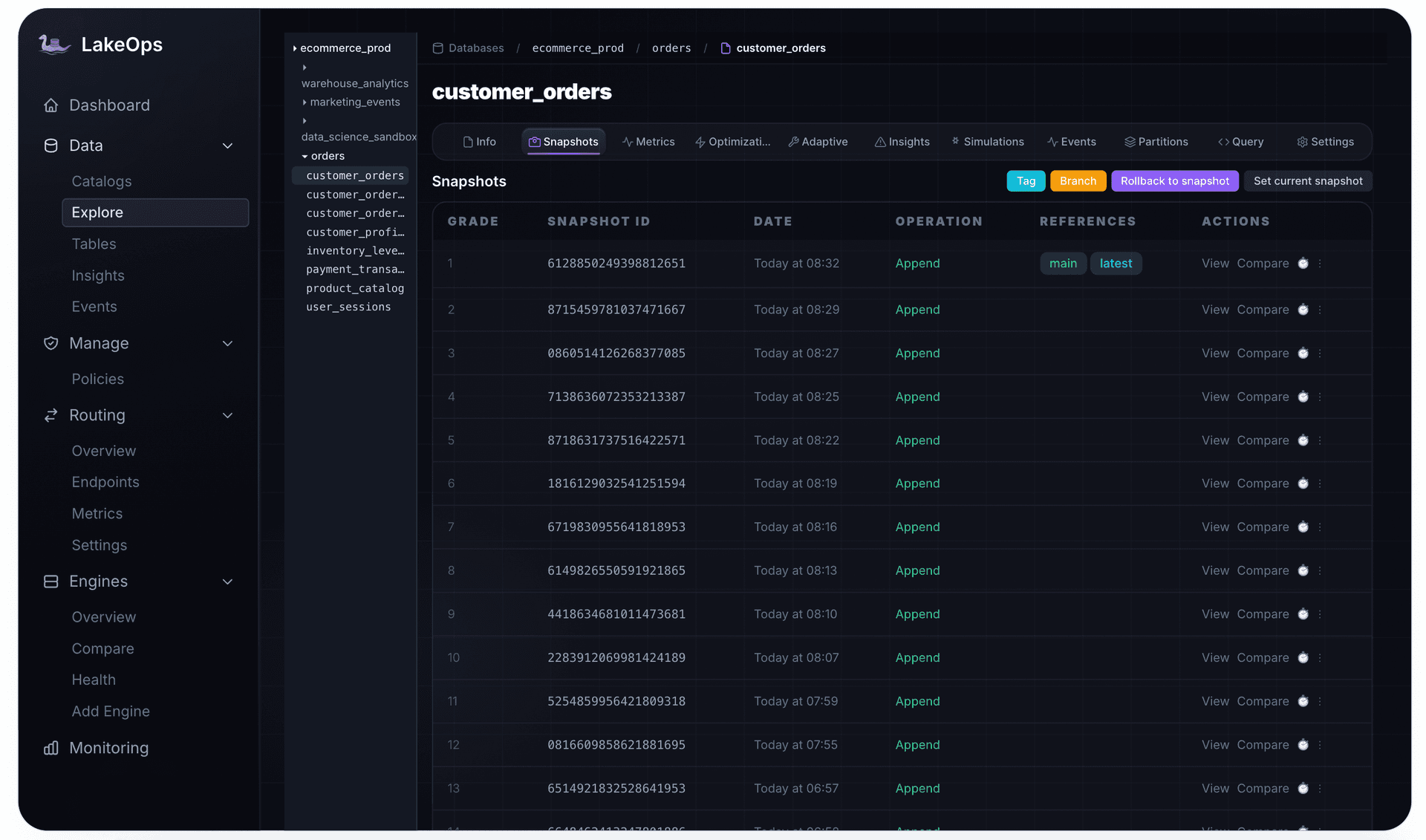
Finally, hold the maintenance loop itself to a standard. Coverage should be complete for every migrated namespace, failures should be visible, and the queue of tables due for work should drain rather than grow as waves land.

Observability in LakeOps ties these views to cross-engine query telemetry, so a slow Trino query on a migrated table and a Snowflake query on the same table surface as one signal, not two investigations.
Phase 6: Rebuild clustering as query-aware layout
Snowflake's automatic clustering kept micro-partitions organized by your clustering keys, and its pruning did the rest. Iceberg engines prune with partition values and per-file column statistics, which only work if rows inside each file are organized by the columns queries filter on. A table copied out of Snowflake has whatever order the copy produced; a table written by streaming has arrival order. Either way, statistics overlap and engines read more files than they should.
The diagnosis comes first. The issues that matter after migration are partitions overloaded with small files, excessive manifests from frequent commits, snapshot accumulation, and partition skew — each with a different fix.

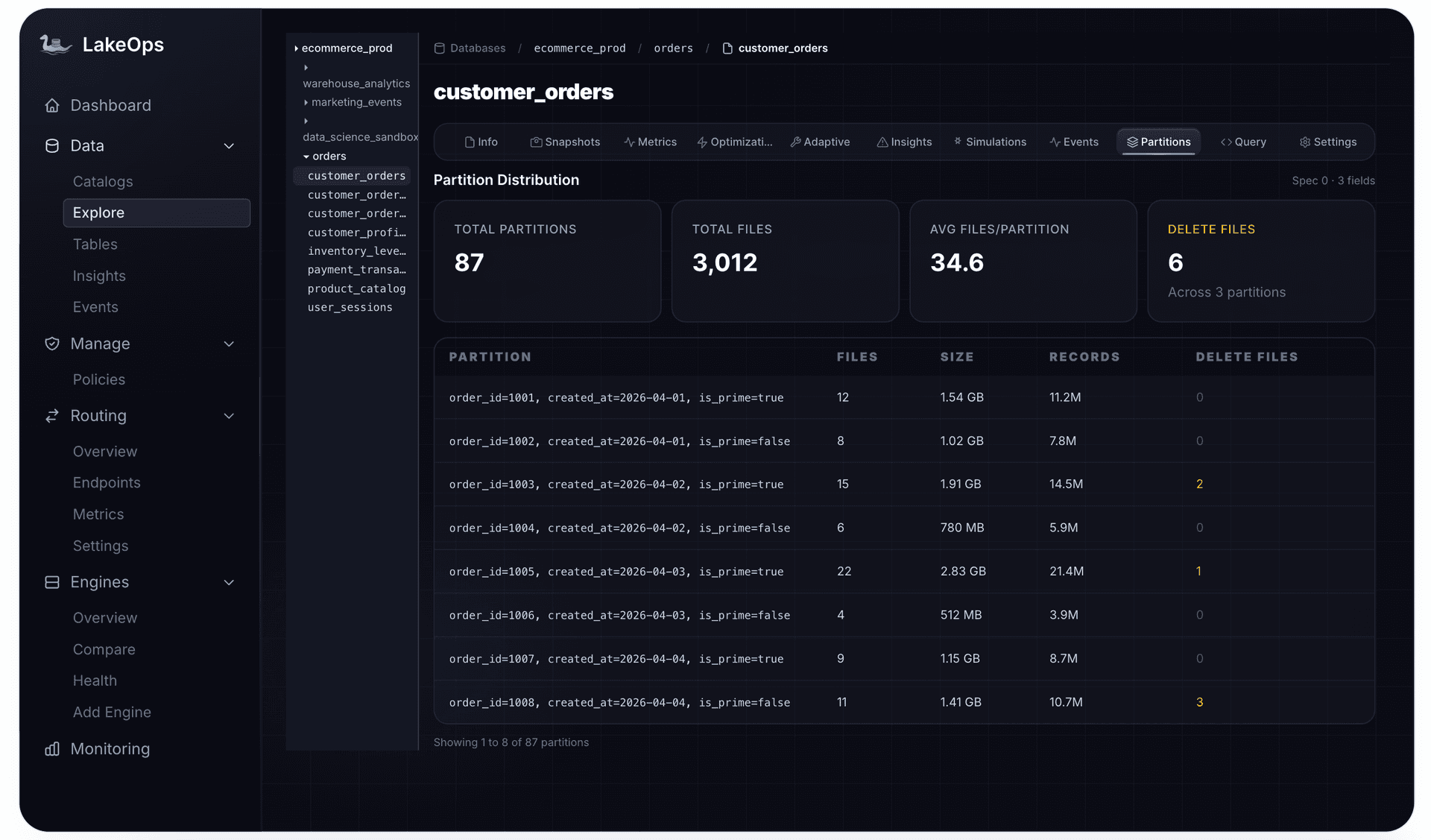
The fix is compaction that sorts as it merges, using the columns your engines really use. After migration you have something Snowflake never gave you: query patterns from every engine on the same table. Sort orders should come from that combined picture — the BI filters from Snowflake, the joins from Spark, the lookups from Trino — and they should be tested before they are applied, because a rewrite is real I/O.

LakeOps compaction works this way: it reads the WHERE, JOIN, and GROUP BY columns across engines, simulates candidate layouts on a real Iceberg branch, and rewrites files on a purpose-built Rust engine on Apache DataFusion rather than a Spark cluster you have to size and schedule. When it competes with live writers, a conflicting commit is detected by Iceberg's metadata version check and the affected partitions are retried on the next run, so no data is lost and writers are never blocked.

Phase 7: Migrate the pipelines
Pipelines carry more Snowflake-specific behavior than tables do. Each construct has a lakehouse equivalent, but none of them is a rename:
- Snowpipe and Snowpipe Streaming. Snowpipe Streaming can write into Snowflake-managed Iceberg tables directly. For open-catalog tables, Kafka Connect's Iceberg sink, Flink, or Spark Structured Streaming take over; commit frequency becomes a tuning decision that directly drives maintenance load.
- Streams and tasks. Streams still work on Snowflake-managed Iceberg tables, with a catch: on v2, changes made by external engines appear as a delete plus an insert rather than an update. For open-catalog tables, incremental reads between snapshots in Spark or Flink, orchestrated by Airflow or dbt, replace stream offsets. Streams also track the table object, so any stream on a table you rebuild must be recreated.
- Dynamic tables. Usually become dbt incremental models or streaming jobs, with refresh timing you can observe and control.
- MERGE-based CDC. Works on Iceberg, but how deletes are written matters: Snowflake writes position deletes and does not support equality delete files. If Snowflake must keep reading a table that Flink upserts into, configure writers and maintenance so equality deletes do not reach it.
SWAP WITH. Not supported on Iceberg tables. Replace it withINSERT OVERWRITEfor full refreshes, or with Iceberg's write-audit-publish pattern: write to a branch, validate, then fast-forward main — a cleaner version of what swaps were approximating.- Zero-copy clones. For dev and test environments, Iceberg branches and tags give isolated, cheap copies of table state.
Every new writer changes a table's maintenance profile. This is where state-triggered maintenance earns its keep: when a batch table gains a streaming writer, its cadence changes automatically instead of waiting for someone to edit a DAG.
Phase 8: Move workloads engine by engine
Moving a workload means changing which engine answers its queries. The engine is rarely the blocker; the clients are. Dashboards, notebooks, dbt profiles, and application code all speak Snowflake's protocol and Snowflake's SQL, so every workload you move normally means touching every one of them. Do it one workload at a time, with a way back. Three things trip teams up:
- SQL dialect.
QUALIFY,LATERAL FLATTEN,VARIANTpath syntax,IFF, and the argument order of date functions all differ across engines. Automated translation covers most syntax; plan on review for the rest. - Semantics that look like syntax. Integer division truncates in Trino and returns a decimal in Snowflake. Session time zones change how
timestamptzvalues render. Unquoted identifiers change case. These produce wrong answers, not errors, so they belong in your parity tests. - The result cache. Snowflake silently serves repeated dashboard queries from its result cache. Move that dashboard to another engine and every refresh becomes a real query, which can erase the savings you expected unless you cache at the serving layer.
Decide placement with measurements, not assumptions. Run the same query shapes on each candidate engine against the migrated tables and compare cost, latency, and success rate. The answer is rarely "everything leaves Snowflake": often BI stays, exploration moves to DuckDB or Trino, and heavy transformation moves to Spark.

Cut over without touching the clients
The cleanest cutover changes nothing in the client. QueryFlux, the open-source SQL router behind LakeOps routing, speaks the Snowflake HTTP protocol and SQL API, so the Snowflake Python connector, JDBC driver, and SnowSQL log in to it exactly as they log in to Snowflake. At login it picks an engine group for the session — by the warehouse, role, or user the client asked for — and translates each query from Snowflake SQL to the target engine's dialect. Snowflake stays one of the backends, so anything you have not moved keeps running exactly where it ran before.
1# BI_WH sessions run on Trino; the rest stays on Snowflake2routers:3 - type: pythonScript4 script: |5 def route(query: str, ctx: dict) -> str | None:6 wh = ctx.get("extra", {}).get("snowflake.warehouse")7 if wh == "BI_WH":8 return "lakehouse"9 return None10routingFallback: snowflakeThe only client change is the host, made once. After that, moving a workload is a routing rule, and moving it back is the same rule removed. Query history keeps both the original and the translated SQL for every query, which turns translation review from guesswork into a diff you can read. The guide to offloading Snowflake queries walks through the setup and its current limits — routing is per session rather than per query, and features such as multi-statement requests and ALTER SESSION are not proxied — while the query translation docs cover dialect translation and the Python fixup scripts for constructs that need a nudge.
Group workloads behind stable endpoints the same way. A routing group gives each workload one connection URL that can point at Snowflake today and Trino tomorrow, or at both with failover, so cutover is configuration and rollback is the same change in reverse.

QueryFlux works as a standalone proxy, and its source is on GitHub. Connected to LakeOps, routing gains table telemetry, query history, and optimization signals: query routing in LakeOps profiles each query's shape and compares engines on observed cost, latency, and success rate rather than static rules. The guide to routing multiple query engines with Iceberg covers the architecture in depth. Routed queries also feed the telemetry that drives layout decisions in Phase 6, which closes the loop between where queries run and how tables are organized for them.
Phase 9: Carry governance across
Governance splits into two parts during a migration, and both need an owner.
Access governance. Snowflake masking and row access policies are enforced by Snowflake. Engines reaching Snowflake-managed tables through Horizon use Snowflake roles and policies; engines reading open-catalog tables do not, and a catalog-linked database does not sync the remote catalog's access control. For externally managed tables, enforcement moves to the catalog and the engines — catalog RBAC, credential vending scoped to tables, and engine-level policies. Map every Snowflake policy to its new enforcement point before the table's first non-Snowflake reader goes live; otherwise the migration quietly removes a control.
Operational governance. Retention windows, compaction targets, orphan thresholds, and maintenance cadence are also policy, and they should not live in whichever script last touched a table. LakeOps governance expresses them declaratively at organization, catalog, or namespace level and lets tables inherit them. That suits migrations particularly well: set the policy on the target namespace once, and every table that lands in it during each wave is covered automatically.

Policy also sets how much the control plane does on its own. LakeOps runs in Autopilot, Policies, or Manual mode, where every action waits for approval. Starting with approval on the first waves, then widening autonomy as results build trust, matches how most teams already run migrations.
Phase 10: Cut over and decommission
Define exit criteria per table and hold to them: parity proven, every consumer moved, maintenance and policy coverage in place, and performance on the new engine at least as good as before. Then keep the Snowflake-native table read-only for a fixed window, with writes revoked so nothing drifts, and tag the matching Iceberg snapshot as the cutover point. When the window closes, drop the native table and remove it from inventory.
Track cost on both sides throughout. Snowflake's warehouse metering history shows credits falling as workloads move; for Snowflake-managed Iceberg tables, the storage optimization history shows what Snowflake's own compaction costs. Compare those against engine and maintenance costs on the lake side. Both numbers matter, and the second one is the one that surprises teams who did not plan for operations — the managed Iceberg guide breaks down where that work comes from.
Migration checklist
- 1.Map all four layers — storage, catalog, compute, operations — and name an owner for each.
- 2.Inventory by usage, not schema: readers, write patterns, feature dependencies, policies.
- 3.Plan waves by risk: read-heavy batch tables first, CDC and stream-dependent tables later.
- 4.Choose one catalog of record per table, based on who writes it.
- 5.Resolve type gaps before copying:
TIMESTAMP_TZ, semi-structured columns, defaults, collation, identifier case. - 6.Set format version and serialization from your least capable reader.
- 7.Use coarse partitions at creation; derive sort orders from real multi-engine queries.
- 8.Make parity a hard gate, inside Snowflake and from every other engine.
- 9.Connect the control plane before the first wave, so tables are maintained and scored from day one.
- 10.Design retention and backup to replace Time Travel and Fail-safe.
- 11.Translate pipelines construct by construct: streams, tasks, dynamic tables, swaps, clones, MERGE.
- 12.Move workloads behind stable endpoints, with measured placement and a rollback path.
- 13.Map every access policy to its new enforcement point before non-Snowflake readers go live.
- 14.Decommission with a read-only window and a tagged cutover snapshot.
Where to start
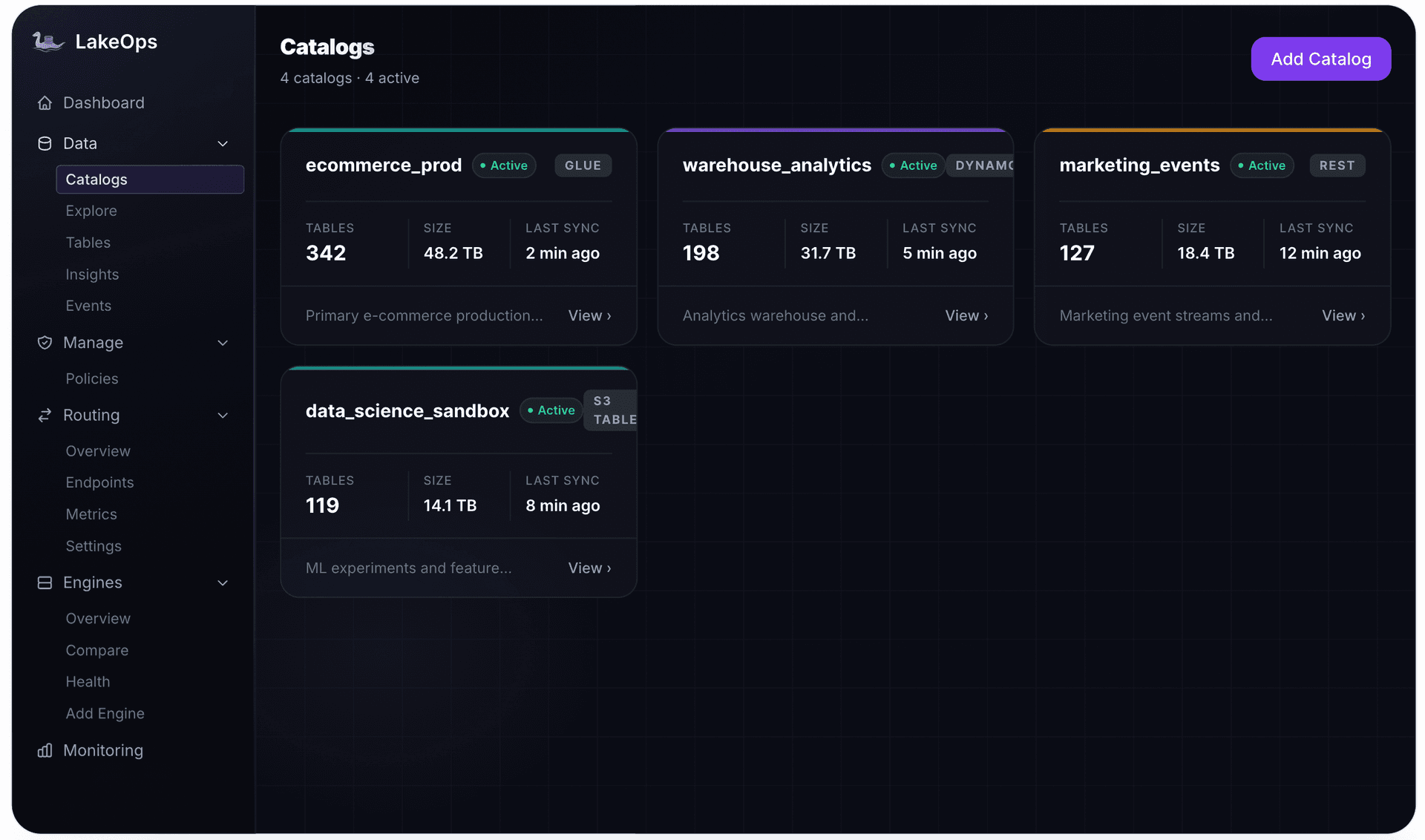
Start before the first wave. Connect the catalogs you are migrating into to LakeOps — and register Snowflake as an engine — so you have a baseline of table health and query behavior before anything moves. From there, every wave lands into an environment that is already observed, already governed by policy, and already maintained.
The data copy is the part of a Snowflake migration everyone plans for. The operations Snowflake ran invisibly are the part that decides whether the result is a better platform or a slower, more expensive copy of the old one. Treat the control plane as a first-class component of the target architecture — chosen alongside storage, catalog, and engines — and the lakehouse arrives with operations already running. If you would rather spend the migration on data and workloads than on rebuilding a services layer, LakeOps is that layer for your Iceberg lakehouse.