
Getting an AI agent to write SQL is no longer the hard part. Models produce syntactically valid queries against unfamiliar schemas with very little help, and the Model Context Protocol (MCP) has made connecting an agent to a data source a configuration task. The hard part starts when that agent meets enterprise data: thousands of tables across several catalogs and warehouses, entitlements that differ by team and region, metric definitions that live in people's heads, shared compute with SLAs, and auditors who will eventually ask why an answer was what it was.
Enterprise data platforms were built for humans. Every query used to pass through someone who knew which table was authoritative, which column held PII, roughly what a scan would cost, and who would answer for the result. Agents remove that person from the path and replace them with something that issues many more queries, explores before it answers, retries when it fails, and runs whenever it is asked. Every weakness the human used to absorb — a stale table, an ambiguous column, a missing filter, a slow layout — is now hit automatically and repeatedly.
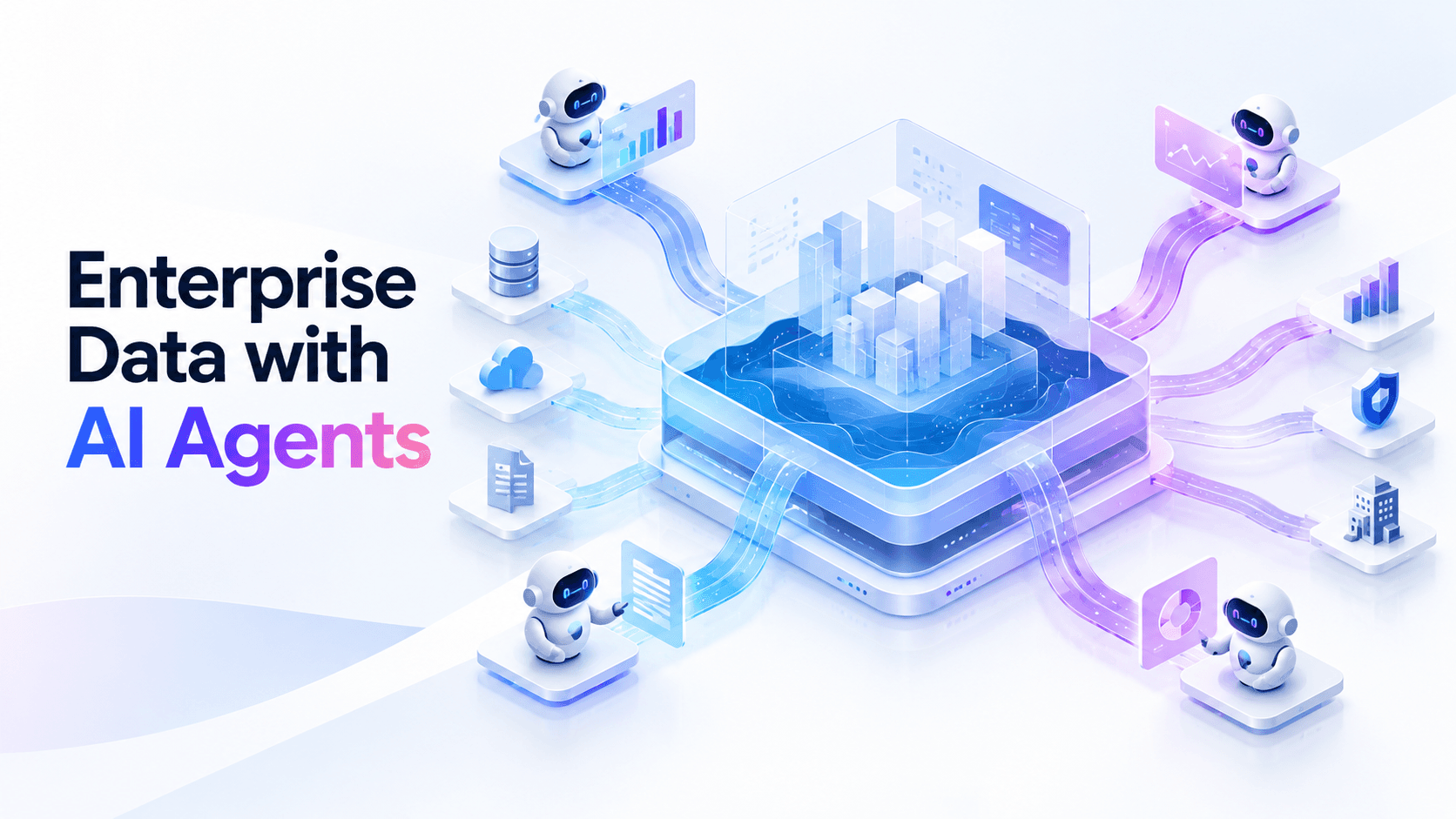
This guide is about the layers between an agent and enterprise data, and what each must do for agent access to be fast, correct, governed, and affordable. If you need the short version, an enterprise agent data platform needs:
- One copy of the data in open tables that every engine and agent reads, instead of extracts per tool.
- Discovery answered from metadata, scoped to data that is fit to use.
- Shared semantics, so an executable query is also the right one.
- Tables that hold up under agent traffic — compacted, sorted for the columns agents filter on, and maintained continuously.
- Identity and entitlements that follow the human behind the agent down to rows and columns.
- Guardrails and budgets enforced before a query reaches an engine.
- Routing and isolation, so agents never sit behind ETL or starve dashboards.
- Audit, replay, and evaluation, so every answer can be traced, reproduced, and graded.
Most of those are decisions you make once and enforce at a gateway. One is not: the tables themselves degrade continuously, and agent traffic makes them degrade in new places — the columns agents filter on, the tables they hit hardest, the partitions they read most. Keeping thousands of tables ready for that traffic is operational work that belongs to a lakehouse control plane — the layer the open lakehouse does not ship as one system. LakeOps is built as that layer for Apache Iceberg, across tables, engines, and agents:
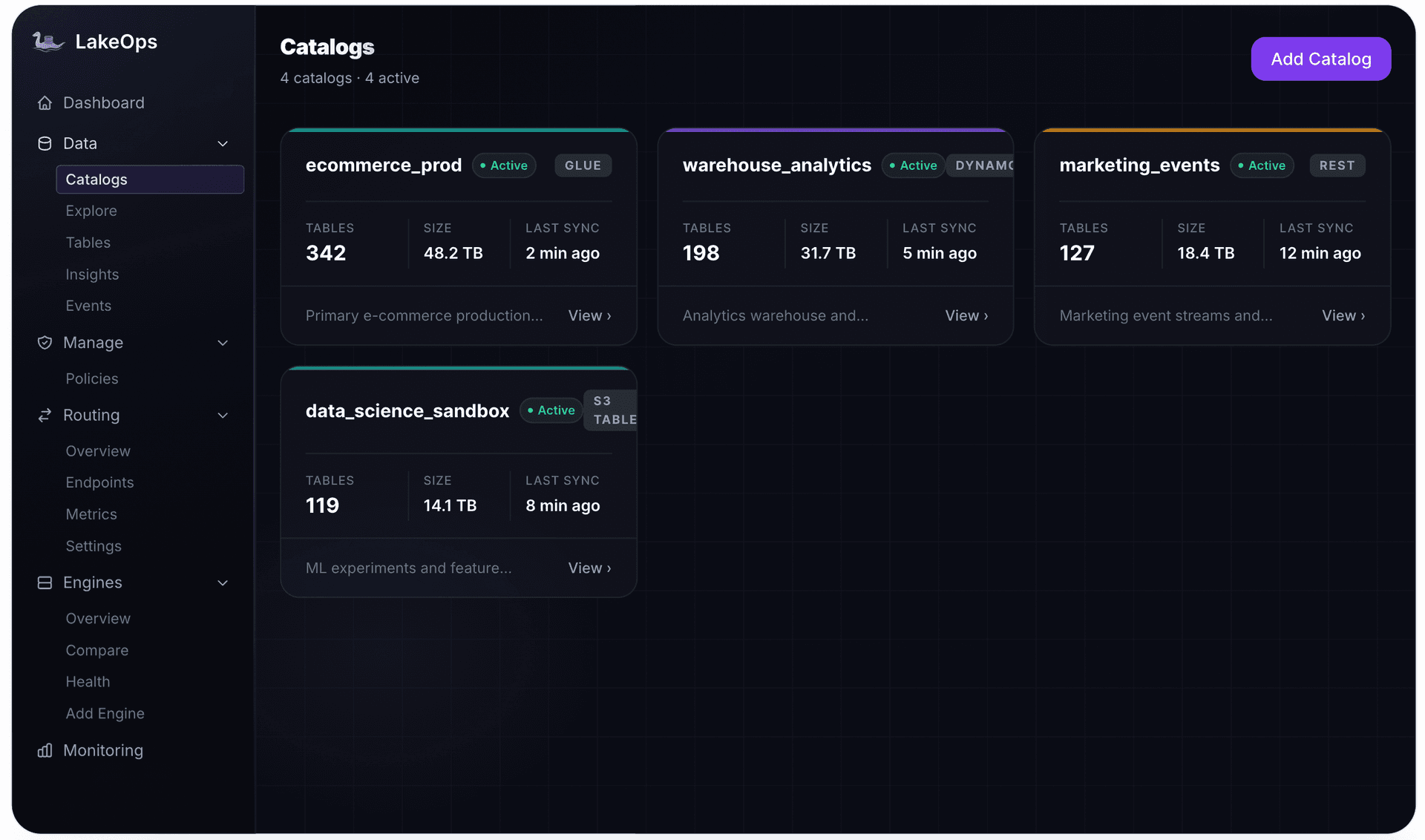
- What it is and where it sits — a system beside your data path, above the catalogs (Glue, S3 Tables, Polaris, Nessie, any REST catalog), the Iceberg tables in your object storage, and the engines and agents that query them. It replaces none of them and connects through standard catalog and Iceberg metadata APIs, so data is not copied and tables stay plain Iceberg in your account.
- What it does — runs one loop on every table: read metadata and query telemetry (including the queries agents issue), score table health, decide which maintenance and layout each table needs, execute in dependency order, then measure the result and feed it back into the next decision.
- What you get for agent workloads — an agent-native MCP interface with scoped keys, guardrails stacked per agent, team, or globally, routing that sends agent traffic to the right engine, storage that re-optimizes for what agents actually query, and per-agent observability.
The difference from the maintenance scripts and DAGs most teams start with is not the operations — both run compaction and snapshot expiry — but how decisions get made:
| Decision | Scripts and scheduled DAGs | Control plane |
|---|---|---|
| Trigger | A clock, the same for every table | Each table's measured state |
| Scope | The tables someone remembered to add | Every table in every connected catalog |
| Layout | Sort order fixed when the job was written | Sort order follows observed filters, agent queries included |
| Priority | Whatever order the job lists tables | Ranked by severity and by how hard each table is queried |
| Record | Scattered job logs | One event log of every operation, with impact |
| Agent access | Out of scope | MCP tools, scoped keys, guardrails, routing |
Those map onto the capabilities LakeOps is organized around: Smart Compaction that sorts files for how tables are queried, Table Maintenance triggered by table health, Query Routing behind one SQL endpoint, Observability across tables and engines, Governance through declarative policies, and AI Agents through an MCP server with guardrails. The longer definition of the category is in what a data lakehouse control plane is; the agent-specific view is on the agentic AI solution page.

Why agent traffic is different from human analytics
Before designing anything, it helps to be precise about how agent workloads differ from the human and BI workloads your platform was sized and governed for. The differences are in kind, not just volume:
| Dimension | Human analyst or dashboard | AI agent |
|---|---|---|
| Volume | A handful of queries per session, during working hours | Several queries per reasoning step, many steps per question, at any hour |
| Query shape | Known reports, familiar tables | Exploratory: list, describe, sample, then query, often broadening as it goes |
| Metadata calls | Rare; the human already knows the schema | Constant; the agent orients itself on every task |
| Failure behavior | Stops and asks someone | Retries with a modified query, sometimes in a loop |
| Cost of overhead | Planning time hidden inside long queries | Planning, catalog round trips, and small-file overhead dominate short queries |
| Accountability | A named person ran it | Unclear unless identity and intent are attached to every query |
| Correctness check | The analyst sanity-checks the number | Nobody, unless you build the check |
Three consequences follow. Per-query overhead — planning, metadata reads, opening many small files — becomes a large share of agent cost, so table health turns from hygiene into a cost control. Exploratory metadata queries and repeated scans of the same tables, not the final analytical query, are often where agent spend actually goes. And because nothing in the agent's loop fears the bill or the auditor, every control a human used to provide implicitly has to exist explicitly in the platform.
The enterprise agent data stack
It is useful to name the layers, because most failed agent pilots skip one and discover it in production. Each layer answers a different question, and none of them can be delegated to the model:
| Layer | Question it answers | What fails without it |
|---|---|---|
| 1. Open data substrate | Where does the data live, and how many copies are there? | Extracts per agent, drift between copies, no single place to govern |
| 2. Discovery and metadata | What exists, what does it mean, is it fit to use? | Agents query deprecated or broken tables; exploration scans data |
| 3. Semantics | Which definition of this metric is the right one? | Executable but wrong answers delivered confidently |
| 4. Table health | Will this query be fast and cheap on this table today? | Slow, expensive agent queries; small-file overhead paid on every call |
| 5. Identity and entitlements | Who is asking, on whose behalf, and what may they see? | Agents with service-account superpowers; PII in answers |
| 6. Guardrails and budgets | Is this query safe to run and worth its cost? | Runaway scans, writes from read-only use cases, surprise bills |
| 7. Routing and isolation | Where should this query run, and what can it disrupt? | Agents behind ETL queues, or dashboards starved by agents |
| 8. Audit and evaluation | What did the agent do, and was the answer right? | "The AI did it" as the end of every investigation |
The rest of this guide takes them in order.
Layer 1: One copy of the data, in open tables
The instinct when an agent project starts is to copy data somewhere convenient: a vector store, a feature store, an extract in the agent team's warehouse. Each copy is a new place to govern, a new freshness lag, and a new definition of the truth. In an enterprise with dozens of agents, that becomes dozens of shadow datasets nobody owns.
The alternative is to make the governed, shared copy the thing agents read. Open table formats are what make that practical. An Apache Iceberg table in your object storage can be read by Spark, Trino, Athena, DuckDB, Snowflake, StarRocks, and others through the same catalog, so the engine an agent uses becomes a routing decision rather than a data-movement project. Iceberg also gives agents two properties warehouses rarely expose this cleanly: snapshots, which pin an answer to an exact table state, and rich metadata — schemas, partition specs, file statistics — that can answer orientation questions without scanning data.
This does not mean everything moves to Iceberg before agents arrive. Enterprises keep warehouses for good reasons. It means the agent access path should be designed around the open layer and reach other systems through the same gateway, with the same identity, guardrails, and audit, rather than each agent integrating with each system separately. A multi-engine SQL gateway that speaks the protocols agents and BI tools already use, and translates dialects between engines, is what lets one access path span a lakehouse and the warehouses beside it.
Layer 2: Discovery answered from metadata, scoped to what is fit to use
Agents spend a surprising share of their queries orienting: listing schemas, describing tables, sampling rows, checking distinct values. Answered by scanning data, that is expensive at agent volume. Answered from catalog metadata and table statistics, it is nearly free. The design rules:
- Expose a curated scope, not the whole catalog. Start agents on certified namespaces with owners and descriptions. An agent that can see every staging and scratch table will eventually build an answer on one.
- Make schemas self-describing. Column comments, table descriptions, and identifier columns are prompt context. Spend the time on them for the tables agents use; it pays back in fewer wrong joins.
- Answer orientation from metadata. Row counts, column statistics, partition layout, and sort order should come from Iceberg metadata, not from
SELECT COUNT(*). - Include health in discovery. An agent choosing between two candidate tables should be able to see that one is critical — fragmented, carrying delete files, or stale — before it queries it.
The LakeOps MCP server is built around that last point. Beyond listing catalogs and searching tables, it exposes tools that return a table's schema and layout, its health insights, its maintenance signals, its partition distribution, and scan-cost hints derived from table statistics — file counts, bytes, delete files, snapshot and manifest counts — before the agent runs anything. The MCP server setup docs list the full toolset and the scopes each tool requires.

Layer 3: Semantics, because executable is not correct
The most dangerous failure in enterprise agent analytics is not a query that errors. It is a query that runs and returns a plausible, wrong number. Models are very good at producing SQL that executes; they have no way to know that revenue in one mart excludes refunds, that active_customer has three competing definitions, or that a region filter must use the billing address rather than the shipping one. Benchmarks built from real enterprise workflows, such as Spider 2.0, show how wide the gap is: models that score above 90% on classic academic text-to-SQL benchmarks solve only a minority of realistic enterprise tasks, where schemas are large, dialects vary, and definitions are not in the schema.
The practical pattern most enterprises converge on:
- Governed metrics for known questions. KPIs and recurring business questions go through a semantic layer or certified metric views, where the definition is compiled into the SQL rather than reinvented by the model.
- Raw SQL for exploration. Ad-hoc investigation still benefits from agents writing SQL against base tables — with the guardrails in Layer 6.
- Known-answer evaluation. Keep a set of questions with verified answers and run every agent change against it. Grade business correctness, not whether the SQL parsed.
- Feed gaps back into the glossary. Agent questions surface undocumented terms quickly. Treat every ambiguous term an agent trips on as a documentation bug.
A control plane does not replace your semantic layer, and LakeOps does not pretend to. What it does is keep the tables beneath the semantic layer fast and healthy, so a correct definition is not undermined by a degraded table.
Layer 4: Tables that hold up under agent traffic
Agents turn table health into a direct, per-query cost. A dashboard that reads a fragmented table once a minute pays the small-file and planning overhead once a minute. An agent fleet exploring the same table pays it on every step of every question. Three properties decide whether a table holds up:
- File layout. Many small files and bloated manifests make planning expensive and pruning weak. Short agent queries are dominated by exactly that overhead.
- Sort order matched to agent filters. Agents filter on the columns that answer the questions people ask them, which are often not the columns the table was originally sorted by. A table sorted for the nightly ETL job prunes poorly for agent lookups.
- Freshness of statistics and metadata. Pruning depends on file-level statistics; discovery depends on accurate metadata. Both need maintenance to stay accurate as tables change.
None of this is new; agents just make it urgent and make the targets move. The columns that matter change as people ask agents new kinds of questions, and the hottest tables shift with them. A maintenance schedule written for last quarter's workload is wrong for this quarter's agents.
This is where a control plane earns its place in an agent architecture. LakeOps observes agent queries alongside every other workload, and that telemetry feeds the optimization loop: filter and join columns from agent SQL inform compaction sort order, agent-heavy tables get compaction priority, column statistics are kept fresh, and snapshot expiry, orphan cleanup, and manifest rewrites adapt to access patterns. Every operation lands in a lake-wide event log with its impact and duration, so the question "what changed under the agent's tables" has an answer.

Maintenance itself is driven by each table's state rather than a calendar. With autonomous table maintenance, each operation on each table has its own readiness, derived from how quickly that table accumulates small files, delete files, snapshots, and manifests — so a table agents suddenly hammer gets attention when its state degrades, not at the next scheduled run.

Layout changes for agent traffic should be tested before they are applied, because the same table also serves dashboards and pipelines. Layout simulations run candidate sort strategies on an isolated Iceberg branch and compare them against the real query mix — and the field-access analysis captures agent queries alongside human ones, so a layout can be chosen for both.

Layer 5: Identity and entitlements that follow the human
The fastest way to build an agent is to give it a service account with broad read access. It is also how enterprises end up with agents that can answer any question about any customer for anyone who can reach the chat window. Agent identity needs three things the shared service account does not provide.
A distinct identity per agent. Each agent — or each agent deployment — should be its own non-human principal, so its access, budget, and audit trail are separable from every other agent's. Revoking one agent should not mean rotating a credential five others share.
Delegation that preserves the human. When an agent acts for a person, the downstream decision should consider both: the agent's permissions and the user's. The MCP security best practices converge on the same rules — authenticate with your enterprise identity provider, validate token audience and expiry on every request, and never forward a user's raw token downstream. Exchange it for a short-lived, narrowly scoped credential that records both the user and the acting agent.
Enforcement where the data is touched. Entitlements that live only in the agent's prompt or the application layer are suggestions. They need to be enforced at the query layer, on every query, as table allow/deny decisions, row filters, and column masks derived from the caller's identity and attributes. A policy engine is the right home for those rules: they are versioned, testable offline, and shared across every client — agents, BI tools, and humans alike.
The open-source QueryFlux gateway that powers LakeOps routing implements that last pattern. It extracts the tables and columns a query touches, asks a policy provider (Open Policy Agent or Cerbos) what the verified identity may see, and then allows, denies, or rewrites the SQL with row filters and column masks before it reaches any engine — identically for MCP, Trino, Postgres-wire, and other clients. The policy stays in the provider's own store, not in gateway configuration; the QueryFlux access control docs walk through patterns such as on-behalf-of support access and per-customer row filters.
On the control-plane side, LakeOps MCP keys carry scopes that limit which tools an agent can call: domain scopes for policies, catalogs, tables, and queries can be granted independently, ad-hoc SQL through the query scope is read-only, and permanently deleting a table requires its own separate scope. Tools that change state are marked destructive so MCP clients can ask for confirmation. An agent that only needs to diagnose table health never holds a key that can change it.
Layer 6: Guardrails and budgets, enforced before execution
Entitlements decide what an identity may see. Guardrails decide whether a particular query is safe to run at all. They catch the failures generated SQL is prone to — a missing WHERE clause on a fact table, a DELETE from a use case that should be read-only, an unbounded result set — and they must run before the query reaches an engine, not in a report the next morning.
A guardrail layer for enterprise agents should compose: a baseline that applies to everything, and stricter rules for specific agent groups. In open-source QueryFlux, guards form a chain evaluated in order, global guards first and per-group guards after, stopping at the first deny:
1guardrails:2 global:3 - kind: built_in4 name: read_only # only SELECT, WITH, SHOW, DESCRIBE, EXPLAIN5 groups:6 agents:7 - kind: built_in8 name: row_limit9 max_rows: 5000 # outermost query must carry a LIMIT at or under this10 - kind: built_in11 name: require_predicate # no unfiltered scans of fact tables12 applies_to:13 - "fct_*"14 - "events.*"15 analysts:16 - kind: built_in17 name: row_limit18 max_rows: 100000Two details matter more than they look. Each verdict is allow, warn, or deny, and a deny returns a machine-readable error code — so an agent can adjust its query instead of retrying the same one in a loop. And rules that do not fit a built-in can be written as a Python script guard or delegated to an HTTP webhook, with access to the agent context attached to the query, so a guard can treat an unrecognized agent exploring schemas more strictly than a known reporting agent.
Cost needs its own controls, attached to identity:
- Estimate before execution. Reject queries whose estimated cost or bytes scanned exceed a threshold. This catches the missing-filter case before it costs anything.
- Timeouts tuned for agents. An agent will wait indefinitely; set timeouts for agent principals far tighter than for humans.
- Budgets per principal. A rolling budget per agent turns an unbounded incident into a bounded one.
- Concurrency caps. Agents parallelize. Cap concurrent queries per agent so one deployment cannot occupy a cluster.
- Human approval for high-stakes actions. Writes, expensive computations, and access to sensitive data should pause for a person.
On top of the gateway's SQL-level guards, LakeOps ships these as managed, composable guardrails for agents in unsupervised mode, stackable per agent, per team, or globally: read-only mode that blocks DDL and DML, cost caps that estimate each query and reject those over a maximum cost or data-scanned threshold, PII masking that redacts, hashes, or tokenizes sensitive values in results, and human approval that routes high-impact operations to an approver over Slack or email. The agentic AI docs cover configuration, and the guide to safe agent access in production walks through how each guard behaves on real failure cases.
Layer 7: Routing and isolation
Agent traffic does not run in a vacuum. The same engines serve scheduled transformations, dashboards with SLAs, and ad-hoc analysts. Agents are bursty and unpredictable, and the people driving them are not thinking about capacity. Isolation is what keeps a successful agent rollout from becoming a platform incident.
There are three levels of separation, in increasing order of cost and safety: a dedicated queue or resource group inside a shared engine, a separate compute cluster reading the same tables through the same catalog, and a different engine entirely for the agent workload. Separated storage and compute is what makes the second and third cheap on a lakehouse: agents get their own compute against the same Iceberg tables, and a runaway agent cannot touch the reporting cluster.
Routing decides which of those an agent query lands on. An interactive lookup belongs on a low-latency engine; a heavy aggregation belongs on a scan-optimized one; nothing from an agent belongs in the ETL queue. The decision should be made per query, behind one endpoint, rather than baked into each agent's connection string.
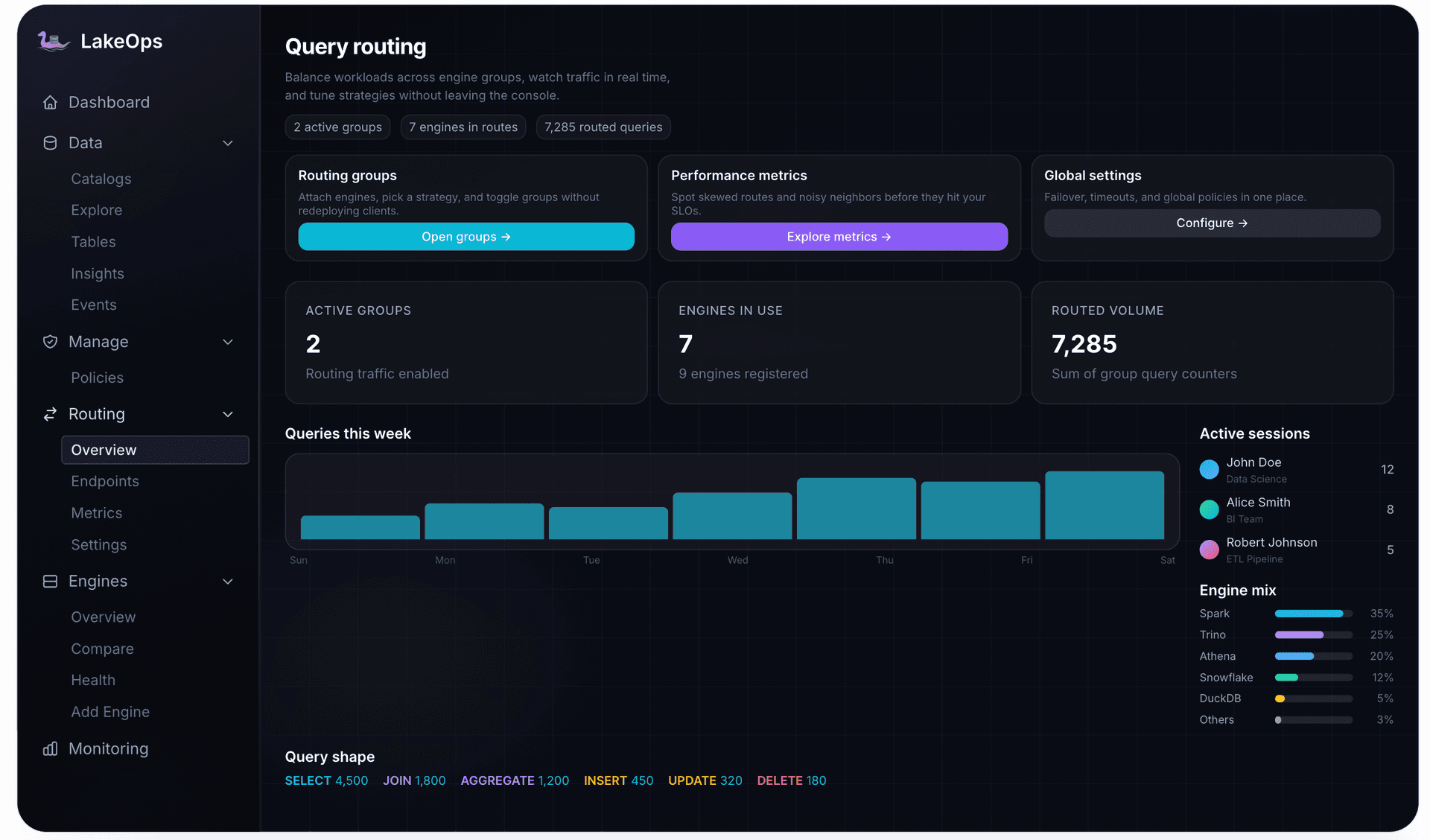
LakeOps query routing gives agent traffic dedicated endpoints so it never sits behind ETL, sends interactive lookups to engines like DuckDB or Trino and heavy scans elsewhere, caches routing decisions and frequent results, and steers queries away from unhealthy tables toward engines that handle degraded state better. Each routing group publishes a stable URL with its own engines, allowed query types, and priority, so moving agent traffic between engines is a routing change rather than an agent redeploy.

Choosing engines for agent traffic is easier with measurements than opinions. Comparing engines on identical queries for cost and latency shows which one actually suits the short, selective queries agents issue.

Layer 8: Audit, replay, and evaluation
When an agent's answer is questioned — by a business owner, a regulator, or an incident review — you need to reconstruct three things: what the agent did, what data it saw, and whether the answer was right. Each needs deliberate design.
What the agent did. Attach agent context to every query: a stable agent ID, a conversation ID grouping one session, the step index within it, the tool call that triggered it, and an intent hint. Even when many agents share one authenticated identity, that context keeps their traffic separable. QueryFlux accepts these fields as HTTP headers, as SQL session parameters for Postgres- and MySQL-wire clients, or as MCP tool arguments, and persists them on every query record with the guard decisions taken, so a session can be replayed step by step:
1-- Replay one agent session in order, with every guard decision2SELECT step_index, query_intent, sql, status, was_guard_blocked, guard_actions3FROM query_records4WHERE conversation_id = 'conv-7f3a9b'5ORDER BY step_index;6 7-- Everything an agent was blocked on, most recent first8SELECT created_at, sql, guard_actions9FROM query_records10WHERE agent_id = 'finance-assistant-v3'11 AND was_guard_blocked = TRUE12ORDER BY created_at DESC;What data it saw. An answer computed today from a table that changes tomorrow cannot be reproduced unless you recorded the table state. Iceberg makes this cheap: store the snapshot ID alongside each answer, and the same query can be re-run against that snapshot later. For answers that matter — a board metric, a regulatory figure — tag the snapshot so retention never expires it.
1-- Record the snapshot an answer was computed from2SELECT snapshot_id, committed_at3FROM lake.finance.revenue.snapshots4ORDER BY committed_at DESC5LIMIT 1;6 7-- Reproduce the answer later against exactly that table state (Spark SQL)8SELECT region, sum(amount) AS revenue9FROM lake.finance.revenue VERSION AS OF 874432109876543210110GROUP BY region;11 12-- Keep it beyond snapshot retention13ALTER TABLE lake.finance.revenue CREATE TAG `q3-board-pack` AS OF VERSION 8744321098765432101;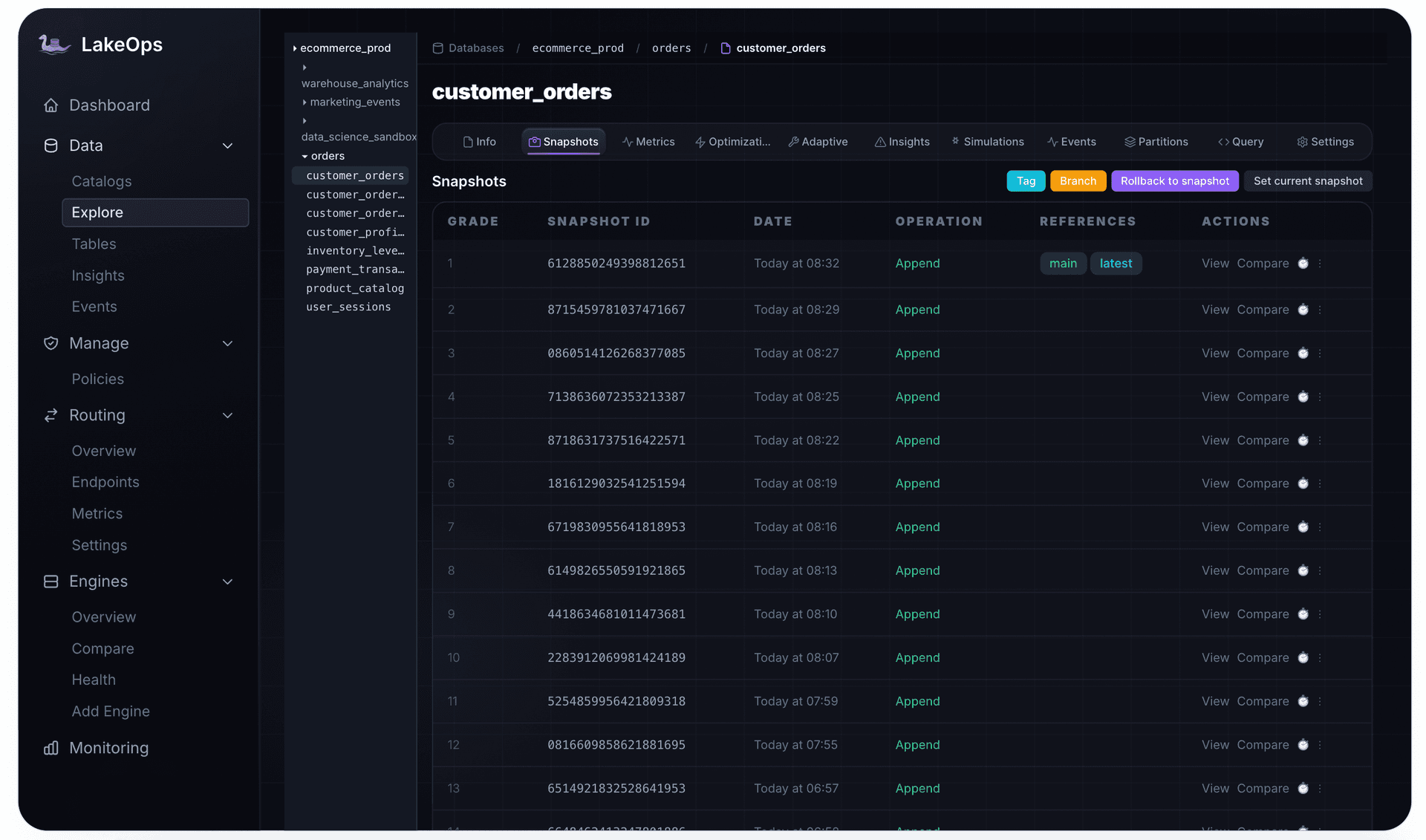
Whether it was right. Audit tells you what happened; evaluation tells you whether it was correct. Track cost per completed answer rather than cost per query — failed and abandoned agent loops still consume compute — and run known-answer evaluations on every model, prompt, or tool change. Separate agent traffic from human traffic in every report from the first day, and break it down per agent, because spend tends to concentrate in a few agents and a few tables.
LakeOps surfaces agent activity through the same observability used for every workload: routing metrics with agent query volume, latency, and engine mix; query shapes; events logged with identity; and per-agent and per-query cost attribution. Every agent query is logged with its agent identity, routing decision, engine, and execution details.
Rolling out agents across an enterprise
The layers above are easier to build in sequence than all at once. A rollout that holds up usually looks like this:
- 1.Pilot read-only on a curated scope. One agent, a handful of certified namespaces, read-only guardrails, row limits, and a dedicated routing group. Instrument everything from the first query.
- 2.Fix the tables the pilot hits. The pilot's query log tells you which tables agents need and which columns they filter on. Get those tables healthy and sorted for that traffic before widening access.
- 3.Add real identity and entitlements. Move from a shared key to per-agent identities with delegated user context, and enforce row filters and column masks through a policy engine.
- 4.Introduce budgets and cost estimation. Set per-agent budgets, timeouts, and concurrency caps before the second team onboards, not after the first surprise bill.
- 5.Widen scope through semantics. Add governed metrics for the questions people keep asking, and a known-answer evaluation set that gates every change.
- 6.Allow operational actions last, with approval. Agents that trigger maintenance or change policies come after read-only agents have proven the controls, with narrowly scoped keys and human approval on anything destructive.
What changes with scale is less the technology than the operating burden. With one agent, a person can watch the query log and fix the tables it touches. With ten, the tables agents depend on shift weekly and nobody can keep layouts current by hand. With a hundred, agent traffic is a first-class workload with its own budget line, its own isolation, and table maintenance that has to follow it automatically.
How LakeOps fits an enterprise agent architecture
LakeOps does not replace your catalog, your engines, your semantic layer, or your identity provider. It is the control plane that keeps the data underneath agents fast and governed, and gives agents a safe interface to it:
- One interface for agents. An MCP server for Claude, LangChain, or custom agents, with schema-aware tools, async SQL, and Postgres, MySQL, or Arrow Flight wire compatibility — one endpoint instead of one integration per engine. The deep dive on MCP for Iceberg shows how agents use those tools for real triage.
- Health-aware context. Agents read table health, insights, maintenance signals, and scan-cost hints before they query, so they can avoid degraded tables and expensive scans.
- Guardrails and scoped access. Read-only, cost caps, PII masking, and human approval, stacked per agent, team, or globally, on top of scoped keys.
- Routing and isolation. Dedicated agent endpoints, engine choice by cost or latency, and steering away from unhealthy tables, powered by QueryFlux.
- Self-optimizing storage. Agent query patterns feed compaction sort order, maintenance priority, and statistics, tested through simulations before production.
- One record. Per-agent observability, cost attribution, and an event log of every operation across catalogs.
It connects to the catalogs you already run — Glue, S3 Tables, REST catalogs, and others — through metadata APIs, without moving data.
The platform overview shows how observe, maintain, compact, route, and govern fit together. The routing layer is open source: QueryFlux on GitHub is where the gateway behind agent routing, guardrails, and access control lives.
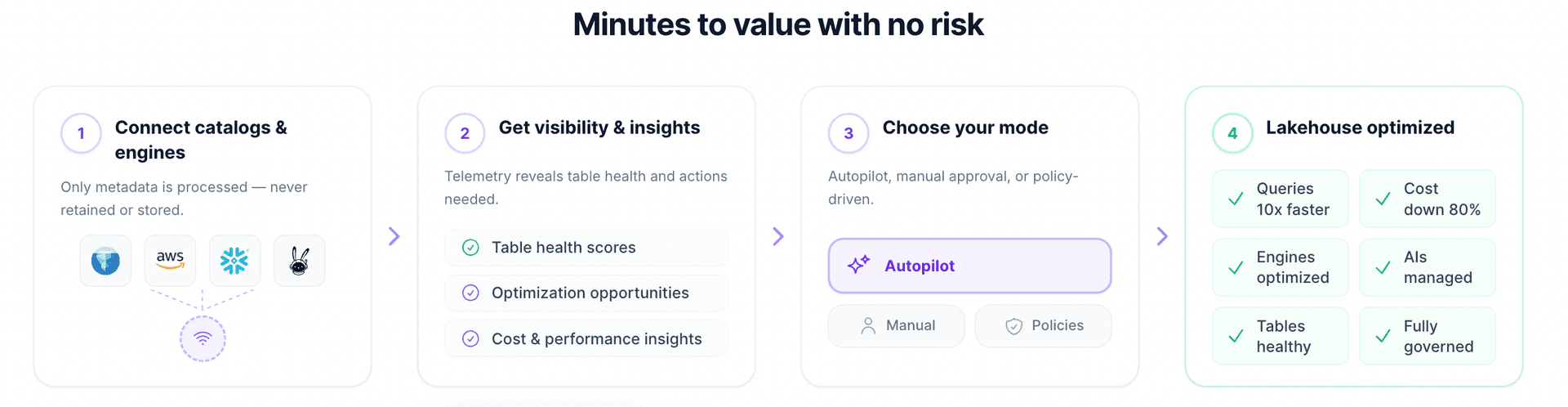
Adoption can follow the rollout above: connect catalogs in Manual mode, where every operation waits for approval, look at the health of the tables your agents will depend on, and hand over maintenance for those tables one policy at a time before opening agent access more widely.
Enterprise agent data checklist
- 1.Agents read the governed copy in open tables, not extracts per tool.
- 2.Discovery is scoped to certified namespaces and answered from metadata, with table health visible.
- 3.Known questions go through governed metrics; raw SQL is for exploration.
- 4.A known-answer evaluation set gates every model, prompt, and tool change.
- 5.Agent-hit tables are maintained continuously, sorted for the columns agents filter on, with layout changes simulated first.
- 6.Every agent has its own identity, and delegated requests carry the human behind them.
- 7.Entitlements are enforced at the query layer as table decisions, row filters, and column masks.
- 8.Guardrails run before execution: read-only by default, row limits, required predicates, and machine-readable denials.
- 9.Cost is bounded per agent: estimates, timeouts, budgets, and concurrency caps.
- 10.Agent traffic is isolated on its own routing group and compute.
- 11.Every query carries agent context, and sessions can be replayed with guard decisions.
- 12.Answers that matter record their snapshot and tag it beyond retention.
Enterprise data with AI agents is not a model problem. It is a platform problem: the controls a human used to provide implicitly have to exist explicitly, at a gateway, on every query — and the tables underneath have to keep up with a workload that never stops exploring. The gateway decisions you make once. Keeping thousands of tables healthy for agent traffic is continuous work, and it is the work LakeOps takes over, table by table.