
AI agents are no longer experimental. They're querying production data, powering customer-facing assistants, orchestrating ETL pipelines, validating data quality, and generating reports — all by issuing SQL against your Apache Iceberg tables. A single user interaction can trigger 30–50 SQL statements as the agent discovers schemas, samples data, runs aggregations, and validates results.
That's powerful. It's also the kind of thing that keeps data engineers up at night.
An agent with unrestricted access to your lakehouse can scan petabytes of data in a tool-use loop, expose PII to an LLM context window, run DDL against production tables, or generate unbounded compute spend — all within minutes, with no human in the loop. Unlike a human analyst who hesitates before hitting execute on a dangerous query, an agent in a loop repeats mistakes indefinitely, compounding costs and damage every iteration. And in 2026, with AI agents becoming primary consumers of lakehouse data — issuing SQL iteratively, at high frequency, and without human review — the blast radius of "oops" has grown by orders of magnitude.
The answer is guardrails — layered safety controls purpose-built for the non-deterministic, high-volume, unsupervised nature of AI agent workloads. This guide covers why traditional access control falls short, what guardrails are needed, how to implement them, and how LakeOps provides them as a managed control plane for Apache Iceberg.
Let's Be Honest: You're Scared to Give Agents Access
If you're a data engineer reading this, there's a good chance you searched something like "how to give AI agents safe access to production data" — and you're not here because you're excited. You're here because someone on your team (or your VP) wants to connect an AI agent to production Iceberg tables, and your job is to make sure it doesn't end in a 3am page.
That fear is rational. Here's what's at stake:
"What if the agent drops a table?"
A coding agent asked to "clean up the staging environment" interprets this as dropping tables. A data engineering agent might ALTER TABLE or DROP TABLE based on a misinterpretation of a natural-language instruction. Unlike a human who double-checks destructive operations, an agent executes immediately — and compounds the damage in retry loops. One misconfigured agent can destroy weeks of pipeline work in seconds.
"What if the agent runs a query that costs $10,000?"
An agent exploring an unfamiliar dataset will happily run SELECT * FROM events on a 4 TB table, generating thousands of dollars in egress and compute costs. Agents also generate structurally dangerous queries — cartesian joins without join conditions, missing WHERE clauses, and nested CTEs wrapping full scans — all of which pass syntax validation but produce unbounded runtime costs. Worse, agents in tool-use loops retry failed queries with increasingly broad scans, turning a $500 mistake into a $10,000 one before anyone notices.
"What if the agent leaks customer PII?"
A customer support agent with access to user tables will return email addresses, SSNs, and credit card numbers in plain text — passed directly into the LLM context window where they may persist in logs, leak into subsequent responses, or violate GDPR and CCPA. In 2026, with OWASP flagging "Excessive Agency" as a top LLM risk and the Cloud Security Alliance calling for Zero Trust in LLM environments, PII leakage through agent access isn't a hypothetical — it's the default outcome without purpose-built controls.
"What if agents overwhelm our infrastructure?"
A misconfigured agent can issue 50+ queries per minute, each scanning terabytes. Infrastructure sized for 100 concurrent dashboard users suddenly faces 5,000 agent-generated queries per minute. When a human makes a mistake, the blast radius is one bad query. When an agent makes a mistake, it's one bad query repeated in a loop — potentially hundreds of times before anyone notices.
Every one of these fears maps to a specific guardrail. The rest of this guide shows exactly how to address each one.
Why Traditional RBAC Isn't Enough for AI Agents
Role-based access control (RBAC) is necessary but insufficient for governing AI agent access. If you've been relying on catalog-level permissions and thinking "we've got security covered," here's why that breaks down with agents:
Non-deterministic behavior
An analyst runs the same dashboard query with different date filters. An agent improvises — generating novel SQL based on conversation context, exploring unfamiliar tables, accessing columns no one anticipated. RBAC can restrict which tables an agent sees, but it cannot restrict how it queries them. The OWASP LLM Top 10 calls this "Excessive Agency" — agents granted more capability than required for their task, with no runtime enforcement of what they actually do with that access.
Hallucinated SQL
Agents generate SQL from natural language, producing syntactically valid but semantically dangerous queries: cartesian joins with no join condition, SELECT * on billion-row tables, or aggregations across every partition. RBAC has no concept of query cost, shape, or intent.
No cost or content awareness
Traditional access control is binary: allowed or denied. There's no concept of "allowed, but only if the query scans less than 10 GB." And RBAC doesn't inspect query results — an agent with SELECT access can retrieve PII in plain text with no mechanism to mask values before they reach the LLM context window.
Speed of damage
When a human makes a mistake, the blast radius is one bad query. When an agent makes a mistake, it's one bad query repeated in a loop. Microsoft's 2026 analysis of MCP security emphasized that with agents, "reach is the attack surface" — every tool an agent can call, every table it can query, every column it can read is a potential blast radius. The security model needs to operate at the query level, at machine speed, for every single operation.
What's needed is a control plane between the agent and the query engine — enforcing safety at the query level, not just the identity level. That layer is guardrails.
The Guardrails Model: Layered Safety for Agent Access
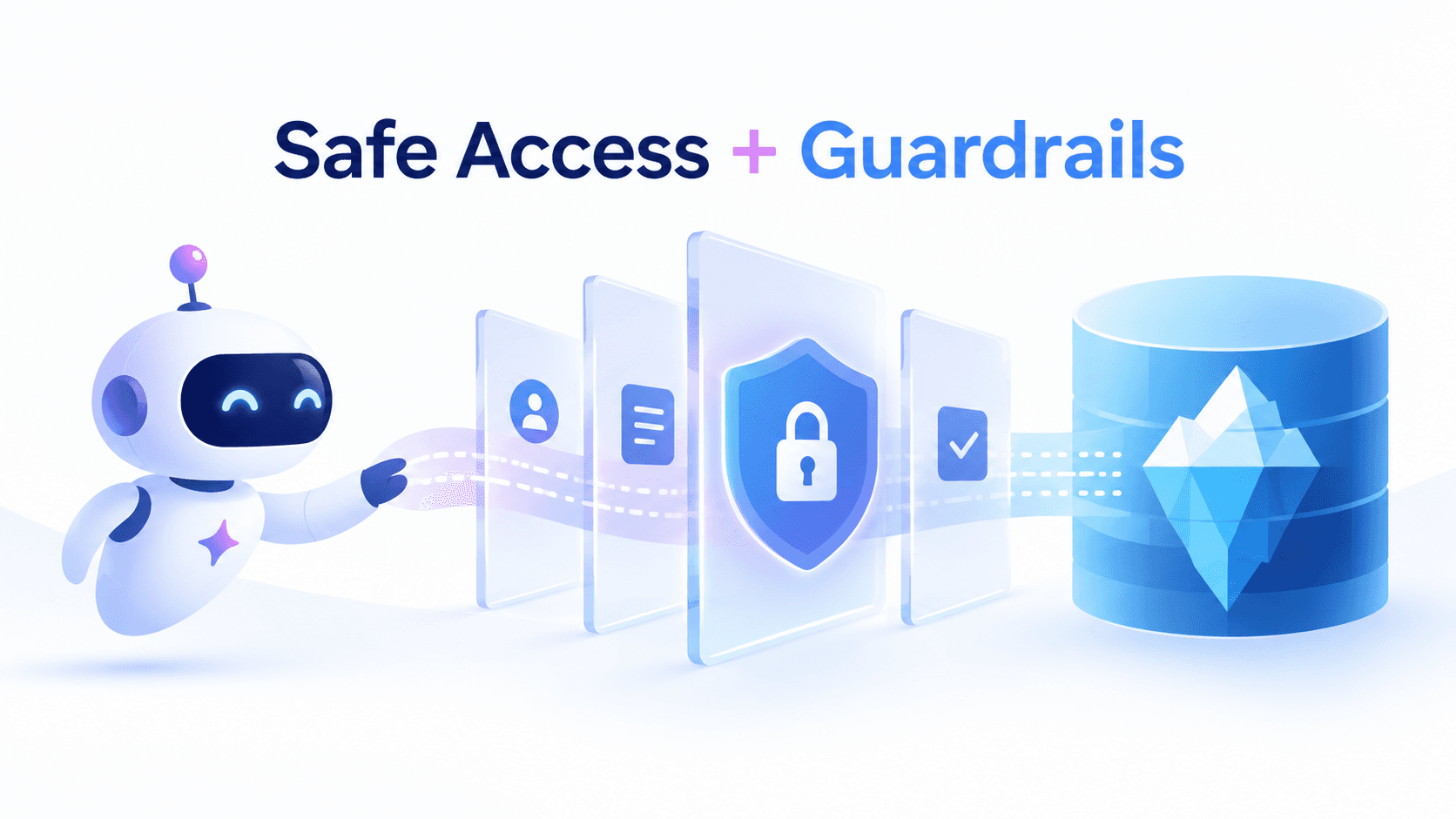
Guardrails are composable safety controls that evaluate every query before it reaches an engine. They sit in the data path — between the agent's SQL and the execution layer — so they see the actual query the agent is about to run, not the agent's stated plan.
The architecture looks like this:
1AI Agent → MCP Interface → Guardrails Layer → Query Router → Query Engine → Iceberg Data2 ↑3 Policy Engine4 (declarative rules)Each query passes through a chain of guards. Guards are evaluated sequentially, and the first non-Allow result wins. Cheaper checks gate expensive ones — parsing-based checks run before cost estimation, which runs before human approval. This layered approach ensures safety without adding unnecessary latency to queries that pass all checks.
The four essential guardrail types for AI agent access to production Iceberg data:
1. ReadOnly Guard — Preventing Data Mutations
The fear: "The agent will DROP TABLE production.customers."
What it does: Blocks all DDL and DML statements from agent sessions — INSERT, UPDATE, DELETE, DROP, CREATE, ALTER, TRUNCATE.
How it works: The guard uses SQL parsing (not string matching) to analyze the query's abstract syntax tree. This catches circumvention patterns that naive blocklists miss: CTEs that wrap mutations, function calls with side effects, and multi-statement batches that embed writes inside reads. LakeOps uses sqlparser-rs for AST-level analysis — orders of magnitude more reliable than regex-based filtering.
When to use it: On every agent session meant for analysis, not modification. This is the first guard in any agent-facing configuration — customer support chatbots, BI assistants, and exploration agents should all operate under ReadOnly.
Configuration example:
1guards:2 - type: read_only3 scope: agent-sessions4 blocked_operations:5 - INSERT6 - UPDATE7 - DELETE8 - ALTER9 - DROP10 - CREATE11 - TRUNCATEIn LakeOps, the ReadOnly guard is the default for all agent-facing routing endpoints. Every query from an agent session passes through SQL parsing before any other evaluation occurs.
2. CostEstimate Guard — Preventing Runaway Queries
The fear: "The agent will run a full table scan costing $10,000."
What it does: Estimates the cost of each query before execution and rejects queries that exceed a configurable threshold. This is the primary defense against the unbounded scans that agents in tool-use loops frequently generate.
How it works: The guard issues EXPLAIN before execution and evaluates estimated bytes scanned against a configured maximum. Queries within budget proceed. Queries over budget are rejected with a clear, actionable error — including estimated scan size and the limit — so the agent can reformulate with tighter filters. The error message is designed for agents: it tells them exactly what to fix rather than returning a generic failure.
When to use it: On every agent session, with thresholds tuned to workload type. A chatbot might have a 1 GB limit. A research agent might allow 100 GB. An ETL agent might allow 500 GB but require human approval above that.
Configuration example:
1guards:2 - type: cost_estimate3 max_scanned_bytes: 10_000_000_000 # 10 GB4 max_cost_per_query: 0.50 # $0.50 USD5 on_exceed: reject6 message: "Query would scan {estimated_bytes}. Limit is {max_bytes}. Add filters to reduce scan scope."The CostEstimate guard activates for engines that return structured EXPLAIN output (Trino, DuckDB, Athena). For engines without structured cost estimates, it falls back to warn-and-log rather than hard-reject — providing visibility without blocking potentially legitimate queries.
3. PIIMask Guard — Protecting Sensitive Data in Results
The fear: "The agent will expose customer PII to the LLM."
What it does: Automatically detects and masks personally identifiable information in query results before they reach the agent. PII never enters the LLM context window — it's intercepted at the infrastructure layer, not the application layer.
Why this matters now: Meta's 2026 production security guidance recommends a DLP layer that redacts PII before any LLM processing. The Cloud Security Alliance's Zero Trust for LLM Environments paper emphasizes that data protection cannot depend on the model's behavior — it must be enforced at the infrastructure level. PIIMask implements exactly this: masking happens before results leave the engine, not after.
How it works: Sensitive columns are tagged in catalog configuration or detected via pattern matching. When a query returns tagged columns, the guard applies a masking strategy:
- Hash — wraps the column in
SHA256(CAST(col AS VARCHAR)). The agent gets a consistent pseudonym without the real value. Useful when the agent needs to group or join on the column without seeing the actual data. - Redact — removes the column from results entirely. The agent never knows the column exists.
- Null out — replaces values with
NULL. The agent sees the column exists but gets no data.
Configuration example:
1guards:2 - type: pii_mask3 sensitive_columns:4 "users.email": hash5 "users.ssn": redact6 "users.phone_number": hash7 "payments.card_number": redact8 "customers.date_of_birth": null_out9 detection:10 auto_detect: true11 patterns:12 - email13 - phone14 - ssn15 - credit_cardLakeOps provides PIIMask as a composable guard that rewrites queries at the SQL level — the masking happens before results leave the engine, not after. This means PII never transits the network in plaintext, even within your own infrastructure.
4. HumanApproval Guard — Human-in-the-Loop for High-Stakes Operations
The fear: "The agent will make schema changes nobody authorized."
What it does: Pauses high-stakes queries and routes them to a human approver before execution. The agent's query is queued, a notification is sent (Slack, email, or webhook), and execution waits for explicit approval or times out.
How it works: The guard evaluates each query against configurable triggers — DDL patterns, cost thresholds, or sensitive table access. When triggered, it sends a notification with the full query, agent identity, estimated cost, and target table. The approver can approve, reject, or let the request timeout. This mirrors the human-in-the-loop pattern that frameworks like LangChain and OpenAI Agents SDK now recommend as a core guardrail for irreversible actions.
When to use it: For operations that are rarely needed but catastrophic if wrong — schema changes, queries touching financial data, or operations crossing cost thresholds.
Configuration example:
1guards:2 - type: human_approval3 triggers:4 - condition: ddl_detected5 notify: slack6 channel: "#data-platform-approvals"7 timeout: 300 # 5 minutes8 on_timeout: reject9 - condition: estimated_scan > 500_000_000_000 # 500 GB10 notify: email11 recipients: ["data-platform@company.com"]12 timeout: 60013 on_timeout: reject14 - condition: table_in(["users.financial_records", "compliance.audit_log"])15 notify: slack16 channel: "#compliance-review"17 timeout: 90018 on_timeout: rejectStacking Guardrails: Defense in Depth
Guardrails are most effective when composed. The ordering matters — cheaper checks should gate expensive ones. A recommended stack for a typical analytics agent:
1groups:2 - name: agent-analytics3 guards:4 - type: read_only # Cheapest: parse SQL, block mutations5 - type: cost_estimate # Medium: run EXPLAIN, check budget6 max_scanned_bytes: 10_000_000_0007 - type: pii_mask # Applied to results after execution8 sensitive_columns:9 "users.email": hash10 "users.ssn": redact11 "payments.card_number": redact12 - type: human_approval # Most expensive: involves a human13 triggers:14 - condition: ddl_detected15 on_timeout: rejectDifferent agent types need different stacks. Here's a reference matrix:
| Agent Type | Guard Stack | Use Case |
|---|---|---|
| Customer-facing chatbot | ReadOnly + CostEstimate(1GB) + PIIMask | Real-time user queries, must never see PII |
| BI assistant | ReadOnly + CostEstimate(10GB) + PIIMask | Analyst support, broader scan allowance |
| Data exploration agent | ReadOnly + CostEstimate(100GB) + PIIMask | Research, needs wider latitude |
| ETL orchestrator | CostEstimate(500GB) + HumanApproval(DDL) | Needs write access, supervised |
| ML feature agent | ReadOnly + CostEstimate(1GB) | High-frequency, repetitive queries |
Real-World Scenarios: Guardrails in Action
These aren't theoretical. They're the scenarios that play out in production when agents interact with lakehouse data. Here's exactly what happens step-by-step — with guardrails in place versus without.
Scenario 1: Agent tries to DROP TABLE
An ETL orchestration agent, asked to "clean up the staging environment," interprets this as dropping tables:
1DROP TABLE staging.customer_orders_temp;Without guardrails: The DROP TABLE executes. The table is gone. Downstream pipelines fail. The team spends 4 hours rebuilding from backups — assuming backups exist. If the agent is in a loop, it moves on to the next table.
With guardrails: The ReadOnly guard parses the SQL AST, identifies it as DDL, and blocks execution immediately. The agent receives an error: "Operation blocked: DROP is not permitted in this session." The blocked attempt is logged with full context — agent ID, conversation, and the original user instruction. No data is touched. The agent reformulates its approach and lists the tables instead.
Scenario 2: Agent queries PII
A customer support agent runs a lookup to help a customer:
1SELECT customer_id, email, phone, order_status2FROM production.customers3WHERE customer_id = 'C-12345';Without guardrails: The query returns raw PII — jane.doe@email.com, +1-555-0123 — directly into the LLM context window. The email and phone number are now part of the model's conversation state. They may appear in logs, leak into subsequent responses to other users, or persist in the agent framework's memory store. You've just created a GDPR Article 17 headache and a CCPA liability.
With guardrails: The ReadOnly guard allows it (it's a SELECT). The CostEstimate guard allows it (point lookup, minimal scan). The query executes. Before results reach the agent, the PIIMask guard rewrites the output: email is hashed to a3f2b8c9..., phone is hashed to 7d1e4f6a.... The agent sees enough to confirm the customer exists and check order status, but the actual PII never enters the LLM context window. The customer gets their answer. The compliance team sleeps soundly.
Scenario 3: Agent runs an expensive scan
A data exploration agent, investigating a data quality issue, generates:
1SELECT * FROM analytics.raw_clickstream2WHERE event_type = 'page_view';The raw_clickstream table is 4.6 TB. The event_type filter matches 80% of rows.
Without guardrails: The query runs. 3.7 TB of data is scanned across your compute cluster. Your Athena bill for this single query: $18.50. But the agent isn't done — it runs three more queries at similar scale, refining its analysis. Total cost for a single conversation: $74. Multiply by 200 agent conversations per day.
With guardrails: The ReadOnly guard allows it. The CostEstimate guard runs EXPLAIN, estimates 3.7 TB of data scanned, and rejects the query: "Estimated scan: 3.7 TB. Maximum allowed: 10 GB. Add time range or partition filters to reduce scope." The agent reformulates with AND event_date BETWEEN '2026-09-01' AND '2026-09-07', bringing the scan down to 2 GB. The refined query executes successfully. Cost: $0.01 instead of $18.50.
Scenario 4: Agent attempts schema modification
A well-intentioned data pipeline agent decides to "optimize" a production table:
1ALTER TABLE production.orders ADD COLUMN agent_processed BOOLEAN DEFAULT false;Without guardrails: The schema change applies immediately. Every downstream consumer — dashboards, reports, other agents, ETL pipelines — now encounters an unexpected column. Some break. Others silently ignore it. The data contract is violated without anyone's knowledge.
With guardrails: The ReadOnly guard blocks it. If the agent has write permissions (an ETL agent), the HumanApproval guard intercepts the DDL, sends a Slack notification to #data-platform-approvals with the full query and agent identity, and pauses execution. An engineer reviews, asks "why does the agent need this column?", rejects it, and the agent receives a clear denial. The schema stays intact.
The DIY Nightmare: Why Building Guardrails Yourself Is Harder Than It Looks
At this point, you might be thinking: "I could build this." And you're not wrong — each individual guardrail is implementable. But the reality of maintaining all of them in production is where DIY falls apart.
SQL parsing for ReadOnly? You'll need an AST parser that handles every SQL dialect your engines support — Trino SQL, Spark SQL, Snowflake SQL, and DuckDB's PostgreSQL-compatible dialect all have subtly different syntax. CTEs that wrap mutations, multi-statement batches, and engine-specific functions all need handling. You'll ship version one in two weeks and spend six months patching edge cases.
Cost estimation? Each engine returns EXPLAIN output in a different format. Trino's cost estimates are structurally different from Athena's, which are different from DuckDB's. Some engines don't provide structured cost estimates at all. You'll need per-engine parsers, fallback logic, and calibration against actual costs.
PII detection and masking? You need pattern matching for known PII types, catalog integration for tagged columns, SQL rewriting to apply masking at the query level (not the application level — that's too late), and support for multiple masking strategies. You'll also need to handle edge cases: what if a PII column appears in a GROUP BY? A JOIN condition? A subquery?
Human approval workflows? You need a queue, notification integrations (Slack, email, webhook), timeout handling, a UI for reviewers to see the query and its context, and async execution support so the agent doesn't block indefinitely.
And you need all of them to work together. ReadOnly must run before CostEstimate (no point estimating cost on a query you're going to block). PIIMask must run on results, not inputs. HumanApproval must run after cheaper checks to avoid unnecessary human interruption. The orchestration, logging, and failure handling for the complete chain is a production system in its own right.
Then you need observability. Every guard evaluation needs to be logged with full context — agent ID, conversation, step index, the original SQL, the guard's decision, and the reason. Without this, you can't debug guardrail behavior, prove compliance, or tune thresholds.
This is why a control plane exists. Not because individual guardrails are impossible to build, but because the integrated system — guardrails + routing + observability + maintenance — is genuinely hard to operate at production scale.
The MCP Interface: How Agents Connect
The Model Context Protocol (MCP) is the standard interface for connecting AI agents to data infrastructure. Rather than giving agents a raw JDBC connection string (and hoping for the best), MCP exposes structured, schema-aware tools that guide agent behavior:
list_catalogs— discover what data exists before constructing queriesget_schema— understand table structure (columns, partitions, sort orders)run_query— execute SQL through the full guardrail and routing pipelineget_table_health— check table health and maintenance status
Agents that get a generic "execute anything" endpoint tend to skip schema discovery and hallucinate table names. Purpose-built tools improve accuracy — a pattern that MCP security best practices in 2026 call "least-privilege tool scoping." Connecting takes minutes:
1{2 "mcpServers": {3 "lakeops-us-east-1": {4 "url": "https://api.lakeops.dev/mcp",5 "headers": {6 "Authorization": "Bearer <your-api-key>"7 }8 }9 }10}Compatible with Claude, Cursor, LangChain, LlamaIndex, and any MCP client. For a practical deep dive on MCP capabilities, see MCP for Apache Iceberg. Wire compatibility with PostgreSQL, MySQL, and Arrow Flight SQL means non-MCP agents connect through standard drivers and inherit the full guardrail stack. The LakeOps MCP server exposes 27 tools across discovery, analysis, and governance — with scoped API keys controlling exactly which tools each agent can access. API keys carry domain-specific scopes (tables:read, query:read, policies:write), so you can issue a key that lets an agent query data but not modify policies — least privilege at the API key level, not just the RBAC level.
Governance Policies: Declarative Rules for Agent Behavior
Guardrails enforce safety per-query. Governance policies enforce standards across your entire lakehouse — declaratively, continuously, and without manual intervention.
In a production Iceberg environment, governance policies cover:
- Maintenance standards — compaction triggers, snapshot retention periods, orphan cleanup cadence. Agents hitting uncompacted tables with thousands of small files will timeout regardless of how good your guardrails are.
- Configuration standards — Iceberg format version, default file format, write distribution mode. Consistency across tables prevents edge cases that confuse agents.
- Access scoping — API keys with domain-specific permissions (read-only on tables, no policy writes). The principle of least privilege, applied per agent.
- Lifecycle rules — retention periods, GDPR deletion schedules, archival policies. Ensuring agents can't access data that should no longer exist.
Policies follow a specificity hierarchy: table-level overrides namespace-level, which overrides catalog-wide defaults. New tables inherit governance rules automatically. Every policy is versioned, auditable, and togglable.
1policies:2 - name: agent-data-retention3 scope: catalog-wide4 type: expire_snapshots5 retention_days: 306 min_snapshots: 57 schedule: "0 * * * *" # hourly8 9 - name: agent-table-compaction10 scope: namespace:analytics11 type: adaptive_maintenance12 target_file_size: 512MB13 strategy: sort14 sort_columns: auto # learned from query patterns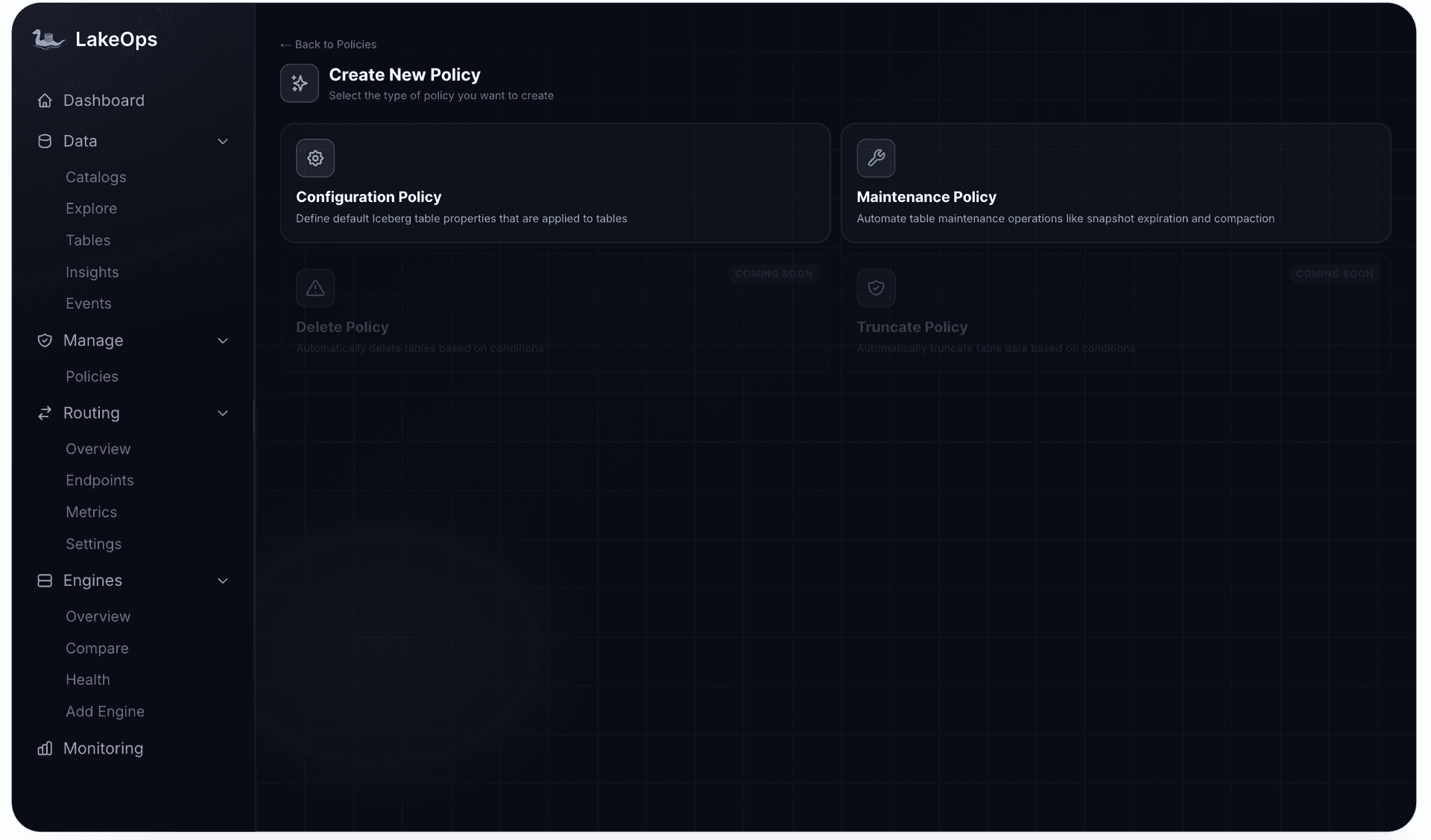
The LakeOps platform provides a centralized policy engine where all governance rules — maintenance, configuration, lifecycle, and agent access — are defined, enforced, and audited from a single interface.

Governance Enables Velocity, Not Bureaucracy
Here's the counterintuitive truth: guardrails let you say yes to more AI agent use cases, not fewer. Without guardrails, the answer to "can we connect an AI agent to production data?" is a cautious no — or a qualified yes with so many caveats that the project stalls. With guardrails, the answer is "yes, with these controls in place."
Consider what becomes possible:
- Customer support agents can access production order data because PIIMask ensures they never see raw customer details.
- Data exploration agents can query any table because CostEstimate prevents runaway scans and the team gets cost attribution per agent.
- ETL orchestration agents can modify staging tables because HumanApproval gates DDL operations and ReadOnly protects production.
- ML feature agents can run high-frequency queries because routing sends them to the cheapest viable engine and observability tracks per-agent spend.
The safety net is what enables the trust. And the trust is what enables the adoption. Organizations that deploy guardrails first move faster than those still debating whether to allow agent access at all — because the debate is already settled: access is safe when controls are in place.
Multi-Engine Query Routing: Cost Control at Scale
Guardrails prevent dangerous queries. Routing prevents expensive ones. In a production Iceberg deployment with multiple engines — Trino, DuckDB, Snowflake, Athena, Spark — the wrong routing decision is costly at agent scale.
A simple metadata lookup that costs $0.001 on DuckDB costs $0.05 on Snowflake. Across thousands of agent interactions per day, that 50x difference determines whether agent workloads are economically viable.
LakeOps routes each agent query to the cheapest viable engine based on query shape, table health, and historical performance. An adaptive router handles ~80% of agent traffic (repeated query templates) at zero decision cost. Novel query shapes are routed via LLM-based and semantic analysis, with decisions cached for future executions.
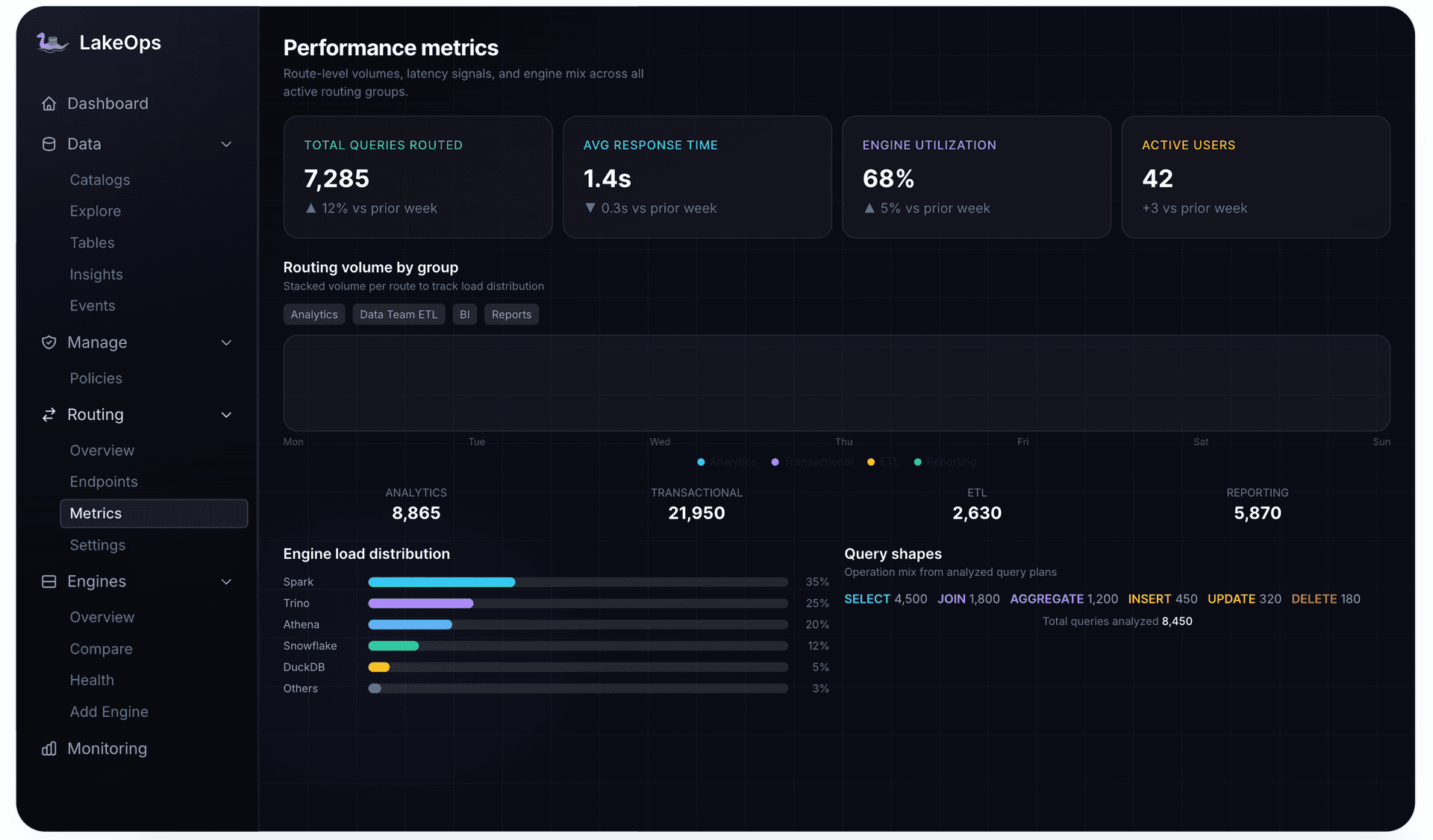
The routing layer also feeds agent access patterns back into the compaction and optimization pipeline. The columns agents filter and join on inform sort-order decisions. Hot tables get compacted more frequently. The lake self-optimizes for agent workloads — creating a closed loop where the more agents query, the faster the lake becomes.
Audit Trails and Observability for Agent Actions
Guardrails prevent bad outcomes. Audit trails prove it. For compliance frameworks like SOC 2, GDPR, and CCPA, you need an immutable record of every agent action — what was attempted, what was allowed, what was blocked, and by whom.
What to log for every agent query
Every query should produce an audit record containing: agent identity (ID, framework, version), session context (conversation ID, step index, tool call ID), the exact SQL submitted, guard evaluations (allow, reject, rewrite), routing decision (engine and rationale), execution metrics (bytes scanned, rows returned, latency, cost), and timestamp.
This context transforms a flat query log into a full agent reasoning debugger. Given a conversation ID, you can reconstruct the entire sequence of SQL queries an agent issued — seeing exactly why it reached a conclusion by inspecting the data it queried at each step.
Observability dimensions
Production agent observability spans four areas:
- 1.Routing metrics — query volume, latency percentiles, and engine utilization by agent ID. Which agents are heavy consumers? Which engines do they favor? Where are routing decisions suboptimal?
- 1.Guardrail audit logs — every guard evaluation with full context. When a ReadOnly guard blocks a DELETE or a CostEstimate guard rejects a 500 GB scan, the agent ID, conversation, step index, and original query are all captured.
- 1.Query shape analysis — parameterized template patterns per agent type. Do agents run the same five queries with different parameters, or generate novel SQL every time? This directly informs routing and caching strategy.
- 1.Cost attribution — per-agent and per-conversation compute spend. An agent costing $2.50 per conversation versus one at $0.15 represents an immediate optimization target.
LakeOps records every operation with full detail — operation type, target table, duration, before/after metrics, and success/failure status — across all catalogs and engines in a unified event timeline.

Getting Started: A Practical Implementation Sequence
Deploying safe AI agent access to your Iceberg data follows a clear sequence. Start strict, loosen as you gain confidence.
Step 1: Get your tables healthy (Week 1)
An agent hitting a table with 200,000+ small files will timeout regardless of guardrail sophistication. Enable continuous compaction, snapshot expiration, and manifest consolidation. This is a prerequisite, not an optimization.
Step 2: Deploy guardrails before the first agent query (Week 1–2)
Start with ReadOnly and CostEstimate on every agent session. Set conservative thresholds (10 GB scan limit). Add PIIMask on any table containing user data. The cost of deploying guards too early is zero. The cost of deploying them too late is one bad query that scans your entire lake.
Step 3: Enable routing and observability (Week 2–3)
Connect your engines, configure routing groups per agent workload type, and enable per-agent cost attribution. Within a week you'll have the data to understand which agents are expensive, which tables are slow, and where to optimize next.
Step 4: Tune and iterate (Ongoing)
Use observability data to adjust guardrail thresholds, refine routing strategies, and identify tables that need layout optimization for agent access patterns. Review audit logs to verify guardrails are firing correctly and compliance requirements are met.
Why a Control Plane Matters
You can build guardrails yourself — SQL parsing, cost estimation, PII detection, approval workflows, audit logging, multi-engine routing, and continuous table maintenance are all implementable from scratch. But each one is a production system that requires monitoring, scaling, and ongoing maintenance. And they only deliver value when they work together as a coordinated system.
LakeOps provides all of these capabilities as a unified control plane for Apache Iceberg — connecting to your existing catalogs (Glue, REST, Polaris, Nessie, S3 Tables, Gravitino) and engines without moving data or changing pipelines. The agentic AI capabilities — MCP interface, composable guardrails, multi-engine routing, self-optimizing storage, and per-agent observability — work as a closed loop that improves autonomously.
Agent query patterns inform compaction sort orders. Table health improvements expand routing options. Guardrail audit logs satisfy compliance requirements. Cost attribution identifies optimization targets. And every new agent query makes the system smarter.
For a deeper dive into the full architecture, see Iceberg Lakehouse with AI Agents: A Guide. For broader governance beyond agent access, see Data Lake and Lakehouse Governance: A Complete Guide. For RAG and context-augmented agent patterns on Iceberg, see Iceberg for AI Agents: RAG & Context.
AI agents accessing production data is inevitable. The organizations that do it safely — with layered guardrails, declarative governance, continuous observability, and intelligent routing — will move faster than those still debating whether to allow agent access at all. The risk isn't in giving agents access. It's in giving them access without controls.
Start with guardrails. Add routing. Enable observability. Let the system learn. Your Iceberg lakehouse becomes safer and faster the more agents use it — but only if the control plane is in place first.