
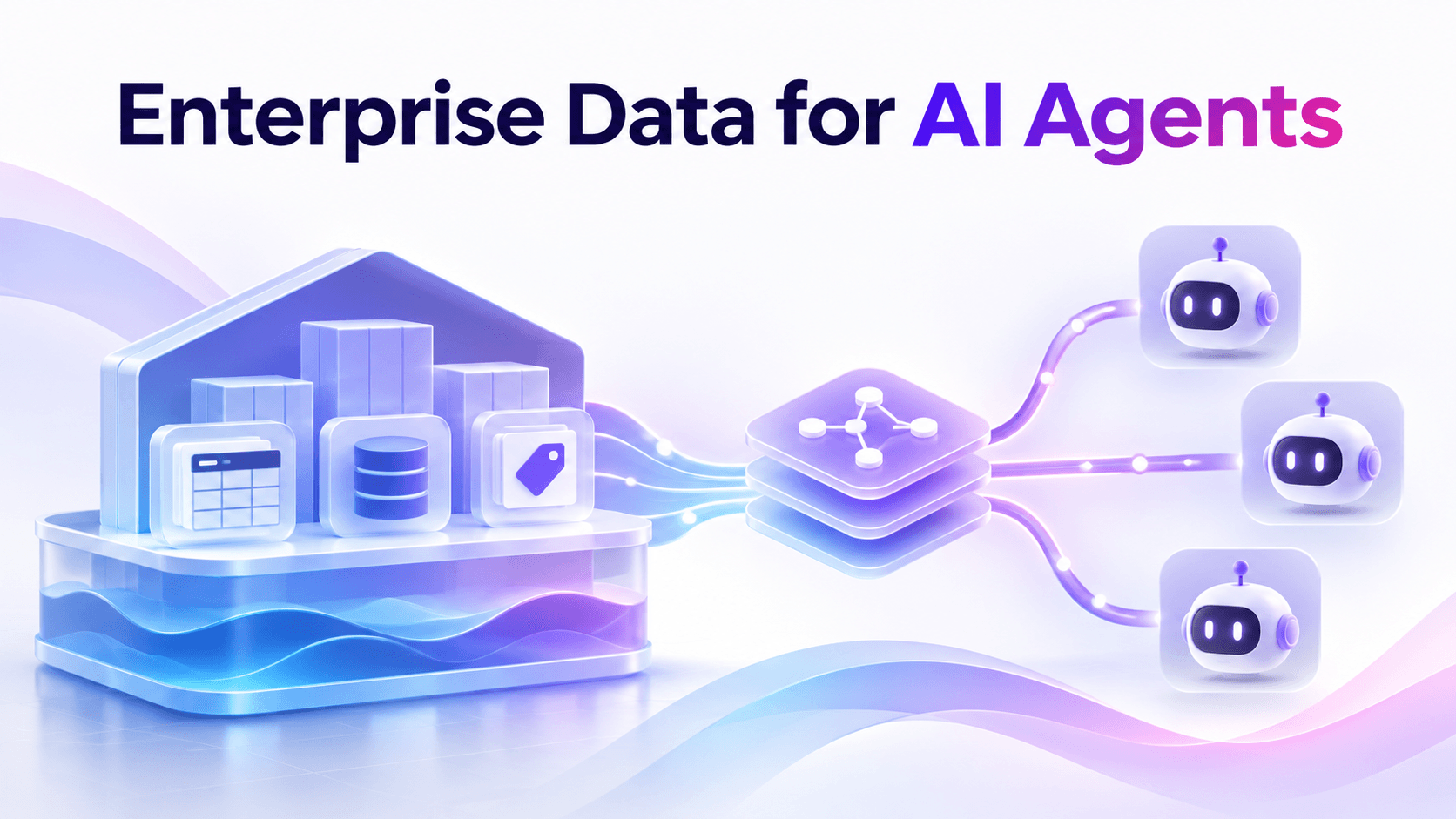
Enterprise data for AI agents is not a new copy of your data. It is the lakehouse you already run, made fit for a user that never sleeps, never reads the docs, and acts on every answer it gets. On an Apache Iceberg lakehouse that comes down to three things working at once: tables that keep themselves healthy without a human on call, a query path where agents can read data safely and cheaply, and an operator interface where agents can inspect and maintain the lake within limits you set.
The stakes are well documented. Gartner expects that through 2026, organizations will abandon 60% of AI projects unsupported by AI-ready data, and it stresses that AI-ready data is a practice, not a one-time cleanup. It also expects over 40% of agentic AI projects to be canceled by the end of 2027, citing escalating costs, unclear value, and inadequate risk controls. Two of those three are data platform problems.
This guide is about the platform side. It treats agent readiness as an operating model with three loops, explains what each loop needs on Iceberg, shows the configuration and SQL that make each one concrete, and is explicit about where a control plane such as LakeOps does the work that scripts and cron cannot.
Why agents change the operating model of an Iceberg lakehouse
Human analytics hides a lot of operational debt. An analyst who hits a slow dashboard waits, files a ticket, or reruns it after lunch. A degraded table costs a few people some patience, and someone on the platform team eventually notices the small files or the snapshot pile-up and schedules a fix.
Agents remove that slack. An agent answering one business question can issue a dozen or more tool calls: list schemas, describe tables, sample rows, run a first query, read an error, rewrite the query, try again. The QueryFlux team traced one such session in Your busiest SQL user has amnesia: a single question about late shipments turned into 13 tool calls and four confident wrong answers before it converged. Multiply that by every team that ships an agent, and query volume stops tracking headcount.
Three properties of agent traffic matter for the platform:
- It is continuous. Agents run on triggers, schedules, and other agents. There is no quiet window in which degraded tables go unnoticed.
- It is exploratory. Agents scan wide, retry, and probe tables they have never seen. Every planning cost you tolerated for humans, from bloated manifests to thousands of small files, is paid on every exploratory call.
- It acts on what it reads. A person reads an error and opens the docs. An agent reads an error and does what it says. Stale data, missing predicates, and unclear denials turn directly into wrong actions.
That changes the job. Enterprise data for AI agents is not one integration you build. It is a set of feedback loops you operate, and each one needs to run without a human in the critical path.
The three loops of an agent-ready lakehouse
It helps to name the loops before going deep, because each has a different owner, a different failure mode, and a different place in the architecture.
| Loop | What it does | What it reads | What it changes | What breaks without it |
|---|---|---|---|---|
| Operations loop: intelligence runs the lakehouse | Keeps every table healthy as writes arrive | Iceberg metadata: snapshots, manifests, file and delete statistics | Data files, delete files, manifests, snapshot history | Planning slows, scans widen, storage grows, agents get slower and costlier every week |
| Query loop: safe, optimized agent access | Lets agents read data safely and efficiently | Agent SQL, identity, workload, table layout | Nothing in storage; it allows, rewrites, routes, or denies queries | Runaway scans, shared credentials, no record of which agent ran what |
| Operator loop: agentic operations over MCP | Lets agents inspect and maintain the lake | Health, insights, signals, events, policies | Policies and maintenance runs, within scoped permissions | Agents either cannot help with operations or get unbounded write access |
The order matters. The query loop is only as good as the tables underneath it, and an operator loop without a working operations loop gives agents nothing reliable to act on. So the foundation is the operations loop, and that is where intelligence has to live first.
The control plane: where intelligence lives in a lakehouse
Apache Iceberg gives you a correct, open table format and a set of maintenance procedures. It does not decide when to run them, on which tables, in what order, or whether the result helped. Catalogs track metadata pointers. Engines read and write. Nothing in the stack owns the question "what does each table need right now?" for the whole lake.
That missing layer is a control plane. The term comes from networking and Kubernetes: the data plane does the work, and the control plane watches state and decides. In a lakehouse, the data plane is object storage, Iceberg tables, catalogs, and engines. The control plane observes every table, decides what maintenance and layout each one needs, executes it in the right order, and records what happened.
LakeOps is a control plane for Apache Iceberg. Five properties define it, and they are worth holding onto for the rest of this guide:
- 1.Where it sits. Above the catalogs, tables, and engines you already run. It does not replace Glue, a REST catalog such as Apache Polaris, Spark, Trino, or S3.
- 2.How it connects. Through your catalogs, reading Iceberg metadata such as snapshots, manifests, and file statistics. Data is never copied or migrated; maintenance reads only the files it rewrites, writes to your bucket, and commits a normal Iceberg snapshot.
- 3.What loop it runs. Sense table signals, classify health from insights, decide which operations are due under your policies, execute them in dependency order on a Rust engine built on Apache DataFusion, and record every operation in an audit trail.
- 4.What makes it different from scripts. It is triggered by table state rather than a clock, it covers the lake rather than one catalog or one DAG, it ranks problems by severity, and it keeps one record of everything that ran, however it was started.
- 5.How you reach it. Three entry points on one backend: the console for people, a REST API for automation, and an MCP server for agents, all authorized by the same scoped organization API keys.
The last point is why the control plane matters so much for agents. The same system that keeps tables healthy is the one agents can query for health and, within scopes you grant, ask to act. The video below shows that loop end to end across catalogs.

With that map in place, each loop can be examined on its own terms.
Loop 1: intelligence runs the lakehouse
Every Iceberg commit adds metadata. Streaming and CDC writers commit often and write small files; merges and deletes add position or equality delete files; every commit adds a snapshot and usually a manifest. None of that is a bug. It is how Iceberg provides atomic commits, time travel, and concurrent writers. It does mean that a table's physical state drifts away from what readers want, continuously, at a rate set by its write pattern.
What the largest lakehouses learned
The teams running Iceberg at the largest scale converged on the same lesson: maintenance has to react to table state, not a calendar.
Iceberg itself was initially developed at Netflix to improve on the Hive table layout that Hive, Presto, and Spark shared, as the Apache Incubator proposal puts it. Netflix's later work on incremental processing with Maestro and Iceberg shows the same instinct applied to pipelines: act on what changed instead of reprocessing on a fixed cadence. The intelligent lakehouse breakdown covers how that operating model translates to teams without a Netflix-sized platform group.
Salesforce is the clearest public case. Its Data Cloud lakehouse runs on Iceberg with more than 4 million tables and 50 PB of data, read by Spark, Hyper, and Trino. In Inside Data Cloud's open lakehouse, the team explains that scheduled optimization jobs did not scale, because scanning every table on a fixed cadence to detect changes became prohibitively expensive. They replaced them with a reactive Storage Optimizer that listens to table changes and triggers optimization only when necessary. The same post ties real-time querying on that lakehouse directly to agentic AI in Agentforce.
Google reached a similar place from the platform side. Its lakehouse for the agentic era argues that lakehouses built for reporting are not ready for agents, and it pairs Iceberg storage with a runtime catalog that automates table management and with agent tooling over MCP. The open lakehouse breakdown goes through which of those ideas carry over to a vendor-neutral Iceberg stack.
Gartner names the direction too. Its 2026 data and analytics trends include agentic data management: using AI agents inside data management for real-time actions, pattern detection, and recommendations. The common thread across all four is that the operations loop needs its own intelligence before agents can depend on the data.
The primitives exist; the decisions do not
Iceberg ships every operation the loop needs. In Spark, a hand-run maintenance pass on one table looks like this:
1-- 1. Compact small files (sort when the table has a sort order)2CALL lake.system.rewrite_data_files(3 table => 'sales.orders',4 strategy => 'sort',5 sort_order => 'order_date ASC NULLS LAST, region ASC NULLS LAST',6 options => map('partial-progress.enabled', 'true')7);8 9-- 2. Expire snapshots the table no longer needs for time travel10CALL lake.system.expire_snapshots(11 table => 'sales.orders',12 older_than => TIMESTAMP '2026-11-18 00:00:00',13 retain_last => 2014);15 16-- 3. Compact position delete files left by merges and deletes17CALL lake.system.rewrite_position_delete_files(table => 'sales.orders');18 19-- 4. Consolidate manifests so planning reads fewer metadata files20CALL lake.system.rewrite_manifests(table => 'sales.orders');21 22-- Separately, on its own cadence: files no snapshot references23CALL lake.system.remove_orphan_files(24 table => 'sales.orders',25 older_than => TIMESTAMP '2026-11-22 00:00:00'26);The order is not arbitrary. Compaction writes new files and a new snapshot; expiring snapshots afterward is what lets the replaced small files actually leave storage. Position delete rewrites follow, so they only handle the delete files compaction did not already apply. Manifest rewrites come last because every earlier step added metadata. Orphan cleanup is different in kind: it lists storage and deletes files no snapshot references, so it runs separately, with a safety margin longer than any in-flight write. The Iceberg maintenance docs describe each procedure and its options.
What Iceberg does not provide is the judgment around these calls. The signals that say whether a table needs them are all in metadata tables you can query:
1-- Small files and delete files on one table (content: 0 = data, 1 = position deletes, 2 = equality deletes)2SELECT content,3 count(*) AS files,4 sum(CASE WHEN file_size_in_bytes < 32 * 1024 * 1024 THEN 1 ELSE 0 END) AS small_files5FROM lake.sales.orders.files6GROUP BY content;7 8-- History depth and metadata fan-out9SELECT count(*) AS snapshots FROM lake.sales.orders.snapshots;10SELECT count(*) AS manifests FROM lake.sales.orders.manifests;Running those checks is easy for one table. Running them for every table in every catalog, after every meaningful commit, deciding which operations are due, avoiding commit conflicts with active writers, sequencing the work, and proving it helped is the part teams end up building and maintaining by hand. At a few dozen tables, scripts work. At a few hundred, the scripts are a product. At thousands, the cron schedule is either too aggressive and wastes compute on healthy tables, or too lax and lets agent-facing tables degrade between runs.
Health you can rank, not just observe
The first job of an intelligent operations loop is to know which tables are unhealthy and why. LakeOps scans each table's metadata against fixed thresholds and raises insights with a severity: excessive snapshots, excessive manifests (above the table's commit.manifest.min-count-to-merge, which defaults to 100), partitions made mostly of small files, a high ratio of delete files, skewed partitions at ten times the average, refs without retention, and stale tables with no snapshot in 30 days. A table's health status follows from those insights: Critical if it has a critical insight, Warning if it has a warning, Healthy otherwise.

That inventory is what makes the lake legible to agents later. A table with a critical insight is a table an agent should not be pointed at until it is fixed, and a ranked list is what turns "the lake feels slow" into a queue of specific work.
One record of everything that ran
The second job is to keep one record. Every operation lands in Events with its type, status, timing, and impact, whether it was started by a policy, by Adaptive Maintenance, by someone clicking Execute, by the REST API, or by an agent over MCP. That last source is what makes it safe to let agents act at all: an agent's work is recorded in the same place, in the same format, as everything else.

Signals, not schedules
The third job is deciding when. Adaptive Maintenance is a single policy that covers five operations and runs them, in order, only when they are due: compaction, snapshot expiry, position delete rewrites, removal of dangling deletes, and manifest rewrites. It watches the share of small files, compactable bytes, snapshot and manifest counts, position, equality, and dangling deletes, and growth per hour. Each operation gets a needed flag, a score, a projected trigger time, and a cooldown, so a busy table is not rewritten on every commit and a quiet table is left alone.

In Automatic mode it runs when signals cross thresholds, with no cron. In Scheduled mode it runs inside a window you set, either only what is due or the full bundle. Orphan cleanup stays a separate policy because it deletes from storage and deserves its own review. Compaction runs on LakeOps-managed compute on the Rust engine, writes to your bucket, and commits without blocking readers or writers. That is the property agent traffic needs: maintenance that keeps pace with writes without ever pausing reads. The observability solution covers the health side of this loop in more depth.
Loop 2: safe, optimized agent access
Once tables stay healthy, the next question is how agents reach them. The answer has two halves that are often conflated: efficiency is mostly decided by the table's physical layout, and safety is mostly decided by what sits in the query path.
Efficiency starts at the table, not the prompt
An agent cannot write its way around a bad layout. If a table has no useful clustering on the columns agents filter by, every query reads more than it should, no matter how good the SQL is. Iceberg gives you three layers of skipping, and they are not interchangeable:
- Partition pruning is coarse. The partition spec, ideally hidden transforms such as
day(event_ts)orbucket(16, customer_id), decides which groups of files can be ignored entirely. - Clustering by sort order is fine-grained. Rewriting data so rows with nearby key values share files tightens each file's min and max statistics, so the planner can skip files inside the partitions that survive. It works best for the leading sort column.
- Z-order interleaves two to four columns so filters on any of them can skip files. It costs more to write and its benefit dilutes as you add columns.
Binpack compaction fixes file counts but does not cluster rows; a table of large, unsorted files still fails file pruning. For agent-facing tables, the useful habit is to check what agents actually filter on and set a sort order for it, rather than inheriting whatever the ingestion job wrote.
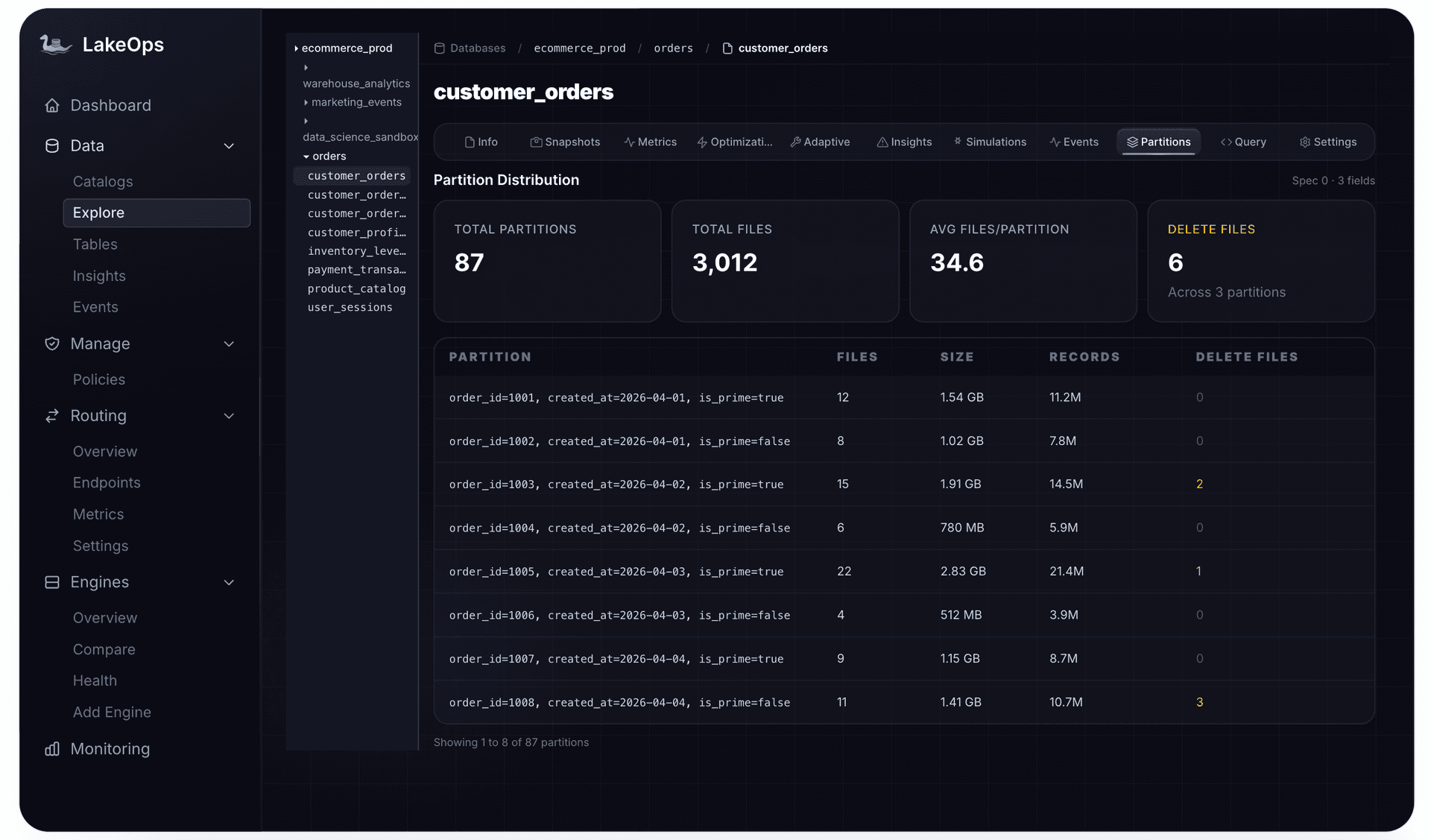
Changing a sort order rewrites data, so it is worth estimating first. LakeOps Simulations compare candidate layouts generated from the table's schema, estimate their effect from metadata, and write nothing. Today the workload is inferred from column names and types; using real query history as the workload is in alpha, and feeding QueryFlux query history into it is in progress. That direction matters for agents in particular, because agent query logs are the most precise description you will ever get of how a table is actually read.

Put a gateway in the query path
The fastest way to give an agent data is to hand it a warehouse connection string. It is also the worst: one shared credential for every agent, no record of which agent ran what, and nothing between a generated query and the engine. The fix is a SQL gateway that every agent connects to, which applies identity, guardrails, routing, and audit before any engine sees the query.
QueryFlux is the open-source gateway LakeOps query routing is built on. It speaks the protocols agents and tools already use, including Trino HTTP, PostgreSQL wire, MySQL wire, Arrow Flight SQL, Snowflake HTTP, and MCP, and it routes to Trino, DuckDB, StarRocks, Athena, ClickHouse, and, through ADBC, Snowflake, Databricks, BigQuery, Redshift, and PostgreSQL. Its guardrails run on every query before it reaches an engine, and a denied query comes back with a reason the agent can act on.
A minimal setup gives agents their own entry point, their own capacity, and a stricter guard chain than human analysts:
1queryflux:2 frontends:3 trinoHttp:4 enabled: true5 port: 80806 mcp:7 enabled: true8 port: 88119 10clusters:11 trino-analytics:12 engine: trino13 endpoint: http://trino-analytics:808014 enabled: true15 trino-agents:16 engine: trino17 endpoint: http://trino-agents:808018 enabled: true19 20clusterGroups:21 analytics:22 maxRunningQueries: 5023 members: [trino-analytics]24 agents:25 maxRunningQueries: 1026 members: [trino-agents]27 28routers:29 - type: protocolBased30 trinoHttp: analytics31 mcp: agents32 33routingFallback: analytics34 35guardrails:36 global:37 - kind: built_in38 name: read_only39 groups:40 agents:41 - kind: built_in42 name: row_limit43 max_rows: 500044 - kind: built_in45 name: require_predicate46 applies_to:47 - "fct_*"Read that config as policy. Every query is read-only. Agent sessions arriving over MCP land in their own group on their own engine, with a concurrency cap so a burst of retries queues instead of starving dashboards. Agent queries with a LIMIT above 5,000 rows are denied, queries with no LIMIT run but are flagged in the audit log, and queries on fact tables without a WHERE clause are denied. The chain stops at the first deny, and over MCP the deny reason is what reaches the agent, so write reasons as instructions: "add a filter on order_date" is something an agent can act on.
Row filters and column masks belong in the same path. QueryFlux's access control evaluates the verified identity against OPA and rewrites the query before it runs, so a sensitive column is masked whether the request came from an analyst's BI tool or an agent. Agent context rides along too: over MCP, the agent and conversation are attached to every query record, which is what makes it possible to replay an agent's session when an answer looks wrong. The walkthrough in Give agents SQL, not the keys to every engine builds a full version of this with OIDC and impersonation.
Route agent workloads deliberately
Agent queries are not one workload. A lookup that backs a chat answer, a broad exploratory scan, and a scheduled agent that builds a report have different latency, cost, and isolation needs. Routing groups let you treat them differently without changing the agent: route by protocol, by header, by tag, or by a regex on the SQL, and fall back to a default group.

The query routing solution describes how this fits a multi-engine lakehouse. For the governance layers that sit on top of the query path, such as identity that follows the human, semantics, and evaluation, the companion guide on the access layers between an agent and your tables goes through each one.
Loop 3: agentic operations over MCP
The third loop turns agents from consumers of the lake into participants in running it. This is where many teams hesitate, and they are right to: an agent with unbounded write access to production tables is a bad idea. But an agent that can read the health of the lake, explain what is wrong, propose a fix, and, within narrow limits, apply it, is one of the most useful things you can build on a lakehouse. The question is how to bound it.
What an operator agent needs
An agent that helps operate Iceberg needs five things, in this order:
- 1.State it can trust: health, insights, maintenance signals, partition skew, and recent events, from the system that actually maintains the tables rather than from ad-hoc queries against metadata tables.
- 2.Explanations, not just numbers: why a table is critical, which operation is due, and what it would change.
- 3.Narrow actions: run one operation on one table, or create a policy, rather than arbitrary SQL against the catalog.
- 4.Permissions enforced by the server: what the agent may do has to be decided by its credential, not by its prompt or by hints the client may ignore.
- 5.A record: every action in the same audit trail as human and policy-driven work.
The LakeOps MCP server
LakeOps exposes the control plane to agents through an MCP server with 31 tools, served over stateless Streamable HTTP and authorized with an organization API key sent as a Bearer token. The organization always comes from the key, never from tool arguments, so an agent cannot reach another tenant's tables by naming them. The MCP server reference lists every tool with its scope and effect.
Twenty-four of the tools are read-only. They cover discovery (list_catalogs, search_tables, get_schema), table state (get_table_profile, which returns stats, insights, and maintenance signals in one call; get_hot_partitions; get_table_scan_cost_hints), history (get_table_events, get_lake_health), and analysis tools such as analyze_critical_triage, analyze_storage_reclaim, and analyze_policy_gaps, which are also available as built-in prompts. Seven tools change something: four policy tools change configuration, and execute_policy, execute_optimization, and delete_table are marked destructive, carrying destructiveHint so clients that honor it ask a human before running them.
A raw call looks like any MCP tool call:
1curl -s https://<your-region-api-host>/mcp \2 -H 'Authorization: Bearer <org-api-key>' \3 -H 'Content-Type: application/json' \4 -H 'Accept: application/json, text/event-stream' \5 -d '{6 "jsonrpc": "2.0",7 "id": 1,8 "method": "tools/call",9 "params": {10 "name": "get_table_profile",11 "arguments": {12 "catalog": "prod_glue",13 "namespace": "sales",14 "table": "orders"15 }16 }17 }'Scope each agent to its job
The MCP specification is explicit that tool annotations such as destructiveHint are hints: clients must treat annotations as untrusted unless they come from trusted servers, and there should always be a human able to deny a tool call. Real enforcement therefore has to be the key's scopes, checked on the server before any tool runs. Design agents around them:
| Agent role | Scopes | What it can do | What it cannot do |
|---|---|---|---|
| Observer | read | Health, insights, signals, events, analysis tools and prompts | Change anything |
| Maintenance operator | read, tables:write | Run one maintenance operation on one table with execute_optimization | Create or change policies, delete tables |
| Policy steward | read, policies:write | Create, update, enable, disable, and run policies | Run ad-hoc operations, delete tables |
| No agent | tables:delete | delete_table over MCP | — |
Two details are easy to miss. The analysis tools, get_table_events, and get_lake_health require the global read scope on its own, so a key with only tables:read will not be able to triage. And the global write scope includes tables:delete, so an agent should get the narrow tables:write or policies:write instead of write. One key per agent, revocable at any time, keeps every action attributable.
A triage session, step by step
Here is what a bounded operator agent does with an observer key and, for the last step, a maintenance key:
- 1.Call
analyze_critical_triageto list critical and warning tables with their top insights, ranked for on-call. - 2.For the top table, call
get_table_profileto read its stats, insights, and Adaptive Maintenance signals in one response. - 3.Call
get_table_eventsto see what already ran and whether a recent operation failed. - 4.Explain the finding in plain terms: for example, that the table has excessive snapshots because a ref has no retention, and that compaction is due because small files dominate the latest partitions.
- 5.Propose the fix: a governance policy for snapshot retention on that namespace, or a one-off compaction.
- 6.After a human approves, run it with
execute_optimizationorcreate_policy, then confirm the result inget_table_events.

Every step before the sixth is read-only, so an observer agent can do most of the useful work with no write access at all. Teams usually start there: agents that write the morning lake report, open tickets with a diagnosis attached, or answer "why is this table slow?" in chat. Write access follows once the explanations have proven reliable.

Policies are the better long-term target for agent write access than one-off operations. An agent that notices five namespaces missing a retention policy should propose one governance policy scoped to those namespaces, which then applies to new tables on scan and runs under the same precedence rules as everything else, rather than running five manual expiries. The deep dive on MCP for Iceberg walks through more operator workflows of this kind.

Runtime enforcement is the hard part
This is where most agent projects fail in practice, and Gartner says so directly: its 2026 predictions expect that by 2030, half of AI agent deployment failures will stem from inadequate runtime enforcement of governance and from poor interoperability across systems. The pattern in this guide is a direct answer to that: scopes checked on every tool call, guardrails on every query, and one audit trail across people, policies, and agents. None of it depends on the agent behaving well.
Putting the three loops together
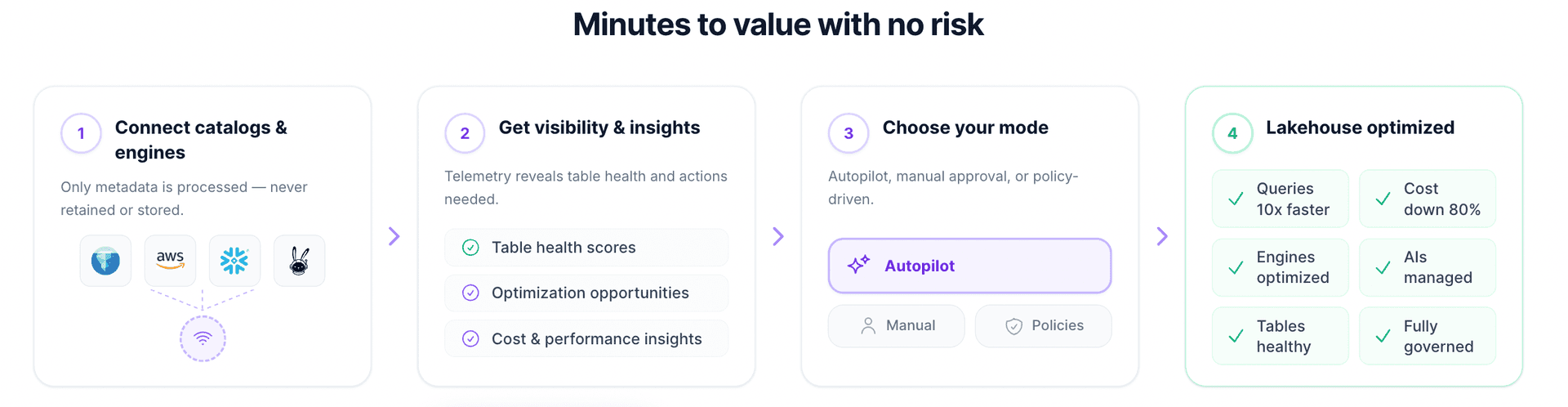
The loops are easiest to adopt in the same order they depend on each other. A sequence that works without a big-bang migration:
- 1.Connect catalogs and observe before acting. Attach your Glue or REST catalogs to the control plane, look at the health of the tables your first agents will use, and fix what is critical before agents arrive.
- 2.Turn on the operations loop for agent-facing tables. Enable Adaptive Maintenance on those namespaces, keep orphan cleanup as its own reviewed policy, and set retention for refs that have none.
- 3.Set layouts for how agents read. Choose sort orders for the columns agents filter on, and estimate the change with a simulation before rewriting.
- 4.Put agents behind a gateway. Give them their own group, engines, limits, and guardrails, and attach agent context to every query.
- 5.Start operator agents read-only. Give them the
readscope and let them triage, explain, and open tickets. - 6.Grant narrow writes through policies. Add
policies:writeortables:writeper agent, keep destructive tools behind human confirmation, and never granttables:delete.

| Check | Ready when |
|---|---|
| Table health | No agent-facing table has a critical insight |
| Maintenance | Agent-facing namespaces are under Adaptive Maintenance or explicit policies |
| Layout | Sort orders match the columns agents filter on, chosen after a simulation |
| Query path | Agents connect through a gateway with their own group, limits, and guardrails |
| Identity | One credential per agent, attributable in query history |
| Operator access | Agents start with read; writes are narrow, scoped, and confirmed |
| Audit | Every query and every operation can be traced to an agent, a person, or a policy |
The agentic lakehouse use case brings the same three loops together from the product side, and the platform overview shows how observability, maintenance, governance, and routing fit around it.
Enterprise data for AI agents is an operations problem
Models will keep improving, and the cost of a wrong answer will keep rising with them. What decides whether agents are worth running on enterprise data is mostly not the model. It is whether the tables underneath stay healthy without a person watching them, whether every agent query passes through controls that do not depend on the agent, and whether agents that help operate the lake are bounded by permissions the server enforces.
Those are three loops, and the first is the one everything else rests on. Iceberg gives you the format and the primitives; the intelligence that decides what each table needs, runs it in the right order, and records it is a control plane. For teams that would rather not build and staff that loop themselves, the lakehouse control plane explainer covers the architecture in depth, and LakeOps runs it on the Iceberg lakehouse you already have.