

Oracle's lakehouse federation is the Autonomous AI Lakehouse mounting other Apache Iceberg catalogs and querying their tables in place with Oracle SQL. You register a catalog once with DBMS_CATALOG.MOUNT_ICEBERG (Databricks Unity Catalog, Snowflake Open Catalog or Horizon, any Iceberg REST catalog, or Oracle's own AI Data Catalog), and its tables become addressable as schema.table@catalog, joinable with Oracle tables in one statement. Nothing is copied. Oracle reads the catalog's metadata and the Parquet files in object storage directly.
Mounting is the easy part. Whether a query succeeds depends on the state of the table, and Oracle's reader is strict about it. Its documentation says queries fail when Iceberg metadata references delete files, time-travel reads fail once snapshots are expired, and external tables built on a fixed schema must be recreated after the schema evolves. None of those are Oracle settings. They are properties of the table, set by the engines that write it and the system that maintains it, and federation adds a reader without adding a maintainer.
That gap is what this guide is about. Federation is an access layer: it decides who can see a table, and through which engine. Table state is an operations problem, and it needs its own owner. A control plane such as LakeOps sits above your existing catalogs and object storage and runs that loop: it reads Iceberg metadata for the tables it's connected to, decides what maintenance each one needs, runs it, and records what happened, so the tables Oracle mounts stay in a state Oracle can read.
Below: how the mount works, which catalogs it supports, the read contract a table has to keep, SQL to find tables that will break, and three patterns that keep them readable. One naming note: Databricks uses the phrase Lakehouse Federation for the opposite direction. Its Oracle connector exposes an Oracle database to Databricks as a read-only foreign catalog in Unity Catalog. This guide is about Oracle reading the lake.
Federation and operations are different layers
Draw the stack before the details. Four layers touch a federated Iceberg table:
- Storage: Parquet data files, delete files, manifests, and metadata JSON in S3, ADLS, GCS, or OCI Object Storage.
- Catalogs: Unity, Polaris, Glue, the Oracle AI Data Catalog. Each holds the pointer to a table's current metadata, and the owning catalog is the only place a commit to that table can land.
- Engines: Spark, Flink, Trino, Athena, Snowflake, Databricks, and now Oracle, all reading the same tables, several of them writing.
- Operations: compaction, delete-file cleanup, snapshot expiry, orphan removal, manifest rewrites, and the health signals that say when each one is due.
Oracle's federation lives in the catalog and engine layers. It doesn't touch operations, and that layer is where Oracle's read failures are prevented or caused.
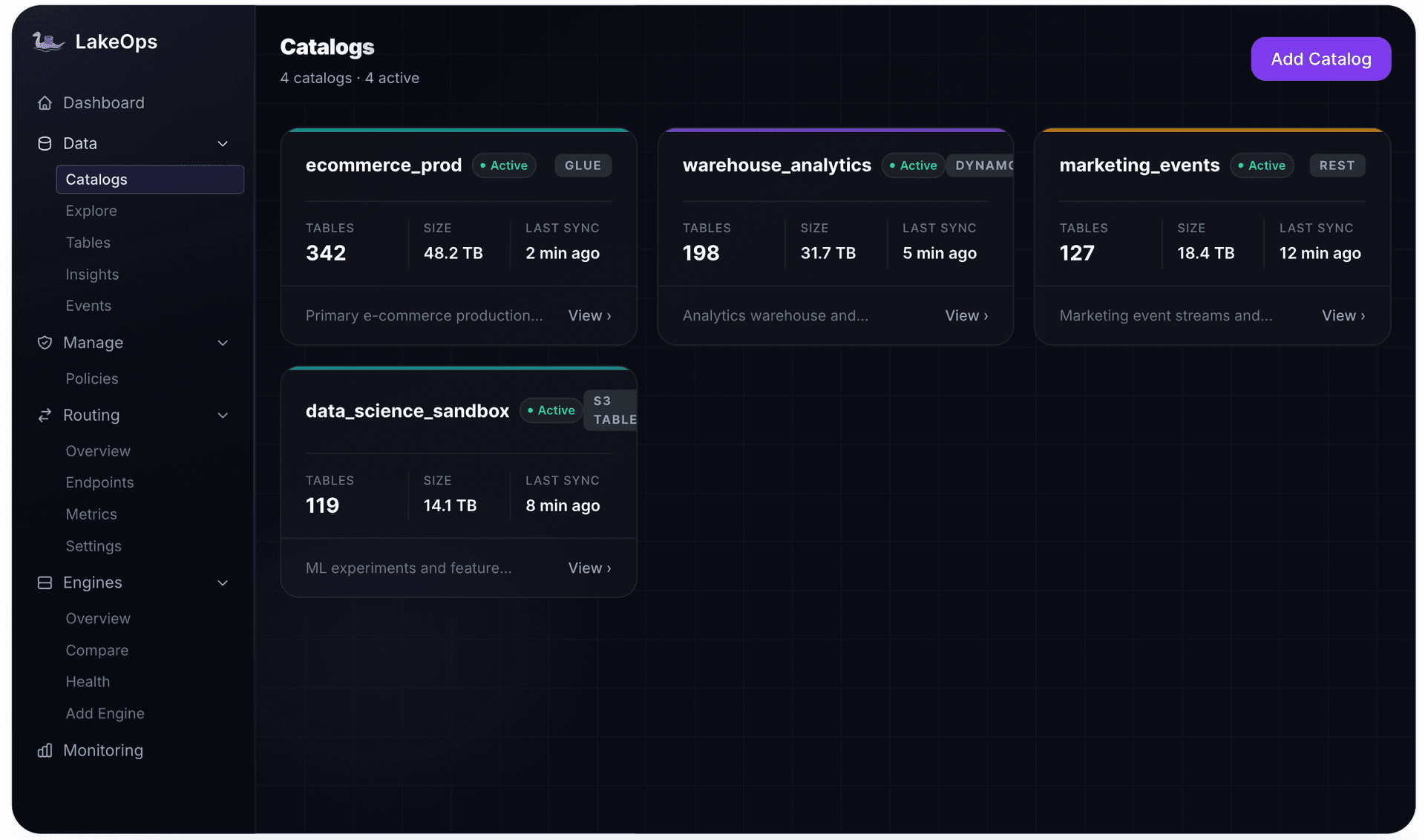
LakeOps lives in that fourth layer. It connects to AWS Glue and to Iceberg REST catalogs such as Apache Polaris and Project Nessie, with tables on Amazon S3 or S3-compatible storage. It reads snapshots, manifests, and file statistics to classify each table's health, and runs maintenance in place on a Rust compaction engine built on Apache DataFusion, committing new snapshots through the same catalog every other engine uses. It doesn't copy data, replace a catalog, or sit in Oracle's query path. Oracle federates access; LakeOps keeps the shared tables in a state every reader, Oracle included, can scan.

What Oracle shipped, component by component
Oracle's naming has shifted (the 2025 launch said Autonomous AI Database Catalog; today's docs say Oracle AI Data Catalog), so map names to mechanisms:
| Component | What it does |
|---|---|
| Oracle AI Data Catalog | An Oracle-managed Iceberg REST catalog inside Autonomous AI Database. Table metadata lives in the tenant database schema; data lives on OCI Object Storage (through its S3-compatible API), Azure Storage, or ZFS Storage. |
DBMS_CATALOG | Mounts external catalogs: MOUNT_ICEBERG for Iceberg REST catalogs, MOUNT_DATA_CATALOG for AWS Glue or OCI Data Catalog. Lists their schemas and tables. |
@catalog SQL | Queries a mounted table in place and joins it with Oracle tables in the same statement. |
DBMS_CLOUD.CREATE_EXTERNAL_TABLE | The older per-table path: one Oracle external table per Iceberg table, through Glue, a REST catalog, or a metadata.json file. |
CREATE ICEBERG TABLE | Creates an Iceberg table in a mounted REST catalog, loaded with INSERT ... SELECT. |
| Data Lake Accelerator | Adds CPUs from an Oracle-managed VM cluster to speed up queries on external data, billed for the ECPUs allocated. |
Oracle launched the Autonomous AI Lakehouse on October 14, 2025, and added Unity and Snowflake Polaris to its Glue and metadata-file access that month. At Oracle AI World on October 26, 2026, it added SQL to create, populate, update, and delete Iceberg tables, role-based, object-level access control in the AI Data Catalog across Oracle and non-Oracle data, and Data Lake Accelerator enhancements that delivered up to 3X faster query execution on 100 TB TPC-DS, per Oracle. Press coverage noted Oracle gave no general-availability date for the new Iceberg write SQL, so check your region's release notes before you plan on it.
How an Oracle catalog mount works
A mount behaves more like a database link than an import. MOUNT_ICEBERG stores a name, the catalog's REST endpoint, a credential for the catalog, a separate credential for the storage that holds the files, and an optional JSON configuration (namespacePath, namespaceSeparator, isCaseSensitive, bucketRegion). The catalog_type tells Oracle which flavor of the REST protocol to expect: ICEBERG_GENERIC by default, ICEBERG_UNITY, ICEBERG_POLARIS, or ICEBERG_ORACLE for the AI Data Catalog. The DBMS_CATALOG guide walks through it, and the user running it needs DWROLE.
Step one is network access. Autonomous AI Database only reaches external hosts listed in an access control list, so the database user needs an access control entry for the catalog host and one for the storage host:
1BEGIN2 DBMS_NETWORK_ACL_ADMIN.APPEND_HOST_ACE(3 host => '*.cloud.databricks.com', -- repeat for the storage host4 lower_port => 443,5 upper_port => 443,6 ace => xs$ace_type(7 privilege_list => xs$name_list('http', 'http_proxy'),8 principal_name => 'LAKE_READER',9 principal_type => xs_acl.ptype_db));10END;11/Step two is two credentials. The catalog credential is an OAuth client-credentials token that Oracle fetches from the catalog's token endpoint; for Unity that's a Databricks service principal. The storage credential is a static key pair for the bucket.
1BEGIN2 -- OAuth client credentials for the catalog (a Databricks service principal)3 DBMS_SHARE.CREATE_BEARER_TOKEN_CREDENTIAL(4 credential_name => 'UNITY_CATALOG_CRED',5 token_endpoint => 'https://<workspace-host>/oidc/v1/token',6 client_id => '<service-principal-application-id>',7 client_secret => '<service-principal-secret>',8 token_scope => 'all-apis');9 10 -- Static keys for the bucket that holds the table files11 DBMS_CLOUD.CREATE_CREDENTIAL(12 credential_name => 'LAKE_S3_READ',13 username => '<aws-access-key-id>',14 password => '<aws-secret-access-key>');15END;16/Step three is the mount. namespacePath names the Unity catalog to expose, and bucketRegion only matters for S3 storage:
1DECLARE2 config JSON_OBJECT_T := JSON_OBJECT_T();3BEGIN4 config.put('namespacePath', 'sales');5 config.put('bucketRegion', 'us-east-1');6 7 DBMS_CATALOG.MOUNT_ICEBERG(8 catalog_name => 'UNITY_SALES',9 endpoint => 'https://<workspace-host>/api/2.1/unity-catalog/iceberg-rest',10 catalog_credential => 'UNITY_CATALOG_CRED',11 data_storage_credential => 'LAKE_S3_READ',12 configuration => config,13 catalog_type => 'ICEBERG_UNITY');14END;15/That's the Iceberg REST endpoint Databricks documents today, and the one Oracle's Iceberg guide uses. The DBMS_CATALOG reference example still shows an older iceberg/v1 path, so if the mount fails, check which one your workspace serves. Then list what the mount exposes and query it like a remote schema:
1-- Mounted catalogs and what they expose2SELECT catalog_name, catalog_type FROM user_mounted_catalogs;3SELECT schema_name FROM DBMS_CATALOG.GET_SCHEMAS('UNITY_SALES');4SELECT table_name FROM DBMS_CATALOG.GET_TABLES('UNITY_SALES', 'orders_db');5 6-- A ready-made SELECT with the right identifier quoting7SELECT DBMS_CATALOG.GENERATE_TABLE_SELECT('UNITY_SALES', '"orders_db"', '"orders"') FROM dual;8 9-- Read in place and join to Oracle data10SELECT c.region, SUM(o.amount) AS revenue11FROM orders_db.orders@unity_sales o12JOIN crm.customers c ON c.customer_id = o.customer_id13WHERE o.order_date >= DATE '2026-10-01'14GROUP BY c.region;Use GENERATE_TABLE_SELECT when the remote catalog is case-sensitive, since Oracle upper-cases unquoted identifiers. If a remote change doesn't appear, the FLUSH_CATALOG_CACHE procedure clears Oracle's cached catalog metadata.
Which snapshot Oracle reads
For a catalog-managed table, Oracle resolves metadata, schema, and the current snapshot through the catalog, and by default reads the snapshot that's current when the query starts. Two details matter on busy tables. If several snapshots are committed inside the same three-second window, a query can select an earlier one than expected, which a streaming writer committing every few seconds can hit. And a table defined by pointing Oracle at a metadata.json file is pinned: it never advances until you recreate the external table against a newer file.
The credential model needs a security review
The Query Apache Iceberg Tables documentation states that Oracle doesn't support catalog credential vending and doesn't accept AWS role ARNs or AssumeRole. Where REST catalogs usually vend short-lived, table-scoped storage credentials, Oracle reads storage with the long-lived key you gave it. Access is then bounded by Oracle's own grants and whatever that key can reach, not by the source catalog's per-table scoping.
Scope that key read-only to the prefixes of the tables you mount, and rotate it like any other static secret. For Glue, Oracle's docs add two constraints: the same credentials must work for both S3 and Glue, and the S3 buckets and the Glue catalog must be in the same AWS region.
Which catalogs Oracle can mount, and the caveats
| Catalog | How Oracle connects | Caveats in Oracle's docs |
|---|---|---|
| Databricks Unity Catalog | MOUNT_ICEBERG with ICEBERG_UNITY, or a REST external table | Certified for UniForm tables; the reader docs say native Iceberg tables through Unity's Iceberg REST endpoint aren't supported |
| Snowflake Open Catalog (Polaris) | MOUNT_ICEBERG with ICEBERG_POLARIS | No storage credential vending; static storage keys |
| Snowflake Horizon Catalog | Same steps as Polaris | Same as Polaris |
| AWS Glue | Glue external table, or MOUNT_DATA_CATALOG with AWS_GLUE | One credential for S3 and Glue; same AWS region |
| Google Lakehouse runtime catalog (formerly BigLake) | REST external table | BigQuery-created Iceberg tables only; reads only |
| Any Iceberg REST catalog | MOUNT_ICEBERG with ICEBERG_GENERIC | Behavior depends on the server |
| Oracle AI Data Catalog | MOUNT_ICEBERG with ICEBERG_ORACLE | The documented target for CREATE ICEBERG TABLE and inserts |
metadata.json or Hadoop folder | External table | Pinned snapshot; recreate to advance |
Two rows deserve a second look. On Unity, Oracle's reader docs limit support to UniForm while Oracle blog posts show managed Iceberg tables, so test the exact table type on your release.
The Glue row is the older shape: a fixed external table per Iceberg table, schema captured at creation. If the Iceberg schema changes, Oracle's docs say the external table must be recreated, and queries fail until it is. Put that step in the schema-change runbook, or prefer the catalog mount, which resolves the schema through the catalog.
For writes, Oracle documents the path through its own AI Data Catalog. For anything else, treat write support as something to confirm per catalog and per release rather than assume from the read matrix.
The read contract: what a table must keep for Oracle to query it
Put Oracle's restrictions together and each mounted table has a contract to keep. Every clause is about table state, not Oracle configuration, which is why it can't be fixed from the Oracle side.
No delete files in the snapshot Oracle reads
This is the clause that breaks most federations. Iceberg v2 supports row-level deletes two ways. Copy-on-write rewrites every data file that contains a changed row. Merge-on-read writes small delete files instead (position deletes, which list a file and row positions, or equality deletes, which list key values), and readers apply them while scanning. Oracle supports copy-on-write. Its documentation is blunt about the other mode: merge-on-read isn't supported, and if Iceberg metadata references delete files, queries fail.
The catch is that you rarely choose the mode table by table. The writing engine does:
- Amazon Athena uses merge-on-read with position deletes for
UPDATE,MERGE INTO, andDELETE, and ignores copy-on-write table properties. - Trino's Iceberg connector writes position delete files for row-level changes.
- Flink in upsert mode writes equality deletes for upserted rows, so most commits on a CDC table carry them.
- Spark follows
write.delete.mode,write.update.mode, andwrite.merge.mode, which default to copy-on-write but are often switched to merge-on-read to cut write amplification. - Snowflake-managed tables follow a Snowflake parameter rather than the Iceberg properties. Under its default,
AUTO, v2 tables use copy-on-write and v3 tables use merge-on-read.
So one analyst's Athena DELETE can make a table Oracle has read for months unreadable until something rewrites the affected files. The mechanics of delete files and merge-on-read explain why they pile up. For Oracle, the number that matters is simply whether it's zero.
Iceberg v3 replaces position delete files with deletion vectors. Oracle's reader docs don't mention v3, so treat v3 tables carrying deletion vectors as unreadable from Oracle until tested on your release.
History that covers your time-travel window
Oracle supports AS OF TIMESTAMP reads on Iceberg external tables through Databricks, AWS Glue, and Hadoop catalogs (Hadoop on OCI Object Storage), resolving to the latest snapshot at or before the timestamp. A timestamp older than the table's history returns an error, and so does a historical read whose snapshots were expired or whose data files were deleted. The CREATE ICEBERG TABLE reference separately lists time travel through the @catalog syntax as unsupported for the tables Oracle creates.
1-- Which snapshots can Oracle still see?2SELECT snapshot_id, committed_at3FROM TABLE(DBMS_CLOUD.ICEBERG_TABLE_HISTORY('ORDERS'))4ORDER BY committed_at;5 6-- Read the table as of the start of the month7SELECT COUNT(*)8FROM orders AS OF TIMESTAMP9 TO_TIMESTAMP_TZ('2026-11-01 00:00:00 UTC', 'YYYY-MM-DD HH24:MI:SS TZR');Expiry is usually set by the writing team, often to a few days. If Oracle audit queries expect 30 days, whoever runs expiry breaks the contract, not Oracle.
File counts and layout Oracle can scan efficiently
The Data Lake Accelerator raises throughput by reading object storage in parallel. It doesn't reduce the work. A partition of 4,000 files at 2 MB each still costs at least 4,000 GET requests, 4,000 Parquet footer reads, and 4,000 units of scheduling, now paid in elastic CPU billed per use.
Layout decides how much of that work a query skips, in two layers. Partitioning is coarse: the partition spec decides which file groups a filter ignores, and Oracle documents automatic partition pruning. Clustering is fine: a sort order (or Z-order across two to four columns) keeps related rows together, so manifest min/max statistics can skip whole files. Binpack fixes file count but leaves rows unsorted, so it doesn't help the second layer.
Oracle's docs don't say how far it uses manifest column statistics beyond partitions, so measure instead of assuming. Time a representative Oracle query, compact or sort the table, and time it again. To see where the small files are, in Spark:
1SELECT partition,2 COUNT(*) AS files,3 ROUND(AVG(file_size_in_bytes) / 1048576, 1) AS avg_mb,4 SUM(CASE WHEN file_size_in_bytes < 67108864 THEN 1 ELSE 0 END) AS under_64mb5FROM prod.sales.orders.files6WHERE content = 07GROUP BY partition8ORDER BY under_64mb DESC9LIMIT 20;The contract as a checklist
| Clause | Why Oracle cares | How to check | How to keep it true |
|---|---|---|---|
| Zero delete files in the current snapshot | Queries fail otherwise | delete_files metadata table, or Trino $files with content <> 0 | Copy-on-write writers, or a rewrite that applies deletes before Oracle reads |
| Snapshots retained for the time-travel window | AS OF TIMESTAMP errors past history | snapshots metadata table, ICEBERG_TABLE_HISTORY | One retention setting for every system that expires; tags for audit points |
| Schema unchanged for fixed external tables | Queries fail on a schema version mismatch | Schema-change log | Recreate external tables in the runbook, or mount the catalog |
| Files near target size, layout matched to filters | Scan time and accelerator spend | files metadata table | Compaction; sort order on filter columns |
| Storage key scoped read-only | No credential vending | IAM review | One key per mounted prefix set, rotated |
| Glue and buckets in one region | Documented requirement | Account layout | Region planning before the mount |
Find the tables Oracle will fail on
Run this before you mount, then on a schedule, because the answer changes whenever a merge-on-read writer commits. In Spark, the delete_files metadata table lists the delete files the current snapshot carries (content 1 is position deletes, 2 is equality deletes), and snapshot summaries show when they appeared:
1-- Delete files in the current snapshot2SELECT content, COUNT(*) AS files, SUM(record_count) AS deleted_rows3FROM prod.sales.orders.delete_files4GROUP BY content;5 6-- When did deletes appear, and which operation added them?7SELECT committed_at,8 operation,9 summary['total-delete-files'] AS delete_files,10 summary['total-position-deletes'] AS position_deletes,11 summary['total-equality-deletes'] AS equality_deletes12FROM prod.sales.orders.snapshots13ORDER BY committed_at DESC14LIMIT 10;The operation and commit time in the summary are usually enough to find the engine responsible. Trino reads the same from $files, and SHOW TBLPROPERTIES in Spark tells you whether a table with zero deletes today is set to merge-on-read and will have some after its next MERGE:
1SELECT content, COUNT(*) AS files2FROM "orders$files"3WHERE content <> 04GROUP BY content;At 20 tables this is a notebook. At 2,000 tables across three catalogs it's a job that runs continuously and alerts.
Three patterns that keep federated tables readable
Pattern 1: make the writers copy-on-write
Where Spark is the writer, set the write-mode table properties back to their copy-on-write defaults:
1ALTER TABLE prod.sales.orders SET TBLPROPERTIES (2 'write.delete.mode' = 'copy-on-write',3 'write.update.mode' = 'copy-on-write',4 'write.merge.mode' = 'copy-on-write'5);The cost is write amplification: changing one row in a 512 MB file rewrites the whole file, so a wide MERGE rewrites every file it touches. The limit is scope. These properties only govern engines that honor them: Spark does, while Athena, Trino, Flink upsert, and Snowflake-managed tables don't.
Pattern 2: rewrite the deletes away before Oracle reads
When a writer must stay merge-on-read, rewrite the data files that carry deletes so the deletes are applied into new files, then drop delete files that no longer apply to anything. With Iceberg's Spark procedures:
1CALL prod.system.rewrite_data_files(2 table => 'sales.orders',3 where => 'order_date < "2026-11-26"',4 options => map(5 'delete-file-threshold', '1',6 'remove-dangling-deletes', 'true',7 'partial-progress.enabled', 'true'8 )9);delete-file-threshold set to 1 makes any data file with at least one associated delete a rewrite candidate; its default turns the count check off, though delete-ratio-threshold (0.3) still picks files with 30% or more of their rows deleted. remove-dangling-deletes removes position and equality delete files that no longer apply to any live data file, in an extra snapshot. partial-progress.enabled commits in groups, so a conflict with a concurrent writer doesn't throw away the whole run. Afterwards, rerun the delete_files query: zero is the only passing result.
This is a standing condition, not a one-time fix: the next merge-on-read commit breaks Oracle again. Schedule the rewrite to finish just before Oracle's query windows and gate those jobs on the delete-file check. The where filter keeps the rewrite off partitions writers are hitting, which avoids most commit conflicts. It also means a continuously updated partition may never be Oracle-safe.
Pattern 3: publish a copy-on-write table for Oracle
For Flink upsert and CDC tables, equality deletes arrive on most commits, and Pattern 2 is a race you lose. The honest answer is a published table: a scheduled Spark job materializes the current state into a separate copy-on-write table, by partition overwrite or a copy-on-write MERGE, and Oracle mounts that one. It's a copy, which federation was meant to avoid, but a deliberate one with an owner and a stated freshness.
Choosing a pattern per table
| Writer pattern | Delete files? | Approach for Oracle |
|---|---|---|
| Append-only (Spark appends, Flink append, Kafka Connect) | None | Mount directly; compact for file count |
| Spark row-level DML with copy-on-write | None | Mount directly |
| Spark row-level DML with merge-on-read | Position deletes | Pattern 1, or Pattern 2 on a schedule |
| Athena or Trino row-level DML | Position deletes (deletion vectors on v3), always | Pattern 2 before Oracle windows, or move DML to Spark with copy-on-write |
| Flink upsert or CDC | Equality deletes on most commits | Pattern 3 |
Snowflake-managed v2, ICEBERG_MERGE_ON_READ_BEHAVIOR at AUTO | None from DML | Mount; confirm it isn't set to ENABLED |
Snowflake-managed v3, ICEBERG_MERGE_ON_READ_BEHAVIOR at AUTO | Deletion vectors | Set it to DISABLED, or Pattern 3 |
Snapshot retention and orphan cleanup when Oracle reads history
Iceberg's expire_snapshots never removes a snapshot still referenced by an unexpired tag or branch, which gives you a clean way to keep audit points without keeping all history. Set the rolling window in table properties, and tag the points that must survive it:
1ALTER TABLE prod.sales.orders SET TBLPROPERTIES (2 'history.expire.max-snapshot-age-ms' = '2592000000', -- 30 days3 'history.expire.min-snapshots-to-keep' = '50'4);5 6-- Month-end audit point, kept for 400 days7ALTER TABLE prod.sales.orders8 CREATE TAG `eom-2026-10` AS OF VERSION 8744736658442914487 RETAIN 400 DAYS;Oracle's documented time-travel syntax is by timestamp, not by tag. A tag protects the snapshot and its files; confirm on your release that a timestamp resolves to the tagged snapshot once the snapshots around it are gone. For the rolling window, make sure every system that expires snapshots on the table uses the same value, since the shortest one wins. Snapshot retention and time travel covers the trade-off between history depth and storage cost in more depth.
Orphan cleanup has its own interaction with Oracle as a writer. Data files land in storage before the commit that makes them part of the table, so a cleanup with a short older_than can delete the files of a load that's still in flight. Iceberg's procedure defaults to three days. Keep a margin of days, longer than any Oracle load or long-running writer, and don't shorten it to save storage.
When Oracle writes Iceberg tables
The October announcement moves Oracle from reader to writer. What's documented today, in the CREATE ICEBERG TABLE reference and the AI Data Catalog guide, is creating a table in a mounted REST catalog and loading it with INSERT ... SELECT:
1CREATE ICEBERG TABLE "sales"."daily_margin"2( region STRING,3 margin DOUBLE4)5WITHIN CATALOG "AICAT"6STORAGE LOCATION "s3://<warehouse-bucket>/sales/daily_margin/";7 8INSERT INTO "sales"."daily_margin"@AICAT9SELECT region, margin FROM finance.daily_margin_v;10COMMIT;The reference's restrictions shape how you'd use it:
- Tables follow the Iceberg v2 spec, and Oracle writes Parquet with ZSTD level 3.
- Partitioned tables need a
PARTITION BYclause with an Iceberg transform (YEAR,MONTH,DAY,HOUR, orBUCKET); unpartitioned tables, like the example above, don't. - An
INSERT ... SELECTcan't start while another transaction is open, must be followed byCOMMITorROLLBACKbefore the next DML, and blocks queries on the target while it runs. - The
SELECTmust match the target schema exactly, with no column defaults or constraints. TIME,UUID,FIXED, andBINARYcolumns aren't supported.
Each INSERT ... SELECT is a commit and a snapshot, so frequent small loads build small files and snapshot depth like any micro-batch writer. Oracle's documentation for these features covers creating, loading, and querying, not compaction, snapshot expiry, or orphan cleanup, so decide who runs those before the first scheduled load. When UPDATE and DELETE arrive, check which mode Oracle writes them in, because merge-on-read output would trip Oracle's own reader under today's restrictions.
Governance: two control planes, two jobs
Oracle describes the AI Data Catalog as a single control plane for object-level access control across Oracle, non-Oracle, and Iceberg data. That's access governance, and it sits alongside the source catalog's grants and the storage key's scope rather than replacing them. A workable split of identities:
| Identity | Held by | Needs | Should not have |
|---|---|---|---|
| Catalog principal (Unity service principal, Polaris client) | The Oracle mount | List and read metadata for the mounted namespaces | Grants on namespaces Oracle doesn't mount |
| Storage key for reads | The Oracle mount | Read on the mounted table prefixes | Write or delete |
| Storage key for writes | Oracle, only where it writes | Write under its warehouse location | Access to other teams' prefixes |
| Maintenance identity | The owner of table operations | Read, write, and delete on maintained prefixes; commit to the owning catalog | Anything outside the catalogs it maintains |
The last row is the one federation projects forget. Expiry and orphan cleanup delete objects, so that identity should belong to one system with an audit trail. Cross-catalog sync covers the matching catalog-side rule: only the owning catalog can safely take a commit, maintenance included.
How LakeOps keeps federated Iceberg tables readable
Everything above can be built with Spark procedures, a scheduler, and metadata queries, and at a handful of tables it should be. Past a few hundred tables, across Glue and REST catalogs with several writing engines, it becomes the job LakeOps does: one operations layer for the shared tables, whichever engines read them. The scope is specific: LakeOps maintains tables in AWS Glue and Iceberg REST catalogs on S3 and S3-compatible storage. Tables owned by Unity Catalog or Snowflake stay under their own platform's maintenance.
Lake-wide state before the first mount
The dashboard is the lake-level view: total tables split into Critical, Warning, and Healthy, total data, and 30 days of maintenance activity. Before any mount, it shows how many tables you're about to expose are in a state you'd want a new reader to see.

The Tables view lists every connected table with its health and size, across catalogs. Health comes from insights: Critical if a table has a critical insight, Warning for a warning one, Healthy otherwise. Filtered to the namespaces Oracle will mount, it's the inventory step of the rollout.

Events: what ran before Oracle read
Every operation lands in Events, whatever started it (a policy, Adaptive Maintenance, a manual Execute, the REST API, or MCP), with status Submitted, Running, Success, or Failed. When an Oracle query fails on a delete file at 06:05, Events shows whether the 05:00 rewrite on that table succeeded, failed on a commit conflict, or never ran.

Adaptive Maintenance runs the delete-cleanup sequence
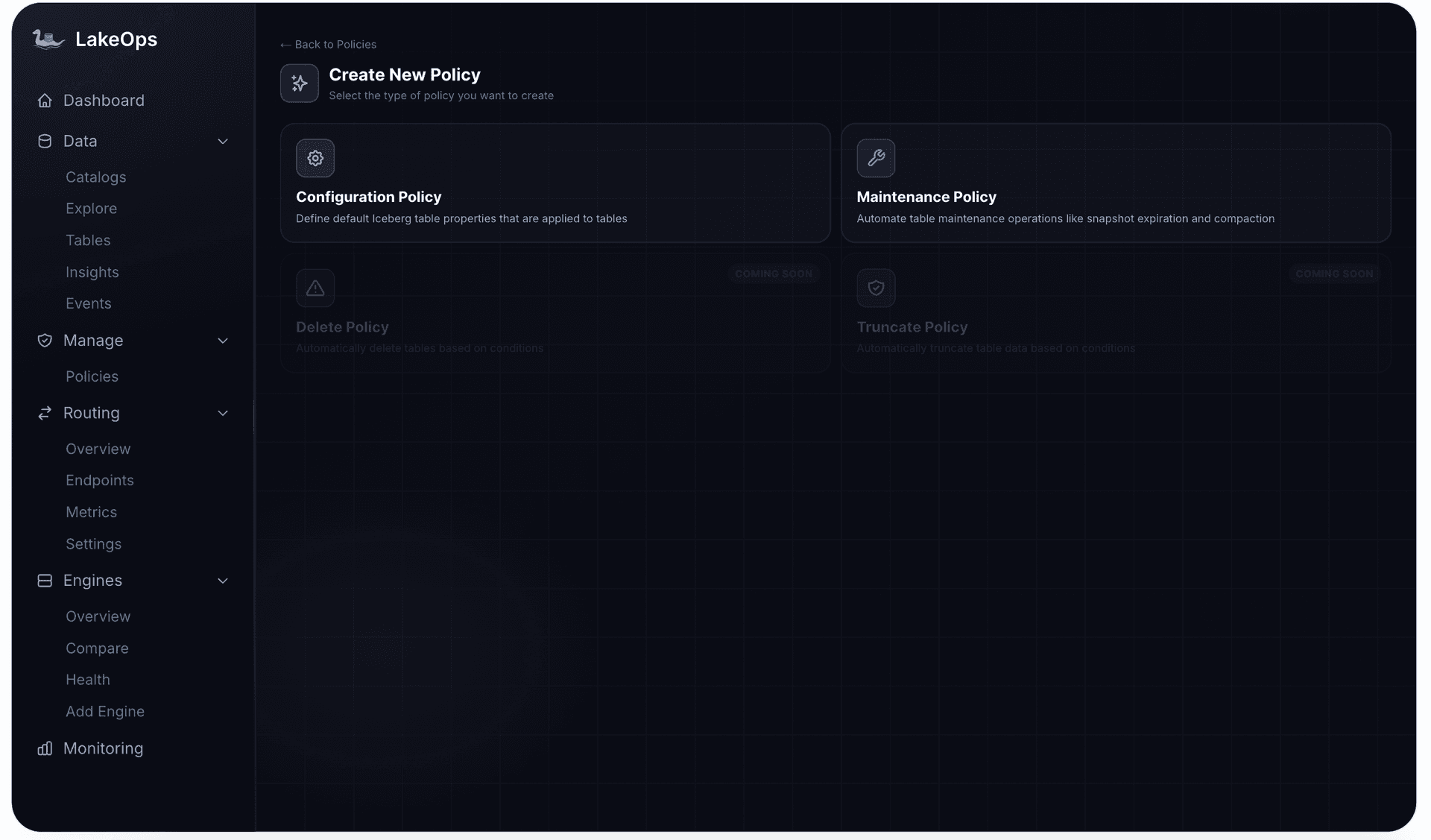
Adaptive Maintenance is one policy that runs five operations, in this order when several are due: compaction, snapshot expiry, rewrite position deletes, remove dangling deletes, and rewrite manifests (orphan cleanup is a separate policy). It decides from signals sampled from metadata: small-file share, compactable bytes, snapshot and manifest counts, position, equality, and dangling delete files, and how fast compactable bytes and snapshots grow per hour.
In Automatic mode an operation runs when its signal crosses a threshold, with no cron. In Scheduled mode a cron expression caps when maintenance can run, and only the operations that are due execute. Scheduled mode fits Oracle's reporting windows: set the cron so maintenance runs ahead of the Oracle batch, and nothing runs between scheduled times.

If you'd rather target deletes explicitly than rely on Adaptive Maintenance's thresholds, a Compact Data Files policy takes a predicate on file metadata instead. Scope one to the namespaces Oracle mounts with file_size < 134217728 OR delete_file_count > 0, and it selects the data files that carry deletes for rewrite along with the small ones. Remove Dangling Deletes runs inside Adaptive Maintenance or as its own policy through the REST API or MCP. Either way, confirm with the delete_files check before the Oracle batch runs.
Compaction runs on the Rust and DataFusion engine and reads only the files it rewrites. It commits through Iceberg's optimistic concurrency: a conflicting commit from another writer, Oracle included, is detected rather than overwritten and retried with backoff, and if the commit still fails the table is unchanged and the next run picks the files up again. Table maintenance covers the full lifecycle, and the Adaptive Maintenance docs list the signals and API flags.
Insights flag the tables at risk
Each scan checks metadata against fixed thresholds and raises insights by severity: high delete ratio, partitions made mostly of small files, excessive snapshots, excessive manifests, skewed partitions, refs without retention, and stale tables. High delete ratio surfaces the heaviest merge-on-read tables; Oracle's stricter bar, any delete file at all, still comes from the metadata check. The observability layer collects both across catalogs.

Configuration policies set the write modes
Pattern 1 is a table-property change, and LakeOps Configuration policies set table properties across the scope you choose: a catalog, namespaces, or tables by exact name or regex, with exclusions. Scope one to the namespaces Oracle mounts with write.delete.mode, write.update.mode, and write.merge.mode set to copy-on-write. It's applied on each table scan, so new tables in scope inherit it. By default it only adds properties a table doesn't already set, and an override switch replaces differing values. Each change is logged as a Policy Enforced event, and the policies docs cover scope rules and how properties are applied.
The limit from Pattern 1 still holds: the policy governs Spark writers and can't change what Athena, Trino, or Flink upsert write, which is why the delete-cleanup policy runs alongside it. Declarative governance policies shows the same model applied to other properties across catalogs.
Snapshots, tags, and orphan cleanup
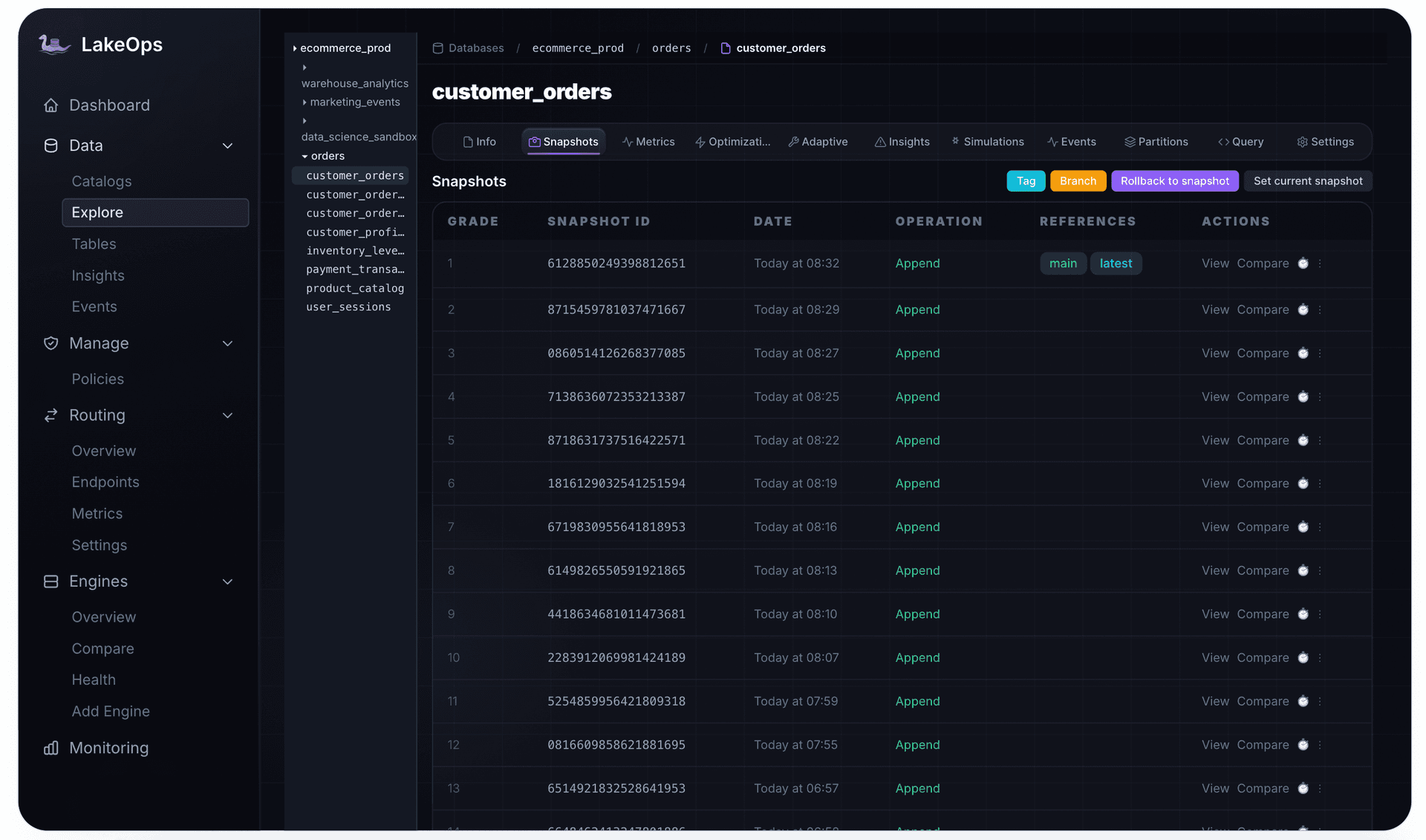
Snapshot retention is set per table or by policy, from the table's history.expire.max-snapshot-age-ms and history.expire.min-snapshots-to-keep or from custom values, so one setting governs expiry for the Oracle time-travel window. The Create Snapshot Tags card tags snapshots on a schedule from a template such as eod-{yyyy}-{MM}-{dd}, with a tag retention you choose, and expiry never removes a snapshot a tag or branch references. Orphan cleanup is a separate Remove Orphan Files policy with a 7-day default threshold, comfortably longer than an Oracle load.
Layout for Oracle scans
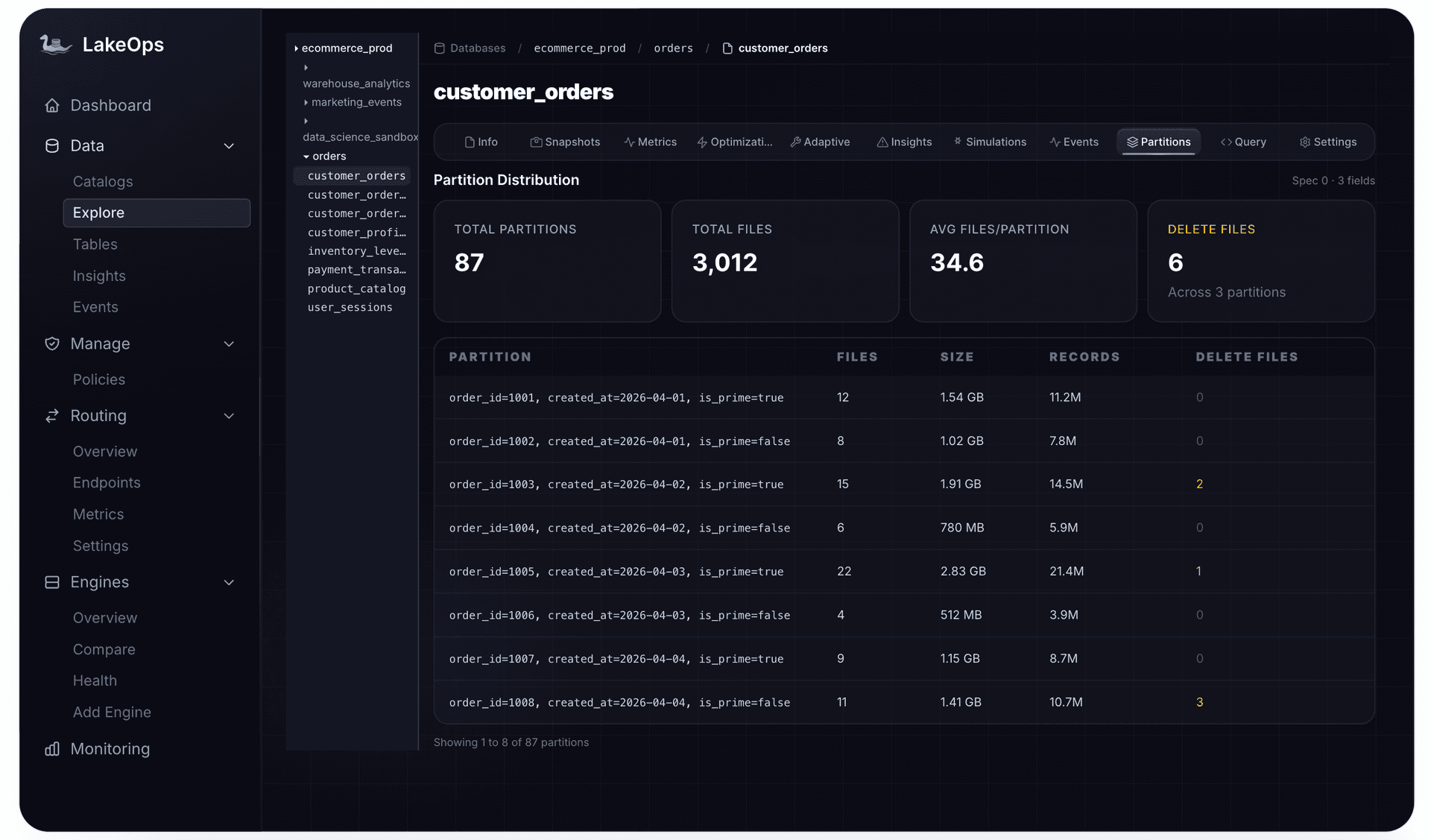
For scan cost, the Partitions tab shows files, sizes, and skew per partition, and Metrics shows whether files converge on the target size. When a table needs sorting rather than binpacking, Simulations compares candidate partition specs and sort orders. Its numbers are directional: it infers the workload from column names and types, not query history, so it doesn't see Oracle's queries.
Connect alongside Oracle, not in front of it
Connecting mirrors Oracle's mount without the query path: register a Glue or REST catalog with a scoped identity, and discovery and health analysis start. Nothing moves; Oracle and LakeOps work on the same tables. The platform overview shows how health, maintenance, and policies fit together.
The takeaway
Oracle's federation solves a real problem: Oracle data and lake data in one SQL statement, without an ETL copy. What it can't do is decide the state of the tables it mounts. Delete files, snapshot history, schema versions, and file layout are set by the engines that write and the system that maintains, and Oracle's reader is strict about all four.
Treat each mounted table as a contract, check it from metadata, and give it one operational owner. If you'd rather not assemble that owner from Spark jobs and cron, LakeOps runs it as a control plane on the Glue and REST catalogs you already have, next to Oracle rather than in front of it.