
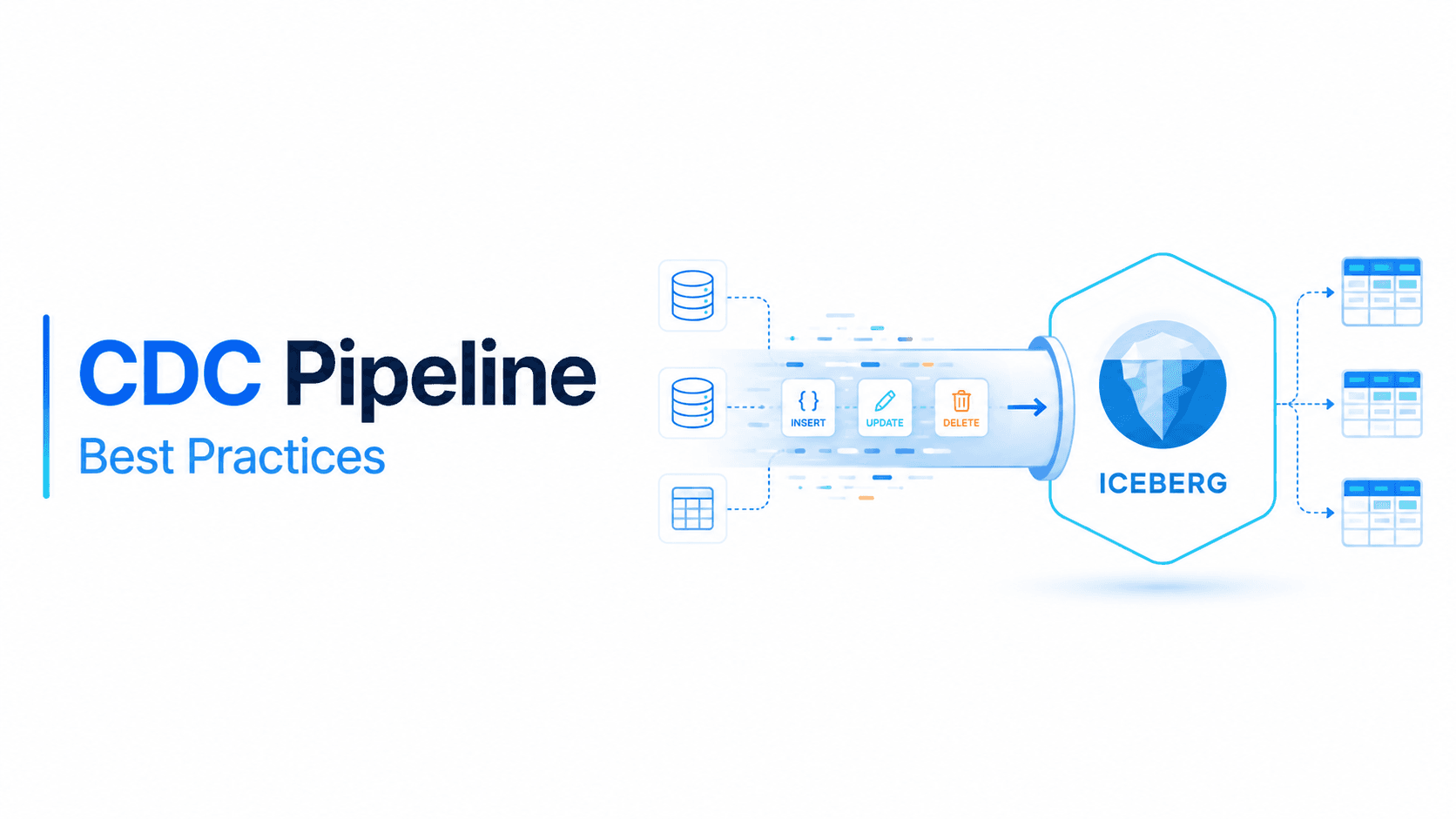
Change Data Capture (CDC) is the standard pattern for replicating operational databases into an Apache Iceberg lakehouse. Every INSERT, UPDATE, and DELETE from your source system flows through a CDC pipeline — Debezium capturing WAL events, Flink or Spark applying them, Iceberg storing the result. The architecture is well-understood. The tooling is mature. Getting data in is no longer the hard problem.
The hard problem is what happens after ingestion, as our Iceberg table maintenance guide details. CDC tables receive continuous mutations — not just appends. Every UPDATE produces a delete file. Every DELETE produces a delete file. Over hours and days, those delete files accumulate, and read performance degrades silently. A CDC table that queries in 3 seconds on Monday returns in 45 seconds by Friday — not because the data grew, but because hundreds of unresolved delete files must be reconciled on every scan.
This is the fundamental difference between CDC tables and append-only tables: CDC tables need aggressive, continuous maintenance. Append-only tables accumulate small files; CDC tables accumulate small files and delete files. The maintenance surface area is larger, the degradation is faster, and the consequences are more severe. This guide covers both approaches to solving it: intelligent continuous optimization with LakeOps (an autonomous Iceberg control plane built for mutation-heavy tables), and the manual path for teams building their own maintenance infrastructure with Spark and Airflow.

CDC sources and ingestion connectors
Debezium + Kafka Connect + Iceberg Sink
Debezium captures row-level changes from database transaction logs (PostgreSQL WAL, MySQL binlog, MongoDB oplog) and publishes them to Kafka topics as structured change events. The Apache Iceberg Kafka Connect sink connector then writes these events directly into Iceberg tables. For a comprehensive walkthrough of this architecture, see Kafka to Iceberg: Ingestion Guide.
The Iceberg sink connector supports a native DebeziumTransform that interprets CDC envelopes — extracting the after payload for inserts/updates and generating delete markers for tombstone events. Combined with upsert-mode-enabled, this produces a deduplicated, current-state Iceberg table:
1connector.class=org.apache.iceberg.connect.IcebergSinkConnector2tasks.max=23topics=dbserver1.public.orders,dbserver1.public.customers4 5# CDC transform6transforms=debezium7transforms.debezium.type=org.apache.iceberg.connect.transforms.DebeziumTransform8 9# Upsert mode — deduplicates by primary key10iceberg.tables.upsert-mode-enabled=true11iceberg.tables.default-id-columns=order_id12 13# Dynamic routing for multi-table CDC14iceberg.tables.dynamic-enabled=true15iceberg.tables.route-field=_cdc.source16 17# Schema evolution18iceberg.tables.auto-create-enabled=true19iceberg.tables.evolve-schema-enabled=true20 21# Commit interval — controls snapshot frequency22iceberg.control.commit.interval-ms=6000023 24# Catalog25iceberg.catalog.catalog-impl=org.apache.iceberg.aws.glue.GlueCatalog26iceberg.catalog.warehouse=s3://lakehouse-warehouse/iceberg27iceberg.catalog.io-impl=org.apache.iceberg.aws.s3.S3FileIO28iceberg.catalog.client.region=us-east-1Key configuration decisions for CDC workloads: commit.interval-ms controls how frequently the connector commits to Iceberg — lower values reduce latency but increase snapshot accumulation. upsert-mode-enabled with default-id-columns ensures updates and deletes are applied correctly using equality deletes rather than creating duplicate rows.
Apache Flink CDC
Flink provides the most capable streaming CDC pipeline. It supports exactly-once semantics via checkpoint alignment, full SQL transformations, and native Iceberg upsert mode. When a table has a primary key and write.upsert.enabled is set, Flink automatically interprets CDC events — inserts become appends, updates become equality delete + insert, and deletes become equality deletes:
1-- Create the CDC source (Flink CDC connector reads MySQL binlog directly)2CREATE TABLE mysql_orders (3 order_id BIGINT,4 customer_id BIGINT,5 status STRING,6 total DECIMAL(10, 2),7 updated_at TIMESTAMP(3),8 PRIMARY KEY (order_id) NOT ENFORCED9) WITH (10 'connector' = 'mysql-cdc',11 'hostname' = 'mysql-prod.internal',12 'port' = '3306',13 'username' = 'cdc_reader',14 'password' = '${CDC_PASSWORD}',15 'database-name' = 'ecommerce',16 'table-name' = 'orders',17 'server-time-zone' = 'UTC'18);19 20-- Create the Iceberg sink with upsert enabled21CREATE TABLE iceberg_orders (22 order_id BIGINT,23 customer_id BIGINT,24 status STRING,25 total DECIMAL(10, 2),26 updated_at TIMESTAMP(3),27 PRIMARY KEY (order_id) NOT ENFORCED28) WITH (29 'connector' = 'iceberg',30 'catalog-name' = 'lakehouse',31 'catalog-type' = 'rest',32 'uri' = 'http://iceberg-rest-catalog:8181',33 'warehouse' = 's3://lakehouse-warehouse/iceberg',34 'format-version' = '2',35 'write.upsert.enabled' = 'true'36);37 38-- Stream CDC events into Iceberg39INSERT INTO iceberg_orders SELECT * FROM mysql_orders;The critical requirement: the Iceberg table must use format version 2 (or 3) and declare a primary key. Format version 2 enables row-level deletes via delete files — without it, upserts are not possible. If the table is partitioned, the partition source column must be included in the equality fields to ensure correct delete propagation when a row moves between partitions.
Spark Structured Streaming with CDC
For teams already running Spark, foreachBatch provides CDC upsert semantics on micro-batches:
1from pyspark.sql import SparkSession2 3spark = SparkSession.builder \4 .config("spark.sql.catalog.lakehouse", "org.apache.iceberg.spark.SparkCatalog") \5 .config("spark.sql.catalog.lakehouse.type", "rest") \6 .config("spark.sql.catalog.lakehouse.uri", "http://iceberg-rest:8181") \7 .getOrCreate()8 9def upsert_to_iceberg(batch_df, batch_id):10 batch_df.createOrReplaceTempView("cdc_batch")11 spark.sql("""12 MERGE INTO lakehouse.ecommerce.orders t13 USING cdc_batch s14 ON t.order_id = s.order_id15 WHEN MATCHED AND s.op = 'd' THEN DELETE16 WHEN MATCHED THEN UPDATE SET *17 WHEN NOT MATCHED AND s.op != 'd' THEN INSERT *18 """)19 20cdc_stream = spark.readStream \21 .format("kafka") \22 .option("kafka.bootstrap.servers", "kafka:9092") \23 .option("subscribe", "dbserver1.public.orders") \24 .load() \25 .select(from_json(col("value").cast("string"), cdc_schema).alias("data")) \26 .select("data.*")27 28cdc_stream.writeStream \29 .foreachBatch(upsert_to_iceberg) \30 .option("checkpointLocation", "s3://checkpoints/orders-cdc") \31 .trigger(processingTime="30 seconds") \32 .start()The trade-off: Spark Structured Streaming uses Copy-on-Write semantics for MERGE INTO by default (rewrites entire data files), while Flink's upsert mode uses Merge-on-Read (writes delete files). CoW gives better read performance at the cost of higher write amplification. For high-throughput CDC, MoR with periodic compaction is typically the better choice.
AWS DMS to Iceberg
AWS Database Migration Service supports Iceberg as a target through S3 with Apache Iceberg table format. DMS handles the CDC extraction from RDS/Aurora sources and writes directly to Iceberg tables in the Glue Data Catalog. The operational simplicity is high — no Kafka cluster to manage — but the trade-off is less control over commit frequency, partitioning strategy, and exactly-once guarantees.

Merge-on-Read vs Copy-on-Write for CDC
The write strategy decision is the most consequential architectural choice for CDC tables. It determines write latency, read performance, and maintenance requirements.
Merge-on-Read (MoR): optimized for write throughput
MoR tables handle UPDATE and DELETE by writing small delete files rather than rewriting data files. An equality delete file records the primary key values of rows to remove. A position delete file records the exact file path and row position of deleted rows. Both are fast to write — milliseconds rather than seconds.
For CDC workloads with high mutation rates (thousands of updates per minute), MoR is the correct choice. Write latency stays constant regardless of data file size. Flink's native upsert mode produces MoR delete files by default.
The cost: every read must reconcile delete files with data files at query time. As delete files accumulate, read performance degrades linearly. A table with 10 delete files per data file adds measurable overhead. A table with 100+ delete files per data file becomes effectively unqueryable without compaction. For a deeper analysis, see Apache Iceberg Delete Files: Reducing Merge-on-Read Overhead.
Copy-on-Write (CoW): optimized for read performance
CoW rewrites entire data files when rows are updated or deleted. The output is always clean — no delete files, no reconciliation at read time. Query performance is predictable and optimal.
The cost: write amplification. Updating one row in a 512 MB Parquet file rewrites the entire file. For CDC tables with thousands of mutations per minute touching many data files, CoW write latency becomes prohibitive. Spark's MERGE INTO uses CoW by default.
The practical choice
Most production CDC pipelines choose MoR for ingestion and rely on compaction to periodically convert the table to CoW-equivalent state. This gives low write latency during ingestion and clean read performance after compaction. The critical question is how frequently compaction runs — and that depends on whether maintenance is autonomous or manually scheduled.
The delete file accumulation problem
This is the core maintenance challenge for CDC tables on Iceberg. Understanding the mechanics is essential for operating them reliably.
A CDC table receiving 1,000 updates per minute with Flink upsert mode produces approximately 1,000 equality delete markers per minute. Depending on checkpoint interval and file layout, these consolidate into delete files at commit time — typically one delete file per affected data file per commit. With 1-minute checkpoints across 50 active partitions, a table accumulates roughly 72,000 delete files per day.
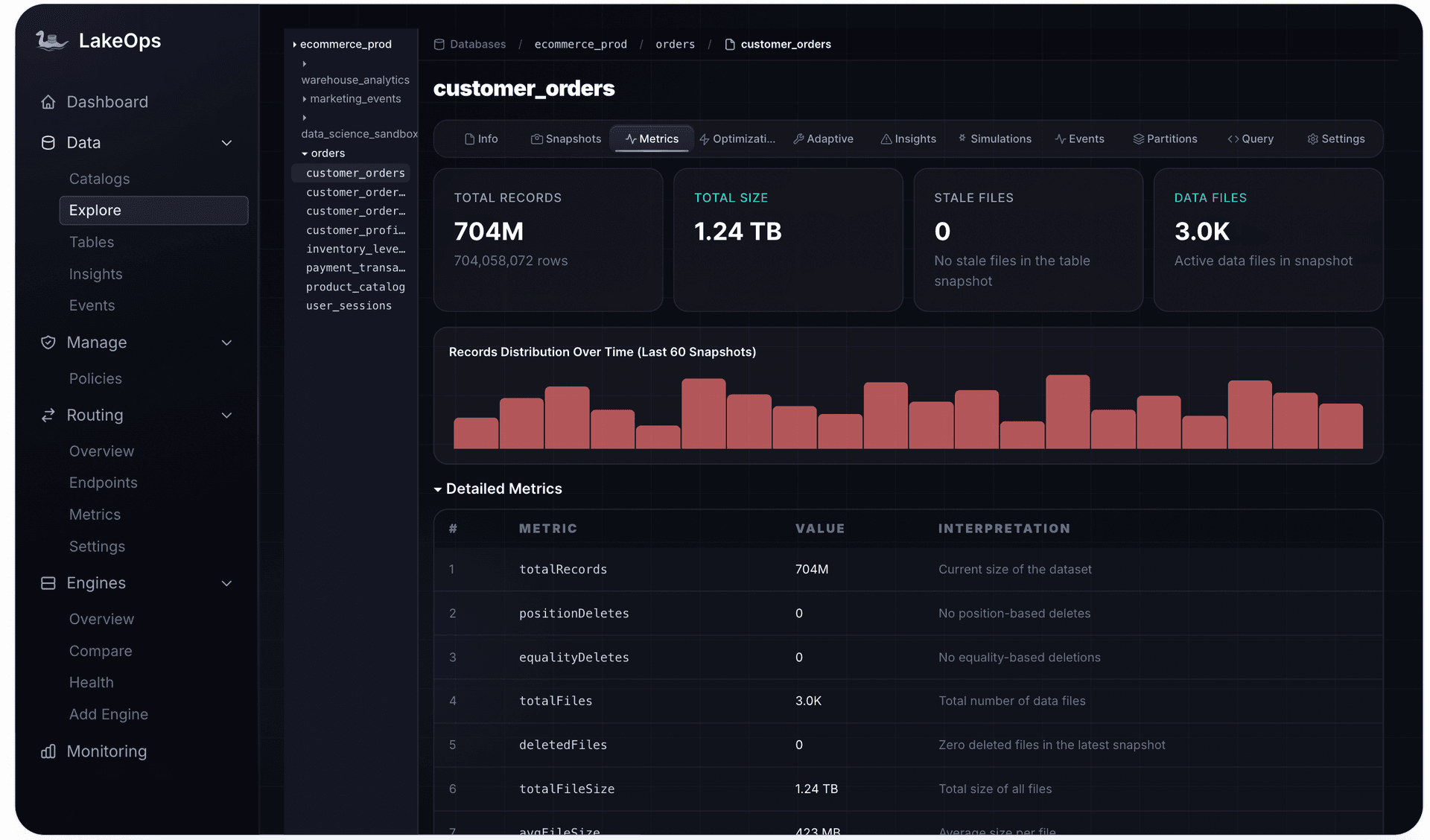
The performance degradation is not gradual — it compounds. Query engines must open each delete file, parse it, build a filter, and apply it to the corresponding data file during scan. The overhead is proportional to: (number of delete files) × (average delete file size) × (number of data files scanned). For analytical queries scanning multiple partitions, this becomes the dominant cost.
Diagnostic query to assess delete file health:
1-- Check delete file accumulation per partition2SELECT3 partition,4 COUNT(*) FILTER (WHERE content = 0) AS data_files,5 COUNT(*) FILTER (WHERE content = 1) AS position_deletes,6 COUNT(*) FILTER (WHERE content = 2) AS equality_deletes,7 SUM(file_size_in_bytes) FILTER (WHERE content IN (1, 2)) AS delete_bytes,8 ROUND(9 COUNT(*) FILTER (WHERE content IN (1, 2))::DECIMAL /10 NULLIF(COUNT(*) FILTER (WHERE content = 0), 0), 211 ) AS delete_ratio12FROM lakehouse.ecommerce.orders.all_files13GROUP BY partition14ORDER BY delete_ratio DESC;When delete_ratio exceeds 1.0 (more delete files than data files), read performance is severely degraded. At 5.0+, most queries will timeout. The table needs immediate compaction.

Upsert strategies
MERGE INTO: explicit CDC semantics
MERGE INTO gives full control over how CDC operations map to table mutations:
1MERGE INTO lakehouse.ecommerce.orders AS target2USING cdc_events AS source3ON target.order_id = source.order_id4WHEN MATCHED AND source.cdc_operation = 'D' THEN DELETE5WHEN MATCHED AND source.cdc_operation IN ('U', 'c') THEN6 UPDATE SET7 target.status = source.status,8 target.total = source.total,9 target.updated_at = source.updated_at10WHEN NOT MATCHED AND source.cdc_operation != 'D' THEN11 INSERT (order_id, customer_id, status, total, updated_at)12 VALUES (source.order_id, source.customer_id, source.status,13 source.total, source.updated_at);MERGE INTO is appropriate for batch CDC processing (hourly or daily micro-batches). For streaming CDC at sub-minute latency, native upsert mode (Flink) is more efficient because it avoids the full-table join that MERGE INTO requires on unpartitioned tables.
Append-only with deduplication
An alternative pattern for extremely high-throughput CDC: append all events (including updates and deletes) as new rows, then deduplicate at query time using window functions:
1-- Append raw CDC events (no delete files generated)2INSERT INTO lakehouse.ecommerce.orders_raw3SELECT * FROM cdc_events;4 5-- Query-time deduplication view6CREATE OR REPLACE VIEW lakehouse.ecommerce.orders_current AS7SELECT * FROM (8 SELECT *,9 ROW_NUMBER() OVER (10 PARTITION BY order_id11 ORDER BY cdc_timestamp DESC12 ) AS rn13 FROM lakehouse.ecommerce.orders_raw14 WHERE cdc_operation != 'D'15) WHERE rn = 1;This avoids delete files entirely but shifts cost to every reader (the window function) and requires periodic compaction to materialize the deduplicated state. It works well for write-heavy tables where reads are infrequent or batch-oriented.
Partition strategies for CDC tables
Partitioning decisions have outsized impact on CDC table maintenance and query performance.
Event-time partitioning (e.g., days(updated_at)) is the most common choice for CDC. It aligns with the temporal nature of changes — recent partitions receive mutations, older partitions stabilize. Compaction can target hot partitions without touching cold historical data.
Avoiding hot partitions: If a CDC table is partitioned by days(created_at) but receives updates across all historical records, every partition accumulates delete files regardless of age. Partition by days(updated_at) instead, so mutations concentrate in recent partitions where compaction runs most frequently.
Partition granularity vs file count: Hourly partitions on a high-throughput CDC table produce many small files per partition. Daily partitions produce fewer, larger files but increase the blast radius of compaction (more data rewritten per partition). For most CDC tables, daily partitioning with 256–512 MB target file size balances these concerns. Related patterns in Kafka to Iceberg: Compaction Strategies.
Schema evolution in CDC pipelines
Schema changes in the source database propagate through the CDC pipeline. Iceberg's schema evolution handles additive changes cleanly — new columns added to the source appear in subsequent CDC events and can be auto-evolved into the Iceberg table:
1# Iceberg Kafka Connect — automatic schema evolution2iceberg.tables.evolve-schema-enabled=true3iceberg.tables.schema-force-optional=trueSetting schema-force-optional=true ensures new columns are added as optional (nullable) — critical for CDC where historical data won't have values for newly added columns. Flink handles this through Iceberg's ALTER TABLE ADD COLUMNS or by setting table.exec.iceberg.schema-auto-evolution.enabled=true.
Destructive schema changes (column renames, type narrowing, column drops) require careful coordination: stop the CDC pipeline, apply the schema migration to both source and Iceberg table, then restart. Iceberg supports column renames and type promotions (int → long, float → double) as metadata-only operations. For the full treatment of schema evolution for CDC pipelines — including multi-engine compatibility and rollback strategies — see our production schema evolution guide.
Path 1: Intelligent continuous optimization with LakeOps
LakeOps is an autonomous control plane for Apache Iceberg that continuously monitors and maintains table health without manual scheduling or Spark clusters. It connects to your Iceberg catalog (REST, Glue, Hive, Nessie), scans table metadata in real time, and executes maintenance operations — compaction, snapshot expiration, orphan cleanup, manifest rewriting — using a native Rust engine at a fraction of Spark's cost.
For CDC tables specifically, LakeOps solves the core operational problem: delete files accumulate continuously, and static schedules cannot react to variable mutation rates. LakeOps monitors actual table state and responds within minutes when thresholds are breached — not hours later when a cron job fires.
What you get
When you connect LakeOps to a catalog containing CDC tables, it immediately provides: real-time health classification for every table (Healthy / Warning / Critical based on delete file ratios, file counts, and snapshot accumulation), automated threshold-based maintenance that triggers compaction only when needed, conflict-aware execution that coordinates with active CDC writers, and full observability — every operation logged with duration, files rewritten, and bytes reclaimed.
Delete file compaction
LakeOps monitors the delete file ratio (delete files / data files) for every table partition in real time. When the ratio crosses a configurable threshold (default: 0.5 for CDC tables), it triggers a targeted compaction that rewrites only the affected data files — applying accumulated delete files and producing clean output. This is not a scheduled job — it fires within minutes of threshold breach.

Conflict-aware compaction
CDC writers commit continuously. Naive compaction that locks the table or conflicts with concurrent writers causes pipeline failures or commit retries. LakeOps coordinates compaction commits with the Iceberg optimistic concurrency model — it reads the current table state, plans the rewrite, and commits with conflict detection. If a concurrent CDC write lands during compaction, LakeOps retries only the conflicting file groups rather than the entire operation.

Table health monitoring and proactive alerts
LakeOps classifies table health across four severity levels based on delete file ratio, file count, average file size, and snapshot accumulation. CDC tables with rising delete file ratios surface as Warning before read performance degrades — giving teams visibility without requiring manual monitoring queries or custom dashboards.

Read more about how LinkedIn handles CDC at this scale: LinkedIn's Iceberg CDC: Billions of Upserts.
Snapshot expiration coordinated with CDC
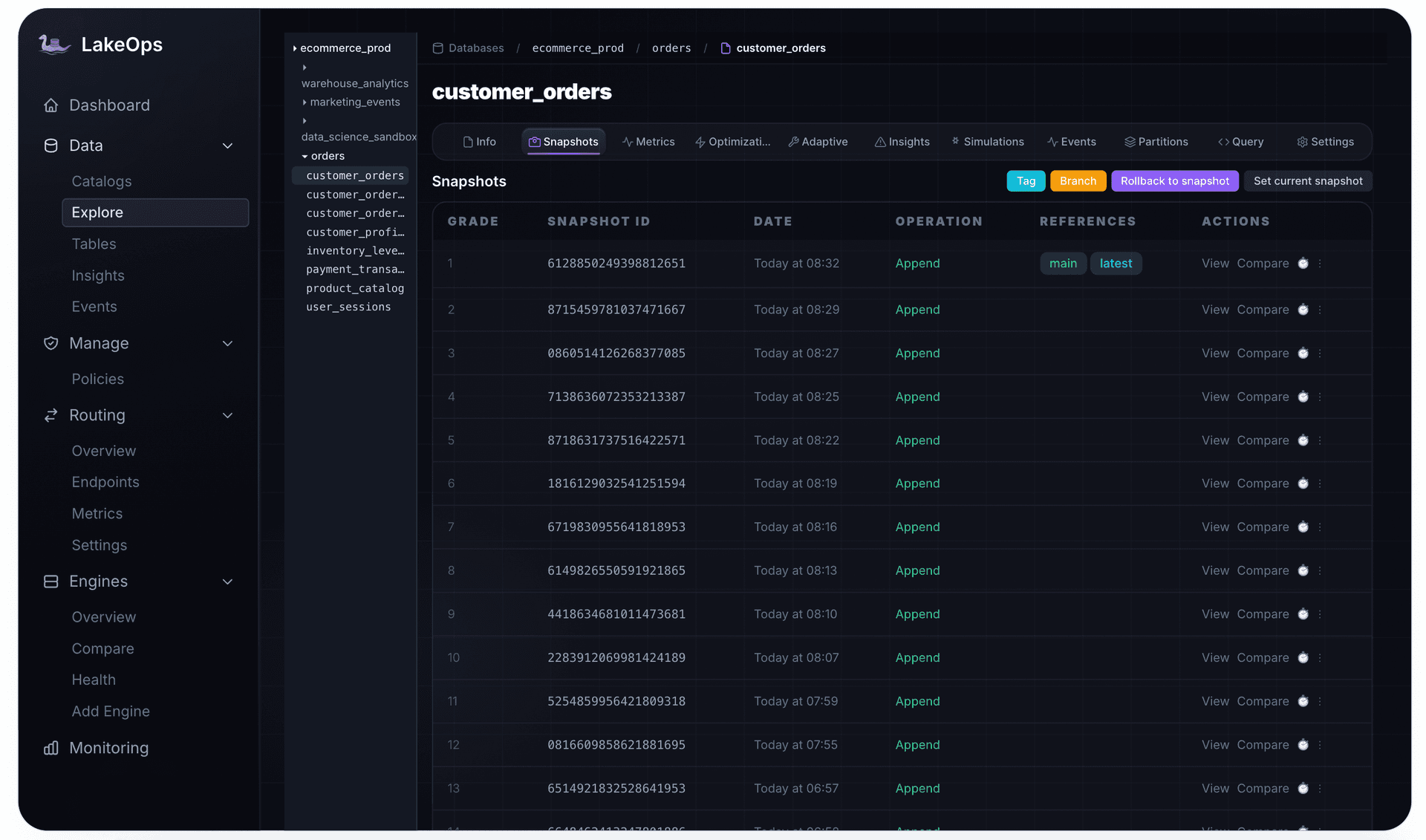
CDC tables accumulate snapshots rapidly — one per commit interval. With 1-minute Flink checkpoints, a table creates 1,440 snapshots per day. Each snapshot pins references to data files that compaction has already replaced. Without expiration, storage costs compound at the rate of CDC throughput × compaction frequency.
LakeOps expires snapshots based on both age and count, preserving enough for rollback safety while aggressively reclaiming storage. For CDC tables, the default retention is 24 hours / 100 snapshots — sufficient for operational recovery without accumulating weeks of dead data.
Cost-effective frequent compaction
The economic blocker for CDC maintenance is compaction cost. Spark-based compaction runs at approximately $50/TB — acceptable for weekly batch compaction, prohibitive for the hourly or sub-hourly compaction that CDC tables require. LakeOps runs compaction with a native Rust engine at $5/TB, making aggressive CDC maintenance schedules economically viable. A table that costs $150/month to compact hourly with Spark costs $15/month with LakeOps.

Path 2: Manual CDC table maintenance
For teams building their own maintenance infrastructure, CDC tables require the following procedures, ideally orchestrated by Airflow, Dagster, or a similar scheduler.
Delete file compaction with Spark
The rewrite_data_files procedure with delete-file-threshold is the primary tool for CDC table maintenance. By default, this threshold is set to Integer.MAX_VALUE (effectively disabled) — you must explicitly configure it:
1-- Compact CDC table: rewrite data files with 5+ associated delete files2CALL lakehouse.system.rewrite_data_files(3 table => 'ecommerce.orders',4 strategy => 'binpack',5 options => map(6 'delete-file-threshold', '5',7 'delete-ratio-threshold', '0.1',8 'target-file-size-bytes', '268435456',9 'min-file-size-bytes', '104857600',10 'max-file-size-bytes', '536870912',11 'remove-dangling-deletes', 'true'12 )13);Parameter guidance for CDC tables:
delete-file-threshold=5: Rewrite any data file with 5+ associated delete files. Lower values compact more aggressively but increase write amplification.delete-ratio-threshold=0.1: Also rewrite files where 10%+ of rows are deleted. Catches sparse deletes spread across many files.remove-dangling-deletes=true: Clean up orphaned delete files after rewrite. Essential for CDC to prevent stale delete file accumulation.- Target file size 256 MB (
268435456bytes): Balances between too-small (metadata overhead) and too-large (write amplification during next compaction).
Partial compaction for hot partitions
CDC mutations concentrate in recent partitions. Compact only the affected time range to minimize compute:
1-- Compact only today's partition (where CDC writes are landing)2CALL lakehouse.system.rewrite_data_files(3 table => 'ecommerce.orders',4 strategy => 'binpack',5 where => 'updated_at >= TIMESTAMP ''2026-08-02 00:00:00''',6 options => map(7 'delete-file-threshold', '3',8 'remove-dangling-deletes', 'true'9 )10);Position delete file rewriting
For tables with accumulated position delete files specifically, the dedicated rewrite_position_delete_files procedure consolidates them without rewriting data files:
1CALL lakehouse.system.rewrite_position_delete_files(2 table => 'ecommerce.orders'3);This is a lighter operation than full compaction — it merges many small position delete files into fewer large ones, reducing metadata overhead. Run it between full compaction cycles for CDC tables with high position delete accumulation.
Snapshot expiration for CDC tables
CDC tables need aggressive snapshot expiration. A table with 1-minute commit intervals and 7-day default retention accumulates 10,080 snapshots — each pinning old data files:
1-- Expire snapshots older than 24 hours, keep minimum 502CALL lakehouse.system.expire_snapshots(3 table => 'ecommerce.orders',4 older_than => TIMESTAMP '2026-08-01 12:00:00',5 retain_last => 506);Run snapshot expiration after compaction — compaction creates new snapshots that reference the rewritten files, and expiration releases the old snapshots that pin replaced files. The order matters: expire before compact risks deleting files that compaction needs to read.
Monitoring query: CDC table health dashboard
Build visibility into delete file accumulation across all CDC tables:
1-- Cross-table delete file health check2WITH table_health AS (3 SELECT4 table_name,5 SUM(CASE WHEN content = 0 THEN 1 ELSE 0 END) AS data_file_count,6 SUM(CASE WHEN content IN (1, 2) THEN 1 ELSE 0 END) AS delete_file_count,7 SUM(CASE WHEN content IN (1, 2) THEN file_size_in_bytes ELSE 0 END) AS delete_bytes,8 COUNT(DISTINCT partition) AS partitions_with_deletes9 FROM (10 SELECT 'orders' AS table_name, * FROM lakehouse.ecommerce.orders.all_files11 UNION ALL12 SELECT 'customers' AS table_name, * FROM lakehouse.ecommerce.customers.all_files13 UNION ALL14 SELECT 'inventory' AS table_name, * FROM lakehouse.ecommerce.inventory.all_files15 )16 GROUP BY table_name17)18SELECT19 table_name,20 data_file_count,21 delete_file_count,22 ROUND(delete_file_count::DECIMAL / NULLIF(data_file_count, 0), 2) AS delete_ratio,23 ROUND(delete_bytes / 1048576.0, 1) AS delete_mb,24 partitions_with_deletes,25 CASE26 WHEN delete_file_count::DECIMAL / NULLIF(data_file_count, 0) > 2.0 THEN 'CRITICAL'27 WHEN delete_file_count::DECIMAL / NULLIF(data_file_count, 0) > 0.5 THEN 'WARNING'28 ELSE 'HEALTHY'29 END AS health_status30FROM table_health31ORDER BY delete_ratio DESC;Scheduling: putting it together
A minimal Airflow DAG for CDC table maintenance:
1from airflow import DAG2from airflow.providers.apache.spark.operators.spark_sql import SparkSqlOperator3from datetime import datetime, timedelta4 5with DAG(6 'cdc_table_maintenance',7 schedule_interval='0 */4 * * *', # Every 4 hours8 start_date=datetime(2026, 1, 1),9 catchup=False,10 default_args={'retries': 2, 'retry_delay': timedelta(minutes=5)}11) as dag:12 13 compact_orders = SparkSqlOperator(14 task_id='compact_orders',15 sql="""16 CALL lakehouse.system.rewrite_data_files(17 table => 'ecommerce.orders',18 strategy => 'binpack',19 options => map(20 'delete-file-threshold', '5',21 'remove-dangling-deletes', 'true'22 )23 )24 """,25 conn_id='spark_iceberg'26 )27 28 expire_orders = SparkSqlOperator(29 task_id='expire_orders_snapshots',30 sql="""31 CALL lakehouse.system.expire_snapshots(32 table => 'ecommerce.orders',33 older_than => TIMESTAMP '{{ macros.datetime.utcnow() - macros.timedelta(hours=24) }}',34 retain_last => 5035 )36 """,37 conn_id='spark_iceberg'38 )39 40 compact_orders >> expire_ordersThe problem with scheduled maintenance: CDC tables don't accumulate delete files at a constant rate. Traffic spikes during business hours produce 10x more mutations than overnight. A 4-hour schedule may be too infrequent during peaks and too frequent during quiet periods. This is the fundamental argument for threshold-based autonomous maintenance over fixed schedules — and it is also driving interest in AI-agent-driven data pipelines on Iceberg that can adapt maintenance cadence to real-time mutation rates.
Advanced CDC patterns
Handling late-arriving CDC events
Network partitions, connector restarts, and Kafka consumer lag can deliver CDC events out of order. For CDC tables partitioned by updated_at, a late event may target a partition that was already compacted. The solution: include a monotonically increasing sequence (e.g., Kafka offset or LSN) in the equality delete to ensure the latest event wins regardless of arrival order.
Multi-table CDC with shared maintenance
Large CDC deployments replicate dozens or hundreds of tables. Each needs independent compaction thresholds based on its mutation rate. A high-throughput orders table may need compaction every 2 hours; a slowly-changing regions table may need it weekly. For patterns on managing compaction across many tables, see Iceberg Compaction Strategies.
CDC with Iceberg v3 deletion vectors
Iceberg format version 3 introduces deletion vectors — a more efficient encoding for row-level deletes that reduces read-side overhead compared to v2 delete files. Deletion vectors use a bitmap per data file rather than a separate delete file, reducing the metadata amplification from high-frequency CDC. However, they still accumulate and still require compaction to maintain optimal read performance. The maintenance strategy remains the same — only the overhead per pending delete is lower.
Production results
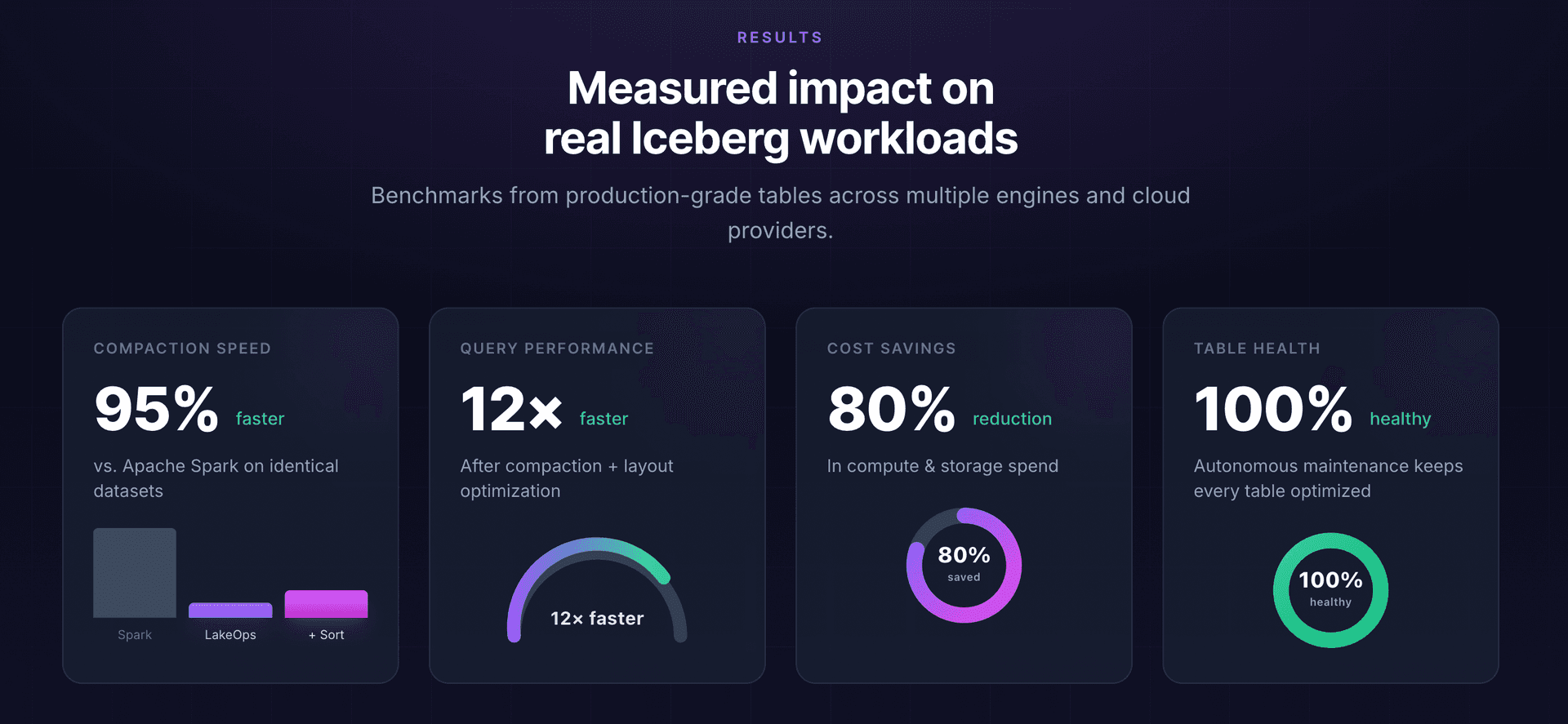
Teams running CDC pipelines on Iceberg with autonomous maintenance consistently see: 95% faster compaction execution (Rust engine vs Spark), 12x improvement in query latency after delete file resolution, and 80% reduction in total maintenance cost. The gains are proportional to CDC write velocity — higher-throughput tables see larger improvements because they generate delete files faster and benefit more from threshold-based compaction timing.
Conclusion
CDC pipelines on Apache Iceberg follow a clear pattern: capture changes with Debezium or Flink CDC, apply them with Merge-on-Read upserts for low write latency, and maintain the table aggressively to prevent delete file accumulation from degrading reads. The ingestion layer is commoditized — the operational challenge is sustained maintenance at the frequency that CDC demands.
The two paths are clear. The manual path — Spark rewrite_data_files orchestrated by Airflow on static schedules — works but requires constant tuning, custom monitoring queries, and accepts that degradation between compaction windows is inevitable. The autonomous path with LakeOps eliminates the scheduling problem entirely: threshold-based compaction reacts to actual table state within minutes, conflict-aware execution coordinates with active CDC writers, and a native Rust engine makes the required compaction frequency economically viable at $5/TB. For pipelines that need to recover from failures without human intervention, self-healing pipeline patterns with AI agents extend this automation to the entire CDC lifecycle.
For teams operating CDC at scale — hundreds of tables, continuous mutations, SLA-bound query performance — the choice between building and maintaining custom infrastructure versus connecting an autonomous system that handles it from day one is increasingly straightforward. Explore the table maintenance solution to see your CDC table health in real time and let maintenance run itself.
Further reading
- Iceberg Operational Runbook — incident diagnosis and fixes for production Iceberg tables
- Iceberg Table Cleanup Guide — orphan removal, snapshot expiration, and storage reclamation