

Every Iceberg table is accumulating waste right now. Expired snapshots pin gigabytes of dead data files to storage. Orphan files from failed writes sit on S3, invisible to queries but fully billable. Manifests fragment until query planning takes longer than the query itself. Delete files from CDC pipelines force every reader to reconcile mutations that compaction should have eliminated weeks ago. If you haven't yet, read the Iceberg table health and maintenance overview for the full picture of what degrades and why.
The procedures to fix this exist. Iceberg ships expire_snapshots, remove_orphan_files, rewrite_data_files, and rewrite_manifests as Spark SQL stored procedures. They work. What Iceberg does not ship is the intelligence around them: when to run each one, in what order, with what parameters, on which tables, and how to avoid the half-dozen ways you can corrupt a table or silently delete live data by running them wrong.
This guide covers each cleanup operation in production depth — what it does, why it matters, the parameters that keep you safe, the edge cases that break tables, and the correct sequencing that ties them together. It also covers the dimensions most guides skip: streaming table cleanup, concurrent writer safety, partial progress for large compaction runs, GDPR compliance implications, cost impact per operation, and monitoring thresholds that catch degradation before users notice. It covers two approaches to running cleanup: manual Spark procedures with orchestration, and a LakeOps control plane that handles the full lifecycle autonomously. LakeOps is an autonomous control plane for Apache Iceberg — it connects to your existing catalogs and engines, continuously monitors every table's health, and runs the full cleanup lifecycle (expire → orphans → compact → manifests) in the correct sequence, triggered by health signals rather than cron schedules. No data movement, no pipeline changes.

Why cleanup is not optional
Iceberg uses an append-only architecture. Every write creates new files and a new snapshot. Nothing is overwritten, nothing is garbage-collected automatically. This immutability is what makes ACID transactions, time travel, and concurrent access possible — and it is what makes cleanup mandatory.
Without cleanup, four things grow without bound:
- Snapshots — a streaming table producing 3 snapshots per hour accumulates 2,200 per month. Each snapshot keeps its referenced files alive on storage, preventing garbage collection. A table with 50,000 snapshots does not just waste storage — metadata operations like listing snapshots or computing table history can take minutes.
- Orphan files — failed writes, aborted Spark jobs, crashed compaction runs, and interrupted CDC pipelines leave data files on S3 that no snapshot references. On mature lakes, orphans routinely account for 25–40% of billable storage on affected tables. They are invisible to
SELECT *but fully visible to your cloud bill. - Manifests — each commit creates new manifest entries. A streaming table with thousands of daily commits accumulates hundreds of megabytes of Avro metadata that query planners must parse before reading any actual data. A table with 3,000 tiny manifests can spend 8 seconds just planning a query that executes in 200 ms.
- Delete files — every
UPDATEandDELETEwrites merge-on-read markers that subsequent readers must reconcile. Without resolution, query latency increases 2–5× on CDC-heavy tables while the table's apparent size stays unchanged. In Iceberg V2, each delete file is a separate Parquet file. At scale, a data file with 200 associated position delete files turns every scan into a merge join.
The cost is concrete. One production audit found approximately 200 TB of orphan data across 324 tables — 1.8 million unreferenced files costing $4,000/month in S3 storage alone. Another team discovered that snapshot expiration on a single table freed 179 GB by removing 22,034 stale snapshots and 675,510 dead files. A third found that tables migrated from Hive had never been compacted — the original Hive-format small files remained alongside Iceberg metadata, doubling storage costs. These are not edge cases. They are the normal state of unattended Iceberg tables.
Effective cleanup requires three distinct phases that many teams conflate: detection (identifying which tables need maintenance and what kind), evaluation (determining the correct operation, parameters, and priority), and execution (running the operation safely with proper sequencing). Most teams jump straight to execution — running a cron job that blindly expires snapshots every night — without the detection or evaluation phases. This is how tables get corrupted: the same parameters applied uniformly to tables with fundamentally different write patterns, query loads, and retention requirements.

The cleanup pipeline: correct sequencing
The four cleanup operations have dependencies. Running them in the wrong order wastes compute, misses reclaimable storage, or — in the worst case — deletes live data. The correct sequence is:
11. Expire snapshots22. Remove orphan files33. Compact data files (resolve deletes)44. Rewrite manifestsWhy this order:
Expire before orphan cleanup. Snapshot expiration dereferences files that were exclusively held by old snapshots — converting them from "referenced" to "orphan-eligible." If you run orphan cleanup first, those files are still referenced by live snapshots and will not be detected as orphans. You miss the largest category of reclaimable storage.
Expire before compaction. If you compact before expiring, you may rewrite files that expiration would have removed — burning compute on data that is about to be garbage-collected. Expire first, compact the survivors.
Clean orphans before compaction. After expiration releases file references, orphan cleanup removes the physical files. This reduces the storage footprint before compaction runs, so compaction operates on a clean dataset. It also prevents stale orphan files from inflating per-partition file counts and skewing compaction decisions.
Compact before rewriting manifests. Compaction removes input files and creates new output files. Manifests track files. If you rewrite manifests first, they will be aligned to the pre-compaction layout. The moment compaction runs, those carefully rewritten manifests become stale and fragmented again. Compact first, then rewrite manifests against the final file set.
The alternate sequencing debate
Some guides recommend compacting before expiring — the rationale being that compaction reduces file count first, making subsequent expiration faster. This is valid in narrow scenarios where you have a small number of oversized snapshots but severe file fragmentation. However, it risks wasting significant compute: compaction may rewrite files that expiration would have simply deleted. For most production workloads, expire-first is the safer default. If you have a specific workload where compaction-first makes sense, measure the compute cost of rewriting files that expiration would have removed — it is usually higher than the planning-time savings.
On the manual path, you encode this sequence as an Airflow DAG with four dependent tasks — per table. On the control plane path, LakeOps runs this exact pipeline for every connected table automatically, in dependency order, triggered by health signals rather than fixed schedules. Streaming tables might run the full cycle multiple times per hour. Batch tables daily. Healthy tables get skipped entirely.
Snapshot expiration
What it does
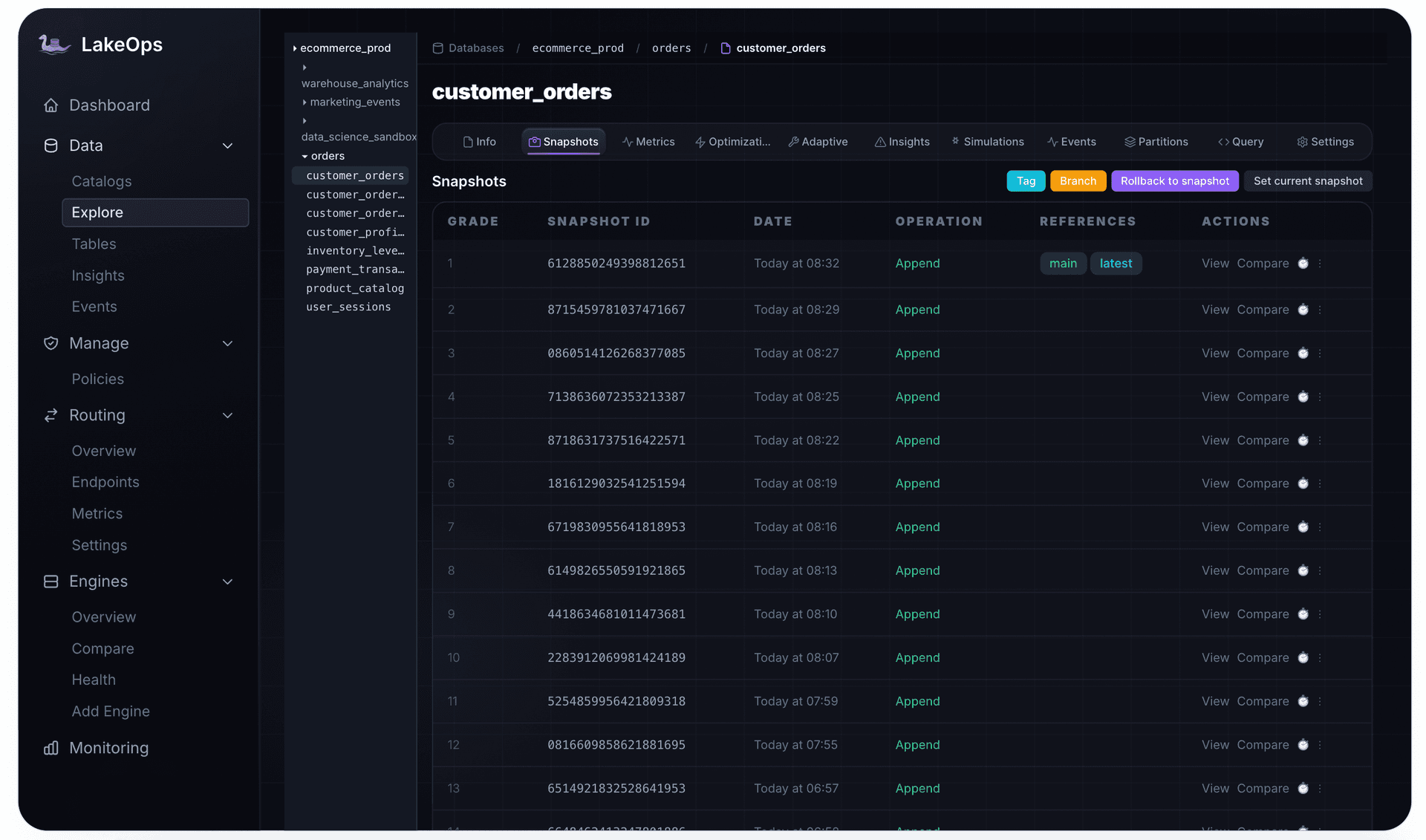
Snapshot expiration removes snapshots older than a retention threshold and deletes the data files, manifest files, and manifest lists that were exclusively referenced by those snapshots. Files still referenced by at least one retained snapshot remain untouched. Tagged snapshots (created via ALTER TABLE ... CREATE TAG) survive expiration automatically — they are pinned regardless of age.
1CALL catalog.system.expire_snapshots(2 table => 'db.events',3 older_than => TIMESTAMP '2026-08-30 00:00:00',4 retain_last => 10,5 stream_results => true6)Parameters that matter
older_than — the retention boundary. Snapshots older than this timestamp are eligible for expiration. Set this to at least 2× the duration of your longest-running query. A Trino dashboard query that runs for 5 minutes is fine with 1-day retention. A Spark ML pipeline that runs for 4 hours needs 2+ days. A read that opened a snapshot which then gets expired mid-scan will fail with FileNotFoundException — and the error often surfaces minutes later, well after the expiration job has finished, making root cause analysis painful.
retain_last — the minimum number of snapshots to keep regardless of age. This is the safety floor. Set to at least 2 (never 1 — that leaves zero rollback targets). For streaming tables producing dozens of snapshots per hour, set to 25–100. This protects against the scenario where older_than would expire everything except the current snapshot, leaving you with no rollback path after a bad write.
stream_results — set to true on tables with many snapshots. Without streaming, Spark loads all expired file paths into the driver's memory before deleting — a table with hundreds of thousands of expired files can OOM the driver. With streaming enabled, files are deleted in batches as they are identified, keeping driver memory bounded. On tables with 50,000+ snapshots, this is the difference between success and a crashed job.
Retention by workload type
- Streaming tables — 3–7 days,
retain_last25–50. Short retention because new snapshots arrive frequently and old ones lose relevance fast. But never go below 3 days — Flink and Spark Structured Streaming checkpoints can reference snapshots from hours ago. - Batch tables — 7–30 days,
retain_last5–10. Longer retention for rollback safety and debugging. Data analysts investigating last week's anomaly need the snapshot chain intact. - Compliance tables — Use Iceberg tags on specific checkpoints (end-of-quarter, audit milestones). Tagged snapshots survive expiration automatically — they provide permanent bookmarks without keeping the entire chain alive. Tag critical snapshots before enabling aggressive expiration.
- Tables migrated from Hive — run an immediate compaction pass before setting expiration policy. Hive-migrated tables often have thousands of tiny files from the original format. Without compaction first, expiration may leave the table in a state where every surviving snapshot references the same fragmented file layout.
What expiration does NOT do
Expiration removes snapshot metadata and exclusively-referenced files. It does not clean up: files from writes that never committed (orphans), files referenced by multiple snapshots where at least one is retained, or metadata files from schema evolution and partition spec changes. These require separate cleanup operations.
Orphan file removal
What it does
Orphan files are data files that exist on S3/GCS/ADLS but are not referenced by any Iceberg snapshot, manifest, or metadata file. They are invisible to query engines — no query will ever read them — but they are fully billable by the cloud provider.
Orphans accumulate from:
- Failed writes — a Spark job writes data files to S3, then crashes before committing the snapshot. The files exist on storage but no snapshot points to them.
- Aborted compaction — a compaction job writes output files, then OOMs or hits an OCC conflict before committing. The partial output stays on S3 indefinitely.
- Concurrent writer conflicts — two writers race on the same partition. The loser retries, but its first attempt's output files are already on S3 with no referencing snapshot.
- Failed CDC pipeline commits — a Flink or Kafka Connect job stages files, then fails during the commit phase. The staged files become orphans.
- Expired snapshots — expiration dereferences files but does not always delete every one, particularly when concurrent operations hold transient references during the expiration window.
1CALL catalog.system.remove_orphan_files(2 table => 'db.events',3 older_than => TIMESTAMP '2026-08-30 00:00:00',4 dry_run => true5)The safety rules
Orphan cleanup is the most dangerous maintenance operation in Iceberg. A misconfigured run can delete live data files and corrupt the table. Four rules are non-negotiable:
Rule 1: Always expire snapshots first. Expiration converts snapshot-referenced files into orphan-eligible files. Without it, the largest pool of reclaimable storage is invisible to orphan cleanup.
Rule 2: Use a retention threshold of at least 3 days — production environments should use 7+. The older_than parameter is the safety boundary — only files with modification timestamps older than this value are eligible for deletion. The Iceberg default is 3 days, and guidance from practitioners consistently recommends never going below this floor. Production environments with long-running Spark or Flink jobs should use 7 days or more. A Spark job that writes files at the start of a 4-hour run but commits at the end has unreferenced files for 4 hours — a 1-hour threshold would classify them as orphans and delete them mid-write, silently corrupting the table. In environments with complex multi-stage pipelines, even 3 days can be tight. Use 7 days as your default and only tighten after confirming your longest pipeline is well within the window.
Rule 3: Verify URI scheme consistency on first run. Before the first orphan cleanup on any table, confirm that the URI scheme in Iceberg metadata matches what the storage listing produces. Check file_path values in the files metadata table — are they s3://, s3a://, or s3n://? If Iceberg metadata uses s3:// but the storage listing returns s3a://, the procedure sees every data file as "orphaned" because no metadata path matches. One mismatched scheme can delete your entire table's data in a single run. Use the equal_schemes parameter or equal_authorities to map equivalent schemes. This is the single most catastrophic misconfiguration in Iceberg maintenance — verify before you run.
Rule 4: Always dry-run first. Set dry_run => true on the first execution against any table. Review the list of files that would be deleted. Verify the count is reasonable — if the count is close to the total number of data files in the table, something is wrong (likely a URI scheme mismatch). Then run for real. On production tables with years of accumulated orphans, the first real run can delete hundreds of thousands of files — confirm the list before pulling the trigger.
The cost reality
Orphan cleanup is the most directly cost-reducing operation in the maintenance pipeline. It reclaims storage bytes from S3 that no query will ever read. On mature streaming tables, this is routinely the largest single cost savings available — not from optimization, but from removing pure waste. One team reported a 38% reduction in S3 costs after their first lake-wide orphan cleanup pass — storage they had been paying for with zero functional value.
LakeOps runs orphan cleanup as the second step in each maintenance cycle — immediately after snapshot expiration, so it catches both accumulated orphans and files freshly dereferenced by expiration in the same pass. The age threshold, URI scheme verification, and dry-run validation are handled automatically per table. For a deep dive on orphan file mechanics and recovery strategies, see Apache Iceberg Orphan Files: Safe Cleanup.

Delete file resolution
The merge-on-read problem
Iceberg V2 and V3 handle UPDATE and DELETE operations with merge-on-read: instead of rewriting the base data file, the engine writes a small delete file listing which rows are removed. This is fast for the writer — a single-row delete creates a tiny file instead of rewriting a 256 MB data file — but it creates a compounding read-time tax.
Position deletes (V2) store (file_path, row_position) pairs as Parquet files. At read time, the engine loads each position delete file, sorts it, and performs a merge join against the base data file. With N delete files per data file, the cost is O(N) per file scan. A data file with 200 associated position deletes pays a severe penalty on every read — and the penalty grows with every new mutation.
Equality deletes (V2) record column values — "delete every row where order_id = 88213." The reader must evaluate every row in every in-scope data file against every equality delete predicate. This is closer to a join than a filter, and the cost scales with the product of data files and delete predicates. Equality deletes are the most expensive merge-on-read variant and should be resolved aggressively.
Deletion vectors (V3) replace position delete files with Roaring Bitmaps stored in Puffin files — a single compact bitmap per data file with O(1) lookups. Multiple deletes merge into the existing bitmap rather than creating new files, which eliminates the file-proliferation problem of V2 position deletes. The read-time overhead is dramatically lower: checking a bitmap is nearly free compared to loading and merge-joining a Parquet file. However, deletion vectors do not eliminate the need for compaction. The underlying deleted rows still occupy storage, column statistics still reflect the pre-delete distribution, and min/max ranges used for data skipping become stale as deletions accumulate. On a V3 table with 40% of rows deleted via deletion vectors, queries skip nothing because the column min/max bounds still span the full original range. Compaction physically removes the deleted rows and recalculates statistics, restoring predicate pushdown effectiveness.
Resolution through compaction
Delete file resolution happens during compaction, not as a separate operation. When rewrite_data_files rewrites a file group, it reads base data, applies pending deletes (position, equality, and deletion vectors), and writes clean output with zero pending delete overhead. After compaction, queries read clean files with no reconciliation cost.
Key parameters for delete-aware compaction:
delete-file-threshold— if a data file has more than this many associated delete files, it becomes a compaction candidate regardless of its size. Set to 1–5 for CDC-heavy tables. On tables with frequent single-row updates, setting this to 1 means any data file with even one delete file gets compacted — aggressive but effective for latency-sensitive workloads.delete-ratio-threshold— triggers compaction when the ratio of deleted rows to total rows exceeds this value. Set to 0.1 for high-update tables. At 0.1, a 256 MB file with 10% of rows deleted gets rewritten. This is where you balance write amplification against read overhead — lower ratios mean more compaction compute but cleaner reads.remove-dangling-deletes— cleans up delete files that reference already-compacted data files. Without this, stale delete files accumulate in manifests indefinitely, inflating manifest size and confusing operators who see delete file counts climbing even after compaction.
Without these settings, a perfectly-sized 256 MB file with hundreds of associated delete files will never be compacted — and every query will pay the merge-on-read tax on it indefinitely. This is one of the most common performance problems on CDC tables, because the default compaction strategy only considers file size, not delete overhead.
LakeOps monitors the delete-to-data ratio per partition continuously. When the ratio crosses thresholds, it triggers targeted compaction that resolves all accumulated deletes — position, equality, and V3 deletion vectors — in the same pass. Thresholds adapt per table based on observed mutation rate. CDC tables with high update rates get tighter thresholds and more frequent resolution.
Manifest rewriting
What it does
Manifest rewriting consolidates fragmented manifests into fewer, larger ones aligned with partition boundaries. It is a metadata-only operation — it does not read or write data files — and it is the cheapest operation in the maintenance pipeline with the most outsized impact on query planning time.
1CALL catalog.system.rewrite_manifests(2 table => 'db.events'3)Why it matters
A streaming table producing thousands of commits per day creates a new manifest entry with every commit. After weeks, the table may have 2,000 tiny manifests, each tracking 10–50 files. The query planner must open, parse, and evaluate every one of these Avro files before it can decide which data files to scan.
Manifest rewriting consolidates those 2,000 manifests into 40 larger ones, each tracking 500–1,000 files and aligned with partition boundaries. Planning time can drop from 8 seconds to 200 ms — without touching any data. On Trino, where planning happens on the coordinator node, this directly reduces coordinator CPU pressure. On Athena, it reduces the per-query overhead that Athena charges for.
When to run it
- After every compaction pass — compaction changes the file layout; manifests should match.
- When manifest count exceeds 100–200 per table.
- When query planning time is disproportionate to actual query execution time.
- After large schema evolution or partition evolution operations that create manifest fragmentation.
- After bulk data ingestion that created many small commits.
Manifest rewriting is safe to run frequently — it is cheap, fast, and metadata-only. Teams that master compaction often overlook manifests, leaving a well-compacted table with slow planning because the manifest structure was never updated.
Streaming table cleanup challenges
Streaming tables — those fed by Flink, Spark Structured Streaming, or Kafka Connect — are the hardest tables to maintain. They produce snapshots continuously, often multiple per minute, and cleanup operations compete with active writers for commit access.
OCC conflicts during cleanup
Iceberg uses optimistic concurrency control (OCC) for all metadata commits. When a cleanup operation (compaction, expiration, manifest rewrite) tries to commit while a streaming writer is also committing, one of them will lose the race and need to retry. On a high-throughput streaming table producing 3 commits per minute, compaction that takes 10 minutes will almost certainly hit at least one OCC conflict.
The default retry behavior is conservative: commit.retry.num-retries defaults to 4 with exponential backoff. For streaming tables, increase this to 10–20 and set commit.retry.min-wait-ms to a low value (100–500 ms). The key insight is that OCC conflicts on streaming tables are not errors — they are expected. Your retry budget must exceed the expected number of conflicts during a compaction run. For the full mechanics of Iceberg commit conflicts and resolution strategies, see Iceberg Commit Conflicts.
Active partition exclusion
A subtler problem: compaction should avoid partitions that streaming writers are actively appending to. If a compaction job rewrites files in today's hourly partition while Flink is simultaneously writing new files to the same partition, the compaction output is already stale at commit time. Worse, the OCC conflict resolution may force the compaction to discard its work and retry — wasting the entire compaction run's compute.
The solution is to exclude recent partitions from compaction scope. Spark's rewrite_data_files supports a where filter to restrict which partitions are compacted. A common pattern is to exclude the current and previous partition values:
1CALL catalog.system.rewrite_data_files(2 table => 'db.events',3 where => 'event_date < current_date() - INTERVAL 1 DAY'4)This gives streaming writers exclusive access to hot partitions while compaction works on settled data. The tradeoff is that the most recent partitions will have suboptimal file sizes until they age into compaction scope — usually acceptable because streaming queries on the latest data are typically append-only scans that are not sensitive to file count.
Flink checkpoint alignment
Flink's exactly-once guarantees depend on checkpoint barriers flowing through the pipeline. An Iceberg sink commits to the table at each checkpoint. If cleanup operations (particularly snapshot expiration) run between checkpoints and expire a snapshot that Flink's sink is referencing, the next checkpoint commit can fail with reference errors.
The safe pattern is to set older_than for snapshot expiration to at least 3× the Flink checkpoint interval. If Flink checkpoints every 10 minutes, expire snapshots older than 30+ minutes (on top of your base retention). This creates a buffer that accounts for checkpoint delays, backpressure, and recovery scenarios where Flink restarts from a checkpoint that references an older snapshot.
Spark Structured Streaming has a similar concern. The rewriteDataFiles procedure supports a Merge strategy that is purpose-built for streaming tables — it merges small files without rewriting large, well-sized ones. This dramatically reduces the OCC conflict surface because it touches fewer files per run. The Sort strategy (the default) rewrites all files in a partition to apply a sort order, creating a much larger conflict window. On tables with active streaming writers, always use Merge unless you have a specific reason to re-sort:
1CALL catalog.system.rewrite_data_files(2 table => 'db.events',3 strategy => 'binpack',4 where => 'event_date < current_date() - INTERVAL 1 DAY',5 options => MAP(6 'partial-progress.enabled', 'true',7 'min-file-size-bytes', '67108864',8 'target-file-size-bytes', '268435456'9 )10)LakeOps handles streaming tables differently from batch tables by default. It detects streaming write patterns (continuous small commits, short snapshot intervals) and adjusts cleanup accordingly: tighter compaction windows, automatic active-partition exclusion, shorter scheduling cycles that run multiple times per hour, and retry budgets calibrated to each table's observed commit frequency.

Partial progress for large tables
On large tables — hundreds of gigabytes to petabytes — a single rewrite_data_files call can run for hours and produce a single massive commit. This creates three problems:
- 1.Catalog lock contention — a single commit that replaces 50,000 files holds the catalog's commit lock for an extended period, blocking all other writers.
- 2.OCC conflict risk — the longer the compaction runs, the higher the probability that another writer modifies the table and invalidates the compaction commit. A 4-hour compaction on a table with streaming writers will almost certainly conflict.
- 3.All-or-nothing failure — if the job fails at hour 3 of a 4-hour run, all work is lost. The output files become orphans.
Iceberg solves this with partial progress:
1CALL catalog.system.rewrite_data_files(2 table => 'db.events',3 options => MAP(4 'partial-progress.enabled', 'true',5 'partial-progress.max-commits', '20',6 'max-concurrent-file-group-rewrites', '5'7 )8)With partial progress enabled, compaction commits results incrementally — every N file groups, rather than at the end. If the job fails at hour 3, the first 75% of work is already committed and safe. The remaining 25% retries on the next run, picking up where it left off.
partial-progress.max-commits caps the total number of intermediate commits. Set this to 10–20 for large tables. Too high and you create excessive snapshot churn. Too low and you lose the benefit of incremental progress. A good heuristic: set max-commits to the expected number of file groups divided by 100, bounded between 5 and 50.
max-concurrent-file-group-rewrites controls parallelism. On a shared cluster, keep this low (3–5) to avoid starving analytical queries of I/O bandwidth. On a dedicated maintenance cluster, increase to 10–20. LakeOps uses its purpose-built Rust/DataFusion engine for compaction, so this tradeoff disappears — cleanup runs on dedicated infrastructure without competing for Spark cluster resources.
Partial progress is not optional for tables over 100 GB. Without it, compaction on large tables is a gamble — one OCC conflict or OOM after hours of work wastes the entire run and leaves a pile of orphan files that the next orphan cleanup must remove.
Concurrent writer safety during cleanup
Cleanup operations are writers — they modify table metadata. On tables with active producers (streaming ingestion, CDC pipelines, batch ETL), every cleanup operation is a potential conflict. Understanding which operations conflict with which writers is critical for safe scheduling.
Snapshot expiration is generally safe with concurrent writers. It modifies the snapshot list but does not touch data files that active snapshots reference. The main risk is expiring a snapshot that a long-running reader is currently using — the reader fails, but no data is lost.
Orphan cleanup does not modify Iceberg metadata at all — it lists storage and deletes unreferenced files. It cannot conflict with Iceberg writers at the metadata level. But it can delete files from in-progress writes if the retention threshold is too short. This is a physical-layer conflict, not a metadata-layer one, making it harder to detect and debug.
Compaction is where most conflicts occur. Compaction rewrites data files and commits new file references. If another writer adds files to the same partition during compaction, the OCC check may detect a conflict. Iceberg's conflict resolution depends on the isolation level:
- Serializable (default) — any concurrent change to the same partition fails the compaction commit. Safe but requires retry logic.
- Snapshot isolation — concurrent appends to the same partition are allowed as long as they do not modify files that compaction is rewriting. This is the right isolation level for most streaming + compaction scenarios.
Set write.wap.enabled to use Write-Audit-Publish if you need pre-commit validation. For compaction specifically, snapshot isolation with adequate retries is the pragmatic choice.
Manifest rewriting modifies the manifest list and can conflict with any concurrent commit. However, it is fast (seconds, not hours), so the conflict window is narrow. Run it immediately after compaction, before the next streaming commit lands.
A practical safety checklist for concurrent environments
- 1.Set table property
write.delete.isolation-leveltosnapshoton tables with streaming writers and periodic compaction. - 2.Set
commit.retry.num-retriesto at least 10 for compaction operations on streaming tables. - 3.Exclude the current and previous partition values from compaction scope using the
wherefilter. - 4.Enable partial progress for compaction on tables over 100 GB — if a conflict forces a retry, only the uncommitted portion is lost.
- 5.Schedule manifest rewriting to run immediately after compaction completes, within the gap between streaming commits if possible.
- 6.Never run orphan cleanup with retention shorter than your longest pipeline's end-to-end duration plus a safety margin.
Cost impact of each cleanup operation
Understanding the cost impact per operation helps you prioritize which cleanups matter most for your specific lake. The breakdown varies by table type, but the general pattern is consistent:
Snapshot expiration — moderate storage savings, high metadata savings. Expiration removes dead data files (direct storage savings) and reduces snapshot metadata volume. On a table with 50,000 snapshots, expiration to 100 can free tens of gigabytes of data files plus hundreds of megabytes of metadata JSON. The S3 PUT/GET cost savings from smaller metadata are often underestimated — every metadata operation (planning, listing snapshots, computing history) reads snapshot metadata from S3.
Orphan cleanup — highest direct storage savings. Orphans are pure waste. Every byte reclaimed is a byte you were paying for with zero functional value. This is the only operation where 100% of the savings are net-new — no tradeoff with query performance or time-travel capability. On a 500-table lake, orphan cleanup routinely reclaims 15–30% of total storage spend.
Compaction — highest query cost savings, moderate storage savings. Compaction reduces the number of files that queries must open, directly reducing S3 GET request costs. A table with 100,000 small files costs ~$5/1000 queries in S3 GET requests alone. Compaction to 1,000 files drops that to $0.05/1000 queries — a 100× reduction. The storage savings come from resolving delete files and removing row-level overhead. Compaction also reduces compute costs by enabling better predicate pushdown and reducing reader-side merge-on-read overhead.
Manifest rewriting — negligible storage savings, high compute cost savings. Manifests are small (kilobytes to low megabytes). The savings are in query planning time: faster planning means less coordinator CPU, lower Trino/Athena per-query overhead, and shorter time-to-first-byte for interactive queries. On tables where planning exceeds execution, this is the highest-ROI operation per compute dollar spent.
A concrete example: A 2 TB CDC table producing 50 commits/day with 30-day snapshot retention. Before cleanup: 2 TB of live data, ~800 GB of orphan files, ~600 GB of data pinned by expired snapshots, 180,000 data files with 45,000 associated delete files, 1,200 manifests. Monthly cost: ~$180 storage + ~$90 compute (query overhead from small files and delete reconciliation) + ~$40 API costs = $310/month. After full pipeline: 2 TB live data, 0 orphans, 12,000 well-sized files, 0 pending deletes, 80 manifests. Monthly cost: ~$47 storage + ~$15 compute + ~$8 API = $70/month. A 77% reduction — and the table now queries 4× faster.
Running all four operations in the correct sequence typically reduces total table cost (storage + compute + API) by 30–60% on tables that have never been maintained, with ongoing savings of 10–20% versus tables maintained with suboptimal sequencing or incomplete cleanup (e.g., compacting without expiring first).
Compliance implications: GDPR, CCPA, and the right to erasure
Snapshot expiration is not just a storage optimization — it is a compliance operation. Understanding this is critical for any organization handling personal data under GDPR, CCPA, or similar privacy regulations.
When a user exercises their right to erasure (GDPR Article 17, CCPA Section 1798.105), the standard response is to run DELETE FROM table WHERE user_id = ?. In Iceberg, this creates a delete file — a merge-on-read marker that makes the row invisible to future queries. The row is logically deleted. But the original data file still exists on S3, and it is still referenced by older snapshots that pre-date the delete operation.
The data is physically erased only when: (1) snapshot expiration removes all snapshots that reference the pre-delete data file, and (2) compaction rewrites the data file without the deleted rows, and (3) orphan cleanup removes the original data file from S3. Until all three steps complete, the personal data is recoverable by anyone with S3 access — which may violate the spirit (and potentially the letter) of erasure requirements.
Practical implications:
- Document your erasure latency. If snapshot retention is 7 days and compaction runs daily, worst-case physical erasure latency is ~8 days from the DELETE statement. If retention is 30 days, personal data persists for at least 30 days after a DELETE. Document this in your data processing agreements and respond to deletion requests with accurate timelines.
- Separate PII tables into a dedicated namespace. This lets you apply aggressive retention policies (1–3 day expiration, daily compaction) to tables with personal data without affecting the retention needs of analytics tables. LakeOps's declarative policy inheritance makes this straightforward — set the policy at the namespace level and every table inherits it.
- Audit tagged snapshots. A snapshot tagged for regulatory or audit purposes will survive expiration indefinitely — and will keep pre-delete data files alive. If a tagged snapshot references data subject to an erasure request, you must manually untag it or accept that the data persists. Build a process to review tags on PII tables.
- Time travel creates a compliance gap. Iceberg's time-travel feature allows querying historical snapshots. If a user's data was deleted in the current snapshot but exists in a historical one,
SELECT * FROM table AS OF TIMESTAMP '...'can still return it. Expiration closes this gap by removing historical snapshots. - Deletion vectors don't change the compliance picture. V3 deletion vectors make reads faster but do not physically remove data any sooner. The underlying rows still occupy storage until compaction rewrites the data file. The same expiration → compaction → orphan cleanup pipeline is required for physical erasure regardless of delete file format.
For organizations with strict erasure SLAs, the cleanup pipeline is not optional infrastructure — it is a compliance-critical system. Set snapshot retention to the minimum duration that satisfies operational needs (rollback, debugging), and run the full cleanup pipeline at least daily on tables containing personal data.
Monitoring cleanup health
Running cleanup operations without monitoring is running blind. You need to know: which tables have excessive snapshots, which have orphan accumulation, which have delete-file overhead, and which have manifest fragmentation — before the symptoms hit query performance or the cloud bill.
Iceberg metadata tables expose the raw signals:
1-- Snapshot accumulation2SELECT COUNT(*) AS snapshot_count,3 MIN(committed_at) AS oldest_snapshot,4 MAX(committed_at) AS newest_snapshot5FROM db.events.snapshots;6 7-- Delete file burden per data file8SELECT file_path,9 COUNT(*) AS delete_file_count,10 SUM(record_count) AS pending_deletes11FROM db.events.delete_files12GROUP BY file_path13ORDER BY delete_file_count DESC14LIMIT 20;15 16-- Manifest fragmentation17SELECT COUNT(*) AS manifest_count,18 AVG(added_files_count + existing_files_count) AS avg_files_per_manifest,19 SUM(length) AS total_manifest_bytes20FROM db.events.manifests;21 22-- File size distribution (compaction health)23SELECT24 CASE25 WHEN file_size_in_bytes < 8388608 THEN 'tiny (<8MB)'26 WHEN file_size_in_bytes < 67108864 THEN 'small (8-64MB)'27 WHEN file_size_in_bytes < 268435456 THEN 'target (64-256MB)'28 WHEN file_size_in_bytes < 536870912 THEN 'large (256-512MB)'29 ELSE 'oversized (>512MB)'30 END AS size_bucket,31 COUNT(*) AS file_count,32 SUM(file_size_in_bytes) / (1024*1024*1024) AS total_gb33FROM db.events.files34WHERE content = 035GROUP BY 136ORDER BY 1;Alerting thresholds
These thresholds are based on production experience across hundreds of tables. Adjust based on your specific workload characteristics, but use these as starting defaults:
Snapshots:
- Healthy: < 500
- Warning: 500–5,000 (expiration overdue or retention too long)
- Critical: > 5,000 (expiration is broken or not running; storage costs climbing fast)
Manifest count:
- Healthy: < 100
- Warning: 100–500 (planning time increasing; rewrite needed)
- Critical: > 500 (query planning dominated by manifest scanning; queries may time out)
Delete-file-to-data-file ratio:
- Healthy: < 0.1 (less than 1 delete file per 10 data files)
- Warning: 0.1–0.5 (merge-on-read overhead noticeable in query latency)
- Critical: > 0.5 (queries spending more time reconciling deletes than reading data)
Small file percentage (files < target size):
- Healthy: < 10% of total files
- Warning: 10–30% (compaction not keeping up with write rate)
- Critical: > 30% (severe file fragmentation; query performance degraded, S3 API costs elevated)
Orphan file ratio (estimated):
- Healthy: < 5% of storage
- Warning: 5–20% (orphans accumulating; cleanup not running or retention too long)
- Critical: > 20% (significant wasted spend; run cleanup immediately)
What good monitoring looks like in practice
At a minimum, run these checks daily and store results in a monitoring table. Track trends over time — a snapshot count that grows 500/week tells you expiration is not keeping up with write rate even if the absolute count is still in the healthy range. Track post-cleanup metrics too: did the last compaction run actually reduce file count, or did it conflict and accomplish nothing? A compaction job that runs nightly but has a 90% conflict rate due to streaming writers is worse than no compaction — it wastes compute and creates orphans from failed writes.
On the manual path, you write these checks as Airflow sensors or dbt tests, store results in a monitoring table, build dashboards, set up PagerDuty alerts when thresholds are crossed, and maintain the whole thing. Per table. Per metric. This works for 10 tables. At 100+, the monitoring infrastructure itself becomes a maintenance burden.
On the control plane path, LakeOps provides lake-wide observability out of the box — continuously computing health scores from catalog metadata for every table across every catalog. Each table is classified as Healthy, Warning, or Critical with drill-down into which dimensions are degraded. When a threshold is crossed, the correct sequenced operation fires automatically. The most degraded tables run first. For a comprehensive guide to Iceberg observability, see Iceberg Lakehouse Observability.

Common mistakes that break tables
Cleanup operations are simple to call and dangerous to misconfigure. These are the failures that cause production incidents:
Running orphan cleanup before snapshot expiration. Files still referenced by live snapshots are not detected as orphans. You miss the largest pool of reclaimable storage and get a false sense that cleanup is working.
Setting orphan cleanup retention too short. A 1-hour threshold on a table with 4-hour Spark jobs will delete files from in-progress writes. The write commits successfully but references deleted files — the table is silently corrupted. Queries fail with FileNotFoundException hours or days later when someone reads from the affected partition. By the time you notice, backups may already reflect the corrupted state.
URI scheme mismatch. Iceberg metadata stores file paths with one URI scheme (s3://), the S3 listing returns another (s3a://). The orphan cleanup procedure does a string comparison — every file appears orphaned because no metadata path matches. The entire table's data gets deleted. This is not a theoretical risk — it has happened in production to multiple teams. Always verify schemes on first run.
Expiring snapshots too aggressively. If you set retain_last = 1 and a short older_than, a long-running query that opened a snapshot during planning can fail because the snapshot (and its files) get expired before the query finishes reading. Always retain enough snapshots to cover your longest query plus rollback needs.
Compacting before expiring. Compaction rewrites files from all live snapshots. If stale snapshots reference terabytes of data that expiration would have removed, compaction wastes compute rewriting dead data. Always expire first.
Never rewriting manifests. A table with perfect file sizes from compaction but 2,000 fragmented manifests still plans slowly. Manifest rewriting is cheap and should run after every compaction pass.
Running compaction during peak query hours. Compaction is I/O-intensive — it reads and writes data files. On shared clusters, a compaction job on a large table can saturate the cluster's I/O bandwidth, degrading all concurrent analytical queries. Schedule compaction during off-peak windows, or run it on dedicated infrastructure. LakeOps runs compaction on its own Rust/DataFusion engine, eliminating resource contention with analytical workloads entirely.
Ignoring partial progress on large tables. A single-commit compaction on a 500 GB table that OOMs at 80% completion wastes hours of compute and creates hundreds of gigabytes of orphan files. Always enable partial progress on tables over 100 GB.
Compacting partitions with active streaming writers. Compaction and streaming writes to the same partition create a near-certain OCC conflict. The compaction job burns compute, hits the conflict, retries, and potentially burns compute again. Exclude hot partitions from compaction scope.
Automating the full lifecycle
At 10 tables, manual cleanup is manageable. Write an Airflow DAG per table with four tasks in the correct dependency order. Set older_than and retain_last per table based on workload type. Monitor snapshot counts and trigger expiration when thresholds are crossed. Schedule orphan cleanup weekly. Rewrite manifests after each compaction. This works.
At 100+ tables, it breaks. Each table needs its own DAG with its own parameters tuned to its own write velocity and workload type. Sort orders go stale when query patterns change. OOM failures on Spark compaction require on-call intervention. Conflict handling with streaming writers produces 3 AM pages. The monitoring infrastructure needs its own monitoring. The DAGs themselves become a production system that needs a team to maintain.
The core problem is that cleanup is not a scheduling problem — it is a continuous optimization problem. The right parameters for a table change as its write velocity changes. The right compaction timing depends on query patterns that evolve. The right orphan cleanup retention depends on pipeline architectures that shift. The detection → evaluation → execution cycle that should precede every cleanup operation requires lake-wide visibility that no Airflow DAG can provide. Static DAGs cannot adapt to dynamic workloads.
A lakehouse control plane solves this structurally. LakeOps connects to your existing catalogs (AWS Glue, REST/Polaris, S3 Tables, Nessie, Gravitino) and engines, continuously monitors every table's health across all cleanup dimensions, and runs the full four-step pipeline in the correct order with the correct parameters — automatically. Its continuous sense-plan-optimize-learn loop detects when table health degrades, plans the right operation sequence, executes with correct parameters, and learns from the results to improve future decisions.
Streaming tables get cleaned multiple times per hour. Batch tables get cleaned daily. Healthy tables get skipped. The most degraded tables always run first. New tables inherit declarative policies from their catalog or namespace — no per-table configuration needed.

You choose how much control to keep: Autopilot runs the full lifecycle autonomously. Manual Approval recommends operations and waits for sign-off. Policy-driven lets you define declarative rules for retention windows, cleanup schedules, and compaction thresholds — and the system enforces them across every catalog and table.
Cleanup runs on a purpose-built Rust engine powered by Apache DataFusion — not Spark. No JVM overhead, no GC pauses, no cluster provisioning, no OOM. Benchmarks show 95% faster execution at 90% lower cost compared to equivalent Spark procedures. Every operation is logged with duration, files affected, bytes reclaimed, and the health signal that triggered it — a full audit trail for operational and compliance review. For a walkthrough of managed Iceberg operations at scale, see the platform documentation.

Quick reference
Snapshot expiration
- Run: first, always
older_than: 2× longest query (streaming: 3–7 days, batch: 7–30 days)retain_last: ≥ 2 (streaming: 25–50, batch: 5–10)stream_results: true on high-snapshot tables- Use tags for compliance checkpoints
- Compliance: determines physical erasure latency for GDPR/CCPA deletes
Orphan file removal
- Run: after snapshot expiration, always
older_than: 7+ days for production (minimum 3, never lower)- Always
dry_run => trueon first execution - Verify URI scheme consistency before first run
- Catches: failed writes, aborted compaction, expired snapshot debris, CDC pipeline failures
- Highest direct storage cost savings of any operation
Delete file resolution
- Run: during compaction
delete-file-threshold: 1–5 for CDC tablesdelete-ratio-threshold: 0.1 for high-update tablesremove-dangling-deletes: true- Resolves: position deletes, equality deletes, V3 deletion vectors
- Enable
partial-progress.enabledon tables > 100 GB - Set
partial-progress.max-commitsto 10–20
Manifest rewriting
- Run: after every compaction pass
- Metadata-only, cheap, safe to run frequently
- Trigger when manifest count > 100 or planning time is disproportionate
- Aligns manifests to partition boundaries for better pruning
- Run immediately after compaction, before streaming writers create new commits
Streaming tables
- Exclude active partitions from compaction:
where => 'partition_col < current_date() - INTERVAL 1 DAY' - Set
commit.retry.num-retriesto 10–20 for OCC resilience - Use snapshot isolation instead of serializable for concurrent access
- Align expiration retention to 3× Flink checkpoint interval
- Use the
Mergerewrite strategy instead ofSortfor Spark Structured Streaming
Pipeline order
- 1.Expire snapshots
- 2.Remove orphan files
- 3.Compact data files (resolve deletes)
- 4.Rewrite manifests
Conclusion
Iceberg table cleanup is not optional and it is not simple. The four operations have a correct sequence, each has parameters that can corrupt tables when misconfigured, and the combined lifecycle needs to run continuously across every table in the lake — adapting to each table's write velocity, retention requirements, query patterns, and compliance obligations.
If you are running a small number of tables with batch workloads, the manual path works well. Build a solid Airflow DAG per table. Expire snapshots first, always. Use 7+ day retention for orphan cleanup. Verify URI schemes before the first run. Enable partial progress on large tables. Exclude active partitions from compaction on streaming tables. Rewrite manifests after every compaction. Monitor snapshot counts, delete-file ratios, manifest counts, and small-file percentages — and alert before thresholds go critical.
When the lake grows past what scripts can sustain — when per-table DAGs become their own maintenance burden, when orphan cleanup hasn't run in weeks because nobody remembered to schedule it, when a mismatched URI scheme deletes a production table's data at 2 AM, when compliance asks how long deleted personal data persists on S3 — a control plane pays for itself. LakeOps handles the full cleanup lifecycle across your entire lake: correct sequencing, health-driven triggers, safe defaults, adaptive thresholds, compliance-aware retention, policy enforcement, and a Rust engine that doesn't cost more than the storage it's reclaiming.
Further reading:
- Apache Iceberg Cost Optimization in 2026 — comprehensive strategies for reducing lakehouse storage and compute spend
- Iceberg Compaction Strategies — bin-packing vs. sort compaction, Z-order, and when to use each strategy
- Snapshot Retention and Time Travel — the full snapshot lifecycle, retention policies, and time-travel mechanics