
Building data pipelines is the most time-consuming work in data engineering. Not because the logic is hard — most transformations are variations of filter, join, aggregate, load — but because the surrounding work is brutal. Discover source schemas across three catalogs. Figure out which columns actually contain the data you need by sampling. Write transformation SQL. Test it against edge cases. Choose the right engine for the workload. Handle schema drift when upstream tables change. Set up monitoring. Fix the pipeline when it breaks at 3 AM because a partition key changed.
A 2024 Fivetran survey found data engineers spend 40% of their time building and maintaining ETL pipelines. If anything, that number has gone up as lakehouses have grown more complex — more tables, more engines, more consumers, more ways for things to break silently.
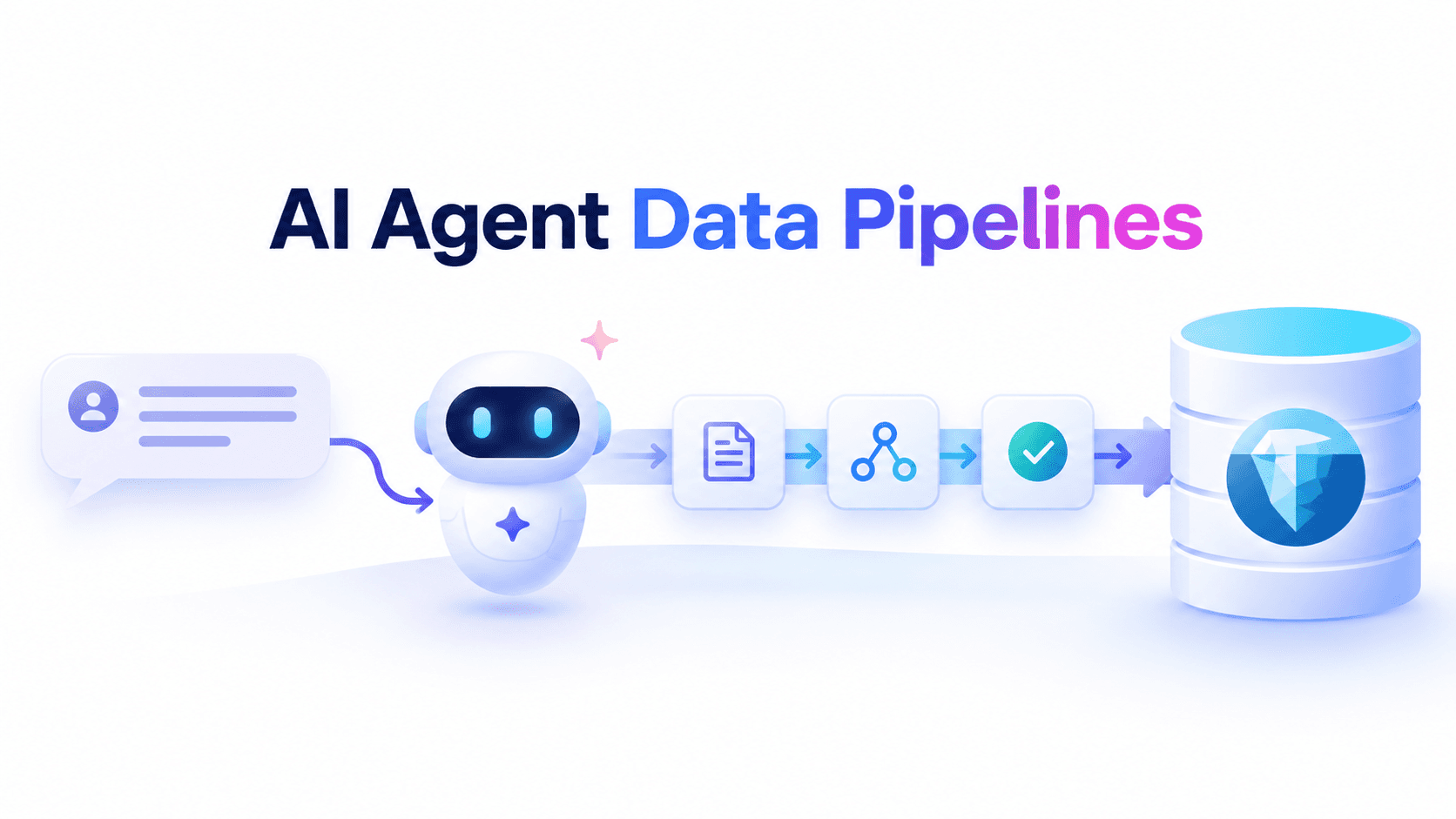
What if an AI agent could handle the mechanical parts? Not the architectural decisions — those still need human judgment — but the discovery, the boilerplate SQL, the engine selection, the monitoring setup. An agent that understands what you want in plain English and translates it into pipeline code that actually runs against production Iceberg tables.
This is no longer theoretical. In 2026, frameworks like AWS's Agentic Data Operations Platform (ADOP), AutoFlow, and kRAIG have demonstrated that multi-agent systems can decompose natural language pipeline specifications into executable DAGs, generate validated PySpark and SQL, and self-correct through iterative feedback loops. AWS reports that ADOP reduces pipeline creation time from weeks to hours — a 95% reduction.
The combination of large language models, the Model Context Protocol (MCP), and lakehouse control planes has made it practical to build AI agents that construct, execute, and iterate on data pipelines autonomously. This guide walks through the architecture, the patterns, and the infrastructure that makes it work.
Why Pipelines Need a Control Plane
The critical insight is that an agent doesn't need to be an expert in Iceberg internals. It needs structured access to metadata, schema information, and execution infrastructure through well-designed tools. The intelligence comes from the LLM's reasoning about transformation logic; the operational capability comes from the tool layer.
But tools alone aren't enough. A pipeline agent needs a control plane — infrastructure that provides schema discovery via MCP, multi-engine routing to pick the right execution engine for each pipeline stage, guardrails to prevent pipeline disasters, compaction to keep tables healthy after writes, and monitoring to track pipeline health.
Without a control plane, you'd need to: give agents raw SQL access (risky), build your own schema discovery (brittle), hardcode engine choices (suboptimal), manually run compaction after pipeline writes (tedious), and build your own monitoring (expensive).
LakeOps is the control plane that makes AI-agent-driven pipelines possible. It provides the MCP interface with 27 tools for agents to discover source and target schemas, QueryFlux routing to pick the right execution engine for each pipeline stage, guardrails to prevent pipeline disasters, and intelligent compaction to keep tables healthy after writes.
The Architecture: From Intent to Running Pipeline
An AI agent building a data pipeline into Apache Iceberg follows a six-stage loop:
1Natural Language Intent2 → Schema Discovery (MCP tools)3 → Transformation Design (LLM reasoning)4 → Pipeline Code Generation (SQL / PySpark)5 → Engine-Routed Execution (QueryFlux)6 → Quality Validation & Monitoring (feedback loop)This is where MCP changes the game. Instead of giving an agent a JDBC connection and hoping for the best, MCP exposes purpose-built tools for each stage of the pipeline lifecycle — discovery, execution, validation, and governance — through a standardized interface that any agent framework can consume.
Stage 1: Understanding Intent and Discovering Sources
The pipeline starts with a natural language request:
> "Build a daily pipeline that combines our raw clickstream events with the product catalog to create a user_product_interactions table, partitioned by event_date, with deduplication on session_id + product_id."
Before writing a single line of SQL, the agent needs to understand what data exists and how it's structured. This is where most naive approaches fail — agents hallucinate table names, guess at column types, and produce SQL that doesn't compile. Research confirms this: kRAIG's ReQuesAct framework explicitly clarifies intent before pipeline synthesis, precisely because one-shot generation from ambiguous intent produces unreliable output.
A well-designed MCP server for Iceberg solves this with structured discovery tools:
1// Step 1: Discover available catalogs2{ "tool": "list_catalogs" }3// Returns: [{ "name": "ecommerce_prod", "tableCount": 786, "totalSize": "112.4 PB" }]4 5// Step 2: Search for relevant tables6{ "tool": "search_tables", "arguments": { "query": "clickstream", "catalog": "ecommerce_prod" } }7// Returns: [{ "name": "raw_clickstream", "namespace": "analytics", "status": "CRITICAL" }]8 9// Step 3: Get schema details for source AND target10{ "tool": "get_schema", "arguments": {11 "catalog": "ecommerce_prod",12 "namespace": "analytics",13 "table": "raw_clickstream"14 }15}16// Returns: columns, partition_by, sort_by, identifier_columns, schema_idNotice the agent also learned the source table is in CRITICAL health status — metadata that matters for pipeline design. An agent building a pipeline against a table with 47,000 small files needs to know that scans will be slow, and may want to trigger compaction first or choose an engine that handles degraded tables better.
The get_schema tool returns column names, types, partition specs, sort orders, and identifier columns in a single call — replacing the three to five sequential queries (SHOW COLUMNS, SELECT * LIMIT 5, DESCRIBE PARTITIONS) that agents typically make. That's not just faster; it's cheaper in LLM tokens and produces more reliable pipeline code.
Stage 2: Designing the Transformation
With schemas in hand, the agent reasons about the transformation logic. This is where LLMs genuinely shine — they've seen millions of SQL transformations in training data and can compose complex joins, window functions, and aggregations fluently.
For our clickstream pipeline, the agent produces:
1MERGE INTO ecommerce_prod.analytics.user_product_interactions AS target2USING (3 SELECT4 c.session_id, c.user_id, c.product_id, c.event_type,5 c.event_timestamp,6 CAST(c.event_timestamp AS DATE) AS event_date,7 p.category, p.subcategory, p.price_tier,8 ROW_NUMBER() OVER (9 PARTITION BY c.session_id, c.product_id10 ORDER BY c.event_timestamp DESC11 ) AS rn12 FROM ecommerce_prod.analytics.raw_clickstream c13 JOIN ecommerce_prod.products.product_catalog p14 ON c.product_id = p.product_id15 WHERE c.event_date = CURRENT_DATE - INTERVAL '1' DAY16) AS source17ON target.session_id = source.session_id18 AND target.product_id = source.product_id19 AND target.event_date = source.event_date20WHEN MATCHED AND source.rn = 1 THEN21 UPDATE SET event_type = source.event_type,22 event_timestamp = source.event_timestamp23WHEN NOT MATCHED AND source.rn = 1 THEN24 INSERT (session_id, user_id, product_id, event_type,25 event_timestamp, event_date, category, subcategory, price_tier)26 VALUES (source.session_id, source.user_id, source.product_id,27 source.event_type, source.event_timestamp, source.event_date,28 source.category, source.subcategory, source.price_tier);The agent chose MERGE INTO for upsert semantics — handling deduplication atomically within Iceberg's transactional model. It partitions by event_date for time-based pruning and deduplicates on session_id + product_id as requested. This is an Iceberg-native pattern that maintains correct state even with late-arriving data.
Stage 3: Multi-Engine Routing — The Killer Feature for Pipelines
Here's where pipeline-building agents diverge from simple text-to-SQL. A pipeline isn't one query — it's a workflow with stages that have fundamentally different computational profiles. The initial load might process terabytes. Daily incremental runs might touch gigabytes. Validation queries might scan megabytes. Using the same engine for all three is like using a freight train for a trip to the grocery store.
Multi-engine query routing lets the agent match each stage to the right engine:
| Pipeline Stage | Data Volume | Best Engine | Why |
|---|---|---|---|
| Initial backfill | 4.6 TB | Spark | Distributed shuffle, parallel writes across hundreds of partitions |
| Daily incremental | 10–50 GB | DuckDB | Single-node, sub-second startup, full MERGE INTO support |
| Schema validation | Metadata only | DuckDB | Zero infrastructure, instant cold start |
| Cross-table quality checks | Aggregate scans | Trino | Low-latency multi-table joins, stateless scaling |
Consider our clickstream pipeline end to end. The agent issues three queries for three different stages — and each one routes to a different engine through a single SQL endpoint:
1// Backfill — routes to Spark for the heavy lift2{ "tool": "run_query", "arguments": {3 "sql": "INSERT INTO ecommerce_prod.analytics.user_product_interactions SELECT ...",4 "engine_hint": "spark", "max_rows": 0 } }5 6// Daily incremental — routes to DuckDB for the upsert7{ "tool": "run_query", "arguments": {8 "sql": "MERGE INTO ecommerce_prod.analytics.user_product_interactions ...",9 "engine_hint": "duckdb" } }10 11// Validation — routes to Trino for cross-table checks12{ "tool": "run_query", "arguments": {13 "sql": "SELECT COUNT(*) AS orphaned FROM ... LEFT JOIN ... WHERE p.product_id IS NULL",14 "engine_hint": "trino" } }With LakeOps, the agent doesn't manage engine connections directly. QueryFlux — the open-source Rust-based SQL proxy with ~0.35ms P50 overhead — routes each query to the optimal engine based on query shape, cost model, and table health. The agent connects to one endpoint; the infrastructure handles engine selection, dialect translation across 30+ SQL variants, and failover. Benchmarks show up to 56% lower query spend through workload-aware routing.
The numbers tell the story. The backfill that would take 45 minutes on DuckDB completes in 8 minutes on Spark. The daily incremental that would spin up an entire Spark cluster for 15 GB of data runs in 12 seconds on DuckDB. And as tables get compacted and optimized, more engines become viable for each query shape — a table that required Spark for a heavy join might run the same query on DuckDB after compaction. The routing layer picks up this change automatically.
Stage 4: Iceberg-Native Pipeline Patterns
Apache Iceberg brings table-format capabilities that fundamentally change how pipelines work. An agent building Iceberg pipelines needs to understand and leverage these patterns.
MERGE INTO for Complex Upserts
Beyond the basic deduplication pattern above, consider a slowly changing dimension (SCD Type 2) pipeline where the agent tracks historical changes:
1MERGE INTO ecommerce_prod.dimensions.product_history AS target2USING (3 SELECT product_id, name, category, price,4 CURRENT_TIMESTAMP AS effective_from,5 CAST(NULL AS TIMESTAMP) AS effective_to, TRUE AS is_current6 FROM ecommerce_prod.staging.product_updates7 WHERE update_date = CURRENT_DATE8) AS source9ON target.product_id = source.product_id AND target.is_current = TRUE10WHEN MATCHED AND (target.name != source.name OR target.price != source.price) THEN11 UPDATE SET effective_to = CURRENT_TIMESTAMP, is_current = FALSE12WHEN NOT MATCHED THEN13 INSERT (product_id, name, category, price, effective_from, effective_to, is_current)14 VALUES (source.product_id, source.name, source.category, source.price,15 source.effective_from, source.effective_to, source.is_current);This transformation — handling effective dates and current-record flags correctly — would take a data engineer an hour to write. An agent with source and target schemas generates it in seconds.
Schema Evolution Without Breaking Pipelines
Upstream schemas change. A new column appears in the source table. A column type widens from INT to BIGINT. Traditional pipelines break. Iceberg handles this natively — and the agent can detect and adapt:
1// Agent checks if schema has changed since last pipeline run2{ "tool": "get_table_metadata", "arguments": {3 "catalog": "ecommerce_prod",4 "namespace": "analytics",5 "table": "raw_clickstream"6 }7}8// If schema_id has incremented, the agent adjusts the pipeline SQLIceberg's schema evolution is additive and backward-compatible by default. The agent can detect that raw_clickstream gained a new device_type column, issue ALTER TABLE to add it to the target, update the pipeline SQL to include it, and continue running — all without human intervention.
Partition Evolution for Growing Pipelines
As data volumes grow, partition strategies need to change. A table partitioned by month(event_date) might need day(event_date) as volume increases. Iceberg supports partition evolution without rewriting historical data — new data uses the new partitioning; old data retains its original layout.
An agent monitoring pipeline performance can detect when partition granularity is causing problems. LakeOps surfaces this through get_hot_partitions and get_partition_distribution MCP tools, exposing partition-level skew signals the agent can act on.
Time Travel for Pipeline Debugging
When a pipeline produces unexpected results, Iceberg's snapshot isolation gives the agent a powerful debugging tool:
1-- What did the source table look like when yesterday's pipeline ran?2SELECT * FROM ecommerce_prod.analytics.raw_clickstream3 FOR TIMESTAMP AS OF TIMESTAMP '2026-09-14 02:00:00'4WHERE event_date = DATE '2026-09-14' LIMIT 100;Time travel lets the agent compare source data at pipeline execution time against current state — isolating whether unexpected output is due to a pipeline bug or late-arriving source data. Root-cause analysis that takes a human engineer 30 minutes takes the agent seconds.
Stage 5: Validating and Iterating on Data Quality
A pipeline that runs without errors isn't necessarily a pipeline that produces correct data. Research on autonomous pipeline systems — from AutoFlow's constraint-based verification to ADP-MA's schema contracts — consistently shows that iterative validation with feedback loops separates toy demos from production-grade systems.
After each pipeline run, the agent executes validation queries:
1-- Null checks on required fields2SELECT COUNT(*) AS total_rows,3 COUNT(user_id) AS non_null_users,4 COUNT(product_id) AS non_null_products5FROM ecommerce_prod.analytics.user_product_interactions6WHERE event_date = CURRENT_DATE - INTERVAL '1' DAY;7 8-- Referential integrity9SELECT COUNT(*) AS orphaned_records10FROM ecommerce_prod.analytics.user_product_interactions i11LEFT JOIN ecommerce_prod.products.product_catalog p ON i.product_id = p.product_id12WHERE p.product_id IS NULL AND i.event_date = CURRENT_DATE - INTERVAL '1' DAY;13 14-- Duplicate check (should be zero after MERGE)15SELECT session_id, product_id, event_date, COUNT(*) AS cnt16FROM ecommerce_prod.analytics.user_product_interactions17WHERE event_date = CURRENT_DATE - INTERVAL '1' DAY18GROUP BY session_id, product_id, event_date HAVING COUNT(*) > 1;19 20-- Volume anomaly detection — flag >30% swings from prior day21SELECT event_date, COUNT(*) AS row_count,22 LAG(COUNT(*)) OVER (ORDER BY event_date) AS prev_day,23 ROUND(100.0 * (COUNT(*) - LAG(COUNT(*)) OVER (ORDER BY event_date))24 / LAG(COUNT(*)) OVER (ORDER BY event_date), 1) AS pct_change25FROM ecommerce_prod.analytics.user_product_interactions26WHERE event_date >= CURRENT_DATE - INTERVAL '7' DAY27GROUP BY event_date ORDER BY event_date;If validation fails — say the volume drops 40% from the previous day — the agent can reason about the failure, adjust the pipeline, and re-run. This feedback loop is where agents add the most value. Instead of a pipeline failing silently and producing bad data for days, the agent catches problems within minutes and either fixes them or escalates to a human.

Full Example: From Request to Production Table
Let's trace a complete pipeline build showing how all stages connect through LakeOps.
Request: "Create a weekly pipeline that builds a customer_lifetime_value table from orders and returns. Calculate total spend, return rate, and order frequency per customer. Partition by signup_quarter."
Discovery: The agent calls list_catalogs → search_tables → get_schema on both customer_orders (1.24 TB, HEALTHY) and product_returns (180 GB, WARNING). It also checks whether customer_lifetime_value exists — it doesn't.
Table creation (via HumanApproval guard): The agent generates CREATE TABLE DDL with the right columns and PARTITIONED BY (signup_quarter). Because DDL requires human review, the guardrail pauses for approval before executing.
Backfill (Spark): The agent builds the historical pipeline — 1.24 TB of orders joined with 180 GB of returns — computing total_orders, total_spend, return_rate, avg_order_value, order_frequency_days, and a clv_segment classification. Routes to Spark for the heavy lift.
Weekly incremental (DuckDB): For ongoing runs, the agent generates a MERGE INTO that only processes the last week of orders, routed to DuckDB for its efficient single-node execution on the incremental data.
Validation (Trino): Cross-table quality checks — customer counts match, total spend reconciles, no negative return rates.
LakeOps handles the rest: Autonomous table maintenance keeps the new table healthy after weekly writes. QueryFlux routes downstream analytics queries to the cheapest viable engine. Table health scoring alerts if the pipeline produces degraded output.
The Control Plane That Makes It Work
Everything described above — schema discovery, engine routing, execution, validation — requires infrastructure that most organizations don't have. Building it from scratch means wiring together catalog APIs, query engine connectors, monitoring systems, and guardrail logic. That's months of platform engineering before the first agent writes its first pipeline.
LakeOps provides this infrastructure as an autonomous Iceberg lakehouse control plane. For pipeline workloads specifically, four capabilities matter most.
Multi-Engine Routing via QueryFlux. Pipeline agents need different engines for different stages. LakeOps routes each query through QueryFlux to the optimal engine based on query shape, cost, and table health. The routing layer supports three strategies per routing group — cost, latency, or throughput — so pipeline workloads can be configured for cheapest execution while validation queries are routed for lowest latency.
Intelligent Compaction After Pipeline Writes. Pipeline writes are the primary source of Iceberg table degradation. LakeOps runs continuous, query-aware compaction built on Rust and Apache DataFusion that keeps tables healthy after writes. It analyzes which columns downstream queries actually filter on and sorts data accordingly. Benchmarks show 12x faster queries and 76% less compute after compaction, at 95% lower cost than Spark-based compaction (221s vs. 1,612s for Spark on identical 200 GB datasets). Pipeline agents don't need to worry about the operational impact of their writes — the control plane handles it.

Guardrails for Pipeline Safety. Agentic AI workloads need guardrails — especially pipeline agents that write data. LakeOps provides composable guards between routing and engine dispatch: ReadOnly for discovery and validation stages, CostEstimate to reject queries exceeding scan thresholds, HumanApproval for DDL operations, PIIMask to scrub sensitive columns, and RowLimit to prevent unbounded result sets. Guards are configured per routing endpoint — every agent inherits the same safety boundary.

Table Health Monitoring. Pipeline reliability depends on source and target table health. LakeOps scores every table as Healthy, Warning, or Critical based on file count, small-file ratio, snapshot age, and manifest bloat. The get_table_insights and analyze_table_health MCP tools give the agent actionable intelligence before building or running a pipeline.

Addressing the Skepticism: Can AI Really Build Production Pipelines?
Let's be honest about where this stands.
What works well today:
- Schema discovery and exploration across catalogs
- Generating correct SQL for well-defined transformations (joins, aggregations, window functions, MERGE INTO, SCD Type 2)
- Choosing appropriate Iceberg patterns (partitioning, upserts, schema evolution)
- Validating data quality and iterating on failures through feedback loops
- Selecting engines for different pipeline stages
What still needs human oversight:
- Architectural decisions — streaming vs. batch, CDC vs. full refresh, depends on business context
- Performance tuning for edge cases — 50 TB daily pipelines need human-tuned parallelism and file sizes
- Cross-pipeline dependencies — individual pipelines work well, but DAG-level orchestration across dozens of interdependent pipelines is an active research area
- Business logic validation — agents check for nulls and volume anomalies, but only domain experts know whether a 15% conversion drop is a bug or a real trend
The practical approach is human-in-the-loop: agents handle discovery, code generation, engine selection, and validation; humans review architectural decisions and approve production deployments. This mirrors AWS's ADOP — agents generate deterministic artifacts in development, engineers review, CI/CD promotes to production. Production runs the artifacts, not live model calls.
The productivity gain is still massive. A pipeline that took a data engineer two days to build takes an agent 20 minutes with human review. The engineer's time shifts from mechanical work to architectural decisions and domain expertise, where it belongs.
Getting Started
If you want to experiment with agent-built pipelines on your Iceberg lakehouse:
- 1.Start with read-only access. Connect an MCP-compatible agent to your catalogs and let it discover schemas, profile data, and generate pipeline SQL — without executing. Review the output before granting write access.
- 1.Use staging tables. Give the agent write access to a staging namespace. Let it build and run pipelines against non-production tables until you're confident in the output quality.
- 1.Enable guardrails before write access. Cost caps, row limits, and human approval for DDL are non-negotiable for pipeline agents. The cost of deploying guards too early is zero. The cost of deploying them too late is one bad write that corrupts a production table.
- 1.Get your tables healthy first. An agent building pipelines against tables with 200,000 small files will produce pipelines that timeout regardless of how good the SQL is. Autonomous compaction is a prerequisite, not an optimization.
- 1.Iterate from simple to complex. Start with single-table transformations. Move to multi-table joins. Then MERGE INTO upserts. Then multi-stage pipelines with different engines per stage. Each step builds confidence in both the agent's capability and your guardrail configuration.
The infrastructure to support this exists today. LakeOps provides the MCP bridge, engine routing, compaction, and guardrails as a managed control plane. Connect your catalogs, configure your guardrails, point your agent at the MCP endpoint — and start building pipelines in plain English.
The question isn't whether AI agents will build data pipelines. It's whether your infrastructure is ready for them when they do.