
Your Iceberg lakehouse has 800 tables spread across five catalogs, three cloud accounts, and a dozen namespaces that were named by different teams at different times. Somewhere in that sprawl is the table that answers the question a product manager just asked. Finding it used to require either the one engineer who has been here since the beginning, or 45 minutes of clicking through a data catalog that was last curated in Q3 of last year.
Every data engineer knows the ritual. You start on Slack: "Does anyone know where the customer refund data lives?" Silence. Then you check the internal wiki — last edited fourteen months ago, describing a table that was since renamed, repartitioned, and moved to a different catalog. Next you try SHOW TABLES on your Glue catalog, then the REST catalog the analytics team uses, then the Polaris catalog someone set up for the streaming pipeline. Forty minutes later you find three tables that might be relevant, but you are not sure which one is canonical, which one is stale, and which one is a staging artifact nobody cleaned up.
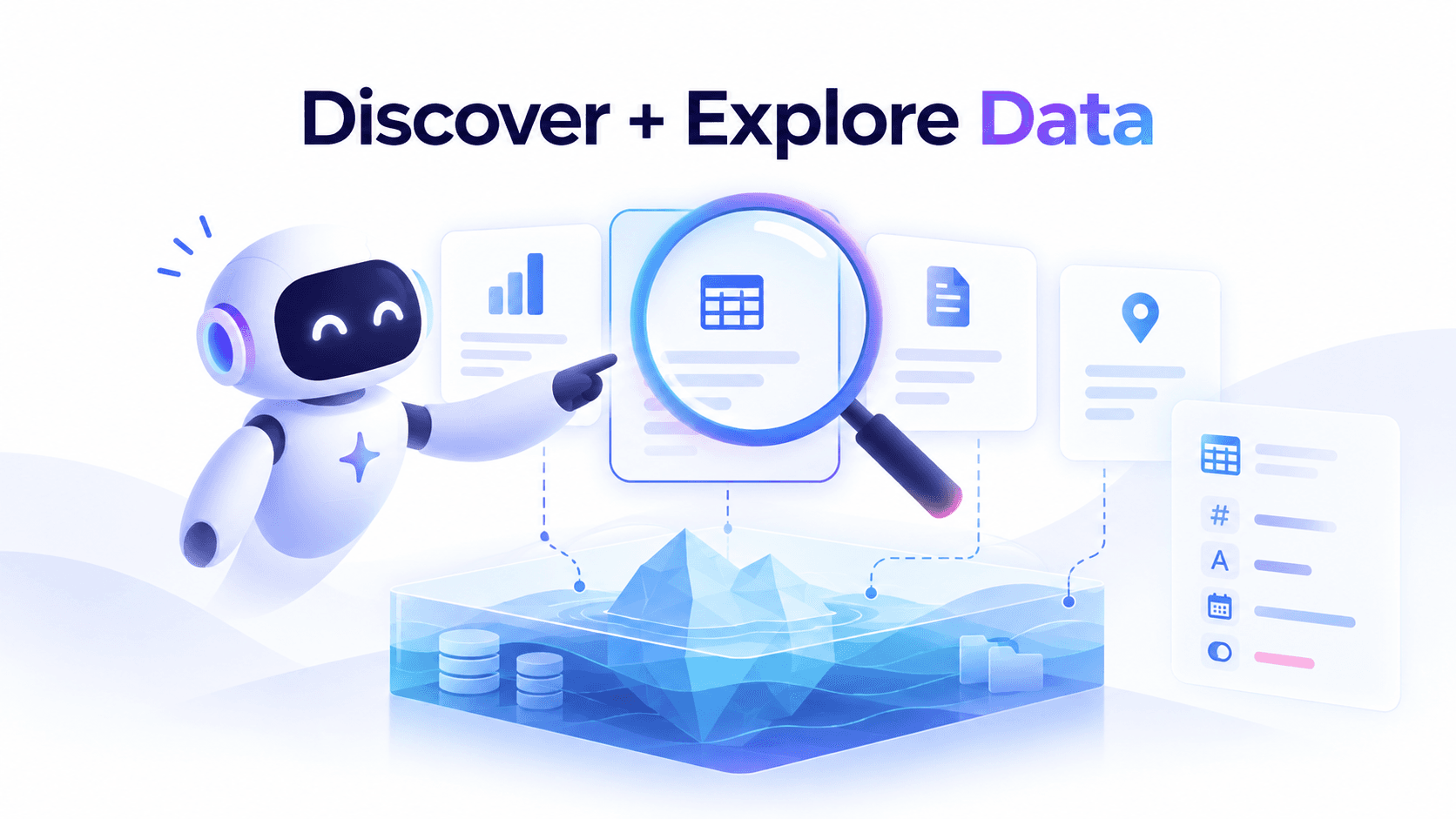
AI agents change this entirely. Instead of a human navigating a static catalog, an agent autonomously explores your entire lakehouse — enumerating catalogs, inspecting schemas, analyzing partition strategies, sampling data, and mapping relationships — then explains what it found in plain language. It reads the metadata directly, builds its own understanding, and answers questions about data you did not even know you had.
This post explains how AI agents discover and explore data in Apache Iceberg lakehouses through the Model Context Protocol (MCP), why this approach is fundamentally better than traditional data catalogs, and how LakeOps provides the unified control plane that makes it work across every catalog and engine in your stack.
The Data Discovery Problem No One Has Solved
Every data organization hits the same wall. You start with a handful of well-documented tables and a team small enough that everyone knows where everything lives. Then you grow. New teams spin up pipelines, acquisitions bring new sources, streaming ingestion creates dozens of tables per domain. Within two years, no one person can hold the full picture in their head.
The symptoms are depressingly familiar. Duplicate tables nobody knows about. Undiscoverable data sitting in namespaces no one browses because the naming convention changed twice. Stale documentation that is actively misleading. And tribal knowledge locked in the head of the engineer who left last quarter and took the mental map of your data estate with them.
Industry data puts the cost into focus: data professionals spend roughly 30% of their time just finding and understanding data before analysis begins. A 2026 survey found that 61% of data teams frequently delay AI initiatives due to lack of trusted, discoverable data — and 57% duplicate work because teams cannot agree on authoritative sources. The problem is not a lack of data. It is a lack of knowing what data you have.
Why Traditional Solutions Fall Short
The data industry has thrown billions at this problem — data catalogs, metadata platforms, discovery tools, context layers. Yet the problem persists because every approach relies on the same flawed assumption: that humans will keep the documentation current.
Data catalogs require curation. Tools like Alation, Collibra, and Atlan provide searchable inventories — when they are up to date. In practice, manual curation falls behind within weeks. By 2026, catalog vendors have responded with AI-generated descriptions and automated metadata enrichment — but even the most advanced context platform still depends on connectors being configured, sync jobs running, and someone noticing when drift occurs.
Documentation decays immediately. A README.md written during table creation does not update itself when columns are added and partitions change. Six months later, it describes a table that no longer exists in that form.
Search requires knowing what to search for. If you are looking for customer purchase data but the table is called txn_line_items in a namespace called finance_prod, no keyword search will find it. The semantic gap between what you want and how it is named is the core discovery failure — no index can solve it when naming was never consistent.
Single-catalog tools stop at catalog boundaries. Most MCP servers and discovery tools connect to a single catalog. But real organizations have Glue for the data engineering team, a REST catalog for analytics, Polaris for the streaming platform, and maybe a Nessie catalog for experimentation. Discovery that covers one catalog and misses three others is discovery that misses data.
The AI Agent Paradigm Shift
AI agents approach data discovery from a fundamentally different direction. Instead of relying on pre-curated metadata that humans maintain, agents actively explore the lakehouse at query time — reading metadata directly from the source of truth, building understanding through inspection, and answering questions by reasoning over what they find.
This is not a better search engine. It is a different paradigm: active exploration instead of passive lookup.
An agent answering "Where is our customer purchase data?" does not search an index. It enumerates every catalog, lists every namespace, inspects table names for semantic relevance, reads schemas of candidates, examines partition strategies, and potentially samples data to validate its hypothesis. The answer is grounded in the current state of the lakehouse — not in documentation that may or may not reflect reality.
The key enabler is the Model Context Protocol (MCP) — an open standard that exposes data operations as structured tool calls any LLM can invoke natively. In 2026, MCP has become the de facto standard for connecting AI agents to data infrastructure, with implementations from Dremio, Apache Polaris, Databricks, and dozens of open-source projects — all converging on the same principle: give agents structured, purpose-built tools rather than raw SQL access.
Why Multi-Catalog Unification Is the Real Unlock
Most data discovery tools solve the single-catalog case reasonably well and ignore the multi-catalog reality entirely.
Most organizations do not have one Iceberg catalog. They have several — accumulated as different teams and cloud accounts each created their own. The ecommerce team uses Glue. The analytics team migrated to a REST catalog on Polaris. The data science team has Nessie for branching experiments. This is not poor architecture — it is the natural outcome of growth.
An agent connected to your Glue catalog has no idea that the marketing events you need are in the REST catalog, or that the customer dimension table was moved to Polaris last quarter. Discovery that stops at catalog boundaries misses data — and the data you miss is often exactly the data someone is asking about.
LakeOps provides a unified MCP interface across all your Iceberg catalogs — Glue, REST, Polaris, Nessie, S3 Tables — regardless of type, region, or cloud account. Agents connect to this single control plane and see your entire data estate in one place.
When a data engineer asks "What tables have customer data?", the agent searches all catalogs simultaneously — finding customer_orders in Glue, customer_events in the REST catalog, customer_dim in Polaris, and customer_support_tickets in Nessie — then explains the differences in freshness, schema, and fitness for purpose.
How Agents Discover Data Through MCP
The discovery process follows a natural top-down exploration pattern — the same way an experienced data engineer would orient themselves in an unfamiliar lakehouse, but faster, more thorough, and perfectly documented.
Step 1: Catalog Enumeration
The agent starts at the highest level — what catalogs exist and what do they contain?
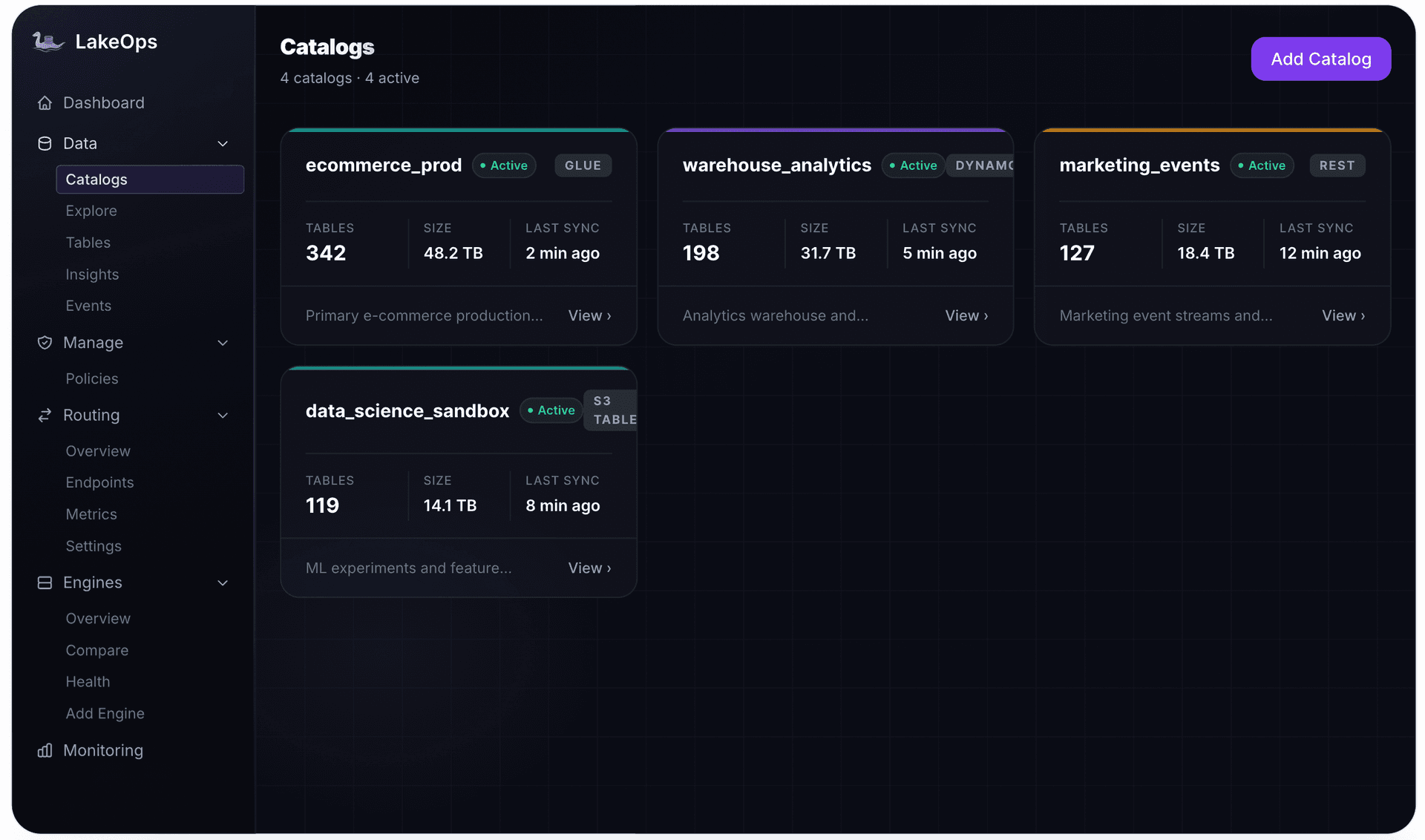
1Agent → list_catalogs2 3Response:4{5 "catalogs": [6 {7 "name": "ecommerce_prod",8 "type": "glue",9 "tableCount": 142,10 "totalSize": "24.6 TB",11 "status": "CONNECTED"12 },13 {14 "name": "marketing_events",15 "type": "rest",16 "tableCount": 87,17 "totalSize": "8.3 TB",18 "status": "CONNECTED"19 },20 {21 "name": "warehouse_analytics",22 "type": "polaris",23 "tableCount": 213,24 "totalSize": "41.2 TB",25 "status": "CONNECTED"26 }27 ]28}In a single call, the agent now knows the full landscape: three catalogs, 442 tables, spanning Glue, REST, and Polaris catalog types. This multi-catalog visibility is critical — most organizations have data spread across catalog implementations, and without a unified control plane, discovery stops at catalog boundaries.
Step 2: Namespace Exploration
The agent drills into catalogs that look relevant to the question being asked:
1Agent → list_namespaces(catalog="ecommerce_prod")2 3Response:4{5 "namespaces": [6 "orders",7 "payments",8 "products",9 "customers",10 "analytics",11 "staging"12 ]13}Namespace names carry semantic meaning. An agent looking for customer purchase data immediately identifies orders, payments, and customers as high-priority namespaces to explore further. The agent applies the same kind of reasoning a human would — but exhaustively, across every catalog, in seconds.
Step 3: Table Search and Filtering
Rather than listing every table in every namespace, the agent can search with intent:
1Agent → search_tables(query="customer purchase order", catalog="ecommerce_prod")2 3Response:4{5 "tables": [6 {7 "name": "customer_orders",8 "namespace": "orders",9 "catalog": "ecommerce_prod",10 "size": "1.24 TB",11 "recordCount": 847293614,12 "status": "HEALTHY"13 },14 {15 "name": "payment_transactions",16 "namespace": "payments",17 "catalog": "ecommerce_prod",18 "size": "860 GB",19 "recordCount": 512847291,20 "status": "WARNING"21 }22 ]23}search_tables accepts optional filters — name patterns, catalog scope, namespace, health status, and sort order. When the catalog parameter is omitted, the search spans all connected catalogs — multi-catalog unification turning a fragmented data estate into a single, searchable surface.

Step 4: Schema Inspection
Once the agent identifies candidate tables, it inspects their structure in detail:
1Agent → get_schema(catalog="ecommerce_prod", namespace="orders", table="customer_orders")2 3Response:4{5 "columns": [6 {"name": "order_id", "type": "long", "required": true},7 {"name": "customer_id", "type": "long", "required": true},8 {"name": "order_date", "type": "timestamp", "required": true},9 {"name": "order_total", "type": "decimal(10,2)", "doc": "Post-tax, post-discount total in USD"},10 {"name": "payment_method", "type": "string"},11 {"name": "shipping_address", "type": "struct<street: string, city: string, state: string, zip: string>"},12 {"name": "items", "type": "list<struct<product_id: long, quantity: int, unit_price: decimal(8,2)>>"},13 {"name": "status", "type": "string"},14 {"name": "region", "type": "string"},15 {"name": "created_at", "type": "timestamp"}16 ],17 "identifier_columns": ["order_id"],18 "partition_by": ["days(order_date)", "region"],19 "sort_by": ["customer_id", "order_date"],20 "schema_id": 421}This single call gives the agent a complete picture: column names and types, nested structures (the shipping_address struct, the items array), identifier columns that serve as logical primary keys, the partitioning strategy, and the physical sort order. The agent now understands not just what data the table contains, but how it is organized — information that informs both query construction and data quality assessment.
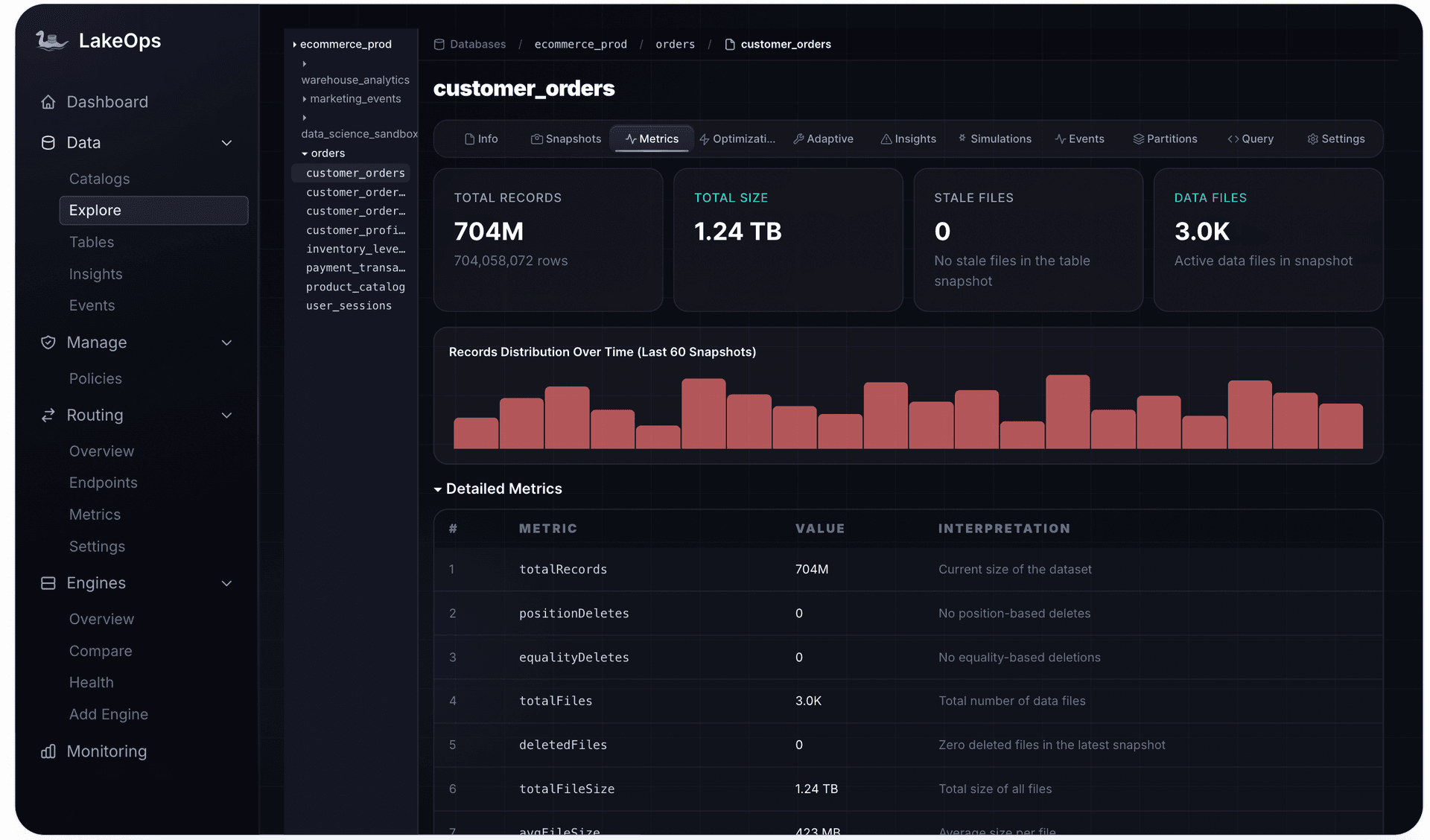
Step 5: Metadata Deep Dive and Schema Evolution
Via get_table_metadata, the agent retrieves the complete schema evolution history — this table started with four columns and evolved to ten: amount was renamed to order_total, region was added as both a column and partition key, and nested structs were added later. This helps the agent distinguish mature, trustworthy columns from recent additions still being populated.
Step 6: Partition Analysis
Using get_partition_distribution, the agent inspects how data is physically distributed — inferring that the US region generates double the data of EU, and that recent partitions have more files (suggesting streaming ingestion) while older partitions are consolidated (compaction has run). get_hot_partitions flags skew when the hottest partition exceeds 10× the average.
Step 7: Snapshot History and Time Travel
The agent explores how data has evolved over time:
1Agent → get_table_events(catalog="ecommerce_prod", namespace="orders", table="customer_orders", limit=5)2 3Response:4{5 "events": [6 {"operation": "Compact Data Files", "impact": "16 → 1 files, 1.24 TB", "duration": "4s", "time": "57 minutes ago"},7 {"operation": "Expire Snapshots", "impact": "12 snapshots expired", "duration": "4.6s", "time": "1 hour ago"},8 {"operation": "append", "impact": "+847 records, 2 new files", "time": "2 hours ago"},9 {"operation": "append", "impact": "+1,203 records, 3 new files", "time": "4 hours ago"},10 {"operation": "Compact Data Files", "impact": "970 → 87 files", "duration": "6m 1s", "time": "6 hours ago"}11 ]12}The operation history tells the agent this table is actively maintained and receives frequent appends — operational context invisible to traditional catalogs but extremely valuable for understanding data freshness and reliability.
Natural Language Data Exploration in Practice
With these tools, the interaction between a data consumer and the lakehouse becomes conversational:
"What tables have customer data?"
The agent runs search_tables(query="customer") without a catalog filter — spanning the entire lakehouse. It finds 12 tables across three catalogs:
1Agent discovery workflow:21. search_tables(query="customer") → 12 matches across 3 catalogs32. get_schema(...) × 12 → inspect each table's structure43. Semantic analysis: group by purpose → 4 dimension tables, 5 fact tables, 3 staging5 6Summary returned to user:7- ecommerce_prod.customers.customer_dim → canonical customer dimension, 2.4M records, HEALTHY8- ecommerce_prod.orders.customer_orders → order history, 847M records, HEALTHY9- marketing_events.tracking.customer_events → clickstream + email events, 3.1B records, WARNING10- warehouse_analytics.crm.customer_support_tickets → support interactions, 18M records, HEALTHY11- warehouse_analytics.finance.customer_invoices → billing records, 124M records, HEALTHY12 ... plus 4 staging tables (recommend ignoring) and 3 deprecated tables (last write >6 months ago)In 30 seconds, the agent provides a complete inventory that would have taken hours of cross-catalog browsing and Slack conversations — flagging which tables are stale, which are staging artifacts, and which are the canonical production sources.
"What would break if we renamed the `region` column?"
The agent searches for region across all schemas, finds it in 14 tables across 3 catalogs, and identifies that 6 use it as a partition key — meaning renaming requires data migration, not just metadata evolution. It returns a structured impact assessment: 14 tables affected, 6 requiring data rewrite (estimated 8.4 TB), and a recommendation to use schema evolution's column rename feature rather than drop-and-add.
"I'm new to the team — give me an overview of our data"
This is where agent-driven discovery truly shines. The agent runs a complete exploration sequence:
1Agent workflow:21. list_catalogs → 3 catalogs: ecommerce_prod (Glue), marketing_events (REST), warehouse_analytics (Polaris)32. list_namespaces × 3 → 18 namespaces total43. search_tables(sort="size", limit=20) → top 20 tables by size54. get_table_insights × 20 → health status and recommendations65. get_lake_health → org-wide health summary7 8Summary returned to user:9"Your lakehouse spans 3 catalogs with 442 tables totaling 74.1 TB.10 11The ecommerce_prod catalog (Glue) contains your transactional data — orders, payments, products,12and customer records. These are your most actively maintained tables.13 14The marketing_events catalog (REST) holds event-streaming data — page views, email clicks,15campaign impressions. These tables are larger but less frequently queried.16 17The warehouse_analytics catalog (Polaris) is your analytics layer — aggregated metrics,18financial summaries, and reporting tables. This is where your BI dashboards connect.19 20Key relationships: customer_id joins ecommerce_prod and warehouse_analytics tables.21event_user_id in marketing_events maps to customer_id via a lookup table.22 23Health: 566 tables healthy, 105 need attention, 70 are critical (mostly in marketing_events —24the clickstream tables need compaction)."In 30 seconds, the new engineer receives an orientation that would have taken days of hallway conversations and Confluence spelunking.
"Can we correlate support tickets with purchase behavior?"
The agent discovers support_tickets in the CRM namespace of warehouse_analytics, customer_orders in ecommerce_prod, and customer_events in marketing_events — three different catalogs, three different teams. It identifies customer_id as the common join key, checks data freshness across all three, and flags that support_tickets uses customer_email as its identifier — surfacing a join that requires customer_dim as an intermediate lookup. This kind of cross-catalog reasoning is something an agent exploring through LakeOps MCP tools does in seconds.
Building a "Data Brain": How Agents Accumulate Knowledge
The discovery workflows described above are powerful for answering a single question. But the real value emerges when agents accumulate knowledge across multiple exploration sessions, building what we can think of as a data brain — a comprehensive mental model of the entire lakehouse.
Over multiple interactions, an agent exploring through LakeOps MCP tools progressively learns:
- Catalog topology. Which catalogs exist, their types, table counts, and how they map to business domains.
- Naming conventions.
ecommerce_produses singular nouns (order,payment);marketing_eventsuses event-style names (page_view,email_click). The agent uses these patterns to predict where new data lives. - Schema patterns and relationships. Customer-facing tables use
customer_idas the join key. Financial tables usetransaction_id. The agent maps cross-table relationships by inspecting column names, types, and identifier columns. - Freshness and health signals. Streaming tables get data every few minutes; batch tables update daily. Tables with
HEALTHYstatus and regular maintenance are trustworthy;CRITICALtables may return slow results.
This accumulated understanding transforms the agent from a question-answering tool to a knowledgeable guide that proactively recommends data sources, warns about quality issues, and suggests optimal join paths.
The Control Plane: Why Multi-Catalog Discovery Matters
The discovery capabilities above are only as powerful as the scope they can reach. LakeOps acts as a unified interface across all your Iceberg catalogs — AWS Glue, REST (Polaris, Gravitino, Nessie, Lakekeeper), and S3 Tables. A single LakeOps MCP connection gives agents visibility into every table in every catalog, with consistent tooling regardless of the underlying implementation:
- Cross-catalog search.
search_tablesspans all connected catalogs in a single call. The agent finds data wherever it lives — not just where you remembered to tell it to look. - Consistent schema representation. Whether the table lives in Glue or Polaris, the agent receives the same structured format — column names, types, partition specs, sort orders — normalized across catalog types.
- Unified health visibility. Table health scores, maintenance signals, and event history are available for every table regardless of catalog type. LakeOps observability ensures no table is a blind spot.
- Multi-region discovery. With regional MCP endpoints (US East, EU West, Asia Pacific), agents discover data across geographic boundaries while respecting data residency requirements.
Without this unification, agents face the same fragmentation humans do. The control plane turns disconnected catalogs into a single, explorable lakehouse. For teams on a managed Iceberg lakehouse, every table is both optimized and discoverable. Learn more about the broader managed Iceberg landscape in 2026.
From Discovery to Action: The Complete Agent Workflow
Discovery is not an end in itself — it is the gateway to everything else. Once an agent can find the right table, it can query it, monitor it, optimize it, and govern it:
11. DISCOVER → list_catalogs → list_namespaces → search_tables22. UNDERSTAND → get_schema → get_table_metadata → get_partition_distribution33. ASSESS → get_table_insights → get_maintenance_signals → get_table_profile44. QUERY → execute_query (routed through guardrails, dispatched to optimal engine)55. GOVERN → list_policies → create_policy → enable_policyEach step builds on the previous one. The agent discovers what exists, understands how it is structured, assesses whether it is healthy, runs queries through a guardrailed pipeline with multi-engine routing, and creates governance policies to keep tables healthy.
This is why discovery is the most important capability to get right: every other agent use case depends on it. An agent cannot query data it cannot find. It cannot monitor tables it does not know about. Discovery is the foundation — get it right, and every downstream capability unlocks automatically.
This is how production AI agents interact with Iceberg tables through LakeOps MCP today — 27 tools spanning discovery, analysis, and governance, accessible from any MCP-compatible client including Cursor, Claude Desktop, LangChain, and custom agent frameworks.
Real-World Use Cases
Onboarding New Team Members
A new data engineer asks the agent: "Walk me through our data infrastructure." The agent calls list_catalogs for topology, search_tables for the highest-traffic tables, and get_table_insights across critical tables to surface health issues. In five minutes, the engineer has a structured overview grounded in live metadata — not someone's potentially outdated memory.
Impact Analysis for Schema Changes
Before renaming a column or changing a partition strategy, the agent assesses the blast radius — searching all table schemas across all catalogs for references, checking partition and sort key usage, and estimating data rewrite cost. A systematic, cross-catalog analysis that catches dependencies a human reviewer would miss.
Finding Data for New Analytics
A product team wants to correlate support interactions with purchase behavior. The agent discovers support_tickets in CRM, customer_orders in ecommerce, and user_sessions in analytics — three catalogs, three teams, three naming conventions. It identifies join keys, checks freshness across all three, and recommends a query strategy. Without multi-catalog discovery, this would have required three separate conversations with three different teams.
Proactive Health Monitoring
An agent configured for ongoing monitoring periodically calls get_lake_health and analyze_critical_triage to identify degraded tables: "The raw_clickstream table in marketing_events has reached CRITICAL status — 312 partitions exceed the file threshold and query scans are amplified 8×. Recommend running compaction immediately." This is AI-driven lakehouse observability in action — and it started with discovery.
Automated Data Quality Audits
An agent periodically discovers all tables, inspects schemas for anomalies — unexpected PII columns, missing partition keys, deprecated types — and produces a weekly data quality report. It catches the staging table accidentally promoted to production, the column that started accepting nulls after a schema evolution, and the table that stopped receiving data because a pipeline failed silently.
Why Iceberg's Architecture Is Uniquely Suited to Agent Discovery
Iceberg's design is inherently agent-friendly — far more so than Hive metastores or traditional warehouse catalogs:
- Rich, queryable metadata. Iceberg centralizes schema, partition specs, sort orders, snapshot history, and table properties in self-describing metadata files. An agent calling
get_schemareceives a complete, authoritative description — not a best-effort reconstruction from a metastore. - Schema evolution history. Every schema change is tracked as a versioned event. Agents see that
amountwas renamed toorder_totalin version 2 andregionwas added as a partition key in version 3 — history that Hive metastores do not preserve. - Partition spec evolution. Agents see that a table changed from
year(event_date)todays(event_date)partitioning — and construct queries that align with the physical layout. - Snapshot-based time travel. Immutable snapshot history reveals write patterns (50 snapshots/day = streaming; 1/day = batch) and enables temporal queries for auditing.
- Open, engine-independent format. Whether data was written by Spark, Flink, or Trino, the metadata format is the same — agents get consistent discovery regardless of engine.
Beyond Discovery: Agents as Data Stewards
The most exciting application is not just answering questions — it is proactive data stewardship. Agents that continuously explore your lakehouse become capable of:
- Detecting redundant tables by comparing schemas across catalogs — finding three versions of
customer_eventsthat different teams built independently and recommending consolidation. - Recommending governance policies after analyzing table health: "42 tables lack snapshot expiration — pinning an estimated 6.2 TB of dead storage."
- Monitoring schema drift to flag unexpected PII columns the moment they appear — catching the
email_addresscolumn someone added to a table that feeds a public dashboard. - Mapping undocumented relationships by analyzing column names and value overlaps across catalogs — turning tribal knowledge into explicit, shareable understanding that persists when team members leave.
For the full picture of how agents move from discovery to maintenance and governance through MCP, the operational loop is already production-proven.
Getting Started
The path from siloed, undiscoverable data to agent-driven exploration is shorter than you might think:
- 1.Connect your catalogs to LakeOps. It takes roughly 10 minutes. No agents to install, no data to move. LakeOps connects to your existing Glue, REST, Polaris, or Nessie catalogs and provides unified visibility — turning fragmented catalogs into a single, discoverable surface.
- 1.Configure the MCP client. Add the LakeOps MCP endpoint to your Cursor, Claude Desktop, or custom agent:
1{2 "mcpServers": {3 "lakeops-us-east-1": {4 "url": "https://api.lakeops.dev/mcp",5 "headers": {6 "Authorization": "Bearer <your-api-key>"7 }8 }9 }10}- 1.Start exploring. Ask your agent: "What catalogs do we have? What are the biggest tables? Show me the schema of
customer_orders." The agent discovers 27 available tools automatically and begins exploring.
- 1.Build the data brain. Over time, agents learn naming conventions, identify relationships, and build the institutional knowledge that used to exist only in the heads of senior engineers.
- 1.Extend to governance. Once discovery is working, extend to health monitoring, maintenance automation, and policy management. The same MCP connection powers the governance and analysis tools that keep your lakehouse healthy — a virtuous cycle where discovery feeds monitoring, monitoring feeds maintenance, and maintenance feeds better query performance.
The Future of Data Discovery Is Active, Not Passive
The traditional model of data discovery — curate once, search later, hope the documentation is still accurate — has failed at enterprise scale. It requires too much manual effort, degrades too quickly, and leaves too many gaps for organizations with hundreds of evolving tables scattered across multiple catalogs.
AI agents offer a fundamentally better approach: active exploration that reads the current state of your data directly, builds understanding through inspection rather than documentation, and answers questions grounded in metadata rather than memory. With the Model Context Protocol providing the standardized interface and LakeOps providing the unified control plane across catalogs, this is how production data teams are working today.
The organizations that adopt agent-driven discovery will find data professionals spending less time searching and more time analyzing. New team members onboard in hours, not weeks. Schema changes are assessed thoroughly before they ship. Data that was invisible becomes findable. And institutional knowledge that used to walk out the door with departing engineers stays embedded in the system — accessible to every agent and every team member, any time they need it.
Your lakehouse already contains the answers. Let the agents find them.