

Snapshot retention is the most underestimated cost driver in Apache Iceberg. Most teams either keep too many snapshots — inflating storage 2–4x — or expire too aggressively and break time travel for active consumers. The gap between those extremes is where lakehouse economics are won or lost, and very few teams have the observability to know which side of the line they are on.
For the broader maintenance context, see our Iceberg table health and maintenance guide. Consider what happens when you do nothing. A streaming table with 1-minute checkpoint intervals creates 1,440 snapshots per day — 43,200 per month. Each snapshot pins references to the data files that constituted the table at that point in time. If compaction rewrites 100 files into 10, the old snapshot still references the original 100. None of those files can be garbage-collected. After one month without expiration, that single table pins 43,200 snapshots × roughly 100 file references each = 4.3 million files unreclaimable from object storage. At an average of 5 MB per file, that is 21.5 TB of data that is logically dead but physically billable. At S3 Standard pricing of $0.023/GB/month, the snapshot retention cost for one table exceeds $490/month — before you count the metadata overhead, the manifest fragmentation, or the planning slowdown.
Across a 200-table lakehouse with similar streaming patterns, the aggregate bill from snapshot retention alone can exceed $50,000/month. Production deployments have reported 120 TB of reclaimable data held behind expired-but-not-cleaned snapshots. The data was logically dead but physically billable — invisible in Iceberg metadata, fully visible on the AWS invoice.
A control plane like LakeOps classifies each table by workload type — streaming, batch, or compliance-sensitive — and automatically applies appropriate retention policies. Instead of guessing or deploying one-size-fits-all cron jobs, every table gets the right retention window based on its actual write pattern, query profile, and regulatory requirements. This guide walks through the mechanics: what snapshots cost, how to set retention by workload, the full expire_snapshots API, compliance strategies, automated enforcement, and the operational recommendations that prevent retention from becoming your largest unmanaged cost vector.
What snapshots actually cost
The cost of retaining snapshots compounds across three dimensions: pinned data files on object storage, metadata growth in the catalog layer, and query planning overhead in every engine that touches the table.
Pinned data files
Every snapshot holds references to the set of data files that constituted the table at commit time. When compaction rewrites 1,000 small files into 10 large ones, the new snapshot references the 10 output files — but the previous snapshot still references the original 1,000 input files. Those files cannot be deleted from object storage until every snapshot referencing them is expired.
On a table that receives daily compaction but has never had snapshots expired, you are storing every generation of the data: current files plus every superseded version. A 500 GB table that gets fully compacted weekly accumulates roughly 500 GB of superseded data per week. After 3 months without expiration, you are storing 6 TB of pinned data behind snapshots that no query will ever read. At $0.023/GB/month on S3, that is $138/month in pure storage waste — for a single table.
Scale that across a 200-table lakehouse with similar patterns and pinned snapshot data can exceed 100 TB, costing $2,300/month before anyone notices. The insidious part is that Iceberg catalogs do not surface this cost directly — you have to compare the current snapshot's referenced data size against the total physical storage on the table's S3 prefix to see the gap. Most teams discover it when the AWS bill arrives.
Metadata chain growth
Each snapshot creates a metadata file (JSON) and at least one manifest list (Avro) pointing to manifest files. A table with 10,000 accumulated snapshots carries metadata totaling hundreds of megabytes — sometimes gigabytes. This metadata is not free: it consumes storage, it must be traversed during catalog operations, and it inflates the cost of any operation that touches the snapshot log.
The metadata chain also has a compounding problem. Every new metadata file references the previous one. With thousands of retained snapshots, the metadata chain itself becomes a linked list of hundreds of JSON files. Catalog operations that need to resolve the full history — rollback, audit, or metadata cleanup — must walk this chain. On tables with 50,000+ snapshots, even loading the snapshot list can take minutes.
A well-maintained table with a 7-day retention window typically carries 3–5x less metadata than the same table with 12 months of unexpired snapshots. Setting write.metadata.delete-after-commit.enabled = true and write.metadata.previous-versions-max to a reasonable value (50–100) controls metadata file proliferation, but this only works effectively when snapshots are also being expired — the two are complementary.
Query planning overhead
When a query engine reads an Iceberg table, it starts with the current snapshot's metadata file, reads the manifest list, then reads each manifest to discover data files. The current snapshot's planning path is not directly affected by old snapshots — engines read the latest version. However, the indirect effects are material.
Manifest fragmentation is the primary mechanism. Every append creates new manifest files. On a table with thousands of accumulated snapshots from streaming writes, manifest files proliferate — each small, each covering a narrow slice of the data. Without manifest rewriting (which itself cannot fully clean up until old snapshots are expired), the current snapshot's manifest list grows unwieldy. A table with 30 manifests plans in milliseconds; the same table with 1,500 manifests from months of uncleaned streaming commits plans in 4+ seconds — each manifest requiring an S3 GET and Avro parse at 5–15ms per read.
The cascade is: retained snapshots → inability to clean manifests → fragmented planning → slow queries → wasted compute holding engine resources during extended planning phases. Expiring snapshots is the first domino that enables every downstream optimization.
Why "keep everything" is the wrong default
Apache Iceberg's default behavior is to retain all snapshots indefinitely. There is no built-in scheduler, no automatic expiration, no retention enforcement. This "keep everything" default made sense for the format specification — it preserves maximum flexibility — but it is the wrong operational default for any production deployment.
Teams that never configure snapshot retention typically cite two reasons: time travel might be needed, and expiration feels risky. Both concerns are valid — and both have better solutions than unbounded retention.
Time travel usage in practice. Audit your actual time travel queries. In most production deployments, time travel is used for debugging ("what did this table look like yesterday before the bad ETL run?") and incremental processing ("give me all rows added since my last checkpoint"). Both use cases require hours to days of history — not months. Tables where time travel goes back 90+ days are almost always compliance requirements, not operational ones, and those are better served by tags and branches (covered in the compliance section below).
Expiration risk. The legitimate fear is expiring a snapshot that an active query is reading, causing a FileNotFoundException or "snapshot not found" error mid-scan. The retain_last parameter exists precisely for this: it guarantees a minimum number of recent snapshots survive regardless of their age. Combined with a retention window longer than your longest-running query, expiration is safe. A 7-day window with retain_last = 10 covers every realistic operational scenario for non-compliance tables.
The real risk is not expiring. Unbounded snapshot retention makes every other maintenance operation less effective. Compaction cannot reclaim input files. Orphan cleanup cannot identify orphans hidden behind snapshot references. Manifest rewriting cannot fully consolidate because old manifests are still referenced. The operational cost of not expiring is always higher than the risk of expiring with proper safety parameters.
Retention strategies by workload type
There is no universal retention window. The right policy depends on the table's write pattern, query patterns, and compliance requirements. The fundamental insight is that different workload types produce snapshots at radically different rates, and retention must account for that velocity.
LakeOps detects workload type automatically. When you connect a catalog, LakeOps analyzes write frequency, commit patterns, and query telemetry to classify each table as streaming, batch, or compliance-sensitive. Classification drives default retention policies — and classification updates automatically as write patterns change. A table that shifts from batch to streaming ingestion gets more aggressive retention without manual reconfiguration.
Streaming tables: 3–7 days
Tables fed by Flink, Spark Structured Streaming, or Kafka Connect with sub-minute to 10-minute checkpoint intervals. These tables produce the highest snapshot volume — 100 to 1,440+ snapshots per day depending on checkpoint frequency. Retention should be aggressive for four reasons:
- Time travel beyond a few days is operationally meaningless for streaming data — the value is in the latest state
- The volume of pinned superseded data grows fastest on these tables (compaction runs frequently, but old snapshots prevent reclamation)
- Manifest fragmentation accelerates proportionally with snapshot count — 288 daily commits create 288 manifest files per day
- These tables are the primary candidates for frequent compaction, which cannot reclaim space without expiration running first
Recommended table properties for streaming tables:
1ALTER TABLE streaming_events SET TBLPROPERTIES (2 'history.expire.max-snapshot-age-ms' = '259200000', -- 3 days3 'history.expire.min-snapshots-to-keep' = '50'4);Three days covers any realistic debugging window. The min-snapshots-to-keep at 50 ensures that even during a write pause (weekends, maintenance windows), enough snapshots survive for rollback. For tables with very long-running downstream consumers (multi-hour Spark batch jobs reading incrementally), extend to 5–7 days.
The math on streaming savings. A table with 5-minute checkpoints creates 288 snapshots/day. At 3-day retention, you keep ~864 snapshots. Without expiration, after 6 months you hold ~52,000 snapshots — each pinning references to superseded data files. If each snapshot pins an average of 50 MB of superseded data, that is 2.6 TB of reclaimable storage. At $0.023/GB/month, that is $60/month per table in pure waste. Across 50 streaming tables, the cost of not expiring exceeds $3,000/month.
Batch ETL tables: 14–30 days
Tables populated by daily or hourly batch jobs — Airflow DAGs, dbt runs, scheduled Spark ETL. These tables produce 1–24 snapshots per day. The retention window needs to cover three scenarios:
- Typical debugging cycles: "the ETL from 2 weeks ago loaded bad data" — the team needs to inspect or roll back to the pre-load state
- Downstream dependency windows: if a downstream pipeline reads incrementally, it needs the snapshot from its last successful run to still exist
- Rollback safety for multi-stage ETL where errors surface days after ingestion — a validation check on day 10 reveals corruption from day 3
Recommended table properties for batch tables:
1ALTER TABLE daily_fact_table SET TBLPROPERTIES (2 'history.expire.max-snapshot-age-ms' = '1209600000', -- 14 days3 'history.expire.min-snapshots-to-keep' = '20'4);Fourteen days is sufficient for most batch workloads. Extend to 30 days for tables where ETL issues are discovered during end-of-month reconciliation or where downstream consumers run on weekly schedules. The min-snapshots-to-keep at 20 provides a generous rollback buffer for tables with daily writes.
Low-frequency tables: 30–90 days
Dimension tables, lookup tables, and reference data tables that receive writes infrequently — perhaps a few times per week or monthly. These tables produce minimal snapshot volume, so retention cost is low. The risk here is the opposite: expiring too aggressively when so few snapshots exist that retain_last becomes the binding constraint.
Recommended table properties for low-frequency tables:
1ALTER TABLE product_dimensions SET TBLPROPERTIES (2 'history.expire.max-snapshot-age-ms' = '2592000000', -- 30 days3 'history.expire.min-snapshots-to-keep' = '10'4);The storage cost of retaining 30 days on a table that writes twice a week is negligible. The value is preserving rollback capability for infrequent but potentially impactful schema changes or data corrections.
Compliance tables: months to years via tags
Tables subject to GDPR, SOX, HIPAA, or financial auditing requirements may need to demonstrate the state of data at specific regulatory checkpoints — end-of-quarter, end-of-year, or at the time of a specific business event. The instinct is to retain all snapshots for years. The correct approach is to use Iceberg tags to preserve specific point-in-time snapshots while expiring the rest. This is covered in detail in the compliance section below.
The `expire_snapshots` procedure: full parameter reference
Iceberg's snapshot expiration is invoked via the expire_snapshots Spark procedure. Understanding every parameter — not just older_than and retain_last — is essential for safe, efficient expiration at scale.
Complete procedure call with all parameters
1CALL catalog.system.expire_snapshots(2 table => 'analytics.events',3 older_than => TIMESTAMP '2026-06-21 00:00:00',4 retain_last => 10,5 max_concurrent_deletes => 4,6 stream_results => true,7 snapshot_ids => ARRAY(12345, 67890)8);table (required, string) — Fully qualified table name in the catalog. This is the only required parameter; all others have defaults.
older_than (timestamp, default: 5 days ago) — Expires every snapshot with a committed timestamp older than this value. This is the primary retention control — it defines your time travel window. The default of 5 days is conservative for streaming tables (where 3 days is usually sufficient) and aggressive for compliance tables (where tagged snapshots should provide long-term access instead).
retain_last (int, default: 1) — Guarantees that at least N of the most recent ancestor snapshots survive, regardless of their age. This is a safety mechanism, not a primary retention control. The default of 1 is dangerously low for production — it means a single bad write leaves you with no rollback target. Set this to at least 2 for any production table, 5–10 for batch tables, and 25–50 for streaming tables.
max_concurrent_deletes (int, default: no thread pool) — Sets the size of the thread pool used for parallel file deletions. By default, file deletions are serial — on tables with thousands of expired files, this can take hours. Setting max_concurrent_deletes = 4 or higher parallelizes deletions and is recommended for any table where expiration regularly removes more than 1,000 files.
stream_results (boolean, default: false) — When true, deletion file paths are sent to the Spark driver via RDD partitions instead of being collected in memory all at once. This prevents Spark driver OutOfMemory errors on large tables. Always set this to true for production expiration jobs — a table with 50,000 expired snapshots referencing millions of files will crash the Spark driver without streaming.
snapshot_ids (array of long) — Expires specific snapshots by ID, regardless of their age. Useful for targeted cleanup of known-bad snapshots (e.g., a corrupted compaction snapshot) without affecting the rest of the retention window.
The `older_than` and `retain_last` interaction
The two parameters are applied as a union: a snapshot survives if it is newer than older_than OR if it is among the retain_last most recent ancestor snapshots. Neither parameter alone is sufficient for a complete policy.
older_than without retain_last (retain_last = 1) — On a low-write table that has not been written to in 30 days, setting older_than to 7 days ago would expire every snapshot except the most recent one. A single bad state with no rollback target.
retain_last without older_than — On a high-write streaming table, retain_last = 10 means the most recent 10 snapshots survive — which may span only 50 minutes of history. A query started 2 hours ago could lose its snapshot mid-scan.
Combined policy — Set older_than to at least 2x your longest-running query duration (minimum 24 hours). Set retain_last to at least 5 for batch tables and 25–50 for streaming tables. The specific values depend on write frequency and operational rollback needs — not on how much history "might be useful someday."
Table property equivalents for automated enforcement
Rather than running manual procedure calls, set table properties so that any maintenance system — including LakeOps Adaptive Maintenance — enforces the policy automatically on every run:
1-- Streaming table: aggressive expiration2ALTER TABLE streaming_events SET TBLPROPERTIES (3 'history.expire.max-snapshot-age-ms' = '432000000', -- 5 days4 'history.expire.min-snapshots-to-keep' = '25'5);6 7-- Batch table: moderate retention8ALTER TABLE daily_aggregates SET TBLPROPERTIES (9 'history.expire.max-snapshot-age-ms' = '1209600000', -- 14 days10 'history.expire.min-snapshots-to-keep' = '10'11);12 13-- Enable automatic metadata cleanup on every table14ALTER TABLE streaming_events SET TBLPROPERTIES (15 'write.metadata.delete-after-commit.enabled' = 'true',16 'write.metadata.previous-versions-max' = '50'17);The history.expire.max-snapshot-age-ms property is the table-level equivalent of older_than. The history.expire.min-snapshots-to-keep property is the equivalent of retain_last. When these properties are set, any maintenance system that reads table properties can enforce retention without hardcoded per-table logic.
How snapshot retention interacts with time travel
Time travel queries read historical snapshots by timestamp or snapshot ID. When you expire a snapshot, it becomes permanently inaccessible — there is no undo. This creates a direct tension between retention (expire aggressively for cost and performance) and time travel (keep history for debugging and auditing). Managing this tension correctly is the core operational challenge of retention policy.
Active queries and reader isolation. If a long-running query starts reading snapshot S at time T, and a maintenance job expires S at time T+30 minutes, the query may fail with a FileNotFoundException. The engine holds a reference to the snapshot's manifest list, but if the underlying data files are deleted during expiration, reads break. This is why older_than must exceed your longest query duration — it is not about how much history you want, but how long your slowest reader needs to hold a snapshot open. If your p99 query takes 4 hours, set older_than to at least 24 hours (6x safety margin).
Incremental consumers. Pipelines that use SELECT * FROM table CHANGES BETWEEN snapshot_a AND snapshot_b (or equivalent incremental read APIs) require both endpoint snapshots to exist. If your incremental consumer runs every 6 hours and your retention is 3 days, this works. If the consumer falls behind by 4 days (holiday, outage, backfill), it will fail because its starting snapshot has been expired. Design retention windows to cover the maximum realistic catch-up period for all downstream consumers — or use watermark-based incremental processing that does not depend on specific snapshot IDs.
Forensic debugging. When a data quality issue surfaces 10 days after the bad write, a 7-day retention window means the evidence is gone. For tables where post-hoc debugging is critical, tag known-good checkpoints after every validated ETL run. This preserves specific forensic access points without keeping the entire snapshot chain.
GDPR and right-to-be-forgotten. After processing a deletion request, you need to ensure the deleted data cannot be recovered via time travel. This requires a strict sequence: (1) execute the DELETE statement, (2) run compaction to physically rewrite data files without the deleted rows, (3) expire all snapshots that predate the deletion. Only after step 3 is the data irrecoverable via time travel. For PII tables, retention windows of 48–72 hours ensure deletion requests are fully enforced within regulatory timelines. Longer retention on PII tables creates a compliance gap where deleted data remains accessible through historical snapshots.
LakeOps handles this interaction by providing conflict-aware expiration — it never expires snapshots that active readers depend on. By monitoring query activity across engines, LakeOps determines which snapshots are still in use and excludes them from expiration runs, eliminating the risk of mid-query failures from overly aggressive cleanup.
Compliance and regulatory considerations
Compliance requirements — financial auditing (SOX, 7-year retention), healthcare (HIPAA), data privacy (GDPR/CCPA) — are often cited as reasons to keep all snapshots forever. This conflates two fundamentally different needs: retaining specific auditable states versus retaining every intermediate commit. Iceberg's branching and tagging features separate these concerns cleanly.
Tags for audit checkpoints
A tag is an immutable reference to a specific snapshot with its own independent retention policy. Tags survive expire_snapshots runs — the tagged snapshot and its referenced data files remain available for time travel queries as long as the tag exists, regardless of the table-level max-snapshot-age-ms setting.
1-- Financial auditing: retain end-of-quarter state for 7 years2ALTER TABLE transactions3 CREATE TAG `AUDIT-2026-Q2` AS OF VERSION 1567894 RETAIN 2555 DAYS;5 6-- Query the tagged state at any point during retention7SELECT * FROM transactions VERSION AS OF 'AUDIT-2026-Q2'8WHERE account_id = 'A-1234';9 10-- Monthly operational audit: 1-year retention11ALTER TABLE customer_records12 CREATE TAG `EOM-2026-05` AS OF VERSION 7890113 RETAIN 365 DAYS;The tag preserves exactly one snapshot — the state at that point in time — without retaining the thousands of intermediate snapshots between audit checkpoints. A table with quarterly tags spanning 7 years holds 28 preserved snapshots, not 500,000. The storage footprint is the data files referenced by those 28 snapshots (with deduplication for files shared across tagged and current snapshots), versus every byte ever committed over 7 years.
Do not retain all snapshots for compliance. A table with 2 years of unexpired streaming snapshots holds 200,000+ snapshots, terabytes of pinned data, and metadata so bloated that even catalog operations slow down. Tags give you the exact audit trail regulators require at a fraction of the storage cost.
Branches for compliance workflows
Branches provide independent snapshot lineages with their own retention policies. They are particularly useful for GDPR workflows where you need to validate deletions in isolation before merging to the main branch:
1-- Create a branch for GDPR deletion processing2ALTER TABLE customer_data3 CREATE BRANCH `gdpr-batch-2026-06`4 RETAIN 7 DAYS5 WITH SNAPSHOT RETENTION 2 SNAPSHOTS;6 7-- Process deletions on the branch8DELETE FROM customer_data.branch_`gdpr-batch-2026-06`9WHERE user_id IN (SELECT user_id FROM deletion_requests);10 11-- Validate, then fast-forward main12-- Branch auto-expires after 7 daysBranch-level retention policies are independent of the main branch. You can retain the GDPR processing branch for exactly the validation period (7 days), while main maintains its standard 5-day operational retention. After the branch expires, its snapshots and exclusively-referenced data files are eligible for cleanup.
Combining aggressive expiration with compliance
The pattern for compliance-heavy tables is:
- Set aggressive operational retention on the main branch (3–7 days for streaming, 14 days for batch)
- Tag quarterly, annual, or event-driven checkpoints with long retention (years)
- Use short-lived branches for audit workflows that need isolation (GDPR processing, SOX validation)
- Run
expire_snapshotsfrequently — tags and branch retention protect what matters - For GDPR/CCPA PII tables, keep operational retention especially short (48–72 hours) to ensure deletions become irrecoverable within regulatory timelines
This approach keeps query planning fast, storage lean, and compliance satisfied — without the 100x metadata overhead of retaining every commit for years.
LakeOps makes this operational at scale. Tables with compliance metadata or tagged snapshots are automatically flagged for extended retention handling. LakeOps ensures that expiration never touches tagged snapshots, that branch retention policies are respected during cleanup, and that PII tables are flagged for accelerated expiration after deletion processing. The compliance classification is visible in the dashboard alongside operational health metrics — so your data governance team can verify retention enforcement without reading Iceberg metadata directly.
The cascade effect: snapshots → orphan files → manifest bloat
Snapshot retention does not exist in isolation. It is the first link in a chain reaction that determines the health of every other maintenance operation. Understanding this cascade explains why retention policy is the single most important configuration decision for Iceberg table health.
Stage 1: Accumulated snapshots pin files
Every retained snapshot holds references to data files. Compaction produces new files and logically supersedes old ones, but the old files cannot be physically deleted while any snapshot references them. A table that runs daily compaction but retains 6 months of snapshots holds 6 months of superseded data generations — each fully billable on S3.
Stage 2: Expiration releases references, creating orphan candidates
When expire_snapshots runs, it removes snapshot metadata and dereferences files that no remaining snapshot needs. However, the physical files are not always deleted immediately — concurrent operations, partial failures, or catalog limitations can leave files on storage without a metadata reference. These become orphan files.
Stage 3: Orphan files accumulate silently
Orphan files are invisible to Iceberg — they exist only on object storage, unreferenced by any metadata. They do not affect query performance, so they go unnoticed until the storage bill arrives. On mature lakehouses, orphan files routinely account for 25–40% of billable storage on high-write table prefixes. They can only be cleaned up by remove_orphan_files — which itself depends on snapshot expiration having run first. Files still referenced by unexpired snapshots will not be identified as orphans.
Stage 4: Manifest bloat compounds planning overhead
Each snapshot's commit creates at least one manifest file. Without expiration and subsequent manifest rewriting, manifests proliferate. A streaming table with 288 daily commits accumulates 8,640 manifests per month. Even though the current snapshot only references a subset, the overall manifest inventory remains on storage and inflates every planning operation.
After expire_snapshots releases old manifests, rewrite_manifests can consolidate the survivors into optimally-sized manifests aligned with the current file layout. But this consolidation is blocked until expiration runs — you cannot rewrite manifests that are still referenced by retained snapshots.
The correct operation sequence
The cascade determines the only correct execution order for Iceberg maintenance: expire snapshots → remove orphan files → compact data files → rewrite manifests. Each step's output feeds the next. Expiration releases file references, orphan cleanup removes the physical files, compaction operates on the clean dataset, and manifest rewriting consolidates against the final layout. Running these in any other order — or running them independently on different schedules — produces partial results at best and wasted compute at worst.
This sequencing is exactly what LakeOps enforces automatically. Rather than treating expiration as an isolated cron job, LakeOps always expires snapshots first, then immediately chains the downstream operations that capitalize on the freed references — cleanup alongside retention policies in a single coordinated pipeline. See Automating Iceberg Table Maintenance for a deep dive on why operation order matters and how sequenced pipelines differ from independent cron jobs.
Measuring snapshot cost before setting policy
Before setting a retention policy, quantify the current cost of your snapshot retention. These queries give you the numbers to justify aggressive expiration to stakeholders — and to calibrate the right retention window for each table.
Count and age of retained snapshots
1SELECT2 COUNT(*) AS total_snapshots,3 MIN(committed_at) AS oldest_snapshot,4 MAX(committed_at) AS newest_snapshot,5 DATEDIFF('day', MIN(committed_at), MAX(committed_at)) AS retention_span_days6FROM my_catalog.my_schema.my_table.snapshots;If total_snapshots exceeds 1,000 or retention_span_days exceeds 30 on a non-compliance table, expiration is not running or not running aggressively enough.
Storage pinned by old snapshots
To estimate storage held by expired-but-not-cleaned snapshots, compare the current snapshot's referenced data size to the total physical storage on the table's prefix:
1-- Size referenced by current snapshot2SELECT3 SUM(file_size_in_bytes) / (1024*1024*1024) AS current_data_gb4FROM my_catalog.my_schema.my_table.files;5 6-- Compare to total S3 storage on the prefix (via AWS CLI or S3 Inventory)7-- aws s3 ls s3://bucket/warehouse/my_schema/my_table/ --recursive --summarize8-- The delta is pinned data + orphansIf total physical storage is 2–5x the current snapshot's data size, you have significant storage waste from snapshot retention and orphan accumulation. That multiplier directly translates to monthly cost: a 500 GB table with a 3x physical-to-logical ratio wastes $23/month on a single table.
Manifest count as a health signal
1SELECT2 COUNT(*) AS manifest_count,3 SUM(added_data_files_count + existing_data_files_count) AS total_file_refs4FROM my_catalog.my_schema.my_table.manifests;More than 100 manifests on a table with fewer than 10,000 data files indicates fragmentation driven by historical snapshot accumulation. Each manifest requires an S3 GET and Avro parse during planning — at 5–15ms per manifest read, 500 manifests add 2.5–7.5 seconds to every query's planning phase.
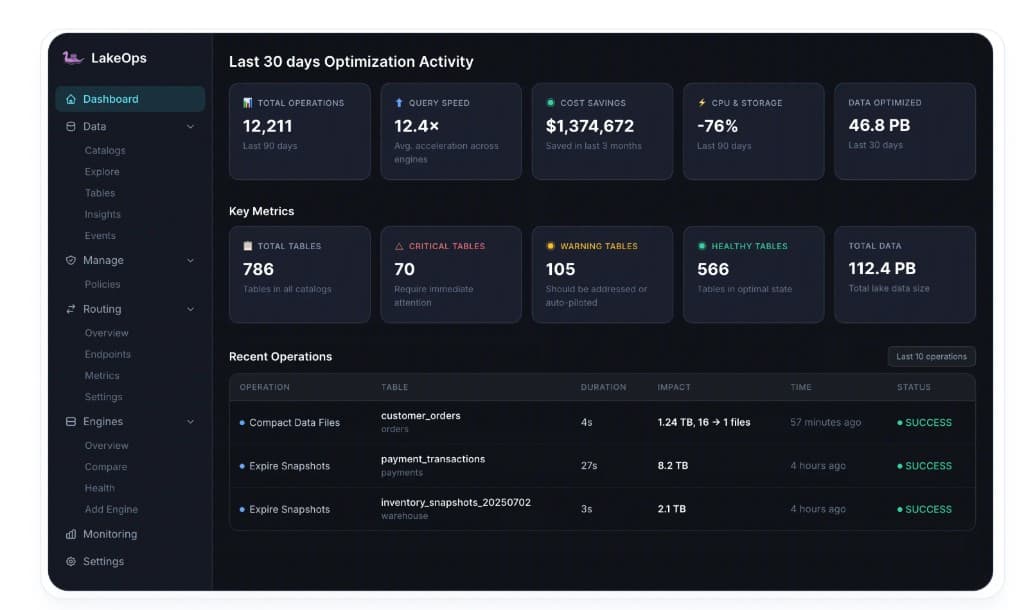
LakeOps surfaces all of these metrics automatically. The Dashboard shows snapshot count trends, storage pinned by retention, manifest fragmentation, and projected savings from policy changes — without requiring manual SQL queries against metadata tables. The Retention Simulation feature lets you preview the impact of a policy change (e.g., switching from 30-day to 7-day retention) before applying it: how many snapshots would be expired, how much storage would be released, and whether any active consumers would be affected.
Automated retention enforcement
Knowing the right retention window is only half the problem. Enforcing it across every table, continuously, without gaps or conflicts, is the operational challenge that separates teams who set a policy from teams who actually maintain table health.
The cron job approach (and why it breaks at scale)
The simplest automation is a scheduled job that calls expire_snapshots on each table:
1from airflow import DAG2from airflow.providers.apache.spark.operators.spark_sql import SparkSqlOperator3from datetime import datetime, timedelta4 5with DAG(6 'snapshot_expiration',7 schedule_interval='0 3 * * *',8 start_date=datetime(2026, 1, 1),9 catchup=False,10) as dag:11 12 expire_streaming = SparkSqlOperator(13 task_id='expire_streaming_tables',14 sql="""15 CALL catalog.system.expire_snapshots(16 table => 'streaming.clickstream',17 older_than => current_timestamp() - INTERVAL 5 DAYS,18 retain_last => 50,19 stream_results => true20 )21 """,22 )23 24 expire_batch = SparkSqlOperator(25 task_id='expire_batch_tables',26 sql="""27 CALL catalog.system.expire_snapshots(28 table => 'analytics.daily_events',29 older_than => current_timestamp() - INTERVAL 14 DAYS,30 retain_last => 10,31 stream_results => true32 )33 """,34 )This works for 5–10 tables. It breaks down in predictable ways as the lake grows:
Per-table DAGs do not scale. At 100 tables across 3 catalogs, you maintain 100 expiration tasks with different retention windows, different safety parameters, and different schedules. Every new table requires a new task — and forgotten tables accumulate snapshots indefinitely. A single table missed for 6 months can silently accrue terabytes of pinned storage.
No adaptation to write patterns. A cron job runs at the same frequency regardless of whether the table received 10,000 new snapshots or zero since the last run. A streaming table that needs hourly expiration gets daily. A batch table that needs nothing gets expired anyway, wasting Spark cluster compute on a no-op.
No conflict awareness. The cron job does not know if an active Spark reader is mid-scan on a snapshot it is about to expire. It does not know if a concurrent compaction job is about to produce new files that reference the same manifest. Without conflict awareness, expiration can cause FileNotFoundException errors on long-running readers or race conditions with concurrent writers.
No sequencing with downstream operations. Snapshot expiration should precede orphan cleanup, which should precede compaction. Separate cron jobs for each operation run independently — expiration on Monday, orphan cleanup on Wednesday, compaction on Friday. Each misses the window where its output would feed the next step cleanly. The cascade effect is lost.
No observability. A cron job either succeeds or fails. It does not tell you how many snapshots were expired, how much storage was released, whether the table is now healthy, or whether the retention window is appropriate for the workload. You are flying blind between monthly storage bill reviews.
Policy-based retention with LakeOps

LakeOps replaces per-table cron jobs with policy-driven retention enforcement that operates at lake scale. The difference is not just automation — it is a fundamentally different operational model.
Workload-aware policies. LakeOps classifies each table by actual write pattern — streaming (high commit frequency → shorter retention), batch (lower frequency → moderate retention), or compliance-sensitive (tagged for long retention). Policies are set at three scopes: catalog-wide defaults, namespace overrides, and per-table exceptions. More specific policies override broader ones. A catalog-wide policy sets the default (e.g., 7 days, retain_last = 10). A namespace override for the streaming namespace sets 3 days with retain_last = 50. A per-table override for a compliance table sets 30 days with specific tagged checkpoints preserved.
Policy enforcement at lake scale. Define retention once, apply it across catalogs — every table gets the right retention without per-table cron jobs. New tables automatically inherit the policy from their parent namespace or catalog. No manual configuration required when a new table is added to the lake. Every policy is versioned and auditable — changes are logged with timestamp, author, and before/after values.
Conflict-aware expiration. LakeOps never expires snapshots that active readers depend on. By monitoring query activity across engines, it determines which snapshots are still in use and excludes them from expiration runs. This eliminates the FileNotFoundException risk that makes teams hesitant to run aggressive expiration.
Sequenced with other operations. LakeOps always runs expiration BEFORE orphan cleanup and compaction — the correct order that the cascade effect demands. Each step's output feeds the next in a single coordinated pipeline per table. Expiration releases file references, orphan cleanup removes the physical files, compaction operates on the clean dataset, and manifest rewriting consolidates against the final layout.
Retention simulation. Before changing a retention policy, LakeOps lets you preview the impact: how many snapshots would be expired, how much storage would be released, and whether any active consumers would be affected. This turns policy changes from a leap of faith into a data-driven decision.
Observability. Every expiration run is logged with before/after snapshot counts, data volume released, execution duration, and status. The Dashboard aggregates these across the lake — showing total snapshots expired, storage reclaimed, and cost savings over 30 days.

This closes the feedback loop: you set a retention policy, LakeOps enforces it, sequences the downstream operations, and you see the impact in the same system without waiting for the next AWS bill. For teams managing S3 cost reduction across their lakehouse, snapshot retention is typically the highest-ROI lever — it is the prerequisite that unlocks savings from every downstream operation.
Setting the right retention: a decision framework
Use these questions to determine the retention policy for any table:
1. What is the write frequency?
- More than 100 commits/day → streaming policy (3–7 days)
- 1–100 commits/day → batch policy (14–30 days)
- Less than 1 commit/day → low-frequency policy (30+ days, but ensure
retain_lastis high enough to preserve rollback capability)
2. What is the longest-running query or consumer?
- Your
older_thanmust exceed this duration with a safety margin - If your longest Spark job takes 4 hours, set
older_thanto at least 24 hours (6x safety margin) - If incremental consumers can fall behind by 3 days, set
older_thanto at least 5 days - If you do not know your longest query duration, start with 7 days and monitor for
FileNotFoundExceptionerrors
3. Are there compliance requirements?
- If yes: tag specific checkpoints with long retention, keep operational retention short
- If GDPR/CCPA applies: retention should be short (48–72 hours for PII tables) to ensure deletions are irrecoverable within regulatory timelines
- If financial auditing applies (SOX): tag end-of-quarter/year snapshots with 7-year retention
- If HIPAA applies: tag snapshots at audit-relevant intervals, retain for the required period
4. What is the cost of rolling back?
- If a bad write can be reprocessed from source within hours → short retention is safe
- If reprocessing is expensive, slow, or impossible (source data expires) → extend retention to cover the detection window for data quality issues
- If automated data quality checks run within 24 hours of ingestion → 3–7 day retention is safe
5. Is the table compacted regularly?
- If yes: short retention maximizes compaction benefit (pinned files are released faster, each compaction run reclaims more space)
- If no: retention matters less for storage (no superseded files to reclaim) but still matters for metadata health and manifest fragmentation
6. What is the table's role in the wider pipeline?
- If the table feeds incremental consumers: retention must exceed the maximum catch-up window for all downstream pipelines
- If the table is a terminal analytics table: shorter retention is safe since no downstream pipeline depends on specific snapshot IDs
- If the table supports ML training reproducibility: tag snapshots at model training boundaries with retention matching the model lifecycle
Operational recommendations
For every production table
- Set
history.expire.max-snapshot-age-msexplicitly — never rely on the default (unlimited retention) - Set
history.expire.min-snapshots-to-keepto at least 2 (the absolute minimum for rollback safety), preferably 5+ for batch and 25+ for streaming - Enable
write.metadata.delete-after-commit.enabled = trueand setwrite.metadata.previous-versions-maxto 50–100 to control metadata file proliferation - Always set
stream_results = trueon production expiration jobs to prevent Spark driver OOM - Use
max_concurrent_deletes = 4or higher for tables with large expired file counts - Tag compliance-critical snapshots with explicit retention rather than keeping all snapshots
- Monitor snapshot count weekly — if it exceeds 1,000 on any non-compliance table, expiration is insufficient
For the lake as a whole
- Define namespace-scoped retention policies that cover all tables by default — no table should inherit unlimited retention
- Ensure expiration runs before orphan cleanup and compaction — never independently and never in the wrong order
- Track the storage delta between current-snapshot data size and total physical storage on each table's prefix — this is your retention waste metric
- Alert when any table's snapshot count exceeds 500 or when the physical-to-logical storage ratio exceeds 2x
- Review retention policies quarterly as workloads evolve — a table that shifted from batch to streaming ingestion needs a policy update
- Inventory all tables that have never had snapshots expired — these are your largest immediate savings opportunities
Common mistakes to avoid
- Running
remove_orphan_filesbeforeexpire_snapshots— files pinned by unexpired snapshots will not be identified as orphans, so the cleanup is incomplete - Setting
retain_last = 1in production — one bad write and you have no rollback target - Using the same retention window for streaming and batch tables — streaming tables need 3–7 days; batch tables need 14–30 days
- Retaining all snapshots for compliance instead of using tags — this creates 100x the metadata overhead and storage cost for the same audit capability
- Running expiration without
stream_results = trueon large tables — the Spark driver will OOM when collecting millions of file paths - Expiring aggressively on PII tables without confirming that compaction ran first — expiration alone does not make deleted data irrecoverable; compaction must physically rewrite the files before expiration removes the pre-deletion snapshots
Summary
Snapshot retention is the foundation of Iceberg table health. Every other maintenance operation — orphan cleanup, compaction, manifest rewriting — depends on expiration running first and running aggressively enough to release the file references that downstream operations need to be effective.
The right retention policy is not about how much history you might want someday. It is about how much history you actually use, how long your queries and consumers run, what compliance checkpoints you need to preserve, and how quickly deleted data must become irrecoverable. For streaming tables, that is 3–7 days. For batch tables, 14–30 days. For compliance, it is specific tagged snapshots retained for years — not every intermediate commit.
Set older_than to cover your longest query plus a safety margin. Set retain_last as a floor against accidental full expiration. Always use stream_results = true and max_concurrent_deletes for production workloads. Tag compliance snapshots explicitly. Automate enforcement with policies rather than per-table cron jobs. Sequence expiration with downstream operations so the cascade — expiration → orphan cleanup → compaction → manifest rewrite — delivers compounding savings rather than isolated, partial improvements.
For teams managing this at scale, the LakeOps managed lakehouse classifies tables by workload, sets appropriate retention automatically, enforces policies across catalogs and namespaces, sequences operations in the correct order, simulates policy changes before applying them, and provides the observability to prove the retention policy is working. The result is a lakehouse where snapshot retention is a solved operational problem — not a recurring source of storage bloat and performance degradation. For a detailed analysis of the cost impact of snapshot accumulation across your lake, and how governance through retention policies enforces compliance, explore the cost optimization solution.
Further reading
- Iceberg Orphan Files Cleanup Guide — safe detection, retention windows, and automated removal at lake scale
- Iceberg Snapshot Retention & Time Travel — the full snapshot lifecycle and time-travel mechanics
- Iceberg Compaction Strategies — bin-packing vs sort compaction, Z-order, and when to use each