

Orphan files are the silent cost leak in every Iceberg lake, as detailed in the Iceberg table health and maintenance guide. They are invisible to queries but fully billable by S3, GCS, and ADLS. On mature lakes, they account for 25–40% of storage spend on affected prefixes. A control plane like LakeOps detects and safely removes orphan files continuously at lake scale — without the S3 LIST overhead that makes manual approaches prohibitively expensive.
Your Iceberg tables report 230 TB of data across three catalogs. Your S3 bill says 350 TB. The 120 TB gap is not a billing error — it is orphan files. Data files that exist in object storage, fully billable at $0.023 per GB per month, but invisible to every query engine connected to your lakehouse. No snapshot references them. No manifest tracks them. They will never be read by a query. But they will appear on every invoice until someone removes them — silently compounding month after month while your team investigates why the AWS bill is 50% higher than the logical data volume explains.
This guide covers exactly what orphan files are, every mechanism that creates them, why they are dangerous to clean up naively, the correct procedure with safe retention windows, how to measure orphan waste at scale, the engineering challenges of detecting orphans across millions of objects, and how to automate the entire lifecycle so orphan cleanup becomes a continuous operation rather than a quarterly fire drill.
The invisible cost problem
Orphan files are the most expensive form of Iceberg table waste because they are the hardest to detect. Small files inflate API costs but at least show up in metadata queries. Retained snapshots pin storage but appear in the snapshot table. Orphan files exist only in object storage — outside the Iceberg metadata graph entirely. The only way to find them is to list every object under the table's storage prefix and compare against every file reference in every retained snapshot. On a lake with millions of objects, that comparison is itself a significant engineering challenge.
The fundamental problem: Iceberg has no garbage collector. Unlike a database engine that tracks and reclaims freed pages, Iceberg relies on explicit maintenance procedures to find and remove unreferenced files. If those procedures do not run — or run incorrectly — orphans accumulate indefinitely. There is no natural cap on their growth. Every failed write, every crashed compaction, every commit conflict adds files that will never be removed without explicit action. The longer you wait, the larger the bill.
At $0.023 per GB per month on S3 Standard, 120 TB of orphan files costs $2,760 per month — $33,120 per year — for data that serves no purpose. On lakes with hundreds of streaming tables, orphan accumulation of 100–200 TB is not unusual after 6–12 months without cleanup. The compound effect is devastating: a team paying $50,000/year in S3 storage costs may discover that $15,000–$20,000 of that is pure orphan waste. For a broader analysis of how orphan files compound Iceberg costs across the entire lake, see our cost optimization deep dive.

For a detailed breakdown of how orphan files, snapshots, and small files each contribute to S3 cost inflation, see Reducing AWS S3 Cost with Iceberg.
How orphan files are created
Orphan files come from five sources, all of them routine in production environments. Understanding each mechanism is essential because the retention window and cleanup strategy must account for all of them simultaneously.
Failed writes
A Spark or Flink job writes Parquet data files to S3 as part of a transaction. The files land in object storage, but the job crashes before committing the snapshot. The Parquet files exist on disk — they consumed PUT requests to write and will consume storage charges every month — but no Iceberg snapshot ever referenced them. They are orphans from the moment the job fails.
This is the most common source of orphans on streaming tables. A Flink job checkpointing every 60 seconds against 50 partitions produces 72,000 file-write attempts per day. If even 0.1% of those fail without clean rollback, that is 72 new orphan files daily — over 2,000 per month from a single table.
Aborted commits (optimistic concurrency conflicts)
Iceberg uses optimistic concurrency control. Two writers can attempt to commit changes to the same table simultaneously. If one succeeds and the other's commit is rejected due to a ValidationException, the rejected writer's data files are already on storage. The retry logic may write new files for the second attempt, but the files from the first attempt remain — unreferenced by any committed snapshot.
In high-concurrency environments where multiple Spark jobs write to the same table (e.g., backfill jobs running alongside streaming ingestion), commit conflicts can produce hundreds of orphan files per day.
Crashed compaction
Compaction reads small input files, writes new merged output files, and commits a metadata update that replaces the old file references with the new ones. If the compaction engine crashes after writing the output files but before committing — or if the commit is rejected due to a concurrent modification — the output files become orphans. Meanwhile, the original small files remain referenced and intact.
On large tables, a single failed sort compaction can leave behind dozens of 256 MB orphan files — gigabytes of waste from a single interrupted operation. Spark-based compaction is particularly prone to this because JVM OOM errors and executor failures can terminate the job at any point during the write phase.
Concurrent writer interactions with snapshot expiration
Even when commits succeed, certain patterns produce orphan files as a side effect. Consider a compaction job that reads files from partition 2026-06-15 and begins writing merged output. While it runs, a streaming writer appends new data to the same partition. The compaction job commits successfully, but its snapshot references the merged output and the new streaming files — not the original input files. Snapshot expiration later removes the snapshot that referenced those input files, and they become orphans.
The interaction between compaction, streaming writers, and snapshot expiration is the primary structural source of orphan accumulation on production lakes. Each component works correctly in isolation, but their interleaved execution leaves files behind that no single component is responsible for cleaning up.
Partial checkpoint recovery
Flink and Spark Structured Streaming use checkpointing to guarantee exactly-once semantics. When a checkpoint partially completes — some tasks succeed, others fail — the recovery mechanism replays from the last successful checkpoint. The data files written by successful tasks before the failure are already in S3. After recovery, the engine writes new files from the replayed checkpoint. The pre-failure files are never committed to any Iceberg snapshot. They become orphans immediately — but with recent timestamps that make them look like in-flight writes to any cleanup process.
This mechanism is particularly insidious because the orphan files are recent. A naive cleanup with a short retention window would correctly skip them (they are too new), but a cleanup that runs a week later with a 3-day window will delete them — which is safe in this case. The danger arises when the Flink job itself has not yet recovered and the checkpoint files are still needed for replay.
The danger of premature cleanup
The single most dangerous mistake in orphan cleanup is deleting files that are not actually orphaned — they are just not yet committed.
Consider a Spark job that began writing at 2:00 PM. It has written 200 Parquet files to S3 over the past 45 minutes. The snapshot commit will happen when all files are written and the job calls commitTransaction(). At 2:45 PM, those 200 files exist in storage but are not referenced by any snapshot. To a naive orphan detection scan, they look like orphans. If you delete them, the Spark job will commit a snapshot referencing files that no longer exist — corrupting the table.
This is not a theoretical risk. The Apache Iceberg documentation explicitly warns: "It is dangerous to remove orphan files with a retention interval shorter than the time expected for any write to complete because it might corrupt the table if in-progress files are considered orphaned and are deleted."
The same risk applies to long-running compaction jobs, backfill operations, and any write that spans more than a few minutes. In production environments with Spark jobs that run for hours and Flink checkpoints that can be delayed by backpressure, the window of vulnerability is measured in hours, not minutes.
URI scheme mismatches: the silent data-loss vector
There is a second, less obvious danger. Iceberg identifies files by their full URI path — including the scheme (s3://, s3a://, s3n://). If your writers use s3a://bucket/path but the orphan cleanup lists files as s3://bucket/path, the comparison will find zero matches. Every referenced file will appear unreferenced. If you then delete them, you will delete your entire table's data.
This has happened in production. The remove_orphan_files procedure includes an equal_schemes parameter (default: map('s3a,s3n','s3')) to handle common aliases, but non-standard configurations — especially with HDFS authority changes, GCS (gs://), or Azure (abfss://) — require explicit mapping. Always verify scheme consistency before the first orphan cleanup run on any table.
The Iceberg documentation states: "Iceberg uses the string representations of paths when determining which files need to be removed. On some file systems, the path can change over time, but it still represents the same file... This will lead to data loss when RemoveOrphanFiles is run."
What premature cleanup looks like in production
When orphan cleanup goes wrong, the symptoms are delayed. The cleanup completes successfully. No errors. The next query that touches the affected files fails with FileNotFoundException or similar storage-layer errors. If the table uses merge-on-read with equality delete files, the corruption may be silent — queries return incorrect results (missing deletions) rather than errors. Debugging requires correlating the cleanup timestamp with the failing file's creation timestamp and the write job's execution window.
Safe cleanup procedure
The safe approach uses Iceberg's built-in `remove_orphan_files` procedure with a conservative retention window.
Step 1: Always dry-run first
1-- Dry run: see what would be deleted without deleting anything2CALL catalog.system.remove_orphan_files(3 table => 'analytics.events',4 older_than => TIMESTAMP '2026-06-14 00:00:00',5 dry_run => true6);The dry run returns the list of files that would be deleted. Review it. Check the file count and total size. If the result looks unexpectedly large — especially if it includes files from recent partitions — something is wrong. Either the retention window is too short, or there is a scheme mismatch. A dry run that returns tens of thousands of files on a table that has been well-maintained is a red flag. A dry run that returns more files than the table currently references is almost certainly a scheme mismatch — stop immediately and investigate.
Step 2: Set the retention window to 7+ days
The older_than parameter is the safety boundary. Only files with modification timestamps older than this value are eligible for deletion. The Iceberg default is 3 days, but production environments should use 7 days or more.
Why 7 days? Because the retention window must exceed the duration of the longest possible write operation plus any retry or recovery time. A Spark sort compaction on a 500 GB partition can run for 4–6 hours. If the cluster is preempted and retries the next day, the original output files are 24+ hours old but still part of an active operation. A Flink job recovering from a multi-day backlog can have files in flight for 48+ hours. Seven days provides a comfortable margin for these scenarios and accounts for weekend operations where no one is monitoring job state.
1-- Production cleanup: 7-day retention, after verifying dry run2CALL catalog.system.remove_orphan_files(3 table => 'analytics.events',4 older_than => TIMESTAMP '2026-06-14 00:00:00'5);Step 3: Run AFTER snapshot expiration
The correct maintenance sequence is: expire snapshots → remove orphan files → compact → rewrite manifests. Orphan cleanup must always run after snapshot expiration because expiration releases file references — files that were referenced by now-expired snapshots become orphans eligible for cleanup. If you run orphan cleanup first, those files are still referenced and will not be detected as orphans. You will miss the largest category of reclaimable storage.
This sequencing is not optional. Running orphan cleanup before expiration is not dangerous (it won't corrupt anything), but it is wasteful — you spend compute listing and comparing files that are still referenced, and the files you most need to reclaim (snapshot-pinned dead data) are invisible to the procedure.
For a detailed treatment of maintenance sequencing, see Automating Apache Iceberg Table Maintenance. For the full picture of how orphan removal fits with expiration, compaction, and manifest rewriting, read the comprehensive Iceberg table cleanup guide.
Step 4: Control delete concurrency
On tables with tens of thousands of orphan files, the delete operation itself can overwhelm S3. Use max_concurrent_deletes to throttle:
1CALL catalog.system.remove_orphan_files(2 table => 'analytics.events',3 older_than => TIMESTAMP '2026-06-14 00:00:00',4 max_concurrent_deletes => 505);Without throttling, the procedure will issue deletes as fast as the executor can process them. On S3, this can trigger request rate throttling (HTTP 503 SlowDown errors) at the prefix level, which affects not just the cleanup job but any concurrent reads or writes to the same prefix. If your table serves production queries, prefix-level throttling during orphan cleanup can degrade query latency for the duration of the operation.
Step 5: Validate after cleanup
After the first orphan cleanup on any table, run a validation query against the current snapshot to confirm all referenced files are still accessible:
1-- Verify all referenced files exist post-cleanup2SELECT file_path, file_size_in_bytes3FROM analytics.events.files4WHERE file_size_in_bytes > 05LIMIT 100;If this query fails with file-not-found errors, the cleanup deleted referenced files — likely due to a scheme mismatch. The table may need recovery from a previous snapshot.
Measuring orphan file waste
Before cleaning up orphans, you need to quantify the problem. Two approaches work at different scales.
Approach 1: Metadata vs. storage comparison (per table)
Compare the total size reported by Iceberg metadata against the actual S3 storage for the table's prefix:
1-- Total data size tracked by Iceberg (current snapshot)2SELECT3 SUM(file_size_in_bytes) / (1024*1024*1024) AS tracked_data_gb,4 COUNT(*) AS tracked_file_count5FROM analytics.events.files;Then check the actual S3 storage for the same prefix using the AWS CLI or S3 Storage Lens:
1aws s3 ls s3://lakehouse-bucket/warehouse/analytics/events/ \2 --recursive --summarize \3 | tail -2If S3 reports 150 GB and Iceberg metadata reports 95 GB, you have approximately 55 GB of orphan files (plus some metadata overhead). On a single table, this delta is a warning sign. Across 200 tables, these deltas compound into tens of terabytes of waste.
Approach 2: S3 Inventory for lake-wide measurement
For lake-wide orphan measurement, S3 Inventory is more practical than recursive listing. S3 Inventory delivers a daily or weekly manifest of every object in your bucket — pre-computed, no LIST calls required. Query it with Athena:
1-- Total storage per table prefix from S3 Inventory2SELECT3 REGEXP_EXTRACT(key, '(warehouse/[^/]+/[^/]+)/', 1) AS table_prefix,4 COUNT(*) AS object_count,5 SUM(size) / (1024*1024*1024) AS total_gb6FROM s3_inventory.lakehouse_bucket7WHERE is_latest = true8 AND key LIKE 'warehouse/%'9GROUP BY REGEXP_EXTRACT(key, '(warehouse/[^/]+/[^/]+)/', 1)10ORDER BY total_gb DESC;Join this against Iceberg metadata sizes per table (from table.files) to compute the orphan delta across every table in a single query. Tables where S3 storage exceeds Iceberg-tracked storage by more than 20% are strong orphan-cleanup candidates.
What LakeOps surfaces automatically
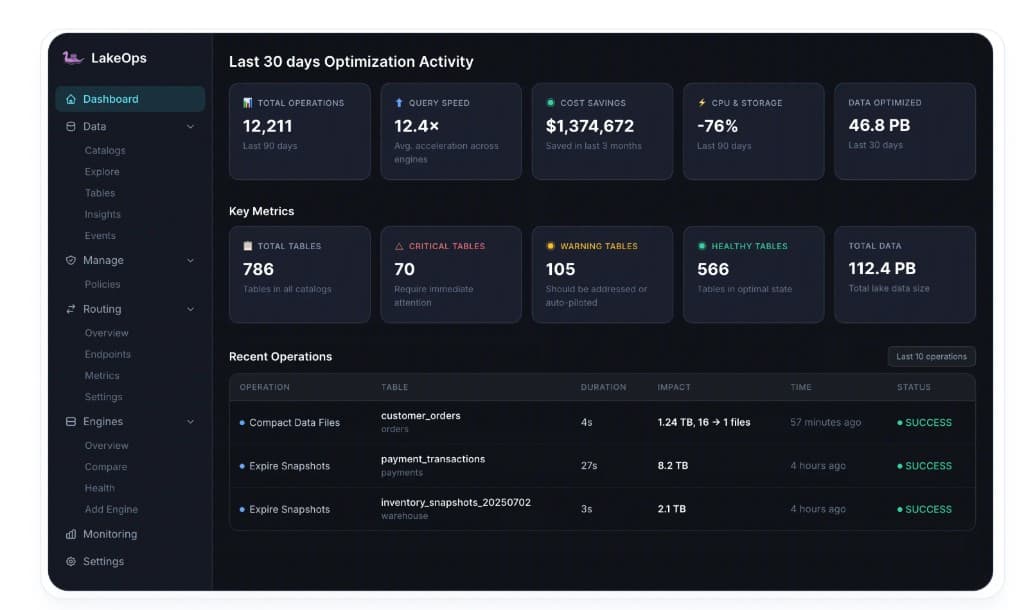
With LakeOps, the per-table orphan measurement happens continuously without manual queries. The platform surfaces exactly how much storage orphans consume per table, the accumulation rate over time, and projected savings from cleanup — all visible in the dashboard before you run a single procedure. This observability layer turns orphan detection from a periodic investigation into a persistent metric, ranked alongside file count, manifest depth, and snapshot sprawl in the table health classification.
Scale challenges: listing millions of files
The remove_orphan_files procedure works by listing every file in the table's storage location and comparing the list against metadata. This has three scaling problems that make it impractical for large lakes without optimization.
S3 LIST is slow and expensive. Each LIST request returns at most 1,000 objects. A table with 2 million files requires 2,000 LIST requests. Across 300 tables, that is 600,000 LIST requests — $3,000 in API costs just for the listing phase, before any deletes. And each request has latency: a full listing of 2 million objects can take 10–15 minutes even with parallel pagination.
Metadata comparison is memory-intensive. The procedure loads all referenced file paths from metadata and all listed file paths from storage into memory, then computes the set difference. On a table with millions of files, this comparison can consume gigabytes of executor memory. Spark-based orphan cleanup on tables above 5 million files routinely OOMs unless the executor is provisioned with 16+ GB of memory.
Cross-table coordination does not exist. The Spark procedure operates on a single table at a time. Cleaning orphans across 300 tables means 300 separate jobs, each with its own listing phase, its own memory consumption, and its own scheduling. At lake scale, the orphan cleanup jobs themselves become a significant operational burden — scheduling, monitoring, retrying failures, and handling the inevitable OOMs across hundreds of tables.
These challenges are why most production teams run orphan cleanup infrequently — weekly or monthly rather than daily — and often skip it entirely on their largest tables. The result is months of orphan accumulation on exactly the tables that produce the most orphans.
The 350 TB to 230 TB cleanup
The scale of orphan accumulation on production lakes is not theoretical. One deployment discovered that their lakehouse was consuming 350 TB of S3 storage across 324 tables — but the Iceberg metadata only tracked 230 TB of live data. The 120 TB gap was pure orphan waste that had accumulated over months without detection. The orphan files were invisible to every Iceberg query and monitoring tool but fully billed at S3 Standard rates.
At $0.023 per GB per month, 120 TB of orphan files costs $2,760 per month — $33,120 per year. The cleanup itself completed in under 30 minutes because it was executed by a purpose-built engine that avoids the listing overhead and memory constraints of Spark-based procedures. No queries were affected. No tables were corrupted. The storage savings appeared on the next S3 bill.
This is not an outlier. On mature streaming lakes where compaction runs daily, streaming ingestion runs continuously, and multiple engines write concurrently, orphan accumulation rates of 5–10 TB per month are common. Without systematic cleanup, a 12-month-old lake can easily accumulate 60–120 TB of orphans — a cost equivalent to the storage of the actual live data.
The deployment went from reactive ("why is our S3 bill so high?") to autonomous: continuous orphan detection and removal running as part of the maintenance loop, not as a monthly panic job. The 120 TB reclamation was the immediate impact; the ongoing prevention of re-accumulation is the structural value.
Automating orphan cleanup in the correct sequence
Orphan cleanup cannot run in isolation. It is step two in a four-step maintenance pipeline, and skipping or misordering any step reduces the effectiveness of the entire chain.
Step 1: Expire snapshots. Snapshot expiration removes old snapshots and dereferences the data files they exclusively held. Without expiration, those files are still "referenced" — they will not be detected as orphans. Expiration converts snapshot-pinned files into orphan-eligible files.
Step 2: Remove orphan files. After expiration releases file references, orphan cleanup finds and deletes the physical files. This is the step that reclaims actual storage bytes from S3. The 7+ day retention window ensures in-flight writes are protected.
Step 3: Compact data files. Compaction merges small files into optimally sized targets. Running it after orphan cleanup means compaction operates on a clean storage footprint — no wasted I/O reading or accounting for orphan files in the same prefix.
Step 4: Rewrite manifests. After compaction changes the file layout, manifest rewriting consolidates metadata to match the new layout. Always the last step.
Running orphan cleanup before snapshot expiration is the most common mistake. The second most common mistake is running it too infrequently — monthly instead of daily — allowing orphans to accumulate to the point where the cleanup job itself becomes too large to run reliably. For the full maintenance sequence and rationale, see the table health guide linked above.
Airflow example: sequenced maintenance DAG
1from airflow import DAG2from airflow.providers.apache.spark.operators.spark_sql import SparkSqlOperator3from datetime import datetime, timedelta4 5with DAG(6 'iceberg_orphan_maintenance',7 schedule_interval='0 3 * * *',8 start_date=datetime(2026, 1, 1),9 catchup=False,10) as dag:11 12 expire = SparkSqlOperator(13 task_id='expire_snapshots',14 sql="""15 CALL catalog.system.expire_snapshots(16 table => 'analytics.events',17 older_than => current_timestamp() - INTERVAL 7 DAYS,18 retain_last => 5019 )20 """,21 )22 23 orphans = SparkSqlOperator(24 task_id='remove_orphans',25 sql="""26 CALL catalog.system.remove_orphan_files(27 table => 'analytics.events',28 older_than => current_timestamp() - INTERVAL 7 DAYS,29 max_concurrent_deletes => 5030 )31 """,32 )33 34 compact = SparkSqlOperator(35 task_id='compact_files',36 sql="""37 CALL catalog.system.rewrite_data_files(38 table => 'analytics.events',39 strategy => 'binpack',40 options => map(41 'target-file-size-bytes', '268435456',42 'min-input-files', '5',43 'partial-progress.enabled', 'true'44 )45 )46 """,47 )48 49 rewrite_manifests = SparkSqlOperator(50 task_id='rewrite_manifests',51 sql="""52 CALL catalog.system.rewrite_manifests(53 table => 'analytics.events'54 )55 """,56 )57 58 expire >> orphans >> compact >> rewrite_manifestsThis works for a single table. At 10 tables, you maintain 10 DAGs. At 200 tables across multiple catalogs with different retention requirements, the DAGs themselves become a maintenance problem — a problem explored in detail in the automation guide linked above.
How LakeOps detects and removes orphan files at lake scale
LakeOps is an autonomous control plane for Apache Iceberg that automates the full maintenance lifecycle — including orphan file detection and removal — across every table in every connected catalog. It connects to Glue, REST, Polaris, Nessie, S3 Tables, and other Iceberg catalogs without moving data or changing pipelines.
Detection without S3 LIST overhead
The core challenge with orphan cleanup at scale is the listing phase — enumerating every object under every table prefix in S3 and comparing against metadata. LakeOps avoids the brute-force listing approach by tracking file creation through commit telemetry. The engine maintains a continuous metadata-aware view of each table's storage footprint, built from the stream of Iceberg commits rather than periodic storage scans. When orphan cleanup runs, the engine already knows which files are referenced and which are not. There is no separate LIST-all-objects phase that scales linearly with object count and costs $5 per million objects.
This is why the 350 TB → 230 TB cleanup across 324 tables completed in under 30 minutes — the detection phase was near-instant because the metadata graph was already indexed. On a Spark-based approach, just the listing phase for 324 tables would have taken hours and consumed significant executor memory.
Configurable retention with safe defaults
LakeOps always enforces a 7+ day retention threshold for orphan files — matching the production best practice for environments with long-running Spark and Flink jobs. The threshold is configurable per table, per namespace, or per catalog through policies. A streaming table with 2-minute Flink checkpoints can safely use a 7-day threshold (the minimum enforced). A batch table fed by 8-hour Spark jobs with potential multi-day recovery windows can use 10+ or 14+ days. The policy system enforces the correct threshold without requiring per-table DAG configuration — and the minimum floor prevents accidental configuration below the safety boundary.
Sequenced correctly in the maintenance pipeline
Orphan cleanup never runs in isolation. LakeOps sequences it as the second step in the coordinated maintenance pipeline: expire snapshots → remove orphan files → compact data files → rewrite manifests. Each step's output feeds the next. Snapshot expiration releases file references; orphan cleanup removes the physical files; compaction operates on a clean storage footprint; manifest rewriting aligns metadata with the final layout.
This sequencing is enforced by the control plane, not by external DAG configuration. The pipeline is conflict-aware — if a streaming writer is actively committing to a partition, cleanup skips files in that partition's prefix until the next cycle. No data is lost, no in-progress commits are disrupted.
Continuous, not batch
The critical difference between LakeOps orphan cleanup and manual approaches is operational cadence. Manual cleanup runs monthly (or quarterly, or "when someone remembers") because the listing overhead and operational complexity make frequent runs impractical. LakeOps runs orphan cleanup as part of the continuous maintenance loop — daily or more frequently depending on table ingestion rates. This means orphan accumulation is measured in days, not months. The 120 TB cleanup described above is what happens when orphans accumulate for months. With continuous cleanup, the equivalent operation reclaims a few terabytes each cycle — trivial to execute, predictable in its savings, and invisible to production workloads.
Handles lakes with millions of files
The combination of commit-based tracking and per-table policy enforcement means LakeOps handles lakes with millions of files across hundreds of tables without manual scripting. There is no per-table Airflow DAG to write. No per-table memory tuning for the Spark executor. No per-table cron schedule to maintain. The platform applies the correct operation, with the correct retention window, in the correct sequence, across every table in scope — and reports the results in the Events view with before/after metrics.
Per-table orphan observability
The platform surfaces exactly how much storage orphans consume per table — not as a periodic audit result, but as a continuously updated metric. The dashboard shows orphan accumulation rate, projected monthly cost, and estimated savings from the next cleanup cycle. FinOps teams can attribute orphan waste to specific tables, namespaces, or teams without running custom S3 Inventory queries. This turns orphan cleanup from an engineering task into a measurable cost-optimization metric with clear ROI per execution.

From reactive to autonomous
The path from manual orphan cleanup to autonomous management follows a natural progression:
1. Connect your catalogs. Point LakeOps at your existing Glue, REST, Polaris, Nessie, or S3 Tables catalog. Discovery and health classification begin immediately — including orphan file detection across every discovered table.
2. Audit orphan exposure. Review the per-table health classification. Tables where physical storage significantly exceeds Iceberg-tracked storage are flagged. The Insights engine surfaces orphan accumulation as a severity-ranked alert before it becomes a billing surprise.
3. Run cleanup manually first. Use the per-table Optimization tab to trigger orphan cleanup on individual tables. Review the Events tab for results — how many files were removed, how much storage was reclaimed, how long the operation took. Build confidence before automating.
4. Enable continuous cleanup. Toggle on scheduled orphan cleanup. LakeOps runs the full maintenance pipeline in the correct sequence automatically — daily, with the 7+ day retention window protecting in-flight writes.
5. Apply lake-wide policies. Create a policy that enforces orphan cleanup across every table in scope. New tables inherit the policy automatically. No per-table configuration required. The orphan accumulation problem is structurally solved — every table gets the correct maintenance, in the correct order, at the correct frequency.
Operational best practices
Whether you automate with LakeOps or manage orphan cleanup manually, these operational practices prevent the most common failures.
Always expire before cleaning. Run expire_snapshots before remove_orphan_files. Every time. Without exception. Expiration converts referenced files into orphan-eligible files. Without it, the largest category of reclaimable storage is invisible to the cleanup procedure.
Never go below 7 days retention. The 3-day Iceberg default is too aggressive for any environment with long-running Spark jobs, Flink recovery scenarios, or multi-day backfill operations. Seven days provides margin for weekends, on-call delays, and unexpected job retries. When in doubt, use 10 days.
Verify scheme consistency on first run. Before the first orphan cleanup on any table, confirm that the URI scheme in Iceberg metadata matches what the listing produces. Check file_path values in table.files — are they s3://, s3a://, or s3n://? Map any inconsistencies using the equal_schemes parameter. One mismatched scheme can delete your entire table's data.
Dry-run every new table. Run with dry_run => true on every table the first time. If the dry run returns more candidates than expected, investigate before proceeding. Unexpectedly large results indicate either a genuine orphan accumulation (good — proceed with real run) or a detection error (dangerous — stop and debug).
Throttle deletes on production tables. Use max_concurrent_deletes for any table that serves production queries. S3 prefix-level rate limiting at 3,500 PUT/COPY/POST/DELETE requests per second is shared across all operations on that prefix. Orphan cleanup issuing thousands of concurrent deletes can trigger SlowDown errors that affect production reads.
Monitor accumulation rate, not just total. A one-time cleanup is not a solution. Track the orphan delta (S3 storage minus Iceberg-tracked storage) weekly. If it grows faster than your cleanup cadence removes, increase frequency or investigate the source. Streaming tables with high commit-conflict rates may accumulate orphans faster than daily cleanup can handle — these tables need dedicated attention.
Do not run on the active write partition. If your table is partitioned by date and today's partition is actively receiving writes, exclude it from orphan cleanup or ensure the retention window is large enough that today's in-flight files are protected. This is especially important for hourly or sub-hourly partitions where the write window overlaps with the cleanup window.

Summary
Orphan files are the most insidious form of Iceberg table waste. They are created by routine operations — failed writes, commit conflicts, crashed compaction, partial checkpoint recovery — and accumulate silently because nothing in the Iceberg metadata graph tracks them. They are invisible to query engines and metadata queries but fully visible on the S3 invoice. On mature production lakes, orphan files routinely account for 25–40% of storage spend on affected tables.
The fix is straightforward in principle: compare storage against metadata, delete what is unreferenced, and protect in-flight writes with a conservative retention window. In practice, the listing overhead, memory requirements, and cross-table coordination make orphan cleanup one of the hardest maintenance operations to run reliably at scale.
Safe orphan cleanup requires five things: running snapshot expiration first so all reclaimable files are exposed, using a 7+ day retention window to protect in-flight writes, verifying scheme consistency to prevent accidental data loss, throttling delete concurrency to avoid S3 rate limiting, and running the operation on a schedule that prevents month-over-month accumulation.
For teams managing more than a handful of tables, the manual approach — per-table Spark procedures, per-table Airflow DAGs, per-table retention configuration — does not scale. A dedicated table maintenance control plane detects orphans through commit telemetry rather than expensive S3 LIST operations, enforces safe retention windows at the policy level, sequences cleanup correctly after snapshot expiration, handles lakes with millions of files across hundreds of tables, and surfaces per-table orphan costs as continuous observability metrics. The result is orphan cleanup that runs as a continuous, autonomous operation — not a monthly batch job that drifts into a quarterly fire drill. Explore how it fits into the broader managed Iceberg platform or see the cost optimization impact on production lakehouses.
Further reading
- Fixing Small Files in Apache Iceberg — root causes, measurement, and automated resolution
- Kafka to Iceberg Compaction — Done Right — compaction strategies and conflict avoidance for streaming tables
- 9 Iceberg Compaction Tools Compared — LakeOps, Spark, AWS Glue, S3 Tables, Snowflake, and more
- Iceberg Delete Files Guide — monitoring and resolving delete file accumulation